
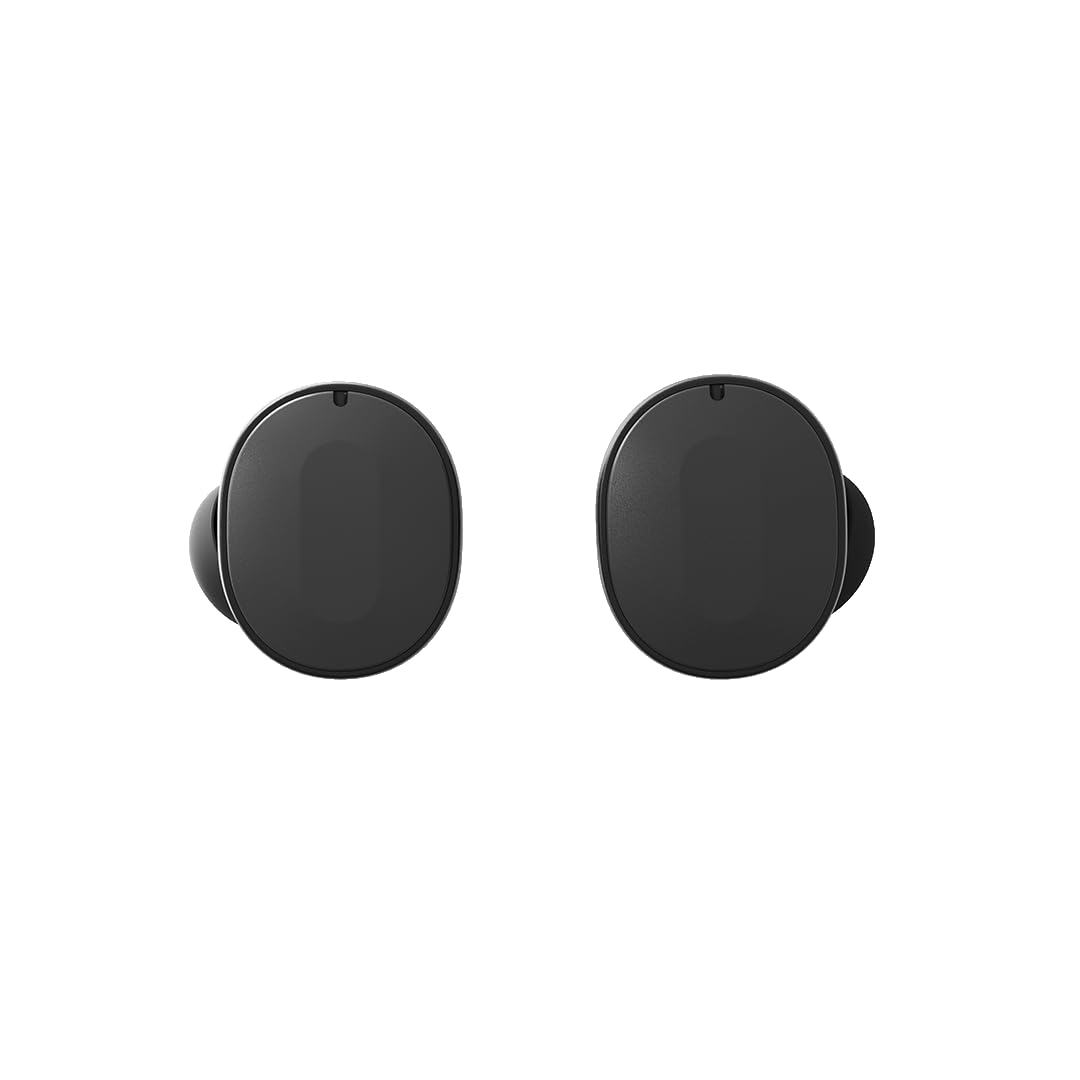
Image: A pair of Fairphone Fairbuds True Wireless Earbuds in black.
1. Enstalasyon
1.1 Debale ak Premye Chajman
Before first use, ensure the Fairbuds and their charging case are fully charged. The earbuds come with a charging case and include rechargeable Lithium Ion batteries.
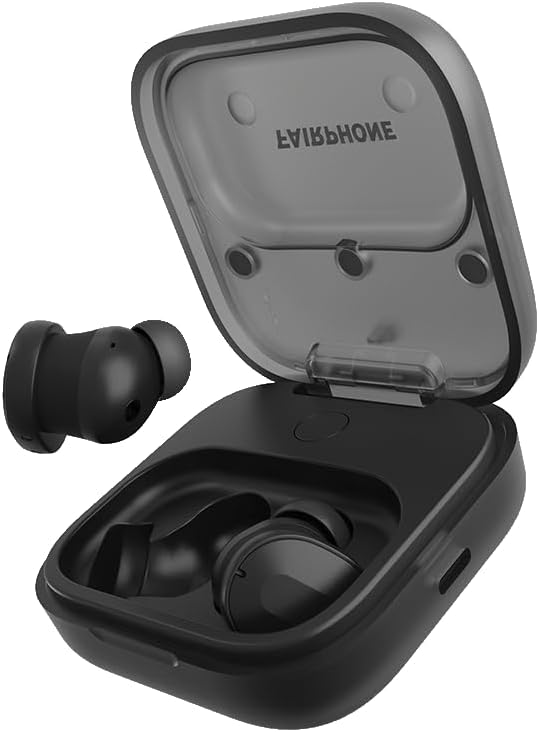
Image: Fairbuds True Wireless Earbuds placed inside their open charging case, ready for charging.
Place the earbuds into the charging case. Connect the charging case to a power source using a compatible USB-C cable (not always included, check packaging). A full charge takes approximately 6 hours for the case and earbuds combined.
1.2 Konekte ak Aparèy ou an
- Ensure the Fairbuds are in the charging case with the lid open, or are powered on and in pairing mode.
- Sou aparèy ou an (telefòn entelijan, tablèt, òdinatè pòtab), ale nan paramèt Bluetooth yo.
- Select "Fairbuds" from the list of available devices.
- Confirm the pairing request if prompted.
The Fairbuds support Bluetooth 5.3 for a stable connection and multipoint connectivity, allowing simultaneous connection to multiple devices.
1.3 Fairbuds App Installation
For full customization and control, download the Fairbuds companion app from your device's app store. The app allows for an 8-band EQ adjustment and other settings.
1.4 Mete ekoutè yo
Select the appropriate ear tips for a comfortable and secure fit. Gently insert each earbud into your ear canal and twist slightly to ensure a snug seal. A proper fit is crucial for optimal sound quality and Active Noise Cancellation (ANC) performance.

Image: A pair of Fairbuds True Wireless Earbuds shown from the side, highlighting their in-ear design.
2. Operating the Fairbuds
2.1 Power On/Off
The Fairbuds automatically power on when removed from the charging case and power off when placed back into the case with the lid closed.
2.2 Kontwòl manyen
The Fairbuds feature touch-sensitive controls on each earbud for media playback, call management, and noise control. Specific gestures (tap, double-tap, long press) can be customized via the Fairbuds app.
Kontwòl komen:
- Jwe/Poz: Tape yon sèl sou chak ekoutè.
- Pwochen Track: Tape de fwa sou ekoutè dwat la.
- Track Previous: Tape de fwa sou ekoutè gòch la.
- Reponn/Fen Apèl: Tape yon sèl sou chak ekoutè.
- Rejte apèl: Peze lontan sou nenpòt ekoutè.
- Toggle ANC/Ambient Sound/Off: Long press on the left earbud (customizable).
2.3 Anilasyon Bri Aktif (ANC) ak Mòd Son Anbyen
The Fairbuds feature Active Noise Cancellation to reduce ambient noise and an Ambient Sound mode to allow you to hear your surroundings. These modes can be toggled using the touch controls or through the Fairbuds app.
2.4 Fè ak Resevwa Apèl
The Fairbuds are equipped with 6 microphones for clear call quality, even in outdoor environments. Use the touch controls to manage calls.
2.5 Lavi batri
The earbuds provide up to 6 hours of listening time on a single charge. The charging case provides an additional 20 hours of battery life, extending total playtime to 26 hours.
3. Antretyen
3.1 Netwayaj
Regularly clean your Fairbuds and charging case to ensure optimal performance and hygiene. Use a soft, dry, lint-free cloth. For ear tips, remove them and clean with mild soap and water, then dry thoroughly before reattaching.
3.2 Water and Sweat Resistance
The Fairbuds have an IP54 rating, making them resistant to sweat and light splashes of water. They are not waterproof and should not be submerged in water.
3.3 Replaceable Components
A key feature of the Fairbuds is their repairability. The earbuds and case are designed with modular components, including replaceable batteries. For replacement parts and instructions, refer to the official Fairphone support websit.

Image: An exploded diagram illustrating the modular design of the Fairbuds and their charging case, highlighting replaceable parts like the battery.
NAN. Depanaj
4.1 Enstabilite Koneksyon
If you experience unstable Bluetooth connection, try the following:
- Ensure your device is within range (typically 10 meters) and there are no major obstructions.
- Disconnect and re-pair the Fairbuds with your device.
- Restart your device and the Fairbuds (by placing them in the case and closing/opening the lid).
- Update the Fairbuds firmware via the Fairbuds app, if available.
4.2 Pwoblèm Kalite Son
If sound quality is poor or inconsistent:
- Asire w ke ekoutè yo byen chita nan zòrèy ou epi yo byen sele. Eseye diferan gwosè pwent zòrèy.
- Clean the earbud grilles and ear tips to remove any debris.
- Adjust the EQ settings in the Fairbuds app.
4.3 Earbuds Draining in Case
If earbuds lose charge while stored in the case:
- Asire w ke ka chaje a chaje.
- Verify that the earbuds are correctly seated in the charging contacts within the case.
- Netwaye kontak chaje yo sou tou de ekoutè yo ak sou kouvèti a.
- Ensure the case lid is fully closed.
4.4 Unwanted Touch Control Activation
If touch controls are too sensitive or activate unintentionally:
- Check the Fairbuds app for options to adjust touch sensitivity or disable specific gestures.
- Ensure your hair or clothing is not constantly brushing against the touch surface.
4.5 General Reset
If issues persist, a factory reset may resolve them. Refer to the Fairbuds app or Fairphone support website for specific instructions on how to perform a factory reset.
5. Espesifikasyon
| Karakteristik | Detay |
|---|---|
| Non modèl | Fairbuds True Wireless Earbuds |
| Nimewo Modèl | AUFEAR-1ZW-WW1 |
| Koneksyon Teknoloji | San fil (Bluetooth 5.3) |
| Kontwòl bri | Anile aktif bri |
| Plasman Zòrèy | Nan Zòrèy |
| Faktè fòm | Vrè Wireless |
| Nivo rezistans dlo | IP54 (Sweat and Weather Resistant) |
| Dire batri (ekoutè) | Jiska 6 èdtan |
| Dire total batri a (ak bwat la) | Jiska 26 èdtan |
| Tan pou chaje | Approx. 6 Hours (for full charge) |
| Pwa atik | 78 gram |
| Dimansyon pwodwi | 2.87 x 2.46 x 2.1 cm |
| Materyèl | Plastik |
| Karakteristik espesyal | Modular & Repairable Design, Multipoint Bluetooth Connection |
6. Garanti ak sipò
6.1 Enfòmasyon sou Garanti
The Fairphone Fairbuds come with a 3-year extended warranty, covering manufacturing defects and ensuring long-term support for your product. This warranty reflects the durable and repairable design of the Fairbuds.
For detailed warranty terms and conditions, please visit the official Fairphone websit.
6.2 Sipò pou Kliyan
For further assistance, troubleshooting, or inquiries regarding replacement parts, please contact Fairphone customer support through their official website or the Fairbuds app.
Manufacturer: FairPhone B.V.