
Entwodiksyon
Thank you for choosing the deli 4V Cordless Electric Screwdriver. This powerful and versatile tool is designed for various tasks, including light fixtures, home furnishings, electronics, and general repairs. Featuring a 3.6V rechargeable battery with a 1500mAh capacity, USB-C charging, and a high 5 N.m torque, this screwdriver offers efficiency and convenience for everyday use. This manual provides essential information for safe operation, setup, maintenance, and troubleshooting. Please read it thoroughly before using the product.
Enstriksyon Sekirite
Toujou swiv prekosyon sekirite debaz yo lè w ap itilize zouti elektrik pou diminye risk dife, chòk elektrik, ak aksidan pèsonèl.
- Kenbe zòn travay pwòp: Zòn ankonbre envite blese.
- Evite anviwònman danjere: Pa sèvi ak zouti elektrik nan damp oswa kote ki mouye, oswa ekspoze yo a lapli. Kenbe zòn travay byen limen.
- Kenbe timoun yo lwen: Tout vizitè yo ta dwe rete nan yon distans ki san danje nan zòn travay la.
- Abiye byen: Do not wear loose clothing or jewelry. They can be caught in moving parts. Wear non-slip footwear. Wear hair covering to contain long hair.
- Mete pwoteksyon pou je: Toujou mete linèt sekirite.
- Travay an sekirite: Sèvi ak clamps or a vise to hold work when practical. It's safer than using your hand and frees both hands to operate the tool.
- Pa depase: Kenbe bon pye ak balans tout tan.
- Kenbe zouti ak swen: Kenbe zouti byen file ak pwòp pou pi bon pèfòmans ak pi an sekirite. Swiv enstriksyon pou lubrifyan ak chanje Pwodwi pou Telefòn.
- Dekonekte zouti: Disconnect the tool from the power source before servicing, when changing accessories, or when not in use.
- Evite demaraj aksidantèl: Ensure the switch is in the off position before plugging in.
- Tcheke pou pati ki domaje: Anvan plis itilize zouti a, yon gad oswa yon lòt pati ki domaje ta dwe ak anpil atansyon tcheke pou detèmine ke li pral fonksyone byen epi fè fonksyon li gen entansyon.
- Use Correct Accessory: Do not use accessories not specifically designed for this tool.
- Never Force the Tool: Li pral fè travay la pi byen ak pi an sekirite nan pousantaj la pou ki li te fèt.
Kontni pake
Verifye ke tout atik ki nan lis anba a yo enkli nan pakè ou a. Si gen nenpòt atik ki manke oswa ki domaje, tanpri kontakte sèvis kliyan.
- deli 5 N.m Power Screwdriver (Model EDL-DP04-E3B1)
- 10x S2 Alloy Steel Bits
- 1x 60mm Magnetic Extension Rod
- 1x USB-A pou USB-C chaje kab
- 1x manyèl itilizatè
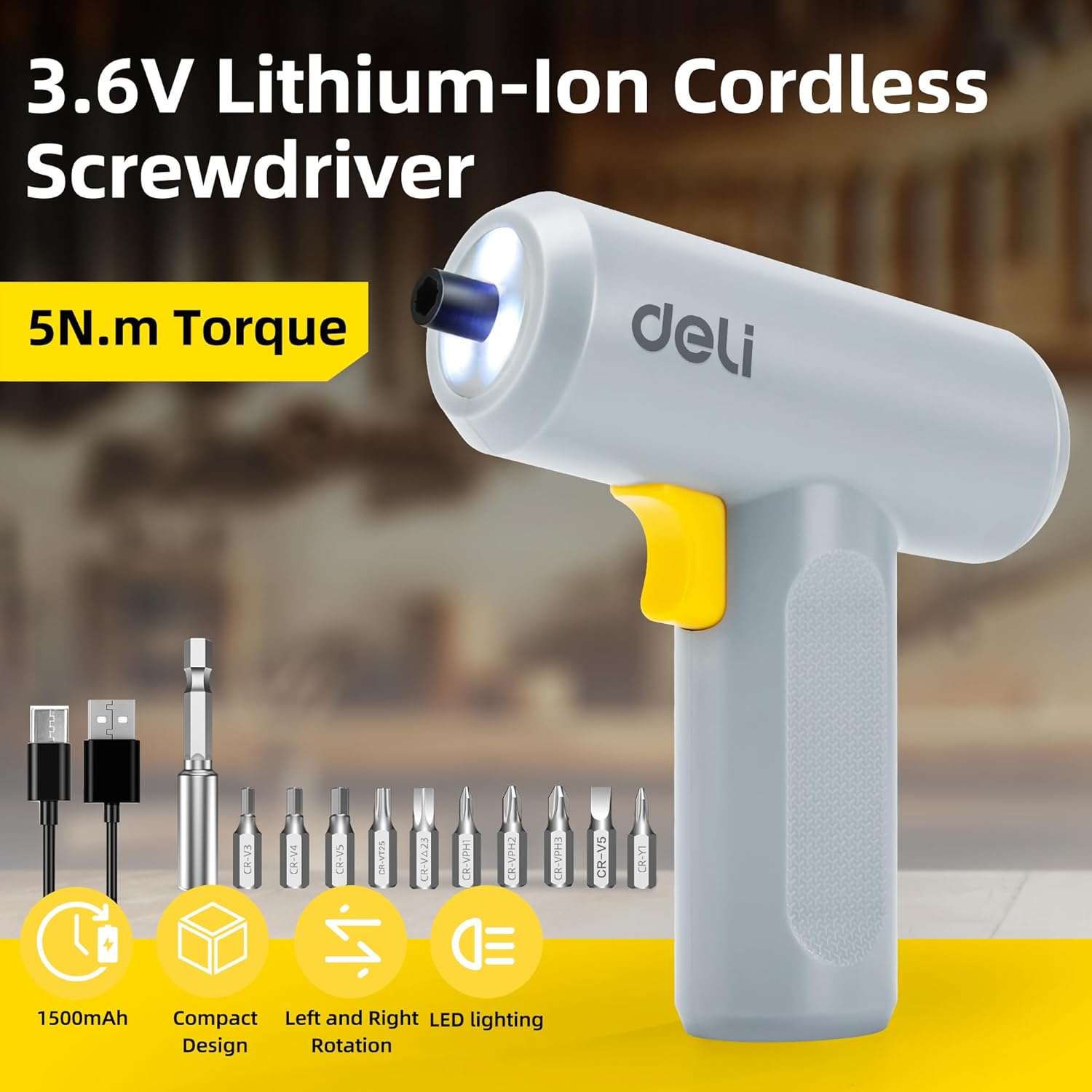
Image: The deli electric screwdriver shown with its complete set of accessories, including the 10 S2 steel bits, magnetic extension rod, and USB-C charging cable.
Pwodwi souview
Familiarize yourself with the components and features of your deli electric screwdriver.

Image: A detailed diagram highlighting the key components of the deli electric screwdriver, including the magnetic chuck, circular LED light, two-way start button, 1500mAh battery, USB-C fast charging port, and its ergonomic design.
- Mandrin mayetik: Securely holds screwdriver bits.
- Circular LED Light: Illuminates the work area, especially useful in narrow or dimly lit spaces.
- Two-Way Start Button: Allows for easy forward and reverse rotation with a single control.
- 1500mAh batri: High-capacity lithium-ion battery for extended use.
- USB-C Fast Charging Port: Entèfas chaj pratik ak modèn.
- Ergonomic and Minimalist Design: Provides a comfortable and secure grip for safe operation.
Enstalasyon
1. Chaje tournevis la
Before first use, fully charge the screwdriver's internal battery.
- Locate the USB-C charging port on the bottom of the screwdriver handle.
- Connect the provided USB-A to USB-C charging cable to the screwdriver.
- Plug the USB-A end of the cable into a compatible USB power adapter (not included), computer USB port, or power bank.
- The charging indicator light (if present, typically near the charging port) will illuminate to show charging status. Refer to the indicator behavior for full charge status.
- A full charge can power the screwdriver to drive approximately 300 screws.
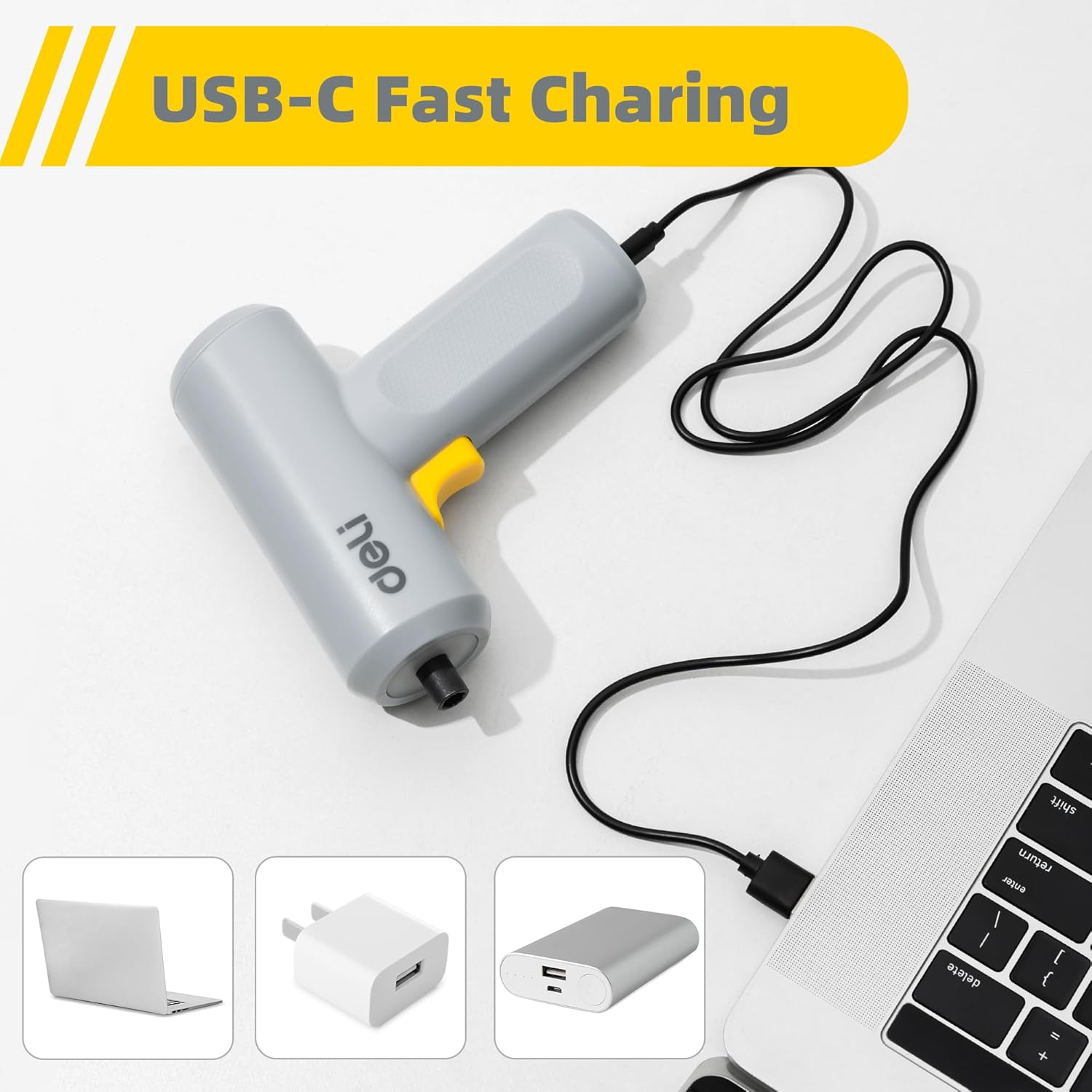
Image: The deli electric screwdriver being charged via its USB-C port, demonstrating its compatibility with various USB power sources such as laptops, wall adapters, and power banks.

Imaj: Yon ilistrasyon view of the screwdriver's internal battery, highlighting its 1500mAh capacity and the capability to drive up to 300 screws per charge.
2. Enstale Bits Tournvis yo
The screwdriver uses a magnetic chuck for quick and secure bit changes.
- Select the appropriate S2 alloy steel bit for your task from the included set.
- Insert the hex end of the bit directly into the magnetic chuck at the front of the screwdriver. The magnetic chuck will hold the bit firmly in place.
- For hard-to-reach areas, first insert the selected bit into the 60mm magnetic extension rod, then insert the extension rod into the screwdriver's magnetic chuck.
- To remove a bit, simply pull it straight out from the chuck.

Image: The deli electric screwdriver positioned next to its assortment of S2 steel bits and the extension rod, illustrating the circular LED light at the front.
Enstriksyon Operasyon
1. Powering On and Direction Control
The screwdriver features an innovative two-way start button for intuitive operation.
- To drive screws (forward rotation), press the "R" (Right/Forward) side of the two-way button.
- To remove screws (reverse rotation), press the "L" (Left/Reverse) side of the two-way button.
- Lage bouton an pou kanpe tournevis la.

Imaj: Yon gwo plan view of the screwdriver's yellow two-way start button, clearly marked with 'L' for reverse and 'R' for forward rotation.
2. Sèvi ak limyè LED la
The screwdriver is equipped with a circular LED light that automatically illuminates when the screwdriver is in operation.
- The three LEDs form a ring light strip around the chuck, providing clear visibility of your work area.
- This feature is particularly useful when working in dimly lit conditions or in confined spaces.
Image: The deli electric screwdriver with its circular LED light activated, illustrating how it illuminates the work area, especially in tight or dark spots.
Antretyen
- Netwayaj: Regularly wipe the screwdriver body with a soft, dry cloth. Do not use harsh chemicals or abrasive cleaners. Ensure no liquids enter the tool.
- Swen Bit: Keep the S2 steel bits clean and free from debris. Store them in a dry place to prevent rust. Replace worn or damaged bits to ensure optimal performance and prevent damage to screw heads.
- Depo batri: If storing the screwdriver for an extended period, ensure the battery is partially charged (around 50%) and store it in a cool, dry place. Avoid storing it in extreme temperatures. Recharge periodically to maintain battery health.
- Enspeksyon jeneral: Periodically check the screwdriver for any signs of damage, loose parts, or wear. Do not operate a damaged tool.
Depanaj
| Pwoblèm | Kòz posib | Solisyon |
|---|---|---|
| Tournevis la pa limen. | Batri ap vide. | Charge the screwdriver using the provided USB-C cable. |
| Screwdriver lacks power or stops during use. | Low chaj batri. | Rechaje batri a konplètman. |
| Bit slips in the chuck. | Mòs la pa byen antre oubyen mandrin lan sal. | Ensure the bit is fully inserted. Clean the magnetic chuck if necessary. |
| Screws are stripped or damaged. | Incorrect bit size or excessive force. | Use the correct bit size for the screw head. Apply appropriate pressure and avoid over-tightening. |
| Limyè LED la pa limen. | Screwdriver not operating or malfunction. | Ensure the screwdriver is powered on. If the issue persists, contact customer support. |
Espesifikasyon
| Karakteristik | Spesifikasyon |
|---|---|
| Mak | deli |
| Nimewo Modèl | EDL-DP04-E3B1 |
| Voltage | 4 Vòlt (DC) |
| Kalite batri | Lityòm Ion |
| Kapasite batri | 1500 mAh |
| Max Torque | 5 Newton Meters (N.m) |
| Vitès san chaj | 250 RPM |
| Chuck Gwosè | 0.25 Inches (Hex) |
| Port chaje | USB-C |
| Materyèl | Akrilonitril Butadien Styrene (ABS), Asye alyaj |
| Konpozan ki enkli | 10 S2 Steel Bits, Magnetic Extension Rod, USB-A to USB-C Charging Cable |
Garanti ak sipò
Pou enfòmasyon sou garanti a oswa pou sipò teknik, tanpri al gade kat garanti ki vini ak pwodwi a oswa kontakte manifakti a dirèkteman. Kenbe resi acha ou kòm prèv acha.
Manufacturer: deli
For further assistance, you may visit the official deli store online: deli Official Store