
1. Entwodiksyon
This manual provides essential instructions for setting up, operating, and maintaining your PELADN HA-4 Mini PC. Please read this manual thoroughly before using the device to ensure proper function and longevity.
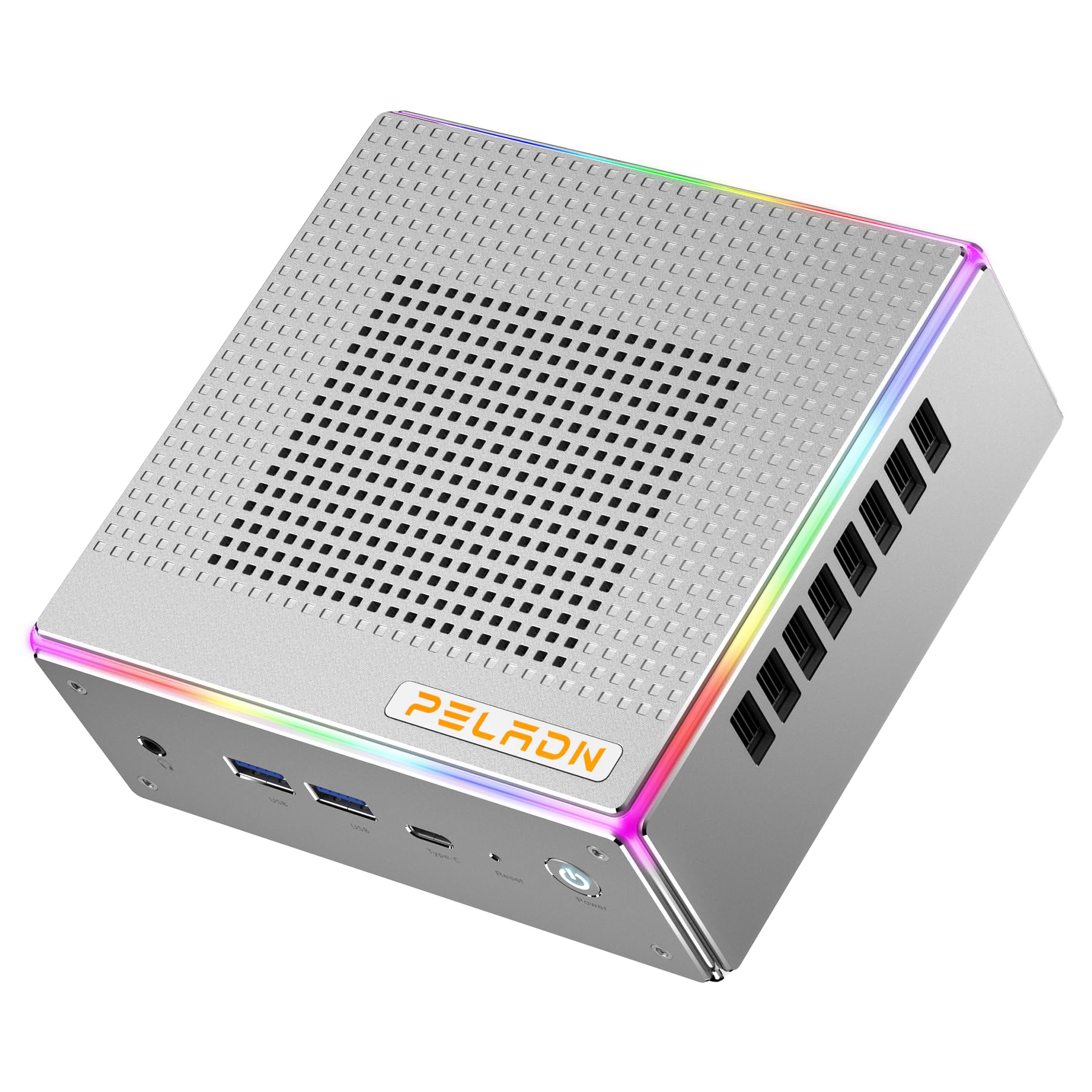
Imaj: Devan view of the PELADN HA-4 Mini PC, showcasing konsepsyon kontra enfòmèl ant li an.
2. Enfòmasyon sou Sekirite
- Ensure the device is placed on a stable, flat surface with adequate ventilation.
- Do not expose the Mini PC to water, moisture, or extreme temperatures.
- Sèvi sèlman ak adaptè kouran ki vini ak li a pou evite domaj.
- Evite ouvri c laasing unless performing authorized upgrades (e.g., RAM/SSD installation) as per instructions.
- Kenbe soti nan atenn timoun yo.
3. Pake kontni
Verifye ke tout atik yo prezan nan pakè a:
- PELADN HA-4 Mini PC
- Adaptè pouvwa
- HDMI kab
- Manyèl Itilizatè (dokiman sa a)
- Mòn VESA (opsyonèl, ka varye selon pake a)
4. Pwodwi souview
4.1 Pò Panèl Devan an

Image: Diagram illustrating the front and back ports of the PELADN HA-4 Mini PC.
- Audio Jack (HP&MIC): Pou kas ekoutè ak mikwofòn.
- USB 3.2 x 2: High-speed data transfer for peripherals.
- Type-C (data & video): Versatile port for data, display, and power delivery.
- Reset (Clear CMOS): Button to clear CMOS settings.
- Bouton pouvwa: Pou vire aparèy la sou oswa etenn.
4.2 Pò Panèl Dèyè
- DC Port: Pou konekte adaptè pouvwa a.
- USB 2.0 pò: Pou konekte aparèy USB estanda.
- USB 3.2 pò: Transfè done gwo vitès.
- RJ45 LAN: 2.5G Ethernet port for wired network connection.
- HD Port x 2 (HDMI 2.0): Pou konekte ekran yo.
- Kontwòl ekleraj: Button to adjust RGB lighting.
5. Enstriksyon Enstalasyon
- Konekte periferik: Connect your monitor(s) using HDMI or Type-C cables. Plug in your keyboard, mouse, and any other USB devices into the available USB ports.
- Konekte pouvwa: Insert the power adapter into the DC port on the rear panel, then plug the adapter into a power outlet.
- Pouvwa sou: Press the Power Button on the front panel. The system will boot up.
- Premye konfigirasyon: Follow the on-screen instructions to complete the operating system setup (e.g., Windows 11 Pro).

Image: The PELADN HA-4 Mini PC connected to a monitor and peripherals, ready for use.
6. Operasyon Enstriksyon
6.1 Power On/Off
- Pou limen: Peze bouton an pouvwa yon fwa.
- Pou etenn: Click the Start menu in the operating system and select "Shut down." Alternatively, press and hold the Power Button for 5 seconds for a forced shutdown (not recommended for regular use).
6.2 Rezo Koneksyon
- Koneksyon filaire: Connect an Ethernet cable to the RJ45 LAN port on the rear panel.
- Koneksyon san fil (Wi-Fi 6): Access network settings in your operating system, select your Wi-Fi network, and enter the password.
6.3 Triple Display Output
The PELADN HA-4 supports up to three 4K@60Hz displays simultaneously using its two HDMI 2.0 ports and one Type-C port (which supports video output).
- Konekte monitè prensipal ou a nan youn nan pò HDMI yo.
- Konekte dezyèm monitè ou a nan lòt pò HDMI a.
- Connect your third monitor to the Type-C port using a compatible Type-C to DisplayPort/HDMI adapter or cable.
- Adjust display settings within your operating system to extend or duplicate your desktop across the connected monitors.

Image: The PELADN HA-4 Mini PC connected to three monitors, demonstrating its triple display output capability.
7. Antretyen ak Amelyorasyon
7.1 Netwayaj
- Netwaye deyò Mini PC a regilyèman avèk yon twal mou epi sèk.
- Use compressed air to clear dust from ventilation openings to maintain optimal airflow.
- Asire w ke aparèy la etenn epi deploge anvan w netwaye.
7.2 RAM and SSD Upgrades
The PELADN HA-4 supports dual-channel DDR5-5600MHz RAM up to 64GB and a single M.2 2280 PCIe 4.0 SSD up to 2TB. Refer to the diagram below for component location.

Imaj: Entèn view of the PELADN HA-4 Mini PC, highlighting the dual-channel RAM slots and the M.2 SSD slot for upgrades.
Enpòtan: Disconnect the power adapter before performing any internal upgrades. If you are unsure about the upgrade process, consult a qualified technician.
NAN. Depanaj
| Pwoblèm | Kòz posib | Solisyon |
|---|---|---|
| Pa gen pouvwa | Power adapter not connected; power outlet issue. | Asire w ke adaptè kouran an byen konekte ak Mini PC a ak yon priz kouran ki fonksyone. |
| Pa gen pwodiksyon ekspozisyon | Monitor not connected; incorrect input source on monitor; faulty cable. | Check HDMI/Type-C cable connections. Ensure monitor is set to the correct input source. Try a different cable or monitor. |
| Wi-Fi pa konekte | Incorrect password; router issue; driver problem. | Verify Wi-Fi password. Restart your router. Check device manager for Wi-Fi driver status. |
| System slow/unresponsive | Too many applications running; insufficient RAM/SSD space; overheating. | Close unnecessary applications. Check available storage. Ensure proper ventilation. Consider RAM/SSD upgrade if consistently slow. |
9. Espesifikasyon
| Karakteristik | Detay |
|---|---|
| Modèl | PELADN HA-4 |
| Processeur | AMD Ryzen 7 7840HS (8C/16T, up to 5.1 GHz) |
| Grafik | Grafik AMD Radeon 780M |
| RAM | 32GB DDR5-5600MHz (Dual Channel, upgradeable to 64GB) |
| Depo | 1TB PCIe 4.0 SSD (M.2 2280, upgradeable to 2TB) |
| Sòti videyo | 2x HDMI 2.0, 1x Type-C (Triple 4K@60Hz output) |
| Rezo | 2.5G LAN, Wi-Fi 6 (802.11ax), Bluetooth 5.2 |
| Pò USB | 2x USB 3.2 (Front), 1x USB 3.2 (Rear), 1x USB 2.0 (Rear), 1x Type-C (Front) |
| Odyo | 1x Audio Jack (HP&MIC) |
| Sistèm operasyon | Windows 11 Pro (Pre-enstale) |
| Dimansyon | Apeprè 7.56 x 7.56 x 3.82 pous (Pakè) |
| Pwa | Apeprè. 3.76 liv |

Imaj: Plis paseview of the PELADN HA-4 Mini PC's core features including CPU, GPU, RAM, SSD, connectivity, and cooling.
10. Garanti ak sipò
For warranty information and technical support, please refer to the warranty card included with your product or visit the official PELADN websit la. Kontakte sèvis kliyan pou jwenn asistans pou nenpòt pwoblèm ki pa kouvri nan manyèl sa a.