
1. Entwodiksyon
Mèsi pou acha aasing the ZEBRONICS Music Bomb 2 Party Speaker. This manual provides essential information for the safe and efficient use of your speaker. Please read it thoroughly before operating the device and retain it for future reference.
Videyo 1: Finiview of the ZEBRONICS Music Bomb 2 Party Speaker, highlighting its key features and design.
2. Enstriksyon Sekirite
- Pa ekspoze oratè a ak dlo oswa imidite.
- Evite mete oratè a toupre sous chalè oswa anba limyè solèy dirèk.
- Pa eseye demonte oswa repare oratè a tèt ou. Konfye tout antretyen bay pèsonèl kalifye.
- Use only the specified charging cable and adapter.
- Kenbe oratè a lwen timoun ak bèt kay.
- Asire bon vantilasyon pou anpeche surchof.
3. Pake kontni
Pake a gen ladan atik sa yo:
- ZEBRONICS Music Bomb 2 Party Speaker - 1 unit
- Mikwofòn san fil - 1 inite
- Kab chaje tip C - 1 inite
- Kab AUX - 1 inite
- Detachable Carry Strap - 1 unit
- User Manual (this document) - 1 unit
4. Pwodwi souview
The Music Bomb 2 features a robust design with intuitive controls and multiple connectivity options. Familiarize yourself with the various parts of the speaker.

Imaj 1: Devan view of the ZEBRONICS Music Bomb 2 Party Speaker, showcasing its grille and overall design.
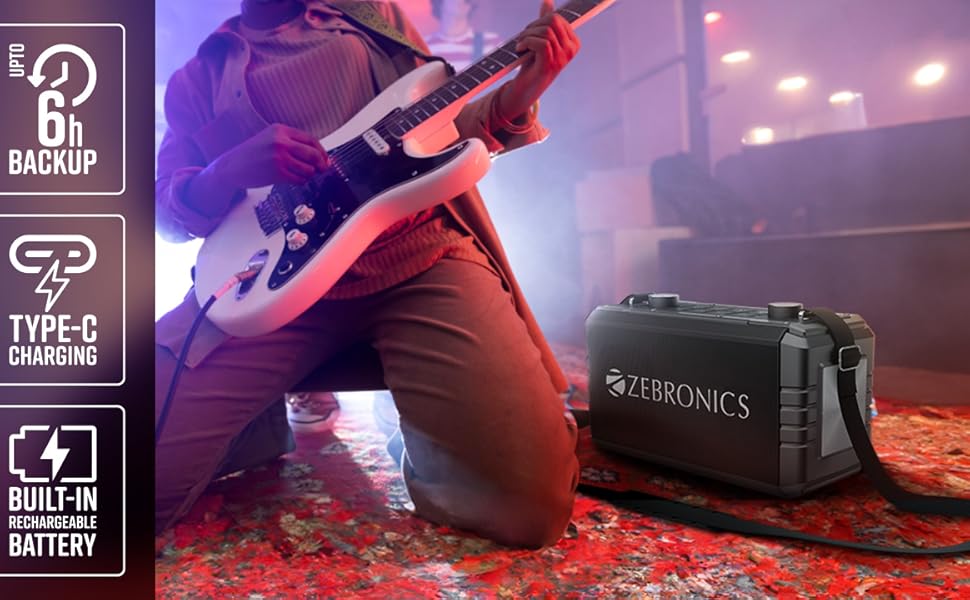
Imaj 2: Dèyè view of the speaker, highlighting the Type-C charging port, USB, mSD, AUX, and microphone/guitar input jacks.

Image 3: Close-up of the top control panel, featuring bass and volume knobs, and media control buttons.
5. Enstalasyon
5.1 Chaje Oratè a
Before first use, fully charge the speaker. Connect the provided Type-C charging cable to the speaker's charging port and the other end to a compatible USB power adapter (not included). The charging indicator will show the charging status.
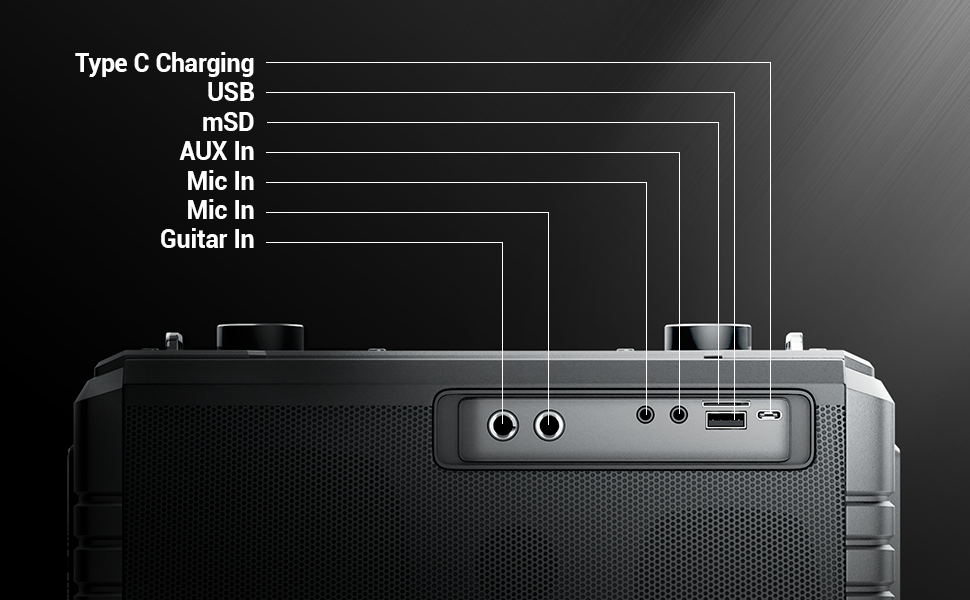
Image 4: Illustration of the speaker being charged via its Type-C port.
5.2 Limen/Etenyen
Press and hold the power button on the control panel to turn the speaker on or off. A sound indicator will confirm the action.
6. Operasyon
6.1 Bluetooth Connectivity (BT v5.1)
- Limen oratè a. Li pral antre otomatikman nan mòd koneksyon Bluetooth.
- Enable Bluetooth on your mobile device and search for "ZEB-MUSIC BOMB 2".
- Chwazi oratè a nan lis la pou konekte. Yon son konfimasyon ap sonnen lè koneksyon an reyisi.

Image 5: Visual representation of the speaker's Bluetooth 5.1 capability alongside other input options.
6.2 USB/mSD Playback
Insert a USB drive or mSD card (up to 32GB) into the respective port. The speaker will automatically detect and play audio files from the storage device. Use the media control buttons to navigate tracks.
6.3 Antre AUX
Connect an external audio device using the provided 3.5mm AUX cable to the AUX input port. The speaker will switch to AUX mode automatically. Ensure the volume on both the speaker and the connected device is adjusted appropriately.
6.4 Antre Gita
Connect your guitar to the 6.3mm guitar input port. Adjust the volume on your guitar and the speaker for optimal sound. This feature allows for direct amplification of your instrument.
Video 2: Demonstration of connecting a guitar to the ZEBRONICS Music Bomb 2 speaker and playing music.
6.5 Microphone Input (Karaoke)
Connect the wireless microphone or a wired microphone (6.3mm or 3.5mm) to the respective input ports. The speaker supports karaoke functionality, allowing you to sing along with your music. Adjust microphone volume and echo effects using the dedicated controls.

Imaj 6: Detaye view of the speaker's control panel and the included wireless microphone.
Fonksyon 6.6 TWS (Vrè Stereo san fil)
To experience True Wireless Stereo, you need two ZEBRONICS Music Bomb 2 speakers. Follow these steps:
- Limen tou de moun ki pale yo.
- Ensure neither speaker is connected to any Bluetooth device.
- On one speaker, press and hold the 'TWS' button. It will search for the other speaker.
- Once connected, a confirmation tone will sound, and the TWS indicator will light up.
- Now, connect your mobile device to one of the speakers via Bluetooth. Both speakers will play audio in stereo.
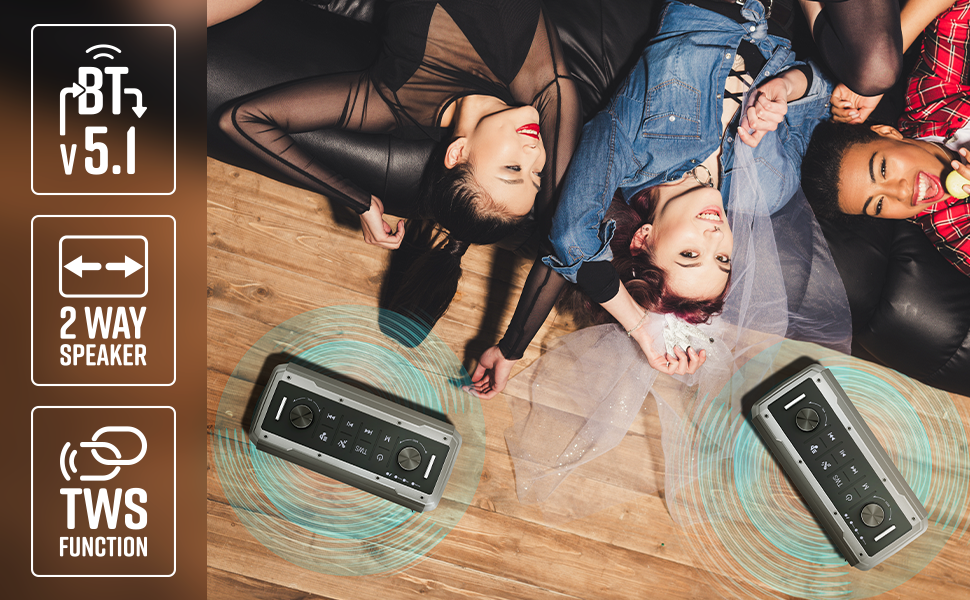
Image 7: Illustration of two Music Bomb 2 speakers paired using the TWS function for an immersive stereo audio experience.
7. Kontwòl
The speaker features a user-friendly control panel. Here's a breakdown of the main controls:
| Kontwòl | Fonksyon |
|---|---|
| Bouton pouvwa | Press and hold to turn the speaker ON/OFF. Short press to change modes (BT/USB/mSD/AUX). |
| TWS bouton | Press and hold to initiate TWS pairing with another Music Bomb 2 speaker. |
| Bouton M (Mode) | Short press to switch between input modes (Bluetooth, USB, mSD, AUX). |
| Previous Track / Volim desann | Peze yon ti kras pou ale nan mizik anvan an. Peze lontan pou diminye volim nan. |
| Jwe/Poz | Peze yon ti kras pou jwe oswa pou mete odyo a sou poz. |
| Next Track / Volim Up | Peze yon ti kras pou pwochen mizik la. Peze lontan pou ogmante volim nan. |
| Bas Knob | Vire pou ajiste nivo bas la. |
| Volim bouton | Vire pou ajiste nivo volim mèt. |
| Mik bouton Volim | Ajiste volim mikwofòn ki konekte a. |
| Echo bouton | Ajiste efè eko a pou mikwofòn nan. |
8. Antretyen
- Netwayaj: Sèvi ak yon twal mou epi sèk pou netwaye oratè a. Pa sèvi ak pwodui netwayaj abrazif oswa solvan.
- Depo: Sere oratè a nan yon kote ki fre epi sèk, lwen limyè solèy dirèk ak tanperati ekstrèm.
- Swen batri: Pou pwolonje lavi batri a, evite dechaje oratè a nèt souvan. Chaje l regilyèman, menm si w pa itilize l pandan yon bon bout tan.
NAN. Depanaj
| Pwoblèm | Solisyon |
|---|---|
| Pa gen pouvwa | Ensure the speaker is charged. Connect the Type-C charging cable and allow it to charge for some time before attempting to power on. |
| Pa gen son | Check the volume levels on both the speaker and the connected device. Ensure the correct input mode is selected. Verify cable connections for AUX/Guitar inputs. |
| Aparèy Bluetooth echwe | Ensure the speaker is in pairing mode. Disable and re-enable Bluetooth on your device. Move the speaker closer to your device. Clear previous Bluetooth connections on your device. |
| Mikwofòn pa mache | Ensure the microphone is powered on (if wireless) and properly connected. Adjust the microphone volume and echo knobs. |
| Pwoblèm koneksyon TWS | Ensure both speakers are not connected to any other Bluetooth device. Follow the TWS pairing steps carefully. |
10. Espesifikasyon
| Karakteristik | Detay |
|---|---|
| Sortie pouvwa | 80W RMS |
| Bluetooth vèsyon | v5.1 |
| Opsyon Koneksyon | Bluetooth, USB, mSD, AUX, 6.3mm Guitar Input, 6.3mm & 3.5mm Mic Inputs |
| Lavi batri | Jiska 10 èdtan (nan 50% volim) |
| Chaje Kalite | Kalite-C |
| Kalite Oratè | Sistèm oratè 2-fason |
| Dimansyon (L x W x H) | 17.3 x 27.4 x 33.3 santimèt |
| Pwa | 4040 gram |
| Repons Frekans | 20 Hz (minimòm) |
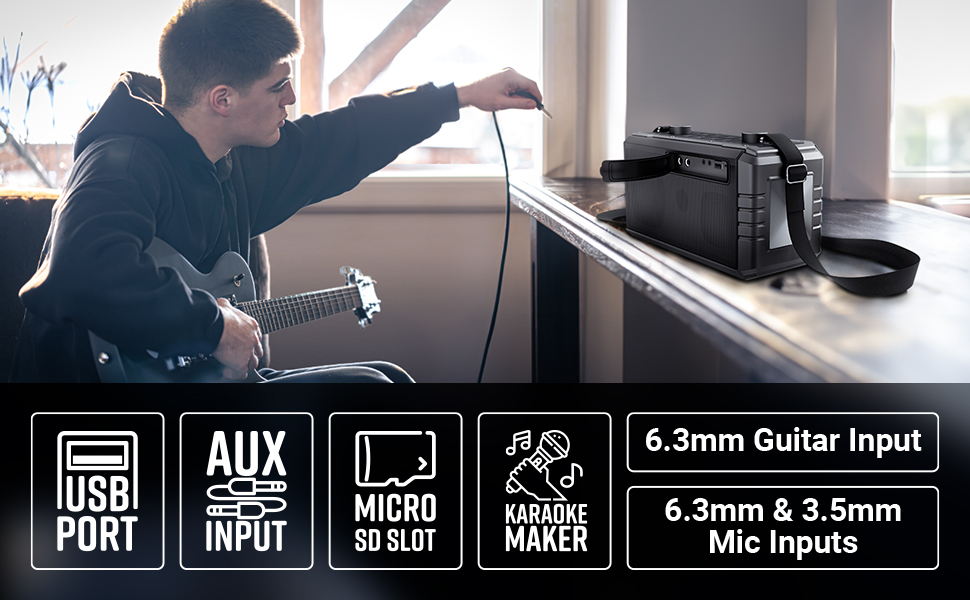
Image 8: Visual summary of the speaker's technical specifications.

Image 9: Diagram illustrating the length, width, and height of the ZEBRONICS Music Bomb 2 speaker.
11. Garanti ak sipò
The ZEBRONICS Music Bomb 2 Party Speaker comes with a 1-year carry-in warranty to the service center. For warranty claims or technical support, please contact ZEBRONICS customer service. Keep your purchase receipt as proof of purchase.
Enfòmasyon pou kontakte manifakti: 13/7, Smith Road, Royapettah CHENNAI-600002, Zebronics India Private Limited
Pou plis enfòmasyon, vizite ofisyèl la Magazen ZEBRONICS sou Amazon.