
1. Entwodiksyon
Thank you for choosing the Hammersmith AirStorm. This versatile 5-in-1 cordless device combines the functionality of a powerful handheld vacuum cleaner, an efficient air compressor, and an integrated SOS light, making it an indispensable tool for your vehicle, home, and outdoor activities. This manual provides detailed instructions for safe operation, maintenance, and troubleshooting to ensure optimal performance and longevity of your device.

The Hammersmith AirStorm is designed for cordless use anywhere, offering quick inflation and an integrated SOS light.
2. Enstriksyon Sekirite
Please read all safety warnings and instructions carefully before using the Hammersmith AirStorm. Failure to follow these instructions may result in electric shock, fire, and/or serious injury.
- Kenbe aparèy la lwen timoun ak bèt kay.
- Do not expose the device to rain or wet conditions. Water entering a power tool will increase the risk of electric shock.
- Sèvi ak sèlman kab chaje USB yo bay la.
- Do not operate the device if it is damaged. Contact customer support for assistance.
- Do not block the vacuum inlet or air outlet during operation.
- Avoid prolonged use of the air compressor to prevent overheating. Allow the device to cool down between uses.
- When inflating tires, always check the recommended pressure and do not overinflate.
- The SOS light is for emergency signaling; do not stare directly into the light.
3. Pake kontni
Verifye ke tout atik yo prezan nan pakè ou a:

The complete 11-piece set of the Hammersmith AirStorm and its accessories.
- 1 x Hammersmith AirStorm Unit
- 1 x Dust Container
- 1 x filtè HEPA
- 1 x bouch bouch
- 1 x Mini Brush
- 1 x Surface Brush
- 1 x USB Chaje Kab
- 1 x Air Kawoutchou
- 1 x Needle Valve
- 1 x Valve Adapter (for various inflatables)
- Additional valves (total of 4 valves included)
4. Pwodwi souview
Familiarize yourself with the main components of your Hammersmith AirStorm:
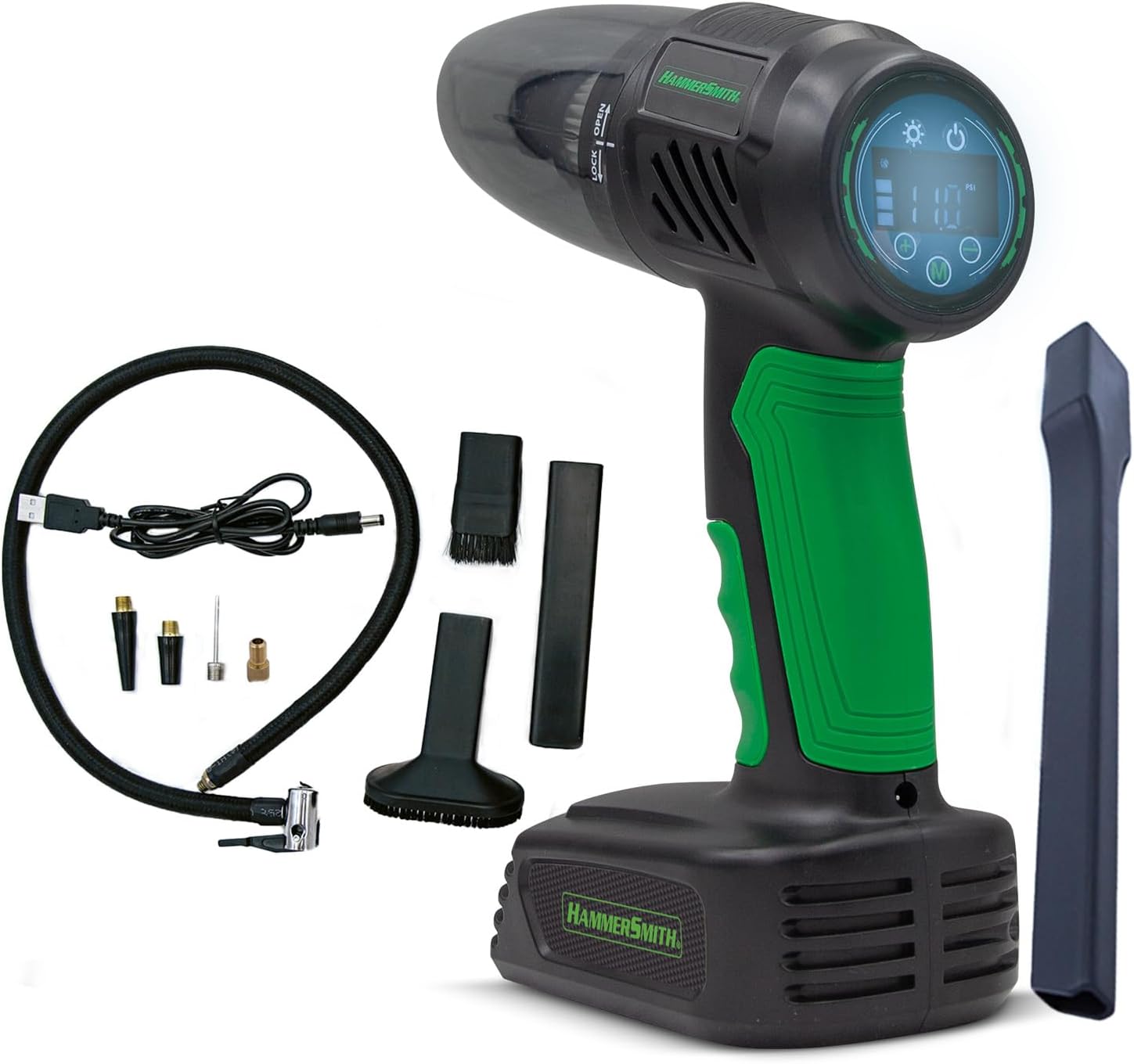
The Hammersmith AirStorm unit and its comprehensive accessory set.
- Inite Prensipal: Ergonomic handle, integrated display, power button, mode selection buttons.
- Vacuum Inlet: Located at the front, where dust container and nozzles attach.
- Priz lè: Located at the bottom, for connecting the air hose.
- Ekspozisyon dijital: Shows battery level, pressure readings, and selected mode.
- SOS limyè: Integrated LED light for illumination and emergency signaling.
- Pò chaje: Pò USB pou chaje aparèy la.

Detaye view of the digital display and control buttons on the Hammersmith AirStorm.
5. Enstalasyon
5.1 Chaje Aparèy la
Before first use, fully charge the Hammersmith AirStorm. Connect the provided USB charging cable to the device's charging port and plug the other end into a compatible USB power source (e.g., wall adapter, car charger, power bank). The charging indicator on the display will show the charging status. A full charge takes approximately 15 minutes.
5.2 Tache Pwodwi pou Telefòn
- Pou aspiratè: Twist the dust container onto the main unit until it clicks into place. Insert the desired nozzle (crevice, mini brush, or surface brush) firmly into the dust container opening.
- For Air Compressor: Screw the air hose onto the air outlet at the bottom of the unit. Attach the appropriate valve adapter (needle valve, standard valve adapter, or other included valves) to the end of the air hose, depending on the item you wish to inflate.
6. Operasyon Enstriksyon
6.1 Vacuum Function
To activate the vacuum function, press the power button. The device will start in vacuum mode. Use the appropriate nozzle for the surface you are cleaning. After use, press the power button again to turn off the device.

Cleaning car interiors with the crevice nozzle.

Using the mini brush for kitchen surfaces.

Reaching tight spots like window sills.

Effective cleaning of upholstery.
6.2 Air Compressor Function
After attaching the air hose and appropriate valve, press the mode button to switch to air compressor mode. The display will show the current pressure. Use the '+' and '-' buttons to set your desired target pressure. Press the power button to start inflation. The compressor will automatically stop once the target pressure is reached. Press the power button again to manually stop inflation.
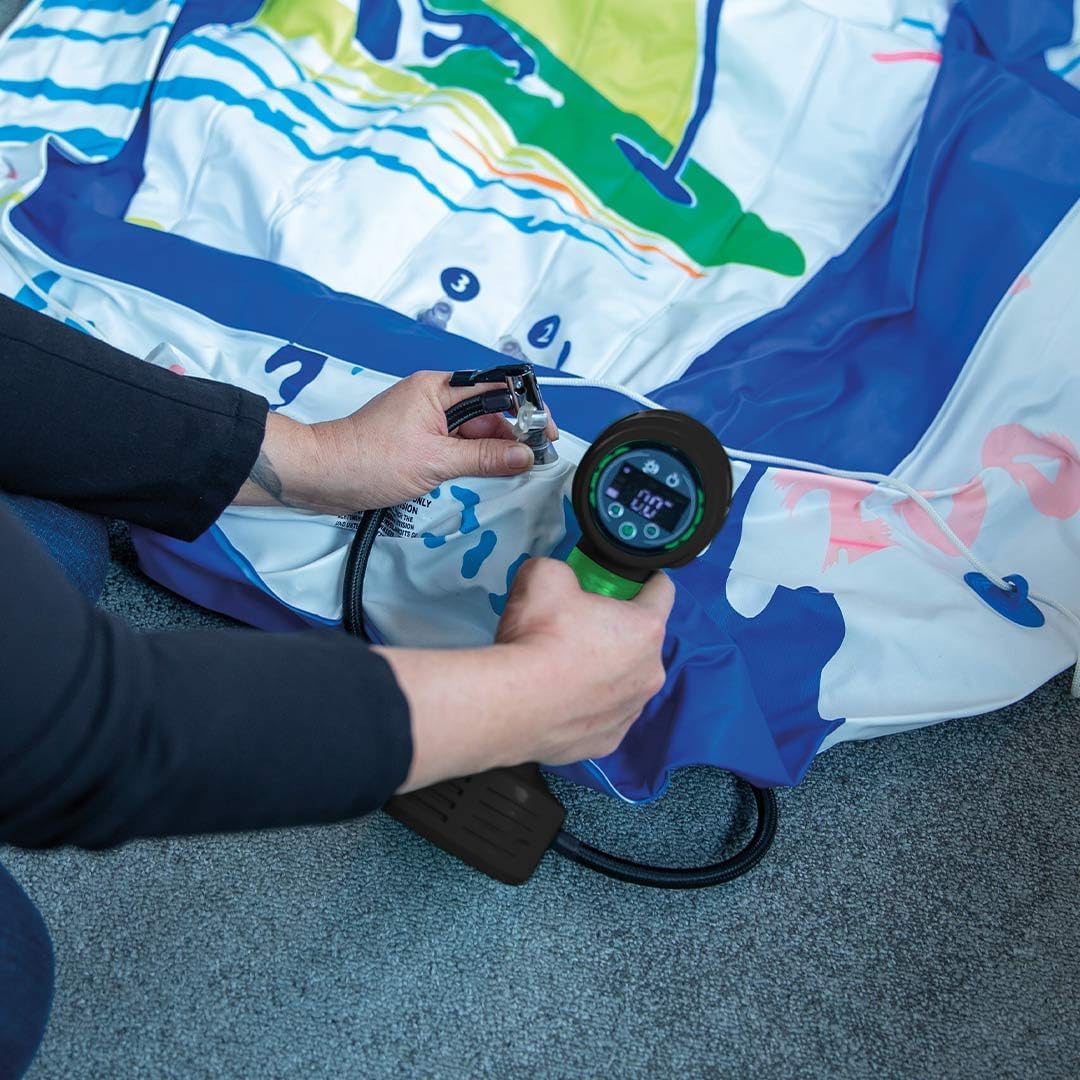
Inflating large inflatables with ease.
Inflating bicycle tires quickly.

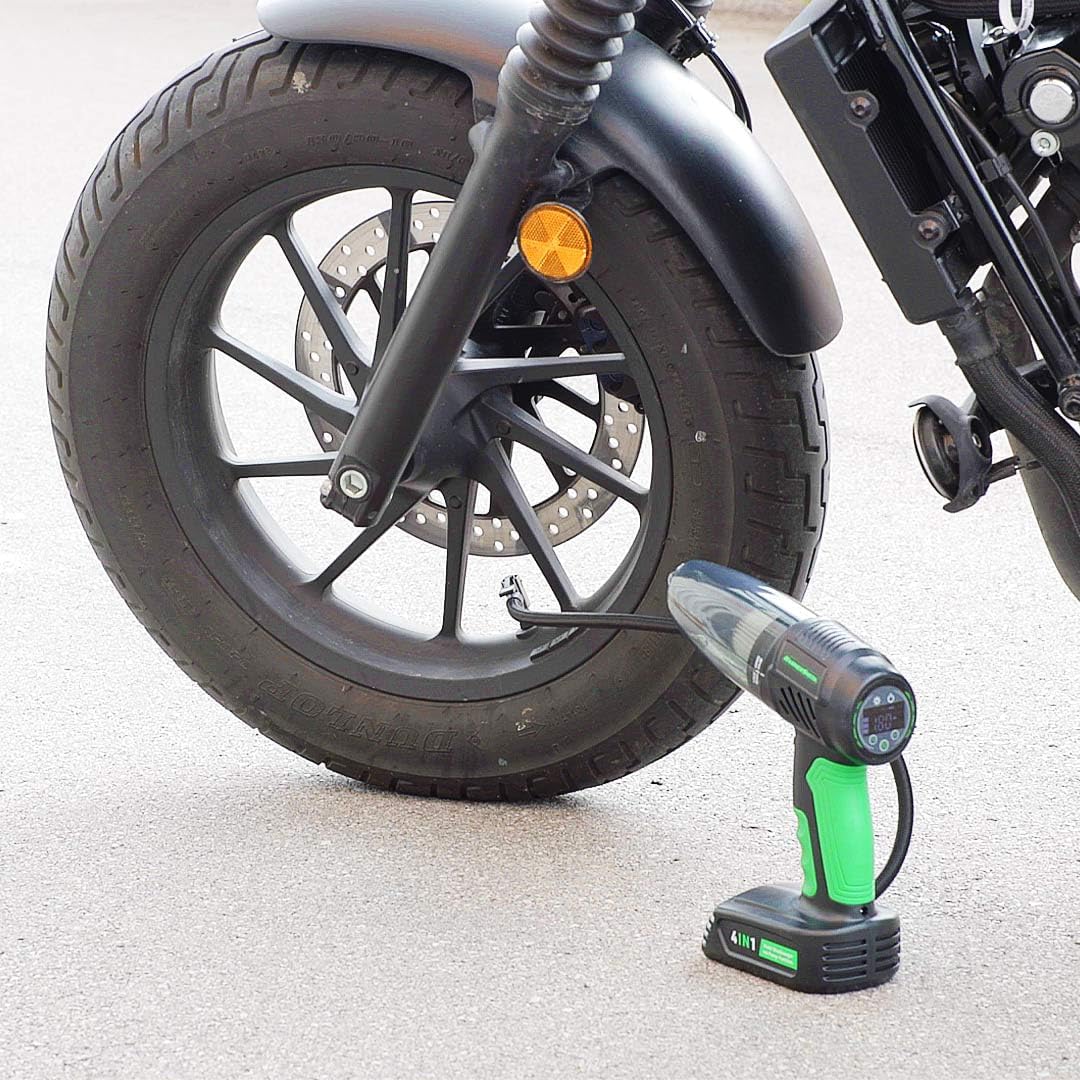
Checking and adjusting motorcycle tire pressure.

Versatile use for various tires, including wheelbarrows.
6.3 SOS Light Function
The integrated SOS light can be activated independently. Press the dedicated light button to cycle through different light modes: steady illumination, flashing, and SOS signal. This feature is useful for roadside emergencies, working in dark areas, or signaling for help.

Using the integrated light for illumination in dark spaces.

The SOS light provides an additional safety feature for emergencies.
7. Antretyen
7.1 Vide resipyan pousyè a
For optimal suction performance, empty the dust container regularly. Twist the dust container counter-clockwise to detach it from the main unit. Dispose of the collected debris and reattach the container.
7.2 Netwaye filtè HEPA a
The HEPA filter should be cleaned periodically to maintain suction efficiency. Remove the filter from the dust container. Tap it gently to remove loose dust. If necessary, rinse the filter with cold water. Ensure the filter is completely dry before reinserting it into the dust container and reattaching it to the unit.
7.3 Netwayaj jeneral
Siye eksteryè aparèy la ak yon mou, damp cloth. Do not use harsh chemicals or abrasive cleaners. Ensure the device is turned off and unplugged before cleaning.
NAN. Depanaj
| Pwoblèm | Kòz posib | Solisyon |
|---|---|---|
| Aparèy la pa vire. | Batri ki ba. | Chaje aparèy la konplètman. |
| Ba pouvwa pou aspirasyon. | Dust container full or filter clogged. | Empty dust container and clean/replace HEPA filter. |
| Konpresè lè a pa gonfle. | Air hose or valve not properly connected. | Ensure all connections are secure. Check for leaks. |
| Aparèy la chofe twòp pandan l ap itilize li. | Operasyon kontinyèl pwolonje. | Turn off the device and allow it to cool down for at least 15 minutes before resuming use. |
9. Espesifikasyon
| Karakteristik | Spesifikasyon |
|---|---|
| Mak | Hammersmith |
| Nimewo Modèl | M36025 |
| Koulè | Vèt |
| Dimansyon pwodwi (L x W x H) | 21.3 x 9.1 x 27.6 cm |
| Pwa | 890 g |
| Batri Voltage | 7.4V (Li-Ion) |
| Run Tan | 15 minit |
| Tan pou chaje | 15 minit |
| Max Presyon lè | 10.3 bar |
| Kalite filtre | Filtè HEPA |
| Sous pouvwa | Batri mache |
| San fil | Wi |
10. Garanti ak sipò
The Hammersmith AirStorm comes with a standard manufacturer's warranty. Please refer to the product packaging or your purchase receipt for specific warranty terms and conditions. For technical support, replacement parts, or any other inquiries, please contact the seller or manufacturer directly through the contact information provided at the point of purchase.