
Entwodiksyon
The Sharp GX-BT290 Crystal Clear Series Portable Bluetooth Speaker is designed to deliver high-quality audio with enhanced bass, offering a robust and portable listening experience. Featuring IP67 waterproof and dustproof capabilities, a long-lasting 14-hour battery, and versatile connectivity options including True Wireless Stereo (TWS) pairing, this speaker is suitable for various environments. It also includes a built-in microphone for hands-free calling and two distinct LED light modes to enhance your audio experience.
Kontni pake
- Sharp GX-BT290 Bluetooth Speaker
- USB Charging Cable (not explicitly listed but implied for battery charging)
- Manyèl Itilizatè (dokiman sa a)
Enstalasyon
1. Chaje Oratè a
Before first use, fully charge the speaker. Connect the provided USB charging cable to the speaker's charging port and the other end to a compatible USB power adapter (not included) or a computer's USB port. The charging indicator light will illuminate during charging and turn off once fully charged. A full charge provides approximately 14 hours of playtime.
2. Powering On / Off
Peze epi kenbe la Bouton pouvwa located on the control panel until you hear an audible prompt or see the indicator lights activate. To power off, press and hold the Bouton pouvwa ankò.

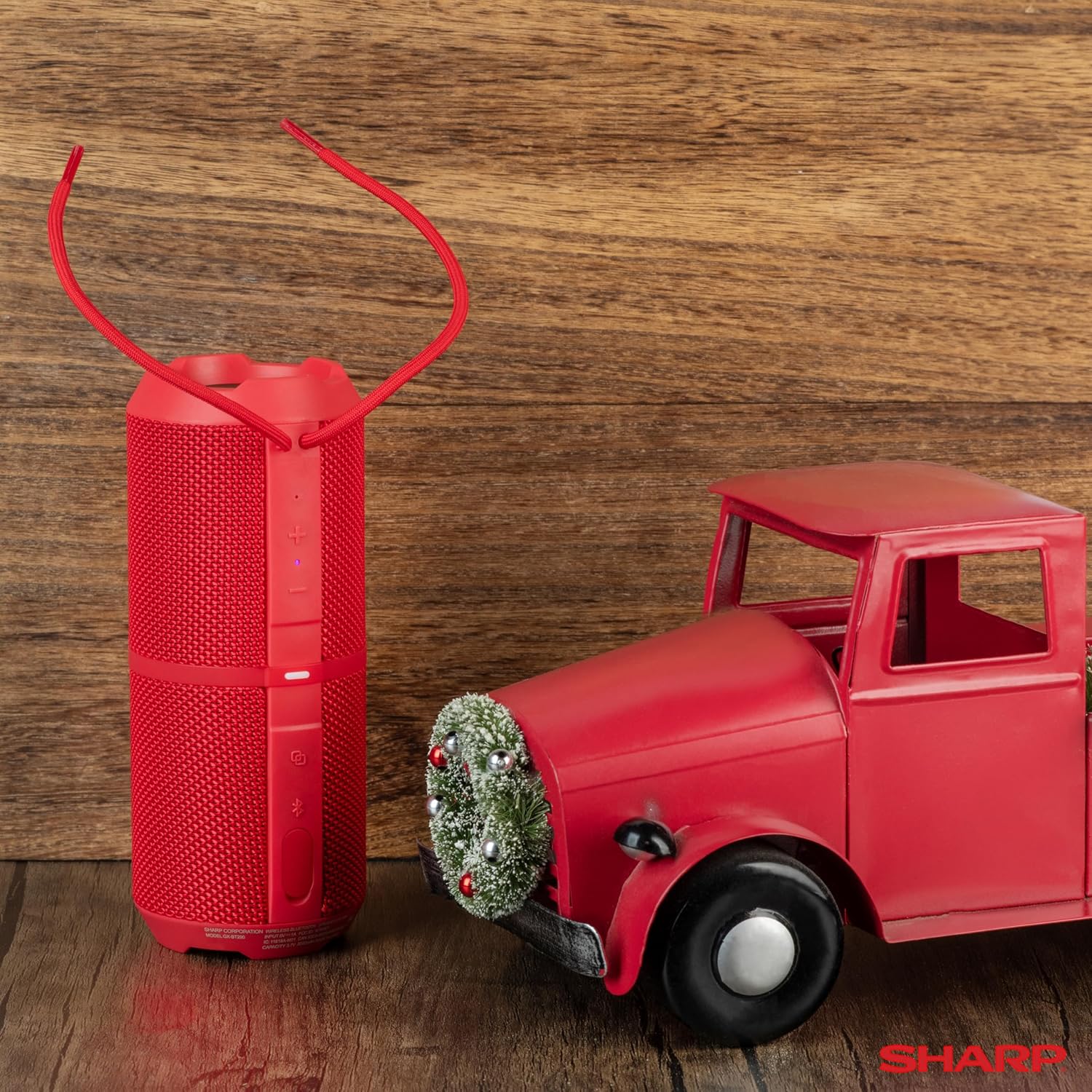
Image: The Sharp GX-BT290 speaker in red, displaying its vertical control panel with power, volume, light mode, and Bluetooth buttons. This view highlights the speaker's cylindrical design and integrated strap.
Enstriksyon Operasyon
1. Pè Bluetooth
- Ensure the speaker is powered on and in Bluetooth pairing mode (indicated by a flashing blue LED). If not, briefly press the bouton Bluetooth.
- Sou aparèy ou an (telefòn entelijan, tablèt, òdinatè pòtab), aktive Bluetooth epi chèche aparèy ki disponib yo.
- Select "GX-BT290" from the list of found devices.
- Once connected, the speaker will provide an audible confirmation, and the Bluetooth LED will become solid blue.
2. Koneksyon Vrè Stereo San Fil (TWS)
To achieve a stereo sound experience, you can pair two GX-BT290 speakers together:
- Ensure both GX-BT290 speakers are powered on and not connected to any other Bluetooth device.
- Sou yon oratè (sa a pral oratè prensipal la), peze epi kenbe bouton an bouton TWS (often integrated with the Bluetooth button or a dedicated button).
- The primary speaker will search for the secondary speaker. Once connected, both speakers will provide an audible confirmation.
- Now, connect your device to the primary speaker via Bluetooth as described in the "Bluetooth Pairing" section. Audio will play in stereo through both speakers.
3. Lekti Odyo ak Kontwòl Volim
- Sèvi ak la Volim monte (+) epi Volim Dawonn (-) buttons on the speaker to adjust the playback volume.
- Peze a Bouton jwe/poz (often integrated with the Power button or a dedicated button) to play or pause audio.
- For track navigation, refer to your connected device's controls.
4. Rele men-gratis
When connected to a smartphone, the speaker's built-in microphone allows for hands-free calls:
- To answer an incoming call, briefly press the Rele bouton (often integrated with the Play/Pause button).
- To end a call, briefly press the Rele bouton ankò.
- Pou rejte yon apèl fèk ap rantre, peze epi kenbe la Rele bouton.
5. Mòd Limyè LED yo
The speaker features two LED light modes. Briefly press the Limyè Mode bouton (often indicated by a lightbulb icon) to cycle through the available light effects or to turn them off.
Imaj: Yon eksplozyon view of the Sharp GX-BT290 speaker, illustrating its unique cylinder design, DSP technology, and the precision dual drivers responsible for exceptional depth and clarity in sound.
Antretyen
Netwayaj
Wipe the speaker with a soft, dry, or slightly damp twal. Pa sèvi ak pwodui netwayaj abrazif, alkòl, oswa solvang chimik, paske sa yo ka domaje sifas la.
Ki enpèmeyab ak ki reziste pousyè (IP67)
The GX-BT290 is rated IP67, meaning it is protected from dust ingress and can withstand immersion in water up to 1 meter for 30 minutes. Ensure the charging port cover is securely closed before exposing the speaker to water or dust. After exposure to water, dry the speaker thoroughly before charging.

Image: The Sharp GX-BT290 speaker being splashed with water, visually demonstrating its IP67 water and dustproof capabilities. This image emphasizes the speaker's durability for outdoor use.
Depo
Store the speaker in a cool, dry place away from direct sunlight and extreme temperatures when not in use for extended periods. Avoid storing in environments with high humidity.
Depanaj
| Pwoblèm | Kòz posib | Solisyon |
|---|---|---|
| Oratè a pa limen | Batri fèb; Bouton pouvwa a pa byen peze | Chaje oratè a; Peze epi kenbe bouton pouvwa a pou kèk segonn |
| Pa gen son | Volume too low; Not paired; Device volume low | Increase speaker volume; Ensure successful Bluetooth pairing; Increase volume on connected device |
| Pa ka konekte ak aparèy la | Oratè a pa nan mòd koneksyon; Bluetooth aparèy la etenn; Twò lwen oratè a | Ensure speaker is flashing blue LED; Turn on device Bluetooth; Move device closer to speaker (within 33 feet) |
| TWS appariement echwe | Speakers already paired to other devices; Too far apart | Disconnect speakers from other devices; Ensure speakers are close to each other during TWS pairing |
| Move son kalite | Entèferans; Aparèy twò lwen; Batri fèb | Move away from other wireless devices; Move device closer; Charge the speaker |
Espesifikasyon
| Karakteristik | Spesifikasyon |
|---|---|
| Non modèl | GX-BT290(R) |
| Kalite Oratè | Deyò |
| Karakteristik espesyal | Bass Boost, Built-in Microphone, Dustproof, LED Light, Lightweight |
| Koneksyon Teknoloji | Bluetooth |
| Wireless Range | Jiska 33 pye (10 mèt) |
| Sorti pouvwa | 32W Max Power (16W RMS) |
| Nivo rezistans dlo | IP67 (ki enpèmeyab ak pousyè) |
| Lavi batri | Jiska 14 èdtan |
| Sous pouvwa | Batri Powered (1 batri ityòm Ion enkli) |
| Dimansyon pwodwi | 3"P x 7.5"L x 3"H (apeprè 7.6cm P x 19cm L x 7.6cm H) |
| Pwa atik | 16 ons (apeprè 0.45 kg) |
| Konpozan ki enkli | Oratè Bluetooth |
| Koulè | Wouj |

Image: A hand holding the Sharp GX-BT290 speaker, demonstrating its compact size and portability. This image provides a sense of scale for the device.
Garanti ak sipò
For warranty information, technical support, or customer service inquiries, please refer to the documentation included with your purchase or visit the official Sharp websit la. Kenbe prèv acha ou pou reklamasyon garanti.
Pou plis asistans, ou ka kontakte tou machann kote ou te achte pwodwi a.