
1. Entwodiksyon
Thank you for choosing the EasySMX T37 Wireless Switch Pro Controller. This manual provides detailed instructions for setting up, operating, maintaining, and troubleshooting your controller. Please read this manual carefully before use to ensure optimal performance and longevity of your device. This controller is compatible with Nintendo Switch, Switch Lite, and Switch OLED consoles.
2. Pwodwi souview
The EasySMX T37 is a wireless gamepad designed for an enhanced gaming experience on Nintendo Switch systems. It features an ergonomic design, dual turbo vibration, and 6-axis gyro motion control.

Imaj 2.1: Devan view of the EasySMX T37 Wireless Switch Pro Controller, showcasing its ergonomic shape and button layout.
3. Enstalasyon
3.1 Pairing with Nintendo Switch
- Turn on your Nintendo Switch console.
- Soti nan la HOME Menu, chwazi Kontwolè > Chanje Grip/Lòd.
- On the EasySMX T37 controller, press and hold the bouton SYNC (located on the top edge of the controller) for 3 seconds until the LED indicators start flashing rapidly.
- Once the controller is successfully paired, the player LED(s) on the bottom of the controller will light up solid.
3.2 Chaje Kontwolè a
Connect the provided USB-C charging cable to the USB-C port on the controller and the other end to a USB power source (e.g., Switch dock, USB wall adapter, computer USB port). The LED indicators will show charging status and turn off when fully charged.
4. Operasyon Enstriksyon
4.1 Kontwòl debaz yo
The controller features standard button layouts for Nintendo Switch compatibility:
- Bouton A/B/X/Y: Bouton aksyon.
- D-Pad: Antre direksyonèl.
- Bwat analogik gòch/dwat: Mouvman ak kontwòl kamera.
- L/R/ZL/ZR Buttons: Bouton zepòl ak deklanche.
- Bouton HOME: Returns to the Switch HOME Menu.
- CAPTURE Button: Takes screenshots.
- PLUS (+) / MINUS (-) Buttons: Start/Select functions.

Image 4.1: A user holding the EasySMX T37 controller, demonstrating the comfortable grip and accessible button placement during gameplay.
4.2 Fonksyon Turbo
The Turbo function allows for rapid, automatic pressing of a button, useful in action or arcade games.
- Aktive Turbo a: Press and hold the desired action button (A/B/X/Y/L/R/ZL/ZR), then press the Bouton turbo (T button). The button will now auto-fire.
- Ajiste vitès turbo: Pandan w ap kenbe a Bouton turbo, deplase la Right Analog Stick Up or Down to cycle through three speeds: 5 shots/s, 12 shots/s, and 20 shots/s.
- Dezaktive Turbo a: Repeat the activation step (hold the action button, then press the Turbo button) or press and hold the Bouton turbo for 5 seconds to clear all Turbo settings.
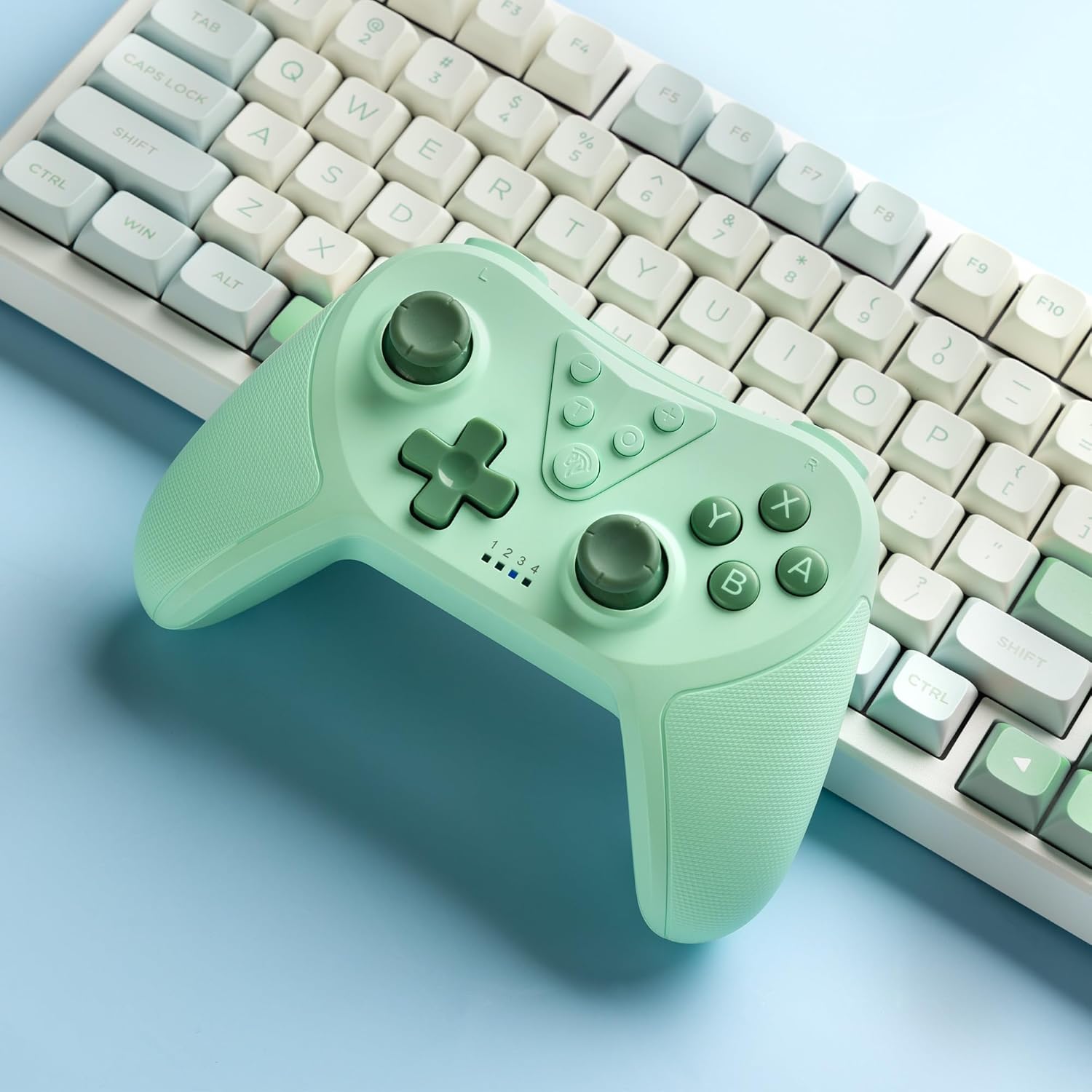
Image 4.2: Illustration of the Turbo function on the EasySMX T37 controller, showing the three adjustable speeds: 5, 12, and 20 shots per second.
4.3 Ajisteman Vibrasyon
The controller features dual motors for adjustable vibration feedback, enhancing immersion in games.
- Ajiste entansite Vibration: Peze epi kenbe la Bouton turbo, Lè sa a, deplase la Left Analog Stick Up or Down to cycle through four vibration levels: 0% (off), 30%, 70%, and 100%.

Image 4.3: Visual representation of the Dual Vibration feature on the EasySMX T37 controller, indicating four intensity levels from 0% to 100%.
4.4 6-Axis Gyro Motion Control
The built-in 6-axis gyroscope provides precise motion sensing, allowing for intuitive control in games that support motion input.

Image 4.4: Illustration depicting the 6-Axis Gyro Motion Control feature of the EasySMX T37 controller, showing how it interacts with a game on the Nintendo Switch screen.
5. Antretyen
- Netwayaj: Sèvi ak yon twal mou epi sèk pou netwaye kontwolè a. Evite itilize pwodui chimik ki agresif oswa materyèl abrazif.
- Depo: Sere kontwolè a nan yon kote ki fre epi sèk, lwen limyè solèy dirèk ak tanperati ekstrèm.
- Swen batri: Pou pwolonje lavi batri a, evite dechaje kontwolè a nèt souvan. Chaje l regilyèman, menm si w pa itilize l pandan yon bon bout tan.
- Evite gout: Pwoteje kontwolè a kont tonbe ak enpak, ki ka domaje konpozan entèn yo.
NAN. Depanaj
6.1 Kontwolè a pa konekte
- Asire w ke kontwolè a chaje.
- Verify the Switch console is updated to the latest system version.
- Try re-pairing the controller by following the steps in Section 3.1.
- If issues persist, try resetting the controller by inserting a thin object into the small reset hole (if present, usually on the back) for a few seconds.
6.2 Buttons Unresponsive or Lagging
- Asire w ke kontwolè a chaje nèt.
- Move closer to the Switch console to ensure a strong wireless connection.
- Tcheke pou nenpòt obstak fizik oswa debri ozalantou bouton yo.
- Rekonekte kontwolè a.
6.3 Controller Not Charging
- Asire w kab USB-C a byen konekte ak kontwolè a ak sous kouran an.
- Eseye itilize yon diferan USB-C kab oswa adaptè pouvwa.
- Asire w ke sous kouran an fonksyone.
7. Espesifikasyon
- Modèl: T37
- Koneksyon: San fil (Bluetooth)
- Konpatibilite: Nintendo Switch, Switch Lite, Switch OLED
- Karakteristik: Dual Turbo Function, Adjustable Vibration, 6-Axis Gyro Motion Control, Ergonomic Design
- Product Identifier (ASIN): B0CTTWN84L
8. Garanti ak sipò
For warranty information, technical support, or further assistance, please refer to the official EasySMX websit la oubyen kontakte sèvis kliyan yo dirèkteman. Kenbe resi acha w la pou reklamasyon garanti.