
Entwodiksyon
The OptiMate 4 Quad Program Premium Edition is an advanced battery charger and maintainer designed for 12V lead-acid and 12.8V LiFePO4 (Lithium) batteries. It features four distinct charging programs, including options for direct battery connection and charging via CAN-bus compatible BMW or Triumph 12V sockets. This manual provides essential information for safe and effective operation, setup, maintenance, and troubleshooting of your OptiMate 4 Quad Program charger.
Enfòmasyon sou Sekirite
Always read and understand all safety warnings and instructions before using the OptiMate 4 Quad Program. Failure to do so may result in electric shock, fire, or serious injury.
- Sèvi ak chargeur a sèlman nan zòn ki byen ayere.
- Pa ekspoze plato a nan lapli oswa kondisyon mouye.
- Ensure the charger is disconnected from the AC power supply before making or breaking connections to the battery.
- Evite chaje pil jele.
- Kenbe soti nan atenn timoun yo.
- Do not use the charger if it or the cables are damaged.
- Gade enstriksyon manifakti batri a pou kondisyon espesifik pou chaje.
Kontni pake
Verifye ke tout atik yo prezan nan pakè a:
- OptiMate 4 Quad Program Charger Unit
- Ring Terminal Harness
- Battery Clip Set
- Pann zen
- O-19 Cable Accessory
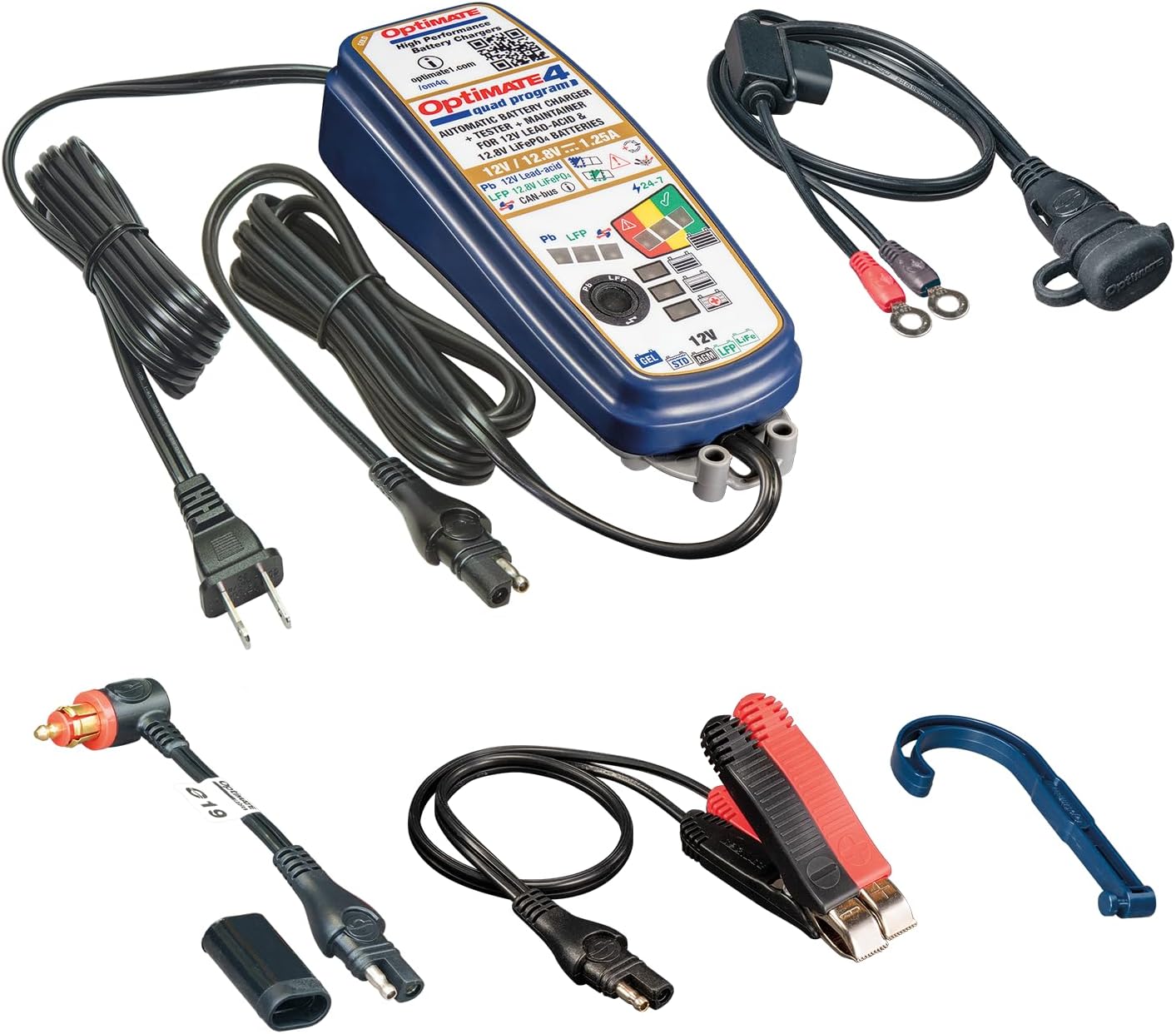
Image: OptiMate 4 Quad Program charger and its complete set of accessories.
Enstalasyon
Before connecting the charger, ensure the battery type matches the charger's capabilities (12V Lead-Acid or 12.8V LiFePO4). Select the appropriate connection method:
- Koneksyon dirèk batri:
- Konekte wouj (+) clampKonekte tèminal /bag la nan tèminal pozitif (+) batri a.
- Konekte nwa (-) clampKonekte tèminal /bag la nan tèminal negatif (-) batri a.
- Asire w ke koneksyon an sekirite.
- CAN-bus or Triumph 12V Socket Connection:
- Use the appropriate accessory cable (e.g., O-19 cable) to connect the charger to the vehicle's 12V socket.
- Ensure the vehicle's ignition is off before connecting.
Once connected to the battery/vehicle, plug the charger's AC power cord into a suitable wall outlet.
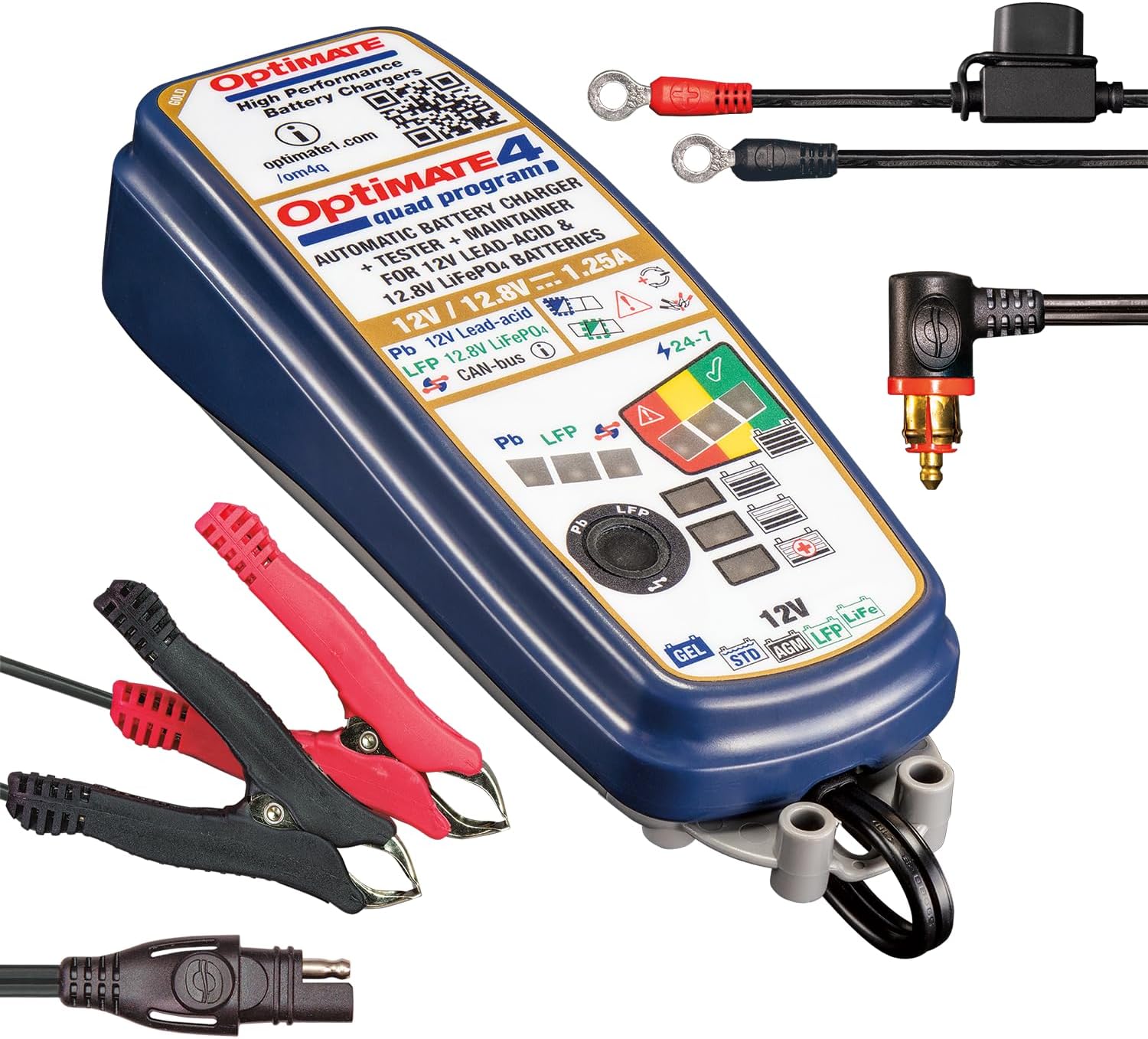
Image: OptiMate 4 Quad Program charger showing connection options.
Enstriksyon Operasyon
The OptiMate 4 Quad Program offers four distinct charging programs. The charger automatically detects the battery voltage and type (Lead-Acid or LiFePO4) and initiates the appropriate program. You can manually select programs for CAN-bus or direct charging.
Seleksyon pwogram:
- Program 1 (Default): For 12V Lead-Acid batteries connected directly to the battery terminals.
- Pwogram 2: For 12V Lead-Acid batteries connected via a compatible BMW CAN-bus controlled 12V socket.
- Pwogram 3: For 12.8V LiFePO4 batteries connected directly to the battery terminals.
- Pwogram 4: For 12.8V LiFePO4 batteries connected via a compatible BMW CAN-bus controlled 12V socket or Triumph 12V live (hot) socket.
To switch programs, refer to the charger's interface or specific instructions on the device itself (often involves pressing a button or sequence). The charger will indicate the active program via LEDs.
9-Step Charging Process (General Overview):
The OptiMate 4 employs a sophisticated 9-step charging and maintenance process to optimize battery health and longevity:
- Inisyalizasyon: Chèk batri voltage ak polarite.
- Desulfation/Recovery: Recovers deeply discharged batteries (as low as 0.5V for lead-acid and lithium).
- Chaj esansyèl: Delivers maximum current to bring the battery to approximately 80% charge.
- chaj absòpsyon: Gradually reduces current to bring the battery to 100% charge.
- Voltage Retention Test: Monitè batri voltage to assess its health.
- Charge Retention Test: Further tests the battery's ability to hold a charge.
- Maintenance Charge (Float): Maintains the battery at optimal voltage.
- Antretyen batman kè: Delivers small pulses to prevent self-discharge and sulfation during long-term storage.
- Battery Save Mode: Enters a low-power mode when the battery is fully charged and healthy.
LED indicators on the charger will display the current charging stage ak estati batri.
Antretyen
Proper maintenance ensures the longevity of your OptiMate 4 charger and the batteries it charges.
- Kenbe plato a pwòp epi sèk. Siye l avèk yon twal mou.amp twal.
- Inspect cables and connectors regularly for damage. Do not use if damaged.
- Sere plato a nan yon kote ki fre, sèk lè li pa itilize.
- Ensure battery terminals are clean and free of corrosion before connecting.
Depanaj
| Pwoblèm | Kòz posib | Solisyon |
|---|---|---|
| Chargeur a pa limen. | No AC power; faulty connection. | Check wall outlet and charger connections. |
| Chaje a pa kòmanse. | Incorrect battery connection; battery too deeply discharged; wrong program selected. | Verify polarity and secure connections. Allow time for recovery mode. Ensure correct program for battery type and connection method. |
| Error LED illuminated. | Short circuit; reverse polarity; battery fault. | Disconnect and re-connect. Check for short circuits. If error persists, battery may be faulty. |
For further assistance, please visit the official Tecmate websit oswa kontakte sipò kliyan.
Espesifikasyon
| Karakteristik | Detay |
|---|---|
| Nimewo Modèl | TM631-PR |
| Sòti Voltage | 12V (Lead-Acid), 12.8V / 13.2V (LiFePO4) |
| Sòti aktyèl | 1.25A |
| Battery Capacity (Lead-Acid) | 4 - 60Ah |
| Battery Capacity (LiFePO4) | 2 - 15Ah |
| Dimansyon | 1.97"D x 2.36"W x 7.87"H |
| Pwa | 2.09 liv |
| Manifakti | Tecmate Powersport Products, North America Inc |
Garanti ak sipò
For warranty information and technical support, please refer to the official Tecmate websit la oubyen kontakte depatman sèvis kliyan yo. Kenbe prèv acha ou pou reklamasyon garanti.
Paj pwodwi ofisyèl la: http://www.optimate1.com/om4q
Tecmate Store on Amazon: Visit the Tecmate Store