
Entwodiksyon
This manual provides essential information for the installation, operation, and maintenance of your NVIDIA GeForce RTX 4070 Super 12GB GDDR6X Graphics Card. Designed for high-performance gaming and creative applications, this graphics card leverages the NVIDIA Ada Lovelace architecture to deliver advanced features such as fast ray tracing and AI-accelerated performance with DLSS 3. Please read this guide thoroughly before proceeding with installation or use.
Enstalasyon
1. Debale ak Kontni Pakè a
Carefully open the packaging and ensure all components are present. The package typically includes:
- NVIDIA GeForce RTX 4070 Super Graphics Card
- 16-pin (12VHPWR) to 2x 8-pin PCIe power adapter cable
- Gid Quick Start
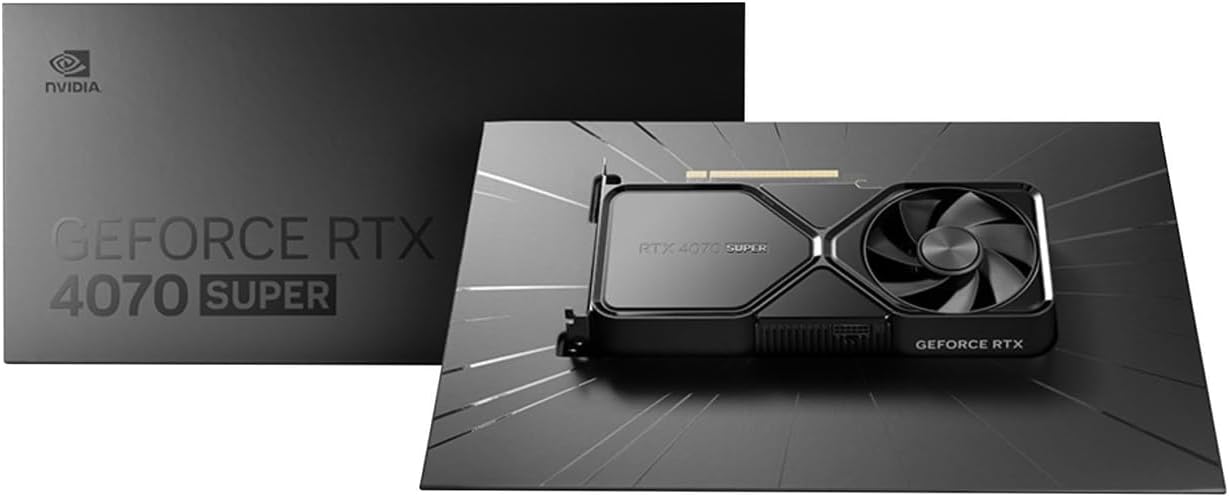
Image: Contents of the NVIDIA GeForce RTX 4070 Super package, including the graphics card and adapter cable.
2. Enstalasyon Fizik
Before installation, ensure your computer is powered off and unplugged from the wall outlet. Ground yourself to prevent electrostatic discharge.
- Louvri ka òdinatè w lan.
- Jwenn yon plas PCI Express x16 ki disponib sou kat manman ou an.
- Remove the metal slot cover(s) corresponding to the chosen PCIe slot.
- Carefully align the graphics card with the PCIe slot and press down firmly until it is securely seated. A click may be heard.
- Secure the graphics card to the case with the retaining screw(s).

Imaj: Anglè devan view of the NVIDIA GeForce RTX 4070 Super Graphics Card, showing its cooling fans and shroud.
3. Koneksyon pouvwa
The GeForce RTX 4070 Super requires external power. Use the provided 16-pin (12VHPWR) to 2x 8-pin PCIe power adapter cable.
- Connect the 16-pin end of the adapter cable to the power connector on the graphics card. Ensure it is fully seated.
- Connect two separate 8-pin PCIe power cables from your power supply unit (PSU) to the two 8-pin connectors on the adapter cable. Do not use a single PCIe cable with a pigtail connector for both 8-pin inputs, as this may lead to insufficient power delivery and potential system instability or damage.
4. Enstalasyon chofè
After physical installation and power connection, close your computer case and reconnect all peripherals. Power on your computer.
- Once your operating system loads, navigate to the official NVIDIA websit (www.nvidia.com/drivers).
- Select your product type (GeForce), product series (GeForce RTX 40 Series), product (GeForce RTX 4070 Super), and your operating system.
- Download the latest recommended drivers.
- Run the installer and follow the on-screen instructions to complete the driver installation. A system restart may be required.
Opere
The NVIDIA GeForce RTX 4070 Super is designed to enhance your computing experience, particularly for gaming, content creation, and professional applications. Once drivers are installed, the card will be fully operational.
- Gaming: Experience high frame rates and advanced visual fidelity in modern games with features like Ray Tracing and DLSS 3. Ensure your games are updated to support these technologies for optimal performance.
- Kreyasyon kontni: Accelerate video editing, 3D rendering, and graphic design tasks with NVIDIA's powerful GPU architecture and dedicated AI cores.
- Koneksyon ekspozisyon: Connect your monitor(s) to the DisplayPort or HDMI outputs on the graphics card. The card supports multiple displays and high resolutions up to 7680x4320.
Antretyen
1. Netwayaj
Netwayaj regilye ede kenbe pèfòmans optimal epi pwolonje dire lavi kat grafik ou a.
- Periodically use compressed air to remove dust from the fans and heatsink fins. Ensure the computer is powered off and unplugged before cleaning.
- Kenbe lam vantilatè yo dousman pou anpeche yo vire rapidman pandan netwayaj la, sa ki ka domaje kousinen yo.
- Avoid using liquid cleaners directly on the card.
2. Mizajou Chofè
NVIDIA regularly releases new drivers that include performance optimizations, bug fixes, and support for new games and applications. It is recommended to keep your drivers updated.
- Use the NVIDIA GeForce Experience software (if installed) to automatically check for and install driver updates.
- Alternatively, manually check for updates on the NVIDIA websit (www.nvidia.com/drivers).
Depanaj
Si ou rankontre pwoblèm ak kat grafik ou a, konsidere etap depanaj komen sa yo:
| Pwoblèm | Solisyon posib |
|---|---|
| Pa gen pwodiksyon ekspozisyon |
|
| System instability or crashes |
|
| Pèfòmans jwèt pòv |
|
If issues persist, consult the NVIDIA support websit oswa kontakte sèvis kliyan yo.
Espesifikasyon
Key technical specifications for the NVIDIA GeForce RTX 4070 Super Graphics Card:
- Koprosesè grafik: NVIDIA GeForce RTX 4070 SUPER
- Mak: NVIDIA
- Graphics RAM Size: 12 GB
- Vitès revèy GPU a: 2.48 GHz
- Entèfas Sorti Videyo: DisplayPort, HDMI
- Graphics RAM Type: GDDR6X
- Aparèy konpatib: Desktop, Laptop
- Rezolisyon ekspozisyon maksimòm: 7680x4320
- Entèfas kat grafik: PCI Express
- Vitès revèy memwa: 21 GHz
- Non modèl: GeForce RTX 4070 SUPER
- UPC: 812674025575

Imaj: Anlè view of the NVIDIA GeForce RTX 4070 Super Graphics Card, highlighting its cooling design.
Garanti ak sipò
Enfòmasyon sou Garanti
NVIDIA graphics cards typically come with a limited manufacturer's warranty. The duration and terms of the warranty may vary by region and retailer. Please retain your proof of purchase for warranty claims. For detailed warranty information, refer to the official NVIDIA websit la oswa dokiman ki vini ak pwodwi ou a.
Sipò pou Kliyan
For technical assistance, driver downloads, or further information, please visit the official NVIDIA support resources:
- NVIDIA Support Websit: www.nvidia.com/support
- Driver Downloads: www.nvidia.com/drivers