
1. Entwodiksyon
The MUNBYN P047 is an 80mm thermal receipt printer designed for various business environments. It offers versatile connectivity options including Bluetooth, USB, Serial, and Ethernet, supporting Android, Windows, Mac, Linux, and ChromeOS systems. This printer is ideal for point-of-sale (POS) systems, providing fast and efficient receipt printing without the need for ink.
Nòt Konpatibilite Enpòtan: This printer is not compatible with PayPal, DoorDash, Grubhub, or Vagaro. It also does not support Wi-Fi connectivity directly, though it can connect via Ethernet to a network.
2. Ki sa ki nan bwat la
Upon unboxing your MUNBYN P047 printer, please ensure all the following items are included:
- Enprimant Resi Tèmik MUNBYN P047
- Adaptè pouvwa
- Kòd pouvwa
- USB kab
- Woulo papye
- Manyèl itilizatè
- Sample Paper Roll

Figure 2.1: Included accessories with the MUNBYN P047 printer.
3. Enstalasyon
3.1 Enstalasyon fizik
- Konekte pouvwa: Connect the power adapter to the printer's power port and then plug the power cord into a standard wall outlet.
- Chaje papye tèmik:
- Press the cover open button on the side of the printer to open the paper compartment cover.
- Insert the thermal paper roll into the compartment, ensuring the paper feeds from the bottom and the leading edge extends out of the printer. The paper should be placed so that it feeds downwards towards the print head.
- Fèmen kouvèti konpatiman papye a byen fèm jiskaske li fè yon klik an plas.
- Limen: Flip the power switch located on the front of the printer to the 'On' position. The power indicator light will illuminate.

Figure 3.1: Loading thermal paper into the printer.
Video 3.1: Demonstrates how to install a USB printer, including physical setup steps like paper loading.
3.2 Connectivity Setup
The P047 printer offers multiple ways to connect to your devices:
- Koneksyon Bluetooth: Ideal for Android and iOS devices.
- Koneksyon USB: Compatible with Windows, Mac, Linux, and ChromeOS PCs.
- Koneksyon seri: For legacy systems.
- Koneksyon Ethernet (LAN): For network printing.
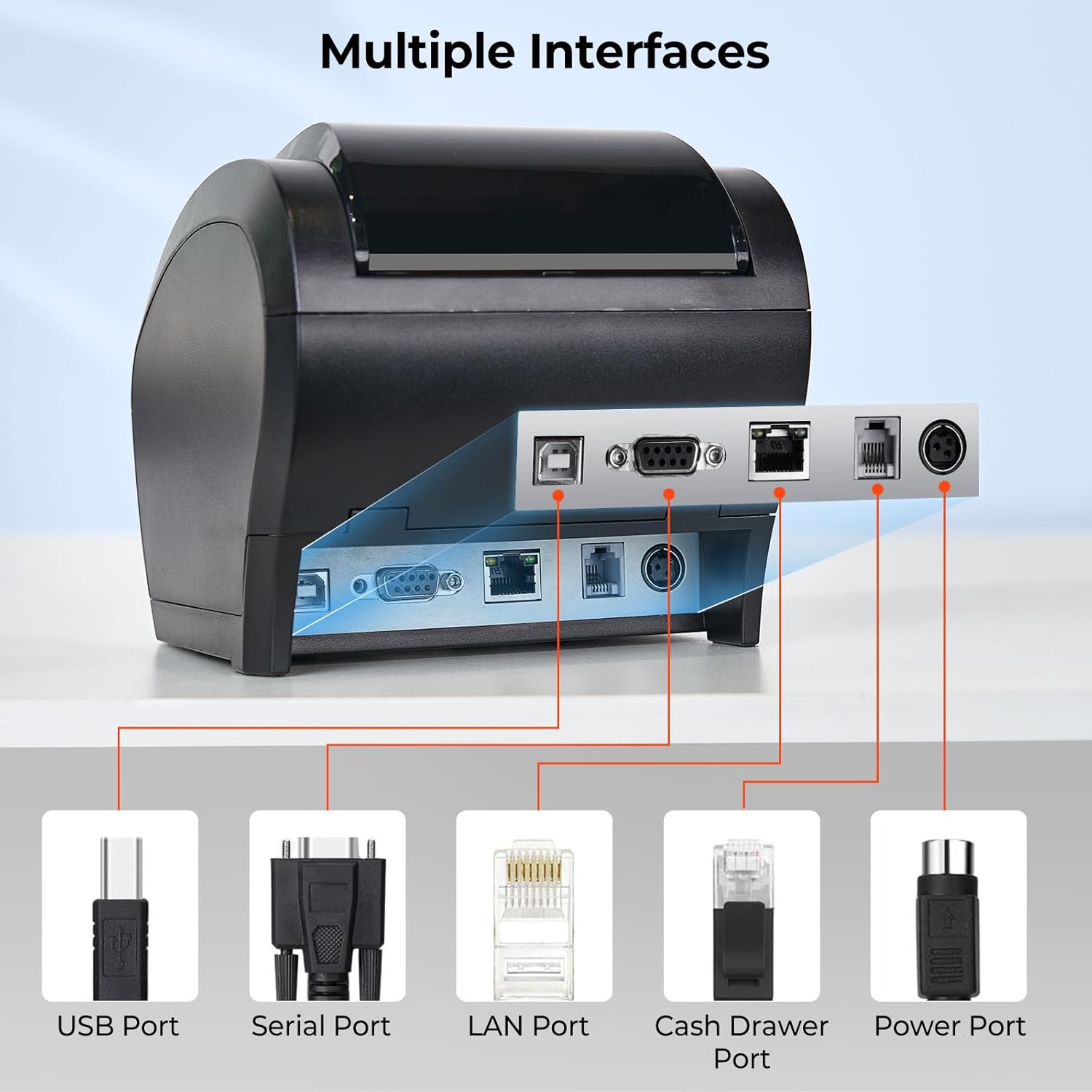
Figure 3.2: Multiple interface ports for versatile connectivity.
3.2.1 Bluetooth Pairing (Android/iOS)
Pou konekte via Bluetooth:
- Asire enprimant lan limen.
- On your Android or iOS device, go to Bluetooth settings and search for available devices.
- Locate and select the printer, typically named "TM-m30-b001". The default pair code is 0000.
- Once paired, you can use compatible POS applications (e.g., Loyverse, Uber Eats, Shopify POS) to print.
- Note for Shopify POS: Due to software updates, you may need to manually modify the Bluetooth name from "TM-m30-b001" to "TM-m30III" in your device's Bluetooth settings for compatibility. If the Bluetooth name is already "TM-m30III", no change is required.
Video 3.2: Guide on connecting the printer to Uber Eats app via Bluetooth on an Android device.
Video 3.3: Instructions for connecting the printer to Shopify POS via Bluetooth on an Android device.
3.2.2 Konpatibilite Sistèm ak Aplikasyon
The MUNBYN P047 printer is designed for broad compatibility. Refer to the table below for a detailed overview of supported operating systems and POS applications.

Figure 3.3: Detailed compatibility matrix for the P047 printer.
4. Itilizasyon Enprimant lan
4.1 Enpresyon debaz
Once connected to your device and configured with your POS software, the printer will automatically receive and print receipts. The P047 features a high printing speed of 300mm/s and an automatic paper cutter for efficient operation.
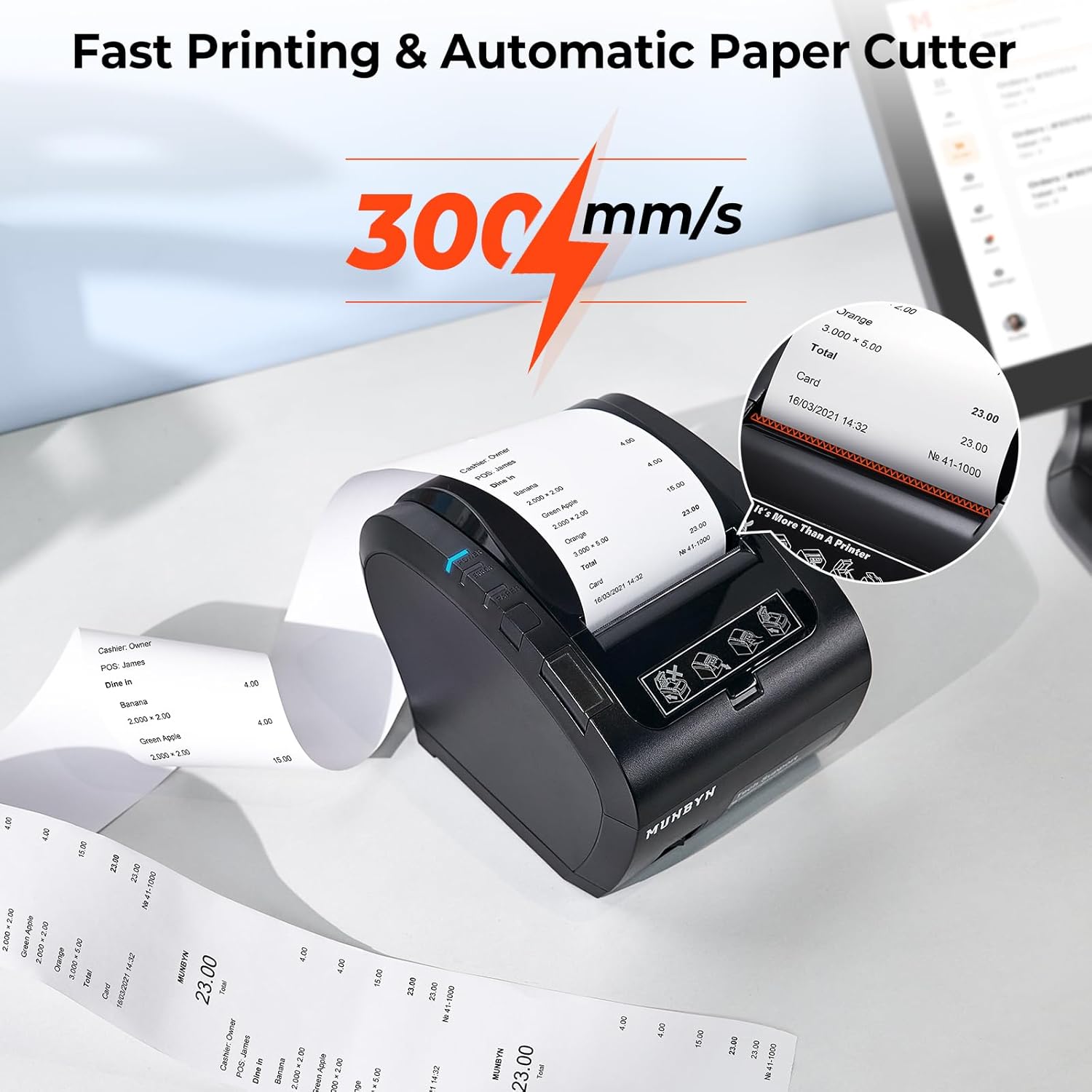
Figure 4.1: High-speed printing and automatic paper cutting.
4.2 Endikatè ak bouton
The printer has several indicators and buttons for easy monitoring and control:
- Endikatè pouvwa: Li limen lè enprimant lan limen.
- Endikatè erè: Lights up or flashes to indicate an error (e.g., paper jam, cover open).
- Endikatè papye: Indicates paper status (e.g., low paper, no paper).
- Bouton Feed: Press to manually feed paper.
- Cover Open Button: Releases the paper compartment cover.
- Pouvwa switch: Limen oswa etenn enprimant lan.
Figure 4.2: Front panel with indicators and buttons.
5. Antretyen
5.1 Paper Replacement
When the paper roll is depleted or running low, replace it by following the paper loading instructions in Section 3.1. The printer uses 80mm thermal paper rolls.
5.2 Netwayaj
Regular cleaning helps maintain print quality and extends the printer's lifespan. Use a soft, lint-free cloth to wipe the exterior. For the print head, refer to the detailed cleaning instructions in the official Troubleshooting Guide (PDF) available on the product page.
NAN. Depanaj
If you encounter issues with your MUNBYN P047 printer, please refer to the following common solutions:
- Enprimant lan pa reponn: Ensure the power cord is securely connected and the printer is turned on. Check the power indicator light.
- Pa gen rezilta enprime: Verify that thermal paper is correctly loaded and the paper compartment cover is closed. Check the paper indicator.
- Pwoblèm koneksyon Bluetooth: Confirm Bluetooth is enabled on your device and the printer is discoverable. Ensure the correct printer name is selected and the pair code (0000) is entered correctly. For Shopify POS, remember to check and potentially modify the Bluetooth name to "TM-m30III".
- Pwoblèm konpatibilite: Double-check the compatibility table in Section 3.2.2 to ensure your operating system and POS application are supported. Note that some applications like DoorDash, Grubhub, and Vagaro are not supported.
- App Recognition: The "EMlabel" App can assist your devices in recognizing the printer and facilitating setup.
For more detailed troubleshooting steps and solutions, please consult the official Gid depanaj (PDF).
If you have specific questions about product compatibility with your POS system, please contact MUNBYN customer support for prompt assistance.
7. Espesifikasyon teknik
| Karakteristik | Spesifikasyon |
|---|---|
| Non modèl | ITPP047P-USEB |
| Teknoloji Enpresyon | Tèmik |
| Sòti enprimant | Monokrom |
| Vitès Enpresyon Maksimòm (Monochrome) | 48 ppm (300mm/s) |
| Maksimòm rezolisyon enprime nwa e blan | 203 dpi |
| Enprimant Media Size Maksimòm | 80mm |
| Koneksyon Teknoloji | Bluetooth, USB, Serial, Ethernet |
| Aparèy konpatib | PC, Tablets (Android, Windows, Mac, Linux, ChromeOS, iOS) |
| Dimansyon pwodwi | 11.26"D x 6.46"W x 6.3"H |
| Pwa atik | 3.69 liv |
| Kalite lank enprimant | No Ink (Thermal) |
8. Garanti ak sipò
The MUNBYN P047 Thermal Receipt Printer comes with a Limited Warranty. For specific warranty terms and conditions, please refer to the warranty documentation included with your product or contact MUNBYN customer support.
Sipò pou Kliyan
For technical assistance, troubleshooting, or any inquiries regarding your MUNBYN product, please reach out to our support team:
- Imèl: support@munbyn.com
- Phone (PT): +1 403 477 1911 (8:00 AM - 5:00 PM PT)
- Phone (UTC+8): +86 178 1788 1067 (9:00 AM - 6:00 PM UTC+8)
Our dedicated support team is available to provide remote setup assistance, how-to videos, and local tech support to ensure you have the best experience with your MUNBYN printer.