
1. Entwodiksyon
Thank you for choosing the OSCAL PowerMax 3600 Portable Power Station and PM200 Solar Panel. This manual provides essential information for the safe and efficient operation, setup, and maintenance of your device. Please read this manual thoroughly before use and retain it for future reference.
Prekosyon Sekirite
- Pa demont, repare, oswa modifye inite a.
- Kenbe aparèy la lwen dife, dlo, ak tanperati ekstrèm.
- Asire w ke sistèm nan byen vantile pandan w ap itilize l epi pandan w ap chaje l.
- Evite lage aparèy la oswa soumèt li a gwo enpak.
- Kenbe lwen timoun ak bèt kay.
2. Pwodwi souview
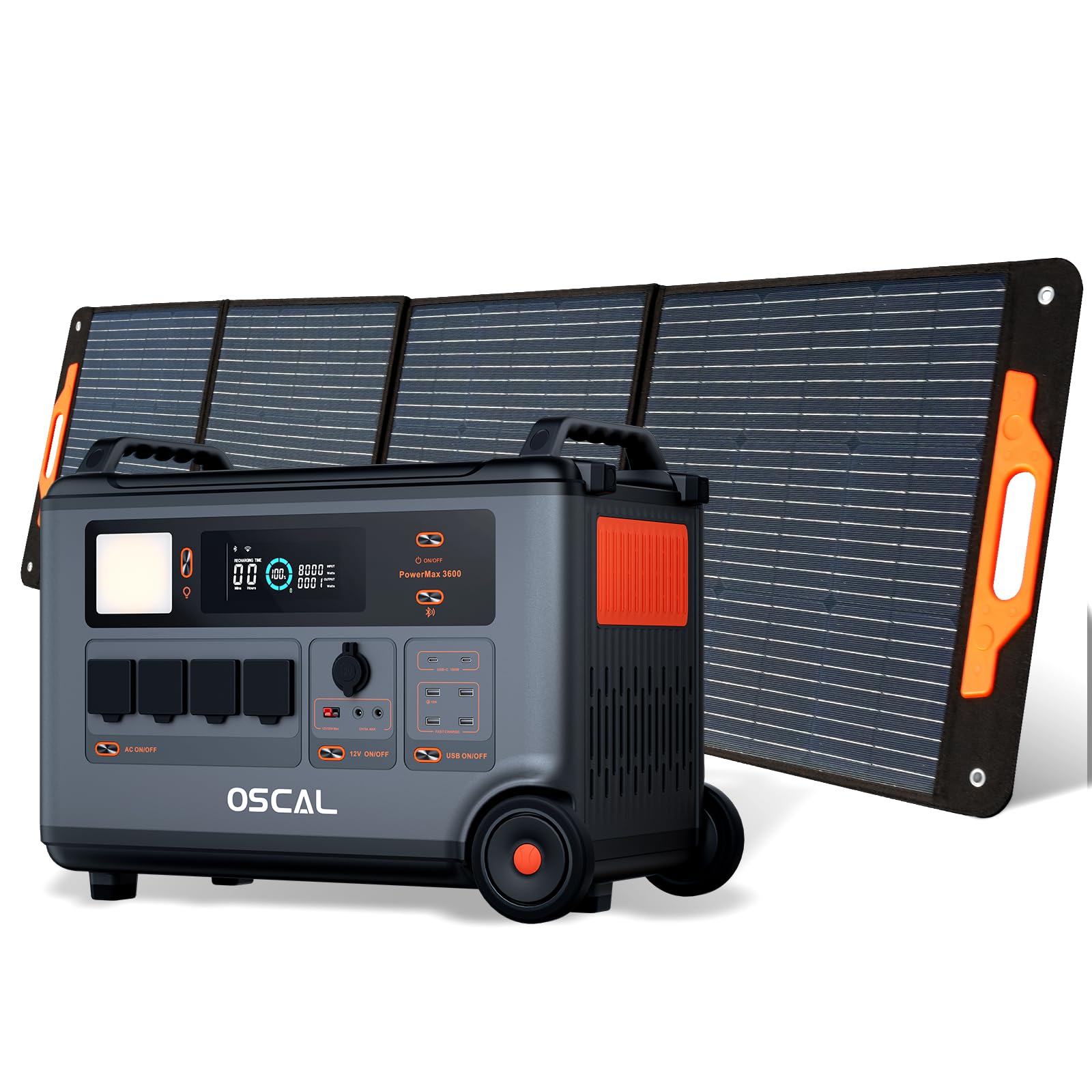
The OSCAL PowerMax 3600 is a high-capacity portable power station designed for various applications, from outdoor adventures to emergency home backup. It features a robust LiFePO4 battery and multiple output ports.
Karakteristik kle:
- Kapasite segondè: 3600 Wh base capacity, expandable up to 57,600 Wh with additional batteries.
- Sòti pwisan: 6000 W peak output, capable of powering most household appliances.
- Batri LiFePO4: Safe, stable, and durable with over 3500 charge cycles (to 80% capacity).
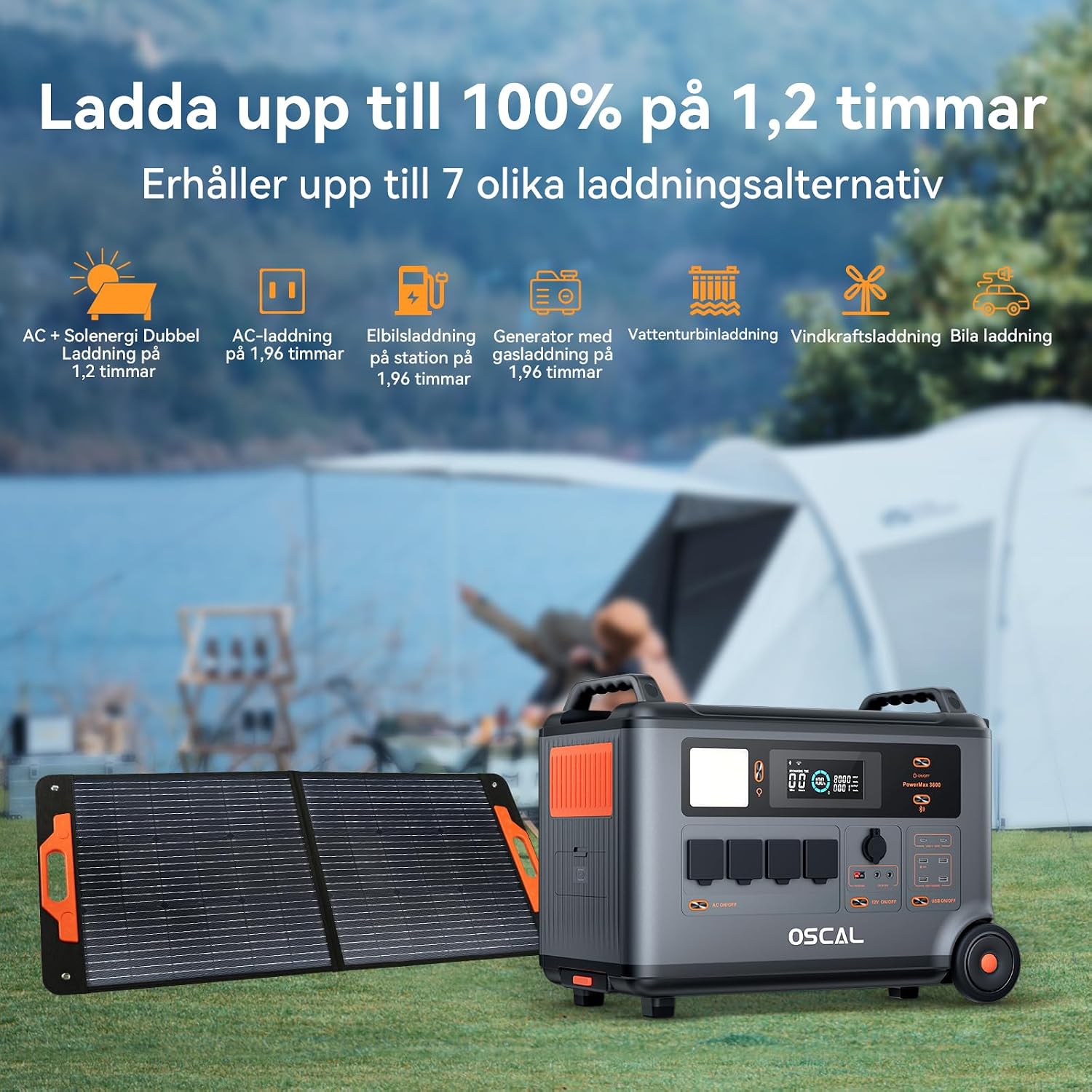
- Chaje rapid: Fully charged in 1.2 hours with dual AC and solar input.
- Ekipman pou pouvwa san enteripsyon (UPS): Automatic switchover in 5-8 ms during power outages.
- Smart kontwòl: Monitor and control via the OSCAL smartphone application (Wi-Fi/Bluetooth).
- Konsepsyon dirab: Splash-proof, dust-proof, 0.8M vertical drop protection, UV-resistant, and UL94V-0 fire rating.

3. Enstalasyon
3.1 Debalaj ak Premye Enspeksyon
Carefully remove all components from the packaging. Verify that all items listed in the 'What you will get' section are present and undamaged. If any items are missing or damaged, contact customer support immediately.
3.2 Premye chaj
Before first use, fully charge the PowerMax 3600. Connect the AC charging cable to the unit's AC input port and then to a standard wall outlet. The display will indicate the charging status. A full charge typically takes 1.2 hours with combined AC and solar input, or 1.96 hours with AC only.
3.3 Connecting the PM200 Solar Panel
To charge using solar power, unfold the PM200 solar panel and position it in direct sunlight. Connect the MC4 to Anderson cable (or other compatible cable) from the solar panel to the PowerMax 3600's solar input port. The unit will automatically detect the solar input and begin charging.

4. Operasyon Enstriksyon
4.1 Limen/Etenyen
Peze epi kenbe bouton prensipal pouvwa a pandan kèk segonn pou limen oswa etenn aparèy la. Ekran an ap limen lè li aktive.
4.2 Itilizasyon Sòti AC yo
Press the AC power button to activate the AC outlets. Plug your devices into the available AC ports. The PowerMax 3600 provides a pure sine wave output, suitable for sensitive electronics. The unit has 4 AC outlets.
4.3 Using DC Outputs (USB-A, USB-C, 12V)
Press the DC power button to activate the DC outputs. Connect your USB-powered devices to the 4 USB-A ports or 2 USB-C ports (100W each). The 12V car port and other DC outputs are also available for compatible devices.

4.4 Konprann ekspozisyon an
The integrated display shows real-time information including battery level, input/output wattage, remaining run time, and active ports. Refer to the on-screen icons for specific indicators.
4.5 Fonksyon Sistèm Alimantasyon san Enteripsyon (UPS)
When connected to an AC wall outlet and powering devices, the PowerMax 3600 acts as a UPS. In the event of a power outage, it automatically switches to battery power within 5 to 8 milliseconds, ensuring continuous operation for connected devices like computers or medical equipment (e.g., CPAP machines).

4.6 Smart Remote Control (OSCAL App)
Download the OSCAL application from your smartphone's app store. Pair the PowerMax 3600 via Wi-Fi or Bluetooth to monitor battery status, control outputs, and perform firmware updates remotely.

5. Chaje Metòd
The PowerMax 3600 supports multiple charging methods to ensure you always have power.
- AC miray priz: Connect the included AC charging cable to a standard wall outlet.
- Solè chaje: Use the PM200 solar panel or other compatible solar panels via the MC4 input.
- Chaje machin: Charge from your vehicle's 12V cigarette lighter port using the included car charging cable.
- Estasyon rechaj EV: The unit can be charged at an electric vehicle charging station (up to 2200W input).
- Dèlko: Connect to a gasoline generator for charging (up to 2200W input).
- Plon-asid batri: Supports charging from lead-acid batteries for emergency situations.


6. Antretyen
6.1 Swen Batri
The PowerMax 3600 uses LiFePO4 batteries, known for their longevity. To maximize battery lifespan:
- Evite dechaje batri a nèt souvan.
- Sere aparèy la ak yon nivo chaj ant 50% ak 80% si ou pa itilize li pou yon bon bout tan.
- Rechaje aparèy la chak 3-6 mwa pandan w ap estoke l pou anpeche l dechaje twò fon.

6.2 Netwayaj
Use a dry, soft cloth to clean the exterior of the unit. Do not use abrasive cleaners or solvents. Ensure all ports are free from dust and debris.
6.3 Depo
Store the PowerMax 3600 in a cool, dry place, away from direct sunlight and extreme temperatures. Ensure the unit is turned off during storage.
NAN. Depanaj
If you encounter issues with your PowerMax 3600, refer to the following common problems and solutions:
| Pwoblèm | Kòz posib | Solisyon |
|---|---|---|
| Inite pa limen | Battery is completely discharged; Power button not pressed long enough. | Charge the unit using AC power; Press and hold the power button for 3-5 seconds. |
| No output from AC/DC ports | AC/DC output not activated; Device draws too much power; Overload protection triggered. | Press the respective AC/DC button; Check device wattage; Restart the unit and reduce load. |
| Chajman solè a pa fonksyone | Insufficient sunlight; Incorrect panel connection; Damaged solar panel/cable. | Ensure direct sunlight; Verify cable connections; Test with another solar panel/cable if possible. |
| Pwoblèm koneksyon aplikasyon an | Bluetooth/Wi-Fi off; Unit too far from phone; App not updated. | Ensure Bluetooth/Wi-Fi is on; Move phone closer to unit; Update the OSCAL app. |
If the problem persists, please contact OSCAL customer support.
8. Espesifikasyon
| Karakteristik | Detay |
|---|---|
| Mak | OSCAL |
| Nimewo Modèl | BP3600-PM3600 (PowerMax 3600) |
| Kalite batri | LiFePO4 |
| Kapasite | 3600 Wh (expandable up to 57,600 Wh) |
| AC Sòti Pouvwa | 3600 W (Rated), 6000 W (Peak) |
| Total priz kouran AC | 4 |
| USB-A Sorti | 4 |
| Sorti USB-C | 2 (100 W each) |
| Antre Voltage | 12 Volts (DC input for car/solar) |
| Frekans | 60 Hz |
| Charging Time (AC + Solar) | 1.2 èdtan (a 100%) |
| Charging Time (AC only) | 1.96 èdtan (a 100%) |
| UPS Chanje Tan | 5-8 ms |
| Viv lavi | Plis pase 3500 sik (jiska 80% kapasite) |
| Dimansyon (L x W x H) | 48 cm x 44 cm x 35 cm |
| Pwa | 44.45 Kilogram |
| Materyèl | ABS |
| Karakteristik espesyal | Extra-long battery life, Energy efficient, BMS protection (over-voltage, anba-voltage, over-current, over-charge, low/high temperature, short-circuit) |
9. Garanti ak sipò
9.1 Enfòmasyon sou Garanti
The OSCAL PowerMax 3600 comes with a Garanti manifakti 5 zanGaranti sa a kouvri domaj nan materyèl ak nan fabrikasyon anba itilizasyon nòmal. Tanpri konsève prèv acha ou pou reklamasyon garanti.
9.2 Konpozan ki enkli yo
Pake a gen ladan:
- PowerMax 3600 Portable Charging Station
- PM200 Portable Solar Panel
- AC chaje kab
- Machin chaje kab
- Solar Charging Cable (MC4 to Anderson, MC4 to 7909, 6530, XT60, 5521)
- Manyèl itilizatè
- Kat Garanti
9.3 Sipò pou Kliyan
For technical assistance, warranty claims, or any questions regarding your OSCAL PowerMax 3600, please refer to the contact information provided on your warranty card or visit the official OSCAL website. 24-hour after-sales support is available.