
RAINPOINT G-ITV205NH
RAINPOINT Water Timer 2-Outlet User Manual
Model: G-ITV205NH
Entwodiksyon
Thank you for choosing the RAINPOINT 2-Outlet Water Timer. This digital sprinkler timer is designed to simplify your watering routine, offering precise control over your garden and lawn irrigation. With its dual-zone programming, rain delay, and manual watering options, you can ensure efficient and effective watering while conserving water.
This manual provides detailed instructions for installation, operation, maintenance, and troubleshooting to help you get the most out of your new water timer.
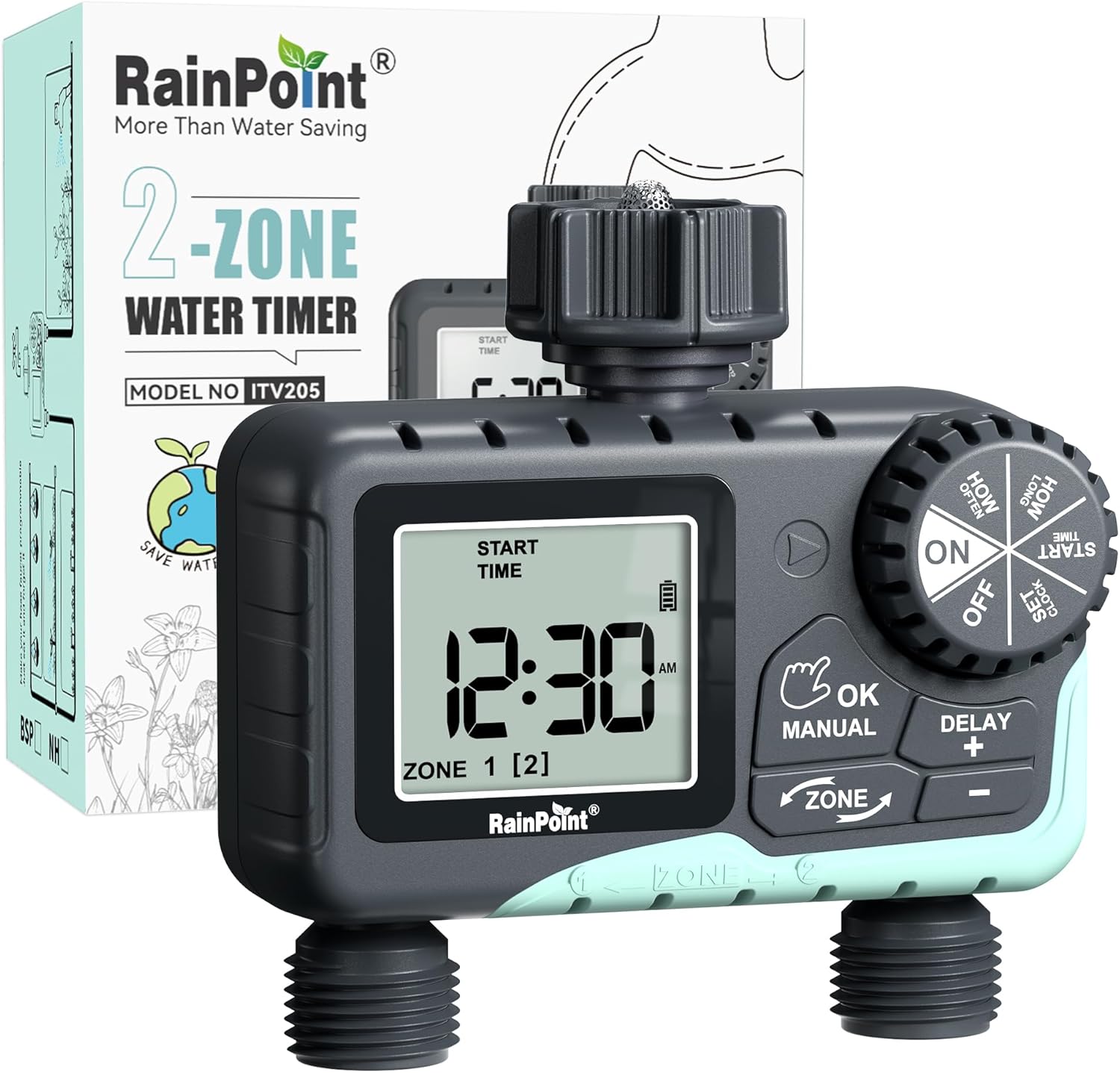
Image: The RAINPOINT 2-Outlet Water Timer, showing the device and its retail packaging. This timer features a digital display and intuitive controls for managing two separate watering zones.
Karakteristik kle
- Kontwòl Doub Zòn: Independently program two separate watering zones for customized irrigation.
- Pwogramasyon Fleksib: Set start times, watering duration (1 minute to 3 hours 59 minutes), and frequency (hourly to weekly).
- Mòd awozaj manyèl: Instantly water for a specified duration (1 minute to 8 hours) for Zone 1, Zone 2, or both.
- Fonksyon reta lapli: Skip watering for 24, 48, or 72 hours to conserve water during rainy periods.
- Gwo ekspozisyon LCD: Easy-to-read 2.5-inch screen shows watering time, next irrigation plans, and power status.
- Low Power Auto Shutoff: Alerts when battery is below 5% and automatically closes the valve to prevent water wastage.
- Konstriksyon dirab: Made from IP54 high-impact plastic with a built-in metal filter and 2-generation valve diaphragm for longevity.
- 360° Rotatable Interface: Designed for easy installation and access.

Image: Illustration demonstrating the independent programming capabilities of Zone 1 and Zone 2, allowing for different start times and durations for each watering area.
Kontni pake
Tanpri verifye sa ki nan pake a pou asire w tout atik yo la:
- 1 x RAINPOINT 2-Outlet Water Timer (Model: G-ITV205NH)
- 1 x manyèl itilizatè
- (Batteries not included - requires 2 x AA batteries)
Gid Enstalasyon
1. Enstalasyon batri
- Jwenn konpatiman pil la sou dèyè revèy la.
- Glise kouvèti batri a anba pou ouvri li.
- Insert two (2) new AA alkaline batteries, ensuring correct polarity (+/-).
- Close the battery cover securely. The added seal ring helps prevent water leaks.
Enpòtan: Replace batteries when the low battery indicator appears on the LCD screen. The valve will automatically close to prevent water wastage when power is critically low.

Image: The water timer display showing a low battery warning, indicating the need for battery replacement to ensure continuous operation.
2. Konekte ak Robine a
- Asire w ke wobinèt deyò w la fèmen.
- Screw the timer's top connector (with the 3/4" internal thread and built-in filter) onto your standard outdoor faucet. Hand-tighten only. Do not overtighten.
- The 360° rotatable interface allows for easy positioning of the timer.
3. Konekte Tiyo yo
- Attach your garden hoses to the two NH3/4" outlet fittings at the bottom of the timer.
- Ensure a tight connection to prevent leaks.

Image: The RAINPOINT 2-Outlet Water Timer installed on an outdoor faucet, with two hoses connected to its independent outlets, demonstrating its dual-zone capability.

Image: A detailed diagram labeling the various parts of the RAINPOINT water timer, including the 3/4" internal thread, 2.5" LCD screen, control dial, buttons, and outlet fittings.
Enstriksyon Operasyon
The RAINPOINT water timer features a large dial for mode selection and several buttons for setting parameters. The dial has positions for ON, OFF, HOW OFTEN, HOW LONG, START TIME, and SET CLOCK.
1. Mete revèy la
- Vire rele nan Mete revèy.
- Sèvi ak la + epi - bouton yo pou ajiste lè aktyèl la.
- Peze OK/MANYÈL to confirm and move to the next setting (e.g., AM/PM).
- Once the time is set, turn the dial to ON pou sove ak sòti.
2. Programming Watering Schedules (Automatic Mode)
You can program independent schedules for Zone 1 and Zone 2. Use the ZÒN button to switch between zones.
a. Set Start Time
- Vire rele nan KÒMANSE TAN.
- Peze a ZÒN button to select either Zone 1 or Zone 2.
- Sèvi ak + epi - to set the desired start time for the selected zone.
- Peze OK/MANYÈL pou konfime.
b. Set How Long (Watering Duration)
- Vire rele nan KONBYEN TAN.
- Peze a ZÒN button to select either Zone 1 or Zone 2.
- Sèvi ak + epi - to set the watering duration (from 1 minute to 3 hours 59 minutes).
- Peze OK/MANYÈL pou konfime.
c. Set How Often (Watering Frequency)
- Vire rele nan Konbyen fwa.
- Peze a ZÒN button to select either Zone 1 or Zone 2.
- Sèvi ak + epi - to set the watering frequency (e.g., every 12 hours, every 2 days, etc.).
- Peze OK/MANYÈL pou konfime.
Note: After setting all parameters, turn the dial to ON to activate the programmed schedule.

Image: The water timer display showing options for setting watering duration (1 min - 3h 59m) and frequency (1 hour - 7 days), illustrating the flexibility of automatic scheduling.
3. Mòd Awozaj Manyèl
Mòd sa a pèmèt awozaj imedya ak tanporè san afekte orè pwograme ou a.
- Ensure the dial is in the ON pozisyon.
- Peze a OK/MANYÈL button. The display will show "MANUAL".
- Peze a ZÒN button to cycle through watering options: Zone 1, Zone 2, or BOTH ZONE.
- Sèvi ak + epi - to set the desired manual watering duration (from 1 minute to 8 hours).
- Peze OK/MANYÈL again to start watering. The timer will count down the duration.
- To stop manual watering early, press OK/MANYÈL again or turn the dial to OFF ak Lè sa a, tounen nan ON.
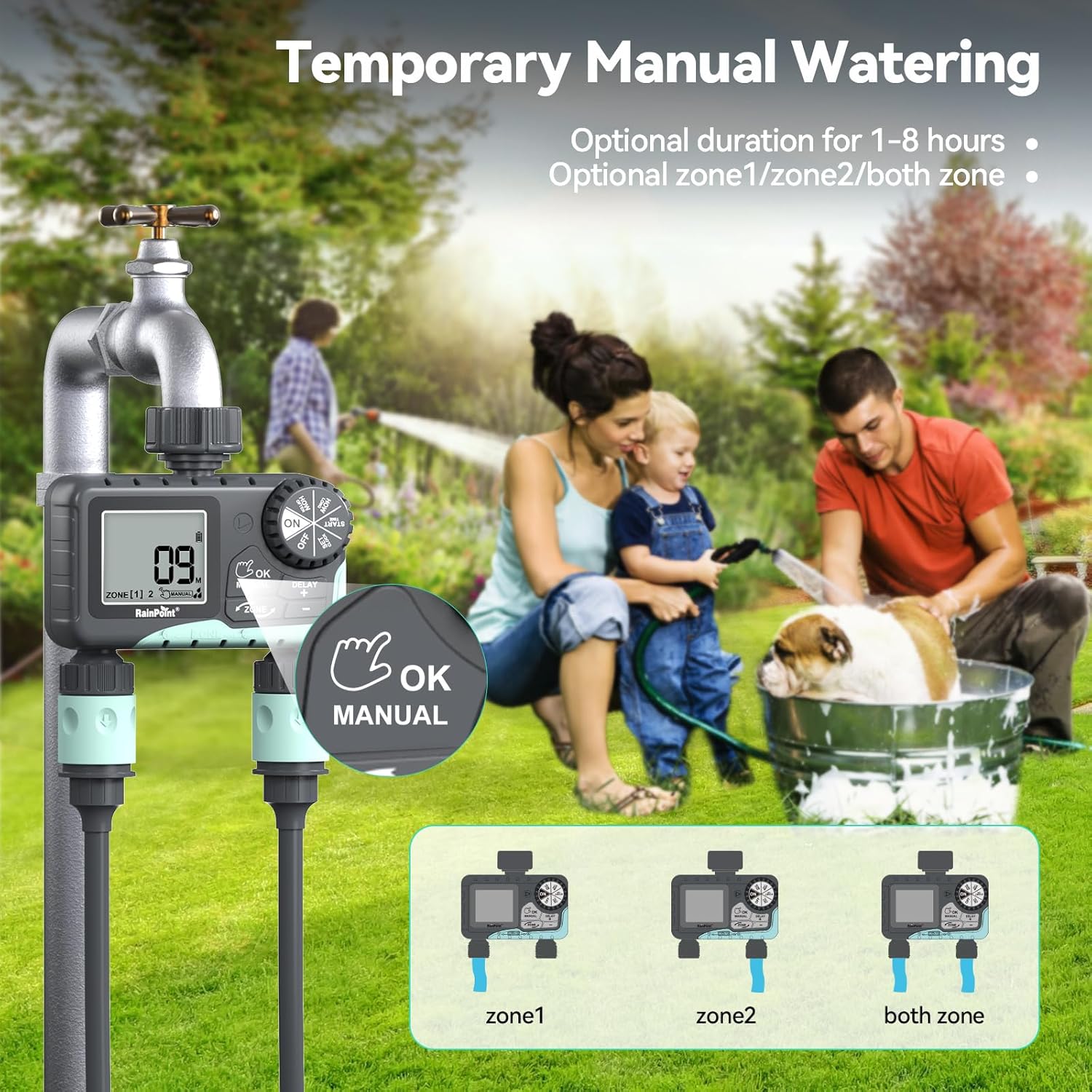
Image: The water timer display showing the manual watering mode, with options to select Zone 1, Zone 2, or both zones for immediate watering, and setting the duration.
4. Fonksyon reta lapli
The rain delay function allows you to pause your watering schedule for a set period, preventing overwatering during rainfall.
- Ensure the dial is in the ON pozisyon.
- Peze epi kenbe la RETA + button for approximately 3 seconds until "DELAY" appears on the screen.
- Sèvi ak la + epi - buttons to select the delay duration: 24 hours, 48 hours, or 72 hours.
- Peze OK/MANYÈL to confirm the rain delay. The timer will resume its schedule automatically after the delay period.
- To cancel the rain delay, press and hold the RETA + bouton ankò pou 3 segonn.
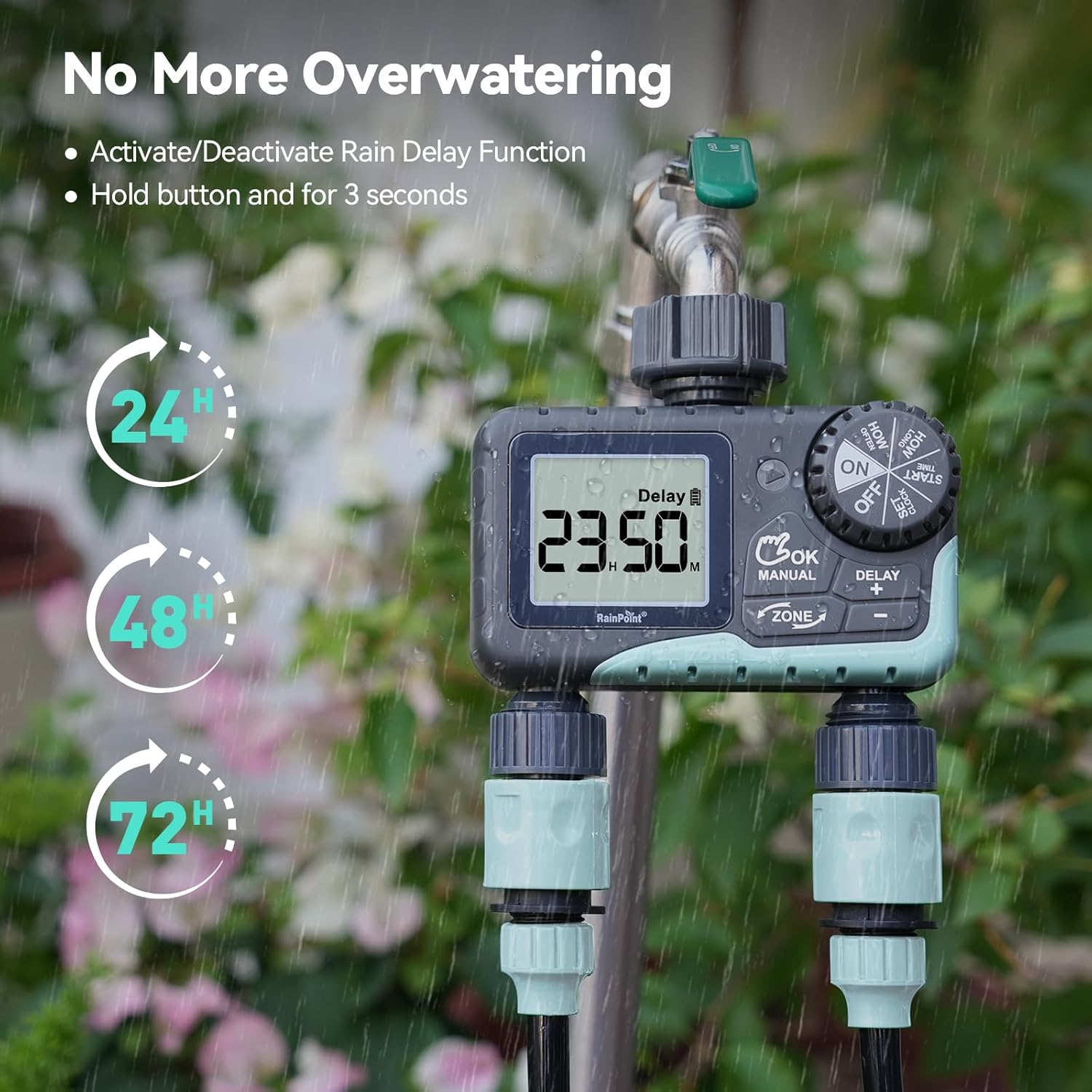
Image: The water timer display showing the rain delay function activated, with options for 24, 48, or 72-hour delays to prevent overwatering during rainy conditions.
5. Fèmen revèy la
To stop all watering and programming, turn the dial to OFF. All active programs will be paused.
Antretyen
1. Netwaye filtè a
The timer has a built-in metal filter to prevent debris from entering the unit. Periodically check and clean this filter to ensure optimal water flow and prevent blockages.
- Devise revèy la nan wobinèt la.
- Remove the filter screen from the top connector.
- Rense filtè a anba dlo k ap koule pou retire tout debri ki akimile.
- Remete filtè pwòp la epi tache revèy la nan wobinèt la.
2. Ranplasman batri
Replace batteries when the low battery indicator appears on the LCD screen. Always use new AA alkaline batteries.
- Vire rele nan OFF.
- Louvri lòj batri a.
- Remove old batteries and insert new ones, observing polarity.
- Fèmen lòj batri a byen.
- The timer will retain your programming for a short period during battery replacement.
3. Preparasyon pou ivè
To prevent damage from freezing temperatures, remove the water timer from the faucet before the first frost.
- Disconnect the timer from the faucet and hoses.
- Retire pil yo.
- Sere revèy la andedan kay la nan yon kote ki sèk epi ki pa gen jèl.
Depanaj
| Pwoblèm | Kòz posib | Solisyon |
|---|---|---|
| Minitè a pa limen/ekran an vid. | Pil ki mouri oswa ki mal enstale. | Ranplase pil yo ak nouvo pil alkalin AA, asire polarite ki kòrèk la. |
| Pa gen dlo koule. | Faucet is off; timer is in OFF mode; low battery; clogged filter; incorrect programming. | Turn on faucet; turn dial to ON; replace batteries; clean filter; check programming (start time, duration, frequency). |
| Dlo ap koule nan koneksyon yo. | Koneksyon ki lach; rondelle ki ize. | Ensure all connections are hand-tight; check and replace rubber washers if damaged. |
| Minutè a pa ap wouze nan lè pwograme a. | Incorrect clock setting; incorrect program settings; rain delay active. | Verify current time; re-check start time, duration, and frequency for each zone; check if rain delay is active. |
| Display shows "LOW BATT". | Batri yo ba. | Replace batteries immediately to prevent valve closure and program loss. |
Espesifikasyon
| Nimewo Modèl | G-ITV205NH |
| Dimansyon pwodwi | 5.36"D x 5.92"W x 5.55"H |
| Materyèl | High-impact Plastic, Metal |
| Koulè | Nwa ak ble |
| Sous pouvwa | 2 pil alkalin AA (pa enkli) |
| Ranje Presyon Dlo | Up to 35 kg (approx. 500 PSI) |
| Pousantaj koule | 5-35 L / min |
| Duration Awozaj | 1 minit a 3 èdtan 59 minit |
| Awozaj Frekans | Hourly (up to 12 hours) or Daily (up to 7 days) |
| Dire awozaj manyèl | 1 minit a 8 èdtan |
| Opsyon Reta pou Lapli | 24, 48, 72 èdtan |
| Evalyasyon ki enpèmeyab | IP54 |
Garanti ak sipò
RAINPOINT products are designed for durability and performance. For warranty information and customer support, please refer to the official RAINPOINT websit la oubyen kontakte sèvis kliyan yo dirèkteman.
Pou plis asistans, tanpri vizite: www.rainpointonline.com
Or contact customer support via email: support@rainpointonline.com
Ask a question about this manual
Ask about setup, troubleshooting, compatibility, parts, safety, or missing instructions. Manuals+ will review the question and use this page’s manual context to help answer it.