
1. Pwodwi souview
The ulafbwur Folding Laptop Table is a versatile and portable solution designed for various uses, including as a laptop workstation, bed table, mini writing desk, or a book/tablet holder. Its design incorporates non-slip legs for stability and a foldable structure for convenient storage.
This table features integrated slots and a cup holder to secure mobile phones, magazines, and beverages. Its simple aesthetic with silver legs complements various environments, from casual living rooms to bed office setups.

Figure 1: ulafbwur Folding Laptop Table (Blue variant).
2. Enstriksyon Enstalasyon
The ulafbwur Folding Laptop Table requires no assembly. It is designed for immediate use.
- Devlope janm yo: Gently pull the table legs outwards from their folded position until they lock securely into place. Ensure all four legs are fully extended and stable before placing items on the table.
- Mete tab la an pozisyon: Place the table on a flat, stable surface. The non-slip leg design helps maintain stability on various surfaces.

Figure 2: Table in use on a bed, demonstrating setup.
3. Operasyon Enstriksyon
This table is designed for versatile use. Follow these guidelines for optimal operation:
- Estasyon travay pou òdinatè pòtab: Place your laptop on the main surface. The table provides a stable platform for typing and viewing.
- Detantè tas: Use the integrated cup holder to securely place beverages, preventing spills.
- Plas aparèy: Utilize the slot to hold mobile phones, tablets, or magazines upright for easy viewing.
- Itilizasyon milti-fonksyonèl: The table can serve as a breakfast tray, a reading desk, or a surface for crafts and hobbies.
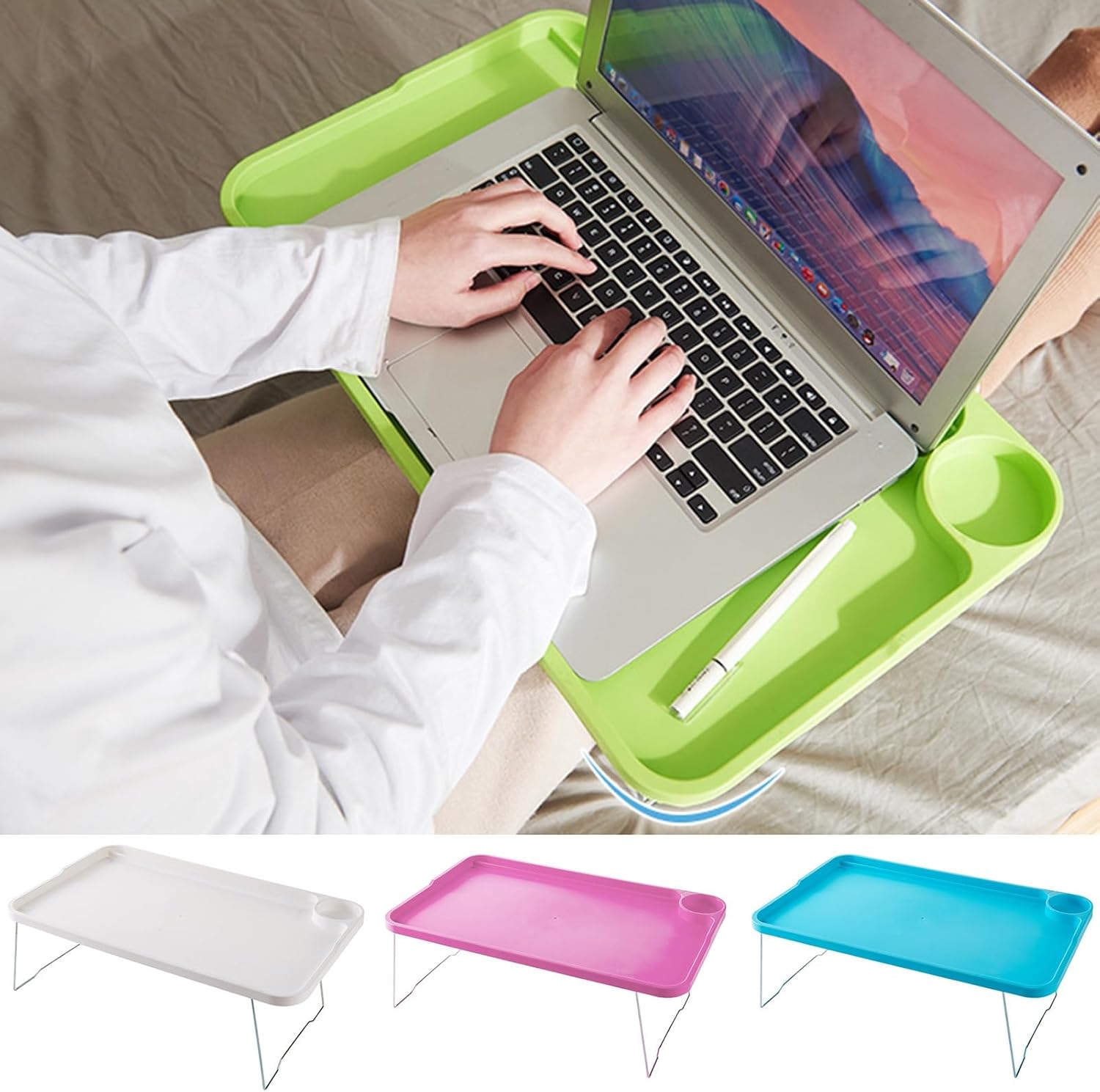
Figure 3: Demonstrating laptop use with integrated features.

Figure 4: Using the table for work and holding a beverage.
4. Antretyen
To ensure the longevity and appearance of your folding laptop table, follow these simple maintenance steps:
- Netwayaj: Siye sifas tab la ak yon twal mou,amp twal. Pou mak ki difisil pou retire, ou ka itilize yon solisyon savon dou, epi siye ak yon twal pwòp.amp twal epi siye byen.
- Evite pwodwi chimik piman bouk: Do not use abrasive cleaners, solvents, or harsh chemicals, as these can damage the table's finish.
- Depo: When not in use, fold the legs flat and store the table in a dry place, away from direct sunlight or extreme temperatures. This helps prevent warping or discoloration.

Figure 5: Table used for reading, easily foldable for storage.
NAN. Depanaj
If you encounter any issues with your folding laptop table, consider the following:
- Enstabilite Tablo: Ensure all four legs are fully extended and locked into place. Verify that the table is placed on a flat, even surface. The non-slip feet are designed to provide grip, but extreme unevenness can still cause instability.
- Difficulty Folding/Unfolding Legs: Check for any obstructions around the leg hinges. Apply gentle, even pressure when folding or unfolding. Do not force the legs if they resist movement.
- Tach sou sifas: Refer to the 'Maintenance' section for cleaning instructions. Act quickly on spills to prevent permanent staining.
6. Espesifikasyon
| Karakteristik | Detay |
|---|---|
| Non Atik | Pliye Laptop tab |
| Materyèl | Plastik |
| Dimansyon (L x W x H) | 49.8 santimèt x 29.5 santimèt x 2.1 santimèt (19.61" x 11.61" x 0.83") |
| Karakteristik kle | High Stability, Strong Load-bearing, Non-slip Legs, Integrated Cup Holder, Device Slot, Foldable Design |
| Asanble obligatwa | Non |

Figure 6: Product dimensions for the folding laptop table.
7. Garanti ak sipò
For any questions, concerns, or support regarding your ulafbwur Folding Laptop Table, please refer to the retailer or point of purchase for their specific warranty and customer service policies. Keep your purchase receipt for warranty claims.