
Rapoo M300G
Rapoo M300G Silent Wireless Mouse User Manual
Modèl: M300G
Entwodiksyon
This manual provides detailed instructions for the setup, operation, and maintenance of your Rapoo M300G Silent Wireless Mouse. Please read this manual thoroughly to ensure proper use and to maximize the performance of your device.
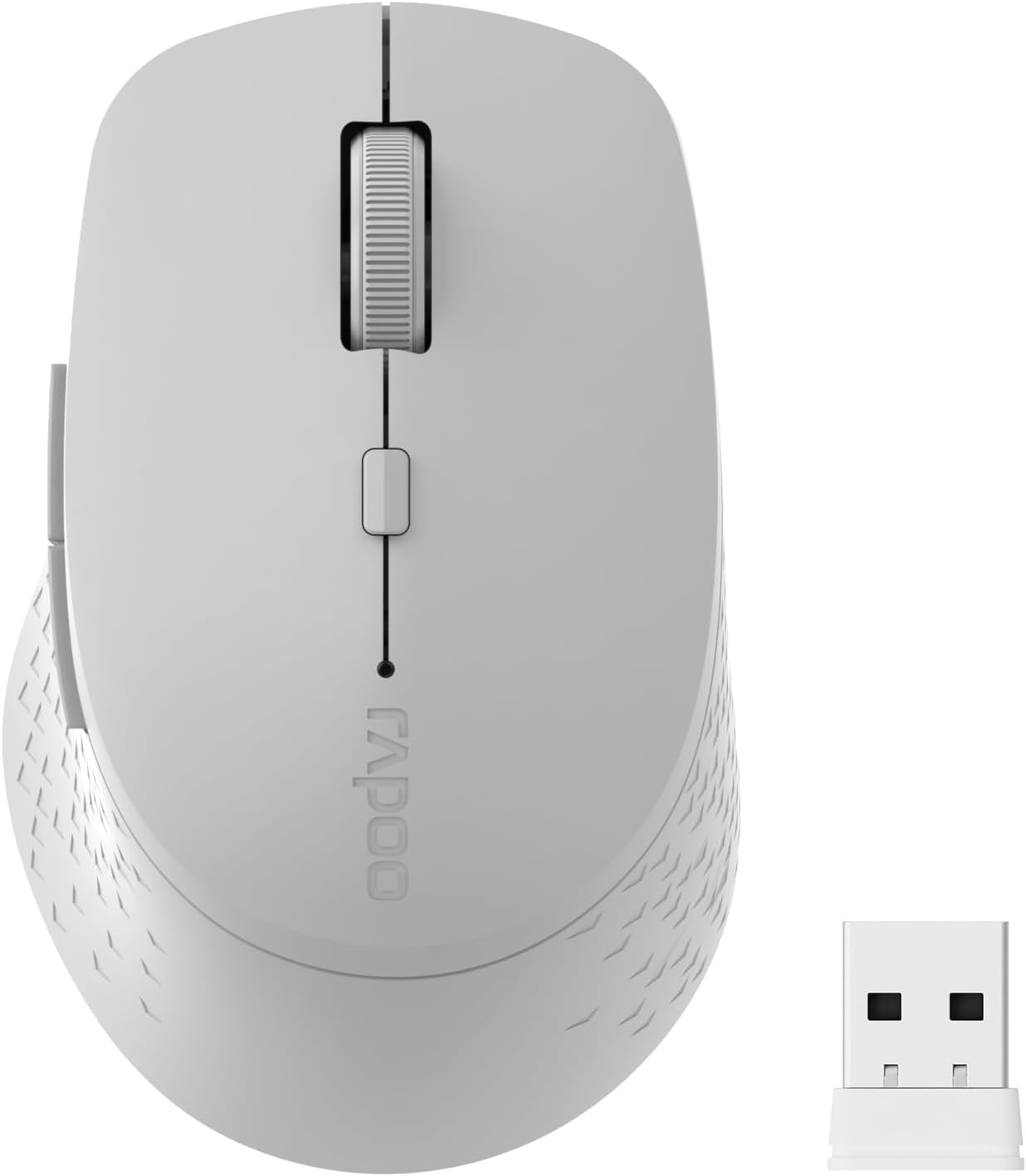
Image: The Rapoo M300G Silent Wireless Mouse in light grey, shown with its accompanying USB receiver.
Kontni pake
Verifye ke tout atik yo prezan nan pakè a:
- Rapoo M300G Wireless Mouse (x1)
- USB Receiver (x1)
- batri AA (x1)
- Product Manual (x1)
Pwodwi souview
Familiarize yourself with the components of your Rapoo M300G mouse.
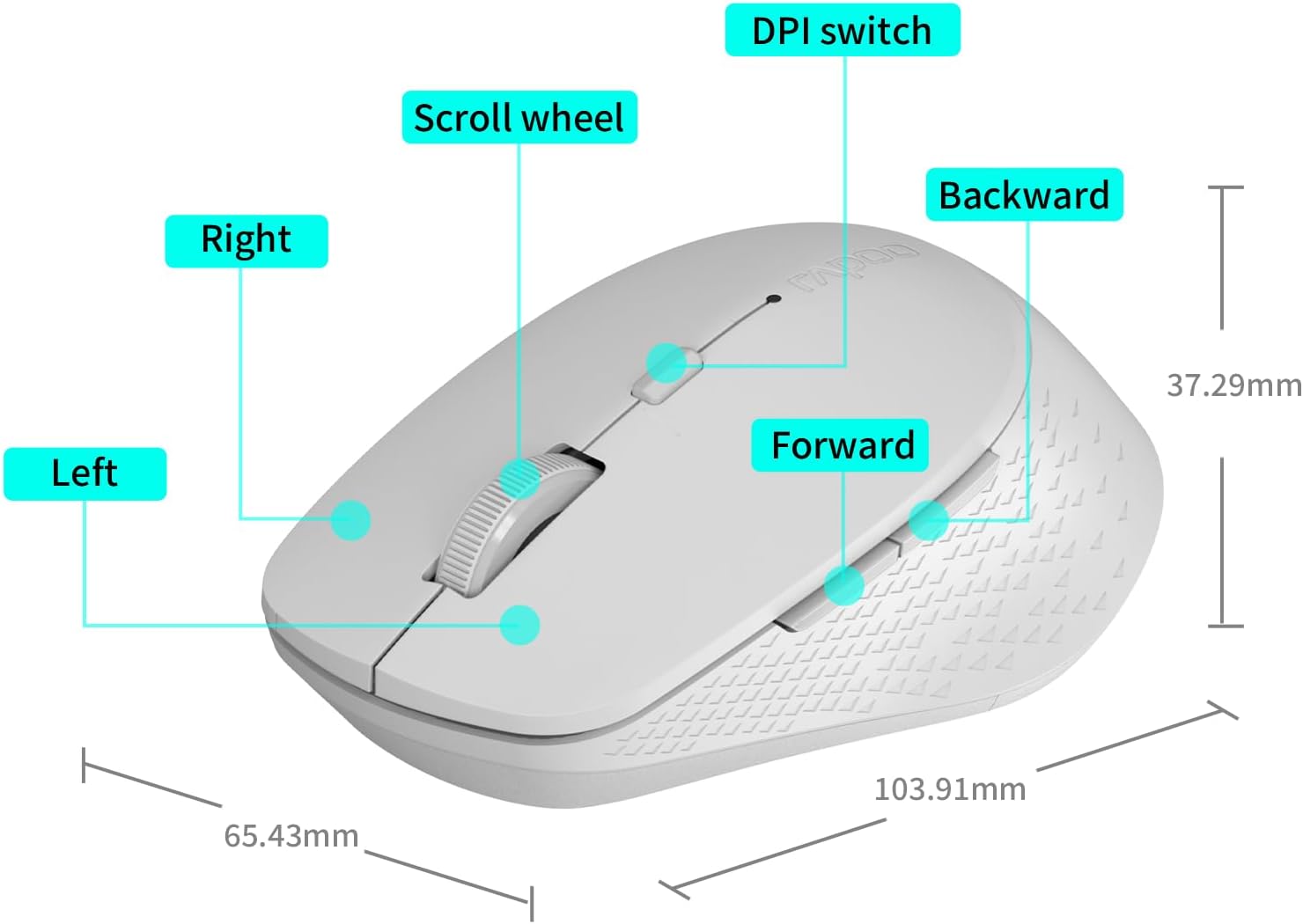
Image: A diagram illustrating the various parts of the Rapoo M300G mouse, including the left and right click buttons, scroll wheel, DPI switch, and forward/backward side buttons.
- Bouton Goch: Fonksyon klike estanda.
- Dwa bouton: Fonksyon meni kontèks.
- wou woulo liv: Pou defile vètikal ak klike sou bouton mitan an.
- DPI switch: Ajiste sansiblite kurseur la.
- Bouton Avant: Navige pi devan nan web navigatè oswa file eksploratè.
- Bouton dèyè: Navige bak nan web navigatè oswa file eksploratè.
Enstriksyon Enstalasyon
The Rapoo M300G mouse supports both 2.4GHz wireless and Bluetooth connectivity. Choose the method that best suits your device.
1. Enstalasyon batri
Open the battery compartment on the underside of the mouse. Insert the provided AA battery, ensuring correct polarity. Close the compartment.

Image: Illustration of the mouse's underside, highlighting the battery compartment and the integrated USB receiver storage slot.
2. Konekte atravè mòd san fil 2.4GHz
- Locate the USB receiver inside the mouse's battery compartment.
- Retire reseptè USB a epi branche li nan yon pò USB ki disponib sou òdinatè w la.
- Limen sourit la avèk bouton pouvwa ki anba a.
- The mouse should automatically connect to your computer. No additional drivers are typically required.
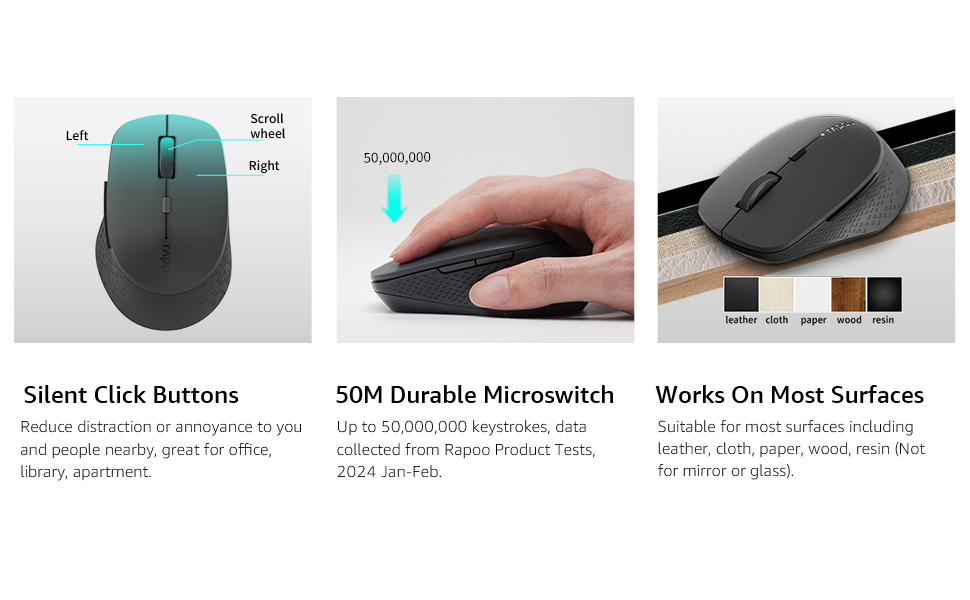
Image: Visual guide for connecting the mouse. The 2.4GHz mode shows the USB receiver being inserted into a computer.
3. Konekte atravè mòd Bluetooth
The mouse supports Bluetooth 5.0 and 4.0.
- Limen sourit la avèk bouton pouvwa ki anba a.
- Press and hold the multifunction button on the underside of the mouse for 3-5 seconds until the indicator light flashes slowly. This indicates pairing mode.
- Sou òdinatè w la oswa aparèy ou an, ouvri paramèt Bluetooth yo.
- Chèche pou new devices and select "Rapoo M300G" (or similar) from the list.
- Swiv nenpòt enstriksyon ki parèt sou ekran an pou konplete pwosesis koneksyon an. Limyè endikatè a ap sispann flache yon fwa konekte.

Image: Diagram detailing the multifunction button on the mouse's underside, explaining its use for DPI adjustment (short press) and Bluetooth pairing (long press).
Image: Visual guide for connecting the mouse. The Bluetooth mode shows the mouse pairing with a laptop.
Enstriksyon Operasyon
1. Switching Between Devices (Multi-Mode)
The Rapoo M300G can connect to two devices simultaneously (one via 2.4GHz, one via Bluetooth). To switch between connected devices, briefly press the multifunction button on the underside of the mouse. The indicator light will change to confirm the active connection mode.

Image: The Rapoo M300G mouse demonstrating its ability to connect to two devices simultaneously, one via 2.4GHz and another via Bluetooth.
2. Ajiste DPI (Sansiblite)
The mouse offers 5 adjustable DPI levels: 800, 1000, 1200, 1600, and 2400. To change the DPI, press the DPI switch button located on the top of the mouse, below the scroll wheel. Each press cycles through the available DPI settings.

Image: A visual representation of the mouse's adjustable DPI settings, ranging from 800 to 2400, with an arrow pointing to the DPI switch button.
3. Fonksyon Klike Silansyeuz
The Rapoo M300G features silent click buttons, reducing operational noise by 90%. This design is intended for quiet environments, minimizing disturbance to others.

Image: The Rapoo M300G mouse, emphasizing its silent click functionality, suitable for quiet environments.

Imaj: Detaye view of the mouse's silent click buttons, durable microswitches, and its ability to function on various surfaces.
4. Konpatibilite sifas
The advanced optical tracking engine allows the mouse to operate effectively on various surfaces, including leather, cloth, paper, wood, and resin, without requiring a mouse pad. Performance may vary on glass or mirrored surfaces.

Image: The Rapoo M300G mouse positioned on different materials, highlighting its capability to track on diverse surfaces.
Antretyen
1. Ranplasman batri
When the mouse performance degrades or the indicator light signals low battery, replace the AA battery. The mouse is designed for low power consumption, offering up to 12 months of battery life under normal conditions.

Image: An illustration emphasizing the Rapoo M300G mouse's extended battery life of up to 12 months.
2. Netwayaj
Pou netwaye sourit la, sèvi ak yon twal mou epi sèk. Pou pousyè tè ki difisil pou netwaye, sèvi ak yon ti twal mouye.amp cloth can be used, ensuring no moisture enters the internal components. Avoid using harsh chemicals or abrasive materials.
Depanaj
Sourit la pa reponn
- Tcheke batri: Asire w pil AA a byen enstale epi li gen ase chaj. Ranplase l si sa nesesè.
- Pouvwa switch: Verifye ke sourit la limen.
- USB Receiver (2.4GHz Mode): Asire w ke reseptè USB a byen branche nan yon pò USB ki fonksyone. Eseye yon lòt pò USB.
- Bluetooth Connection (Bluetooth Mode):
- Asire w ke Bluetooth aktive sou aparèy ou an.
- Re-enter pairing mode on the mouse (long press multifunction button) and re-pair with your device.
- Retire sourit la nan lis Bluetooth aparèy ou an epi eseye konekte li ankò.
- Entèferans: Deplase sourit la pi pre reseptè/aparèy la. Evite sèvi ak sourit la toupre lòt aparèy san fil ki ta ka lakòz entèferans.
Mouvman kurseur se iregilye
- Netwaye Capteur: Asire w ke detèktè optik ki anba sourit la pwòp epi san pousyè oswa debri.
- Sifas: Try using the mouse on a different surface. While the mouse works on many surfaces, some highly reflective or uneven surfaces may affect tracking.
- DPI Anviwònman: Ajiste paramèt DPI a avèk bouton chanjman DPI a pou wè si yon lòt sansiblite amelyore pèfòmans lan.
Espesifikasyon
| Modèl | M300G |
| Koneksyon Teknoloji | Bluetooth 5.0, Bluetooth 4.0, 2.4GHz Wireless |
| Teknoloji deteksyon mouvman | Optik |
| DPI reglabl | 800/1000/1200/1600/2400 |
| Karakteristik espesyal | Silent Clicks, Multi-Device Switching, Portable, Ergonomic Design |
| Kalite batri | 1 x batri AA (enkli) |
| Lavi batri | Jiska 12 mwa |
| Dimansyon pwodwi | 4.09 x 2.57 x 0.04 pous (103.91 x 65.43 x 37.29 mm) |
| Pwa atik | 3.52 ons (100g) |
| Konpatibilite | Fenèt, Mac OS, Linux, iOS, Android, Chrome OS |
Garanti ak sipò
Your Rapoo M300G Silent Wireless Mouse comes with a yon ane garanti apati dat acha a. Anplis de sa, yon 30-day return and refund or replacement policy is offered. For warranty claims, technical support, or product inquiries, please contact your retailer or visit the official Rapoo websit pou asistans.
Pou plis enfòmasyon, ou ka vizite Magazen mak Rapoo sou Amazon.
Ask a question about this manual
Ask about setup, troubleshooting, compatibility, parts, safety, or missing instructions. Manuals+ will review the question and use this page’s manual context to help answer it.