
Devoko 0304
Devoko Gaming Desk LED 120x60cm User Manual
Modèl: 0304
Pwodwi souview
The Devoko Gaming Desk LED 120x60cm is designed to enhance your gaming experience with its ergonomic features and vibrant RGB lighting. This desk includes practical accessories such as a cup holder and a headphone hook, ensuring a clutter-free gaming environment. Its robust Z-shaped construction provides stability, while the carbon fiber tabletop offers durability and easy maintenance.

Image: The Devoko Gaming Desk, showcasing its LED lighting, carbon fiber texture, and included accessories like the headphone hook and cup holder. A monitor, keyboard, mouse, and gaming PC are also visible, demonstrating a typical setup.
Enfòmasyon sou Sekirite
Tanpri li epi konprann tout enstriksyon sekirite yo anvan ou monte epi itilize li. Si ou pa swiv enstriksyon sa yo, ou ka blese oswa domaje pwodwi a.
- Kapasite maksimòm chaj: Do not exceed the recommended maximum load of 60 kg (132 lbs) on the tabletop. Overloading can compromise the desk's stability and structural integrity.
- Asanble apwopriye: Ensure all components are correctly assembled and all screws are tightened securely before use. Refer to the assembly instructions for detailed steps.
- Netwayaj ak antretyen: Sèvi ak yon mou, damp cloth for cleaning. Avoid abrasive cleaners or harsh chemicals that may damage the carbon fiber surface or LED components.
- Estabilite: The desk features adjustable feet. Ensure the desk is level on an even surface to prevent wobbling. Adjust the feet as needed.
Enstalasyon ak Asanble
This section provides general guidelines for setting up your Devoko Gaming Desk. For detailed, step-by-step assembly instructions, please refer to the included assembly manual or diagrams.
- Depake konpozan: Retire tout pyès yo nan anbalaj la avèk prekosyon. Verifye ke tout konpozan ki nan lis pyès yo prezan epi yo pa domaje.
- Rasanble ankadreman: Begin by assembling the Z-shaped metal frame. Attach the horizontal support beams to the vertical legs using the provided screws and tools. Ensure all connections are firm.
- Tache tèt tab la: Carefully place the carbon fiber tabletop onto the assembled frame. Align the pre-drilled holes on the tabletop with the frame and secure it using the designated screws.
- Enstale Pwodwi pou Telefòn: Attach the cup holder and headphone hook to the designated locations on the desk. These are typically designed for easy clip-on or screw-in installation.
- Konekte ekleraj LED: Connect the RGB LED strips to the power source as indicated in the specific LED lighting instructions. Ensure all connections are secure.
- Nivo Biwo a: Adjust the non-slip feet at the bottom of the desk legs to ensure the desk is stable and level on your floor. This prevents wobbling and ensures optimal performance.

Image: A diagram illustrating the dimensions of the Devoko Gaming Desk (120cm length, 60cm width, 75cm height) and a close-up view of the adjustable, non-slip foot, highlighting the desk's stable design.
Enstriksyon Operasyon
RGB LED Lighting Operation
The Devoko Gaming Desk features integrated RGB LED lighting on both sides, controllable via a remote control.
- Limen/Etenyen: Sèvi ak la ON/OFF button on the remote control to turn the LED lights on or off.
- Seleksyon koulè: Press the colored buttons on the remote to select a static color (e.g., Red, Green, Blue, White).
- Seleksyon mòd: Sèvi ak la MÒD button or specific mode buttons (if available) to cycle through various dynamic lighting effects, such as flashing, fading, or strobing.
- Ajisteman klète: Sèvi ak la S+ epi S- buttons to increase or decrease the brightness of the lights.
- Ajisteman vitès: For dynamic modes, use the M+ epi M- buttons to adjust the speed of the lighting effects.

Imaj: Yon gwo plan view of the RGB LED lighting on the Devoko Gaming Desk and the remote control used to operate it. The remote shows buttons for power, color selection, mode, brightness, and speed adjustments.
Using Desk Accessories
- Detantè tas: Place your beverage securely in the integrated cup holder to prevent spills and keep your desk organized.
- Kwòk pou ekoutè: Hang your gaming headset on the dedicated hook to keep it easily accessible and prevent damage or clutter on the desk surface.
- Jesyon kab: Utilize the two cable routing holes on the tabletop to organize and manage your cables, keeping your setup tidy and safe.

Imaj: Yon imaj detaye view highlighting the key features of the Devoko Gaming Desk, including the integrated LED lights, the convenient cup holder, and the practical headphone hook, all designed for an optimized gaming setup.
Antretyen ak Swen
Proper maintenance ensures the longevity and appearance of your Devoko Gaming Desk.
- Netwayaj tab la: The carbon fiber tabletop is waterproof and scratch-resistant. For daily cleaning, wipe with a soft, damp cloth. For stubborn marks, a mild soap solution can be used, followed by wiping dry. Avoid abrasive materials or harsh chemical cleaners.
- Netwaye ankadreman an: Ou ka netwaye ankadreman metal la ak piblisite.amp twal. Asire w ke li byen seche pou anpeche rouye.
- Limyè ki ap dirije: The LED strips are sealed. If cleaning is necessary, gently wipe the surface with a dry or slightly damp cloth. Do not immerse in water or use liquid cleaners directly on the lights.
- Tèks regilye: Tcheke tout vis ak koneksyon yo detanzantan pou asire yo rete sere. Sere yo ankò si sa nesesè pou kenbe estabilite.
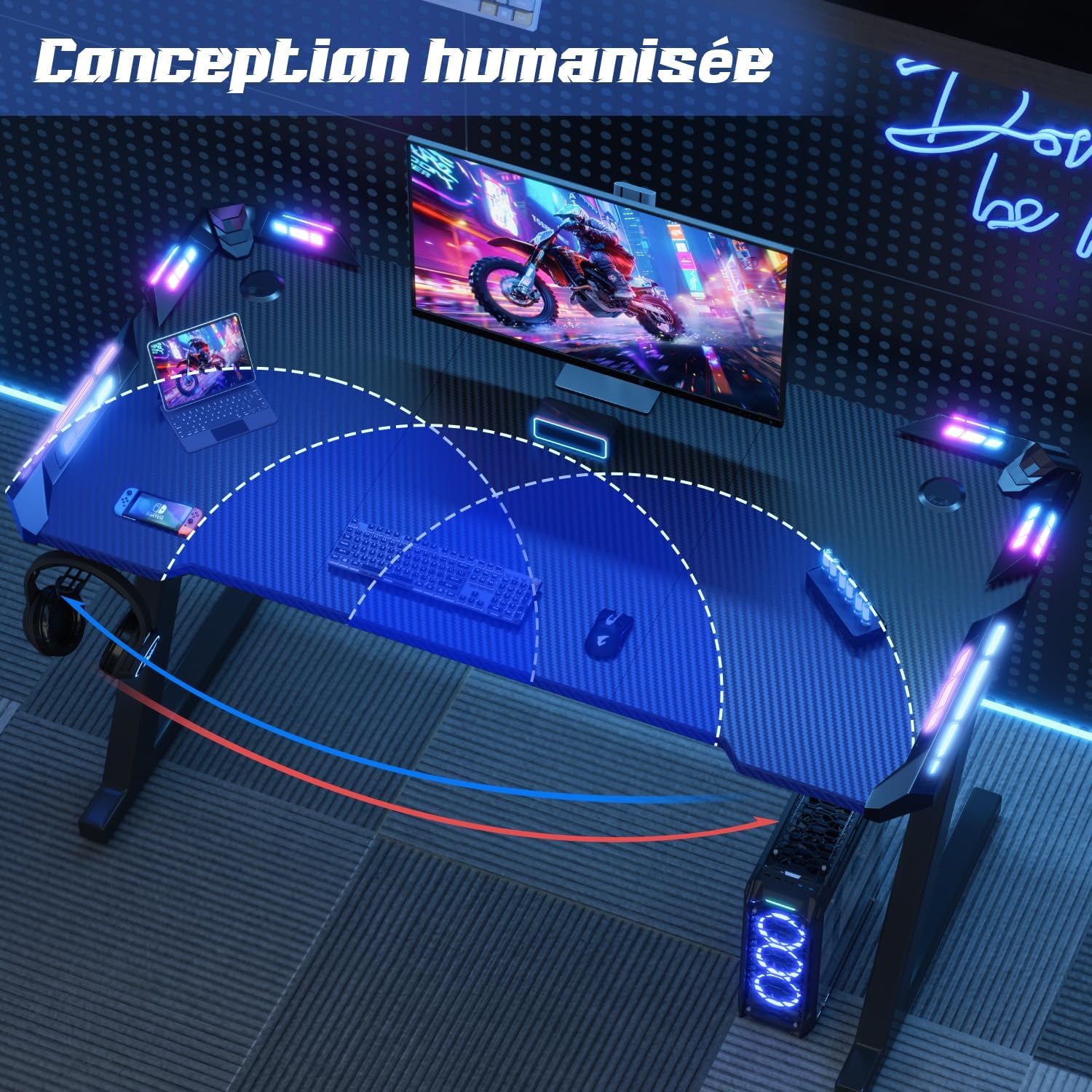
Image: A visual demonstration of the Devoko Gaming Desk's carbon fiber tabletop, showing its resistance to scratches (a hand holding a blade) and ease of cleaning (a hand wiping with a cloth), emphasizing its durability and low maintenance.
Depanaj
| Pwoblèm | Kòz posib | Solisyon |
|---|---|---|
| Biwo a ap tranble/enstab. | Uneven floor surface; loose screws; adjustable feet not properly set. | Adjust the non-slip feet to level the desk. Check and tighten all assembly screws. Ensure the desk is on a flat surface. |
| Limyè ki ap dirije yo pa travay. | Power connection issue; remote control battery low; remote not paired. | Check if the LED power cable is securely plugged into the power source and the desk. Replace the remote control battery. Ensure the remote is pointed directly at the LED receiver. |
| Kontwòl remote la pa reponn. | Battery depleted; obstruction between remote and receiver; remote malfunction. | Replace the remote control battery. Remove any obstructions. If the issue persists, contact customer support. |
| Tabletop scratches easily / imitation carbon peeling. | Excessive force or sharp objects; manufacturing defect (rare). | Avoid using sharp objects directly on the surface. Use mouse pads or desk mats for protection. If peeling occurs, contact customer support for warranty information. |
Espesifikasyon
| Mak | Devoko |
| Nimewo Modèl | 0304 |
| Koulè | Nwa |
| Dimansyon (L x W x H) | 120 cm x 60 cm x 75 cm (47.2 x 23.6 x 29.5 pous) |
| Pwa pwodwi | 12.25 kg (27 liv) |
| Materyèl | Carbon Fiber (tabletop), Metal (frame) |
| Karakteristik espesyal | RGB LED Lighting, Ergonomic Design, Cup Holder, Headphone Hook, Cable Management Holes, Adjustable Feet |
| Kapasite chaj maksimòm | 60 kg (132 liv) |
Garanti ak sipò
For warranty information and customer support, please refer to the documentation included with your purchase or visit the official Devoko websit la. Kenbe prèv acha ou a pou nenpòt reklamasyon garanti.
If you encounter any issues not covered in this manual, or require further assistance, please contact Devoko customer service through their official channels. You can often find contact information on the brand's Amazon store page or their dedicated support websit.
Devoko Brand Store: Visit Devoko Store on Amazon
Ask a question about this manual
Ask about setup, troubleshooting, compatibility, parts, safety, or missing instructions. Manuals+ will review the question and use this page’s manual context to help answer it.