
1. Entwodiksyon
This manual provides instructions for the installation, operation, and maintenance of the Yuecoom Digital PID Temperature Controller, model BEM-TC9A. This intelligent thermostat is designed for precise temperature control in various industrial and scientific applications, including machine tool equipment, heating equipment, plastic machinery, boiler equipment, and automation systems.

The Yuecoom BEM-TC9A controller is suitable for a wide range of industrial applications requiring precise temperature management.
2. Enfòmasyon sou Sekirite
Please read and understand all safety warnings and instructions before installing or operating this device. Failure to do so may result in injury, damage to the device, or improper operation.
- Sekirite elektrik: Ensure all power connections are made by qualified personnel. Disconnect power before wiring or performing maintenance. The rated voltage se 100-240VAC.
- Enstalasyon apwopriye: Install the controller in an environment free from excessive vibration, moisture, dust, corrosive gases, and direct sunlight.
- Atè: Ensure the device is properly grounded to prevent electrical shock.
- Manyen: Manyen aparèy la avèk prekosyon pou evite domaj fizik.
3. Pwodwi souview
The BEM-TC9A is a digital PID temperature controller featuring a dual 7-segment LED display for clear indication of Process Value (PV) and Set Value (SV). It offers precise temperature control with various control modes and alarm outputs.
Karakteristik kle:
- Kontwòl Tanperati egzak: Utilizes an advanced PID algorithm for accurate temperature restoration with minimal delay and overshoot.
- High Sensitivity and Accuracy: Provides reliable and precise temperature measurements.
- Intuitive LED Display: Red display for PV (Process Variable) and green for SV (Set Value) for easy monitoring.
- Pèfòmans serye: High wiring density circuit board ensures stable operation.
- Opsyon kontwòl doub: Supports various defrosting management methods and dual control of temperature and time.
- Multi-Fonksyon: Includes temperature correction, accurate temperature control, energy saving, precise sensor input, return difference control, and fault alarm function.
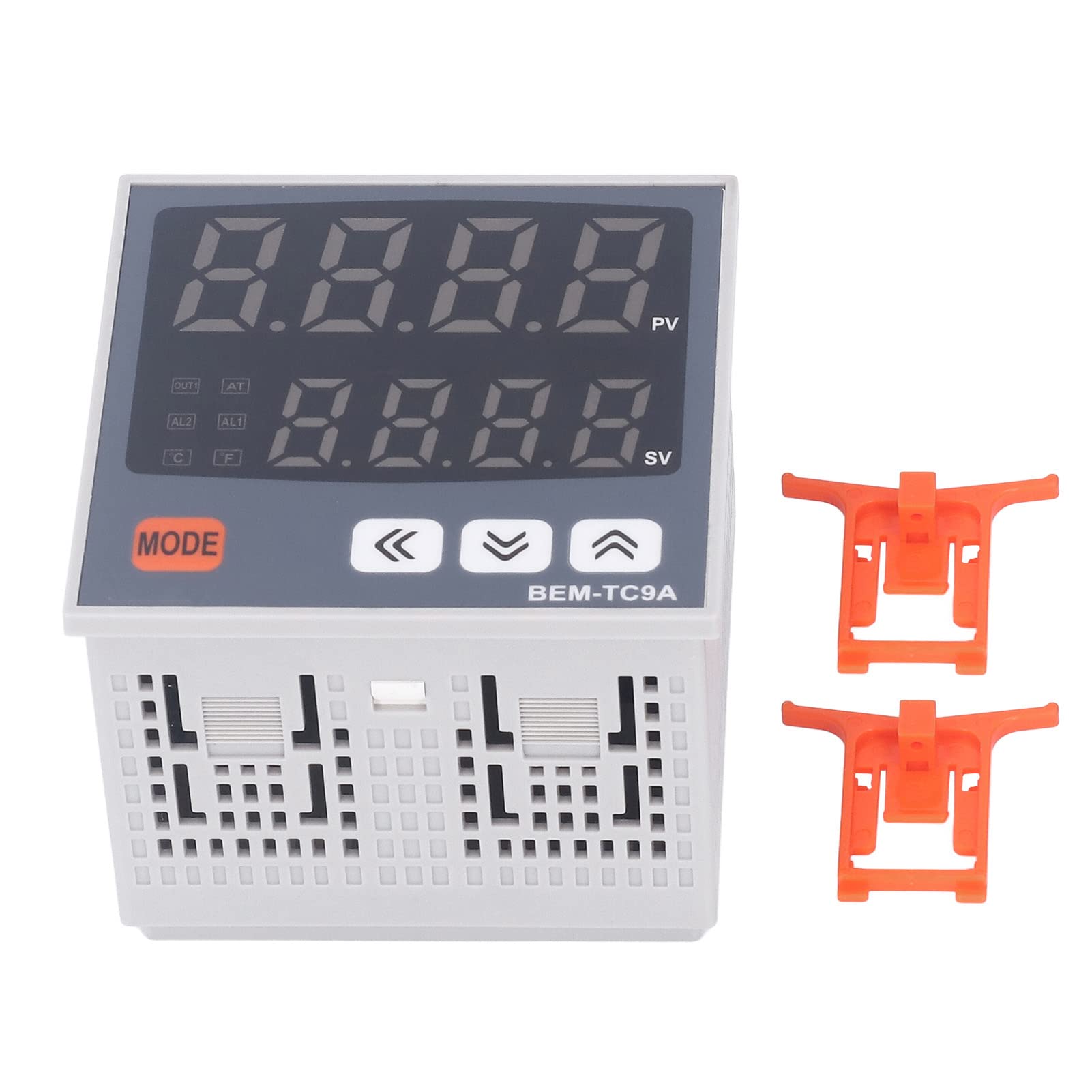
The BEM-TC9A controller features a clear dual LED display for process and set values.

Plis paseview of the multi-functional capabilities of the BEM-TC9A controller.
4. Espesifikasyon
| Paramèt | Valè |
|---|---|
| Kalite atik | PID Tanperati Kontwolè |
| Materyèl | PC |
| Voltage Range | 90% -110% nan rated voltage |
| Sòti aktyèl | 4-20MA |
| Rated Voltage | 100-240VAC |
| Display Mode | 7 segment LED (PV: red, SV: green) |
| Kontwòl Presizyon | 1-100℃, 0.1-50.0℃ |
| Mòd kontwòl | ON OFF, P, PI, PD, PID control |
| Sòti alam | AL1, AL2 Relay: 250VAC 1A 1a |
| Gwosè | Approx. 96x96mm / 3.8x3.8in |
| Pwa atik | 8.4 ons (0.24 kilogram) |
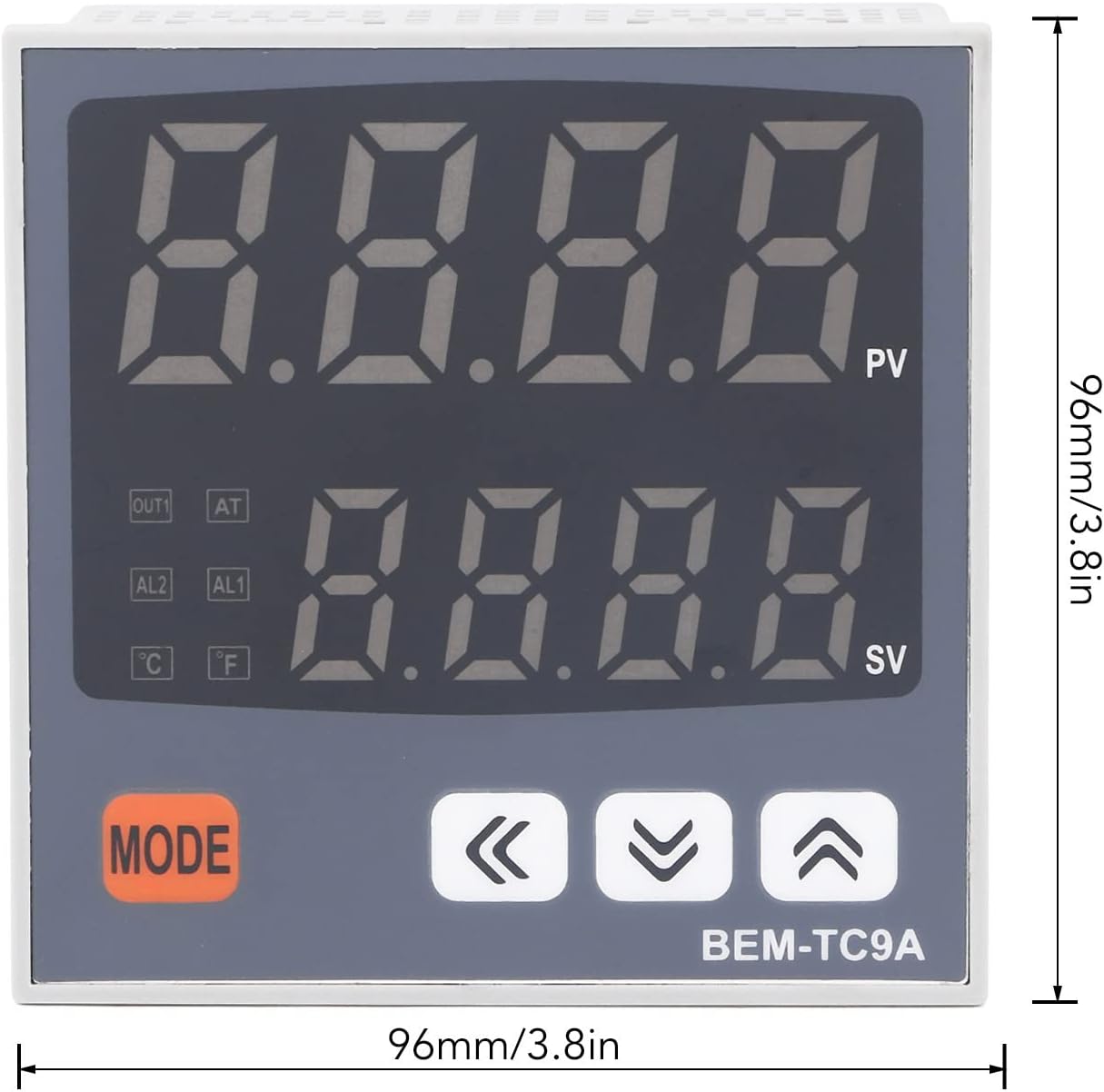
Physical dimensions of the BEM-TC9A controller.
5. Enstalasyon ak Enstalasyon
Proper installation is crucial for the accurate and safe operation of the temperature controller. It is recommended that installation be performed by a qualified technician.
5.1 Montaj
- The BEM-TC9A is designed for panel mounting.
- Cut a square opening of approximately 92x92mm (3.6x3.6in) in the control panel.
- Insert the controller into the opening and secure it using the provided mounting brackets.
5.2 fil elektrik
Refer to the wiring diagram provided with your specific unit for detailed connection instructions. General wiring considerations include:
- Pwovizyon pou pouvwa: Connect the 100-240VAC power supply to the designated terminals. Ensure correct polarity and proper grounding.
- Sensor Antre: Connect your temperature sensor (e.g., thermocouple, RTD) to the sensor input terminals. Ensure the sensor type matches the controller's configuration.
- Koneksyon Sòti: Connect your heating/cooling elements or other controlled devices to the output terminals (e.g., OUT1, AL1, AL2). The controller provides 4-20mA output and relay outputs for alarms.
- An karantèn: Keep power lines, sensor lines, and output lines separate to minimize electrical interference.
6. Operasyon Enstriksyon
The BEM-TC9A controller is operated via its front panel buttons and monitored through its dual LED display.

The control buttons on the BEM-TC9A for setting parameters and navigating menus.
6.1 Ekspozisyon souview
- PV (Process Value - Red Display): Montre tanperati aktyèl ki mezire a.
- SV (Set Value - Green Display): Shows the desired target temperature.
- Endikatè: OUT1 (output status), AT (auto-tuning), AL1/AL2 (alarm status), °C/°F (temperature unit).
6.2 Operasyon debaz
- Pouvwa sou: Once wired correctly, apply power to the controller. The display will light up.
- Fikse Valè Fikse a (SV):
- Peze a MÒD Peze bouton an yon ti moman pou antre nan mòd konfigirasyon SV a. Ekran SV a ap flache.
- Sèvi ak la Anlè (▲) epi Desann (▼) bouton flèch yo pou ajiste SV a nan tanperati ou vle a.
- Peze a MÒD button again to confirm the setting and exit SV setting mode.
- Accessing Parameters: Peze epi kenbe la MÒD button for several seconds to enter the parameter setting menu. Use the MÒD button to cycle through parameters and the arrow buttons to adjust values. Refer to the detailed parameter list in the full user manual for specific functions (e.g., control mode, alarm settings, sensor type).
6.3 Mòd kontwòl
The controller supports various control modes, including ON/OFF, P (Proportional), PI (Proportional-Integral), PD (Proportional-Derivative), and PID (Proportional-Integral-Derivative) control. The appropriate mode should be selected based on the application requirements and system dynamics.
- ON/OFF Kontwòl: Simple switching of output when temperature crosses the set point.
- Kontwòl PID: Advanced control algorithm for precise and stable temperature regulation, minimizing overshoot and oscillations.
Auto-tuning (AT) functionality can be used to automatically calculate optimal PID parameters for your specific system. Consult the full manual for auto-tuning procedures.
7. Antretyen
Regular maintenance ensures the longevity and reliable performance of your temperature controller.
- Netwayaj: Siye panèl devan an detanzantan avèk yon twal mou epi sèk. Pa sèvi ak pwodui netwayaj abrazif oswa solvan.
- Enspeksyon: Regularly check all wiring connections for tightness and signs of wear or corrosion.
- Anviwònman: Ensure the operating environment remains within specified conditions (temperature, humidity, absence of corrosive substances).
NAN. Depanaj
If you encounter issues with your BEM-TC9A controller, refer to the following common problems and solutions:
| Pwoblèm | Kòz posib | Solisyon |
|---|---|---|
| Pa gen kouran/Ekspozisyon etenn | No power supply, incorrect wiring, blown fuse | Tcheke koneksyon kouran yo, verifye vòl latage, inspect fuse. |
| Incorrect temperature reading (PV) | Sensor faulty, incorrect sensor type setting, loose sensor connection | Check sensor wiring, replace sensor if necessary, verify sensor type in parameters. |
| Sòti a pa aktive | SV not reached, control mode incorrect, output wiring fault, alarm active | Verify SV and PV, check control mode settings, inspect output wiring, check alarm status. |
| Temperature oscillates excessively | PID parameters not tuned correctly | Perform auto-tuning or manually adjust PID parameters. |
Pou pwoblèm ki pa nan lis la a oswa si pwoblèm yo pèsiste, tanpri kontakte sèvis kliyan.
9. Garanti ak sipò
Yuecoom products are manufactured to high-quality standards. For warranty information and technical support, please refer to the documentation included with your purchase or contact your seller. Keep your purchase receipt for warranty claims.