
1. Entwodiksyon
Thank you for choosing the Rapoo 1530 Silent Wireless Optical Mouse. This manual provides detailed instructions for the proper setup, operation, and maintenance of your new device. Please read this manual thoroughly before use to ensure optimal performance and longevity of your mouse.
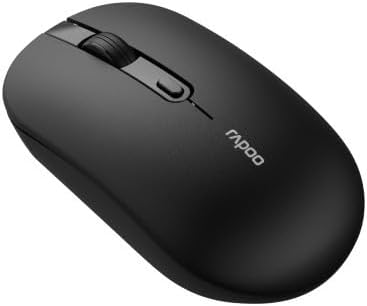
Figure 1: Rapoo 1530 Silent Wireless Optical Mouse (Top View)
2. Pake kontni
Asire w tout atik yo prezan nan pakè a:
- Rapoo 1530 Silent Wireless Optical Mouse
- Reseptè USB
- Gid Quick Start (manyèl sa a)
- AA Battery (may be pre-installed or included separately)
3. Enstalasyon
3.1. Enstalasyon batri
- Jwenn kouvèti konpatiman batri a anba sourit la.
- Glise kouvèti a louvri.
- Mete yon pil AA, asire w polarite a kòrèk (+/-).
- Fèmen kouvèti lòj batri a byen.
3.2. Konekte Reseptè USB a
- Remove the USB receiver from its storage slot, usually located inside the battery compartment or on the underside of the mouse.
- Ploge reseptè USB a nan yon pò USB ki disponib sou òdinatè w lan.
- Odinatè w la ta dwe detekte epi enstale chofè ki nesesè yo otomatikman. Sa ka pran kèk segond.
3.3. Limen
Locate the On/Off switch on the underside of the mouse. Slide the switch to the "On" position. The mouse is now ready for use.
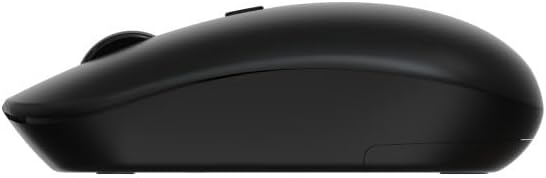
Figure 2: Rapoo 1530 Silent Wireless Optical Mouse (Side View)
4. Operasyon Enstriksyon
4.1. Fonksyon debaz yo
- Klike Goch: Primary action, select items, open links.
- Klike sou dwa: Secondary action, opens context menus.
- wou woulo liv: Defile anlè oswa anba nan dokiman yo epi web paj.
- Klike nan mitan (Peze wou defile): Opens links in new tabs, or other application-specific functions.
4.2. Fonksyon Klike Silansyeuz
The Rapoo 1530 mouse is designed with silent click technology, significantly reducing click noise for a quieter working environment.
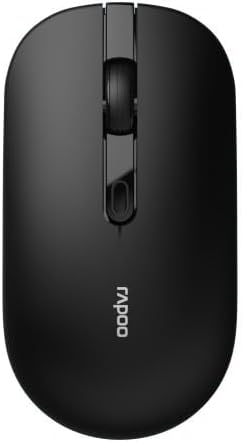
Figure 3: Rapoo 1530 Silent Wireless Optical Mouse (Button Layout)
5. Antretyen
5.1. Netwayaj
To maintain optimal performance, regularly clean your mouse:
- Disconnect the mouse from your computer (or turn it off).
- Sèvi ak yon ti moso twal mou, ki san pèl dampRense avèk dlo oswa yon solisyon netwayaj dou pou siye sifas la.
- Pou detèktè optik la, sèvi ak yon ti koton sèk pou retire dousman nenpòt pousyè oswa debri.
- Evite itilize pwodwi chimik piman bouk oswa materyèl abrazif.
5.2. Ranplasman batri
When the mouse performance degrades or it stops responding, it may be time to replace the battery. Follow the battery installation steps in Section 3.1.
NAN. Depanaj
| Pwoblèm | Solisyon |
|---|---|
| Sourit pa reponn |
|
| Cursor lagging or erratic movement |
|
| Pwoblèm koneksyon |
|
7. Espesifikasyon
- Mak: Rapoo
- Non modèl: 1530 Silans
- Nimewo Modèl: 819660
- Koneksyon: Wireless (reseptè USB)
- Kalite Capteur: Optik
- Koulè: Black (as per product images, though description mentions "multicolore" which might be a generic placeholder or refer to a range of colors)
- Sous pouvwa: 1x batri AA
- Karakteristik espesyal: Silent Click Technology
8. Garanti ak sipò
Pwodwi Rapoo yo fèt pou fyab ak pèfòmans. Pou enfòmasyon sou garanti ak sipò teknik, tanpri al gade paj ofisyèl Rapoo a. websit la oubyen kontakte détayan lokal ou a. Kenbe prèv acha ou pou reklamasyon garanti.
For further assistance, visit the official Rapoo support page or contact their customer service.