
Entwodiksyon
Thank you for choosing the Hecate G3m Pro Wireless Bluetooth Gaming Mouse. This manual provides detailed instructions for setting up, operating, and maintaining your new gaming mouse. Designed for performance and versatility, the G3m Pro offers three-mode connectivity, a high-precision sensor, and a lightweight, silent design to enhance your gaming experience.
Pwodwi souview
The Hecate G3m Pro features a robust design with multiple buttons and connectivity options. Familiarize yourself with the mouse components before use.
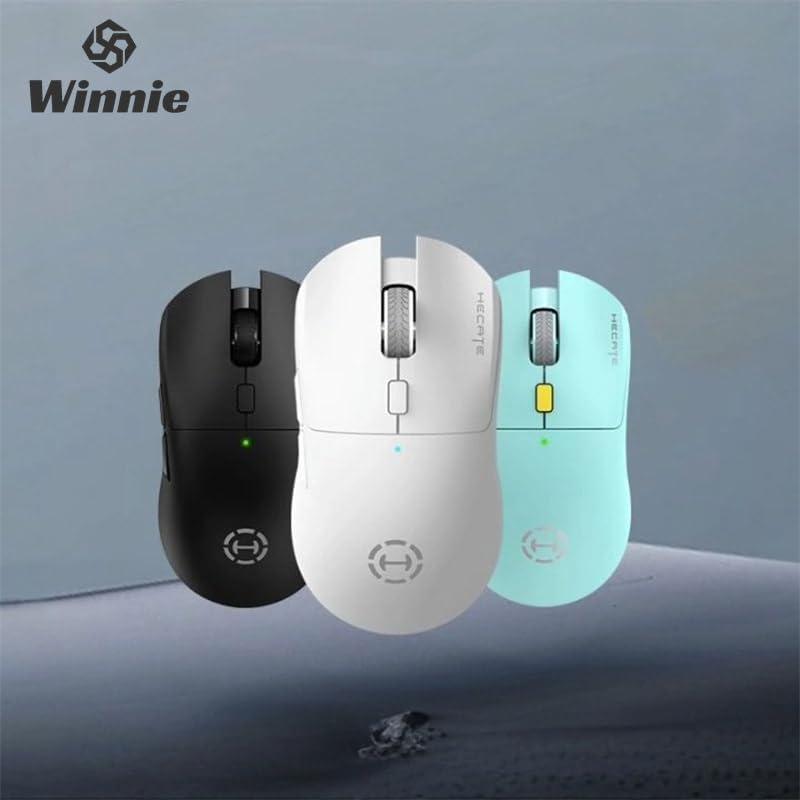
Figure 1: Hecate G3m Pro Wireless Gaming Mouse (Black)
- Bouton Klike Agoch/Dwat: Fonksyon sourit estanda.
- wou woulo liv: For scrolling and middle-click functionality.
- Bouton Sik DPI: Adjusts the mouse sensitivity (DPI) on the fly.
- Bouton bò: Programmable for various in-game actions or navigation.
- Connectivity Mode Switch: Located on the underside, allows switching between 2.4GHz, Bluetooth, and Wired modes.
- USB-C pò: For wired connection and charging.
Enstalasyon
Follow these steps to set up your Hecate G3m Pro mouse.
1. Chaje Sourit la
Before first use, ensure the mouse is fully charged. Connect the provided USB-C cable to the mouse's USB-C port and the other end to a USB power source (e.g., computer, wall adapter). The LED indicator will show charging status.
2. Konekte atravè yon rezo san fil 2.4GHz (USB Dongle)
- Locate the USB 2.4GHz receiver (dongle) usually stored in a compartment on the underside of the mouse.
- Ploge reseptè USB a nan yon pò USB ki disponib sou òdinatè w lan.
- Switch the connectivity mode selector on the mouse to the '2.4G' position.
- The mouse should automatically connect to your computer. The LED indicator may flash briefly and then become solid to indicate a successful connection.
3. Konekte via Bluetooth
- Switch the connectivity mode selector on the mouse to the 'BT' (Bluetooth) position.
- Sou òdinatè w la oswa aparèy ou an, ale nan paramèt Bluetooth yo epi aktive Bluetooth.
- The mouse LED indicator will start flashing, indicating it is in pairing mode.
- Select 'Hecate G3m Pro' from the list of available Bluetooth devices on your computer/device to pair.
- Once paired, the LED indicator will become solid.
4. Connecting via Wired Mode
- Connect the provided USB-C cable to the mouse's USB-C port.
- Konekte lòt bout kab USB-C a nan yon pò USB ki disponib sou òdinatè w la.
- Switch the connectivity mode selector on the mouse to the 'Wired' position.
- Sourit la ap fonksyone tankou yon sourit filaire epi li pral chaje batri entèn li an tou.
Enstriksyon Operasyon
Understand the functions of your mouse for optimal use.
DPI Ajisteman
Press the DPI cycle button (usually located behind the scroll wheel) to cycle through different DPI settings. Each press will change the sensitivity, often indicated by a change in the LED color or a specific number of flashes. The mouse supports up to 26000 DPI.
Chanje mòd
Use the switch on the underside of the mouse to select your preferred connection mode: 2.4GHz, Bluetooth, or Wired. Switch modes according to your device and usage scenario.
Pèrsonalizasyon bouton
For advanced customization of buttons and macros, it is recommended to download the official Hecate software (if available) from the manufacturer's website. This software allows you to reassign button functions, create profiles, and fine-tune performance settings.
Antretyen
Proper maintenance ensures the longevity and performance of your mouse.
Netwayaj
- Sèvi ak yon twal mou epi sèk pou siye sifas sourit la.
- Pou pousyè tè ki difisil pou retire, yon ti kras dampRense twal la avèk dlo oswa yon solisyon netwayaj dou. Evite pwodui chimik ki agresif.
- Pa kite likid antre nan konpozan entèn sourit la.
- Netwaye detèktè optik ki anba a detanzantan avèk yon koton tij pou asire swivi a egzat.
Swen batri
- Evite dechaje batri a nèt souvan.
- Charge the mouse when the battery indicator suggests low power.
- Si w ap sere sourit la pou yon peryòd tan pwolonje, chaje l a apeprè 50% epi sere l nan yon kote ki fre epi sèk.
Depo
Store the mouse in a clean, dry environment away from extreme temperatures and direct sunlight. Keep it away from dust and moisture.
Depanaj
If you encounter issues with your Hecate G3m Pro mouse, refer to the following common solutions.
Sourit la pa reponn
- Tcheke batri: Asire w sourit la chaje. Konekte l atravè yon kab USB-C pou chaje l.
- Tcheke Mòd Koneksyon an: Verify that the mode switch on the underside of the mouse is set to the correct mode (2.4G, BT, or Wired) for your connection type.
- Koneksyon 2.4GHz: Asire w ke reseptè USB a byen branche nan yon pò USB ki fonksyone. Eseye yon lòt pò USB.
- Koneksyon Bluetooth: Re-pair the mouse with your device. Go to Bluetooth settings, remove the mouse, and then add it again. Ensure your device's Bluetooth is enabled.
- Koneksyon filaire: Asire w kab USB-C a byen konekte ak sourit la ak òdinatè a. Eseye yon lòt pò USB oswa kab.
Inconsistent Tracking or Cursor Movement
- Netwaye Capteur: Netwaye detèktè optik ki anba sourit la.
- Tapi sourit: Use the mouse on a clean, uniform surface or a high-quality mouse pad. Avoid reflective or glass surfaces.
- DPI Anviwònman: Adjust the DPI setting using the DPI cycle button to find a comfortable sensitivity.
Bouton pa travay
- Entèferans lojisyèl: If using custom software, try resetting button assignments to default.
- Tès sou yon lòt aparèy: Connect the mouse to another computer to determine if the issue is with the mouse or the original device's settings.
Espesifikasyon
Detailed technical specifications for the Hecate G3m Pro Wireless Bluetooth Gaming Mouse.
| Karakteristik | Deskripsyon |
|---|---|
| Modèl | G3m Pro |
| Mak | Hecate |
| Koneksyon Teknoloji | 2.4GHz Wireless, Bluetooth, Wired (USB-C) |
| Mouvman Deteksyon | Optical (Paw3395 Sensor) |
| DPI (Pwen pou chak pous) | Jiska 26000 DPI |
| Akselerasyon | 50G |
| IPS (pous pa segonn) | 600 |
| Kantite bouton | 6 |
| Kantite woulèt | 1 (wou defile) |
| Oryantasyon men | Anbidextr |
| Karakteristik espesyal | Lightweight (Approx. 63g) |
| Kalite pouvwa | Batri rechargeable |
| Itilizasyon Rekòmande | Gaming |
| Aparèy konpatib | Personal Computer, Laptop, Game Console |
| Sistèm operasyon yo | Linux, Windows XP (and newer versions) |
Garanti ak sipò
Your Hecate G3m Pro Wireless Bluetooth Gaming Mouse comes with a warranty and dedicated support.
Enfòmasyon sou Garanti
All products are covered by a 12-mwa garanti apati dat acha a. Garanti sa a kouvri domaj fabrikasyon ak pwoblèm ki rive akoz itilizasyon nòmal.
Sipò pou Kliyan
If you encounter any problems with your product, such as defective or incorrect items, please do not hesitate to contact us. We are committed to providing prompt assistance and will respond to your inquiries within 24 hours. Please refer to your purchase documentation for specific contact details or visit the official Hecate support websit.