
FIFINE K688W
FIFINE AmpliTank K688W Dynamic USB/XLR Microphone User Manual
Model: K688W | Brand: FIFINE
1. Entwodiksyon
Mèsi pou acha aasing the FIFINE AmpliTank K688W Dynamic USB/XLR Microphone. This microphone is designed for high-quality audio capture in various applications, including gaming, streaming, podcasting, and professional recording. Please read this manual carefully to ensure proper setup and operation.

Image: The FIFINE AmpliTank K688W microphone demonstrating its sound capture capabilities with a visual representation of sound waves.
2. Pake kontni
Verifye ke tout atik ki nan lis anba a yo enkli nan pakè ou a:
- FIFINE AmpliTank K688W Microphone Body
- USB-C to USB-A Cable (2.5m)
- 3/8" to 5/8" Screw Adapter
- Manyèl Itilizatè (Japonè)
Note: A microphone stand and XLR cable are not included and must be purchased separately.

Image: The FIFINE AmpliTank K688W microphone and its included accessories: USB cable and screw adapter, alongside the user guide.
3. Pwodwi souview (Components and Controls)
Familiarize yourself with the microphone's components and controls:

Imaj: Dèyè view nan FIFINE nan AmpliTank K688W microphone, highlighting the XLR output terminal and USB connection port.
- XLR Output Terminal: For connecting to audio interfaces, mixers, or other professional audio equipment.
- USB Connection Port (USB Type-C): For direct connection to computers or game consoles.
- Jack ekoutè 3.5mm: Pou siveyans odyo an tan reyèl.
- Microphone Volume Control (Gain Knob): Adjusts the microphone's input sensitivity. (USB mode only)
- Headphone Jack Volume Control: Adjusts the monitoring volume through the 3.5mm headphone jack. (USB mode only)
- Bouton bèbè ak endikatè ki ap dirije: Toggles microphone mute. LED indicates mute status. (USB mode only)
4. Enstalasyon
4.1 USB Koneksyon
For direct connection to a computer (Windows/Mac OS) or game console (PS4/PS5):
- Connect the USB-C end of the provided USB cable to the microphone's USB port.
- Connect the USB-A end of the cable to an available USB port on your computer or game console.
- The device will automatically recognize the microphone.
- Select "FIFINE K688W" as your input and output device in your system's sound settings or application settings.

Image: The FIFINE AmpliTank K688W microphone connected to a laptop via its USB-C port, illustrating plug-and-play functionality.
4.2 XLR Connection
For connecting to professional audio equipment (audio interfaces, mixers):
- Connect a standard XLR cable (not included) to the XLR output terminal on the microphone.
- Konekte lòt bout kab XLR la nan yon antre XLR sou koòdone odyo ou a oswa mixer ou a.
- Ensure your audio interface or mixer is properly configured to receive input from the connected XLR channel.
- Adjust gain levels on your audio interface/mixer as needed.

Imaj: Yon imaj detaye view nan FIFINE nan AmpliTank K688W's connectivity panel, showing both USB and XLR ports for versatile audio setups.
5. Operasyon Enstriksyon
5.1 Gain Control (USB Mode Only)
The gain knob on the microphone allows you to adjust the input sensitivity. Rotate the knob clockwise to increase gain and counter-clockwise to decrease it. Adjust this to achieve an optimal recording level without clipping or distortion.
5.2 Mute Function (USB Mode Only)
Press the touch-sensitive mute button on top of the microphone to instantly mute or unmute the audio input. The LED indicator will change color to show the microphone's status (e.g., green for active, red for muted).
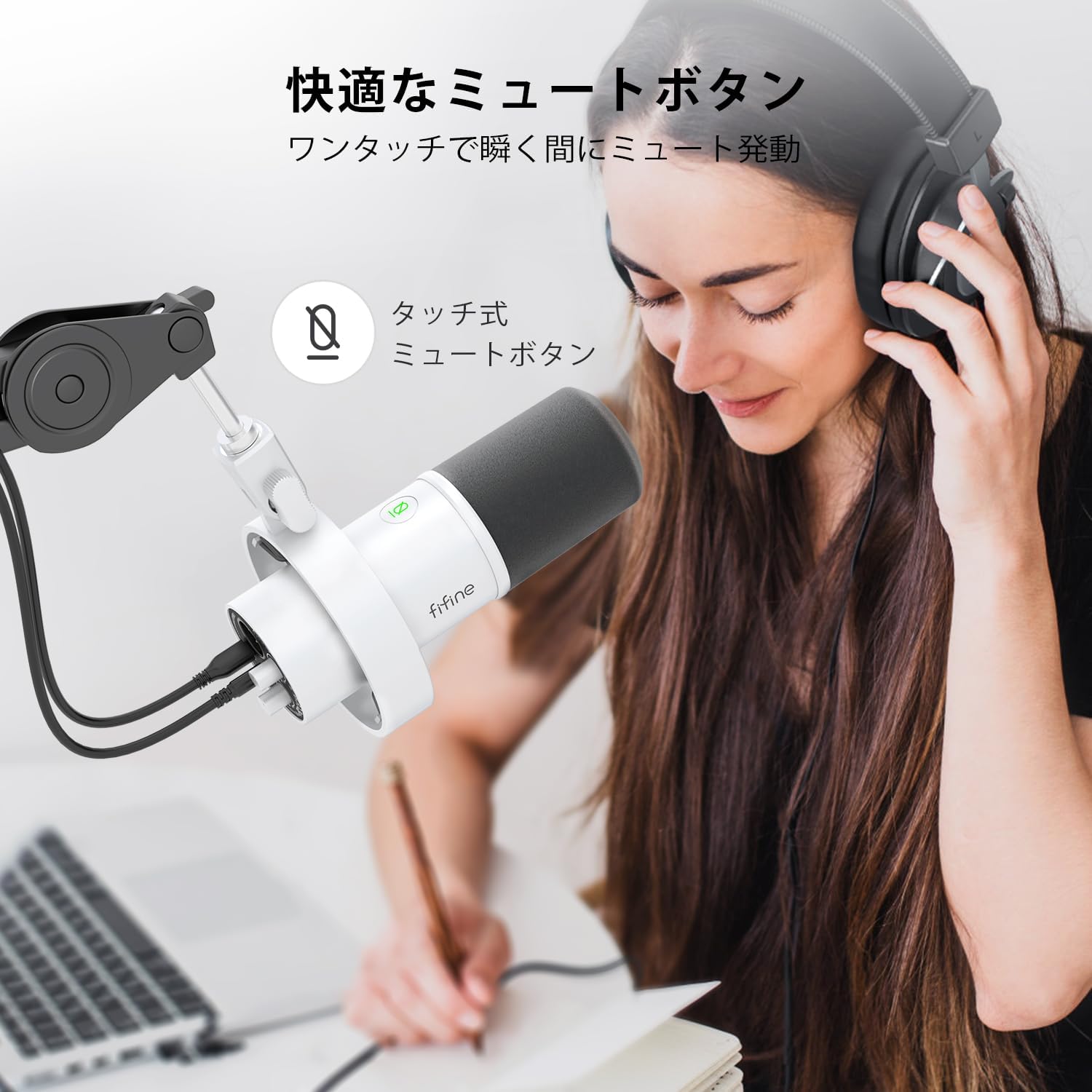
Image: A user interacting with the touch-sensitive mute button on the FIFINE AmpliTank K688W microphone, demonstrating its ease of use.
5.3 Headphone Monitoring (USB Mode Only)
Connect your headphones to the 3.5mm headphone jack on the microphone to monitor your audio in real-time with zero latency. Use the dedicated headphone volume knob to adjust the monitoring level to your preference.
6. Antretyen
- Kenbe mikwofòn nan pwòp lè w siye l avèk yon twal mou epi sèk.
- Evite ekspoze mikwofòn nan nan tanperati ekstrèm, imidite, oswa limyè solèy dirèk.
- Sere mikwofòn la nan yon ka pwoteksyon lè li pa itilize pou anpeche pousyè ak domaj.
- Do not attempt to disassemble the microphone, as this will void the warranty.

Image: The FIFINE AmpliTank K688W microphone mounted on a boom arm, showcasing its integrated metal body design suitable for various recording environments.
NAN. Depanaj
| Pwoblèm | Kòz posib | Solisyon |
|---|---|---|
| No sound output (USB) |
|
|
| No sound output (XLR) |
|
|
| Odyo defòme |
|
|
| Twòp bri background |
|
|
8. Espesifikasyon
| Karakteristik | Detay |
|---|---|
| Modèl | K688W |
| Mak | FIFINE |
| Kalite Mikwofòn | Dinamik |
| Modèl polè | Inidireksyon (Kadyoyid) |
| Koneksyon | USB (Type-C), XLR |
| Repons Frekans | 70Hz - 15KHz |
| Rapò siyal-a-bri (S/N) | 75 dB |
| Kalite pouvwa | Fil elektrik (manyen pa USB) |
| Aparèy konpatib | PC (Windows/Mac OS), Game Consoles (PS4/PS5), Audio Mixers, Audio Interfaces, Smartphones (with adapter, not included) |
| Karakteristik espesyal | Volume Control, Mute Function, Headphone Monitoring |
| Koulè | Blan |
| Materyèl | Plastik, Metal |
| UPC | 850052511821 |
9. Garanti ak sipò
9.1 Enfòmasyon sou Garanti
Pwodwi sa a vini ak yon Garanti manifakti 1 zan from the date of purchase. The warranty covers defects in materials and workmanship under normal use.
Garanti a pa kouvri:
- Domaj ki koze pa move itilizasyon, abi, aksidan, oswa neglijans.
- Domaj ki soti nan reparasyon oswa modifikasyon san otorizasyon.
- Mete nòmal ak chire.
9.2 Sipò pou Kliyan
If you encounter any issues with your FIFINE AmpliTank K688W microphone, such as packaging damage, color discrepancies, or product defects, please contact FIFINE Japan customer support immediately. Provide your purchase details and a description of the issue for prompt assistance.
For further support, please visit the official FIFINE websit.

Image: Information regarding FIFINE's customer support process, including steps to contact them via Amazon and their operating hours.
Ask a question about this manual
Ask about setup, troubleshooting, compatibility, parts, safety, or missing instructions. Manuals+ will review the question and use this page’s manual context to help answer it.