
RORRY D12
RORRY 3-in-1 Wireless Charging Station User Manual
Modèl: D12
1. Entwodiksyon
Thank you for choosing the RORRY 3-in-1 Wireless Charging Station. This versatile device is designed to simplify your charging experience by providing a centralized solution for your iPhone, Apple Watch, and AirPods. It features a detachable 10000mAh power bank for on-the-go charging and a foldable design for portability. Please read this manual carefully to ensure proper use and maintenance of your charging station.
2. Karakteristik kle
- 3-an-1 chaje: Simultaneously charges your iPhone (MagSafe compatible), Apple Watch, and AirPods.
- Detachable 10000mAh Power Bank: Provides portable power for your iPhone, allowing for charging on the go.
- Konsepsyon pliable: Compact and adjustable for easy storage and travel.
- Aliyman mayetik: Ensures precise and efficient charging for MagSafe-compatible iPhones.
- Pwoteksyon Sekirite: Built-in safeguards against overcharge, overcurrent, and short-circuiting.

Image: The RORRY 3-in-1 Wireless Charging Station in black, showcasing its ability to charge an iPhone, Apple Watch, and AirPods simultaneously. The detachable power bank and included PD 20W adapter are also visible.

Imaj: Yon tablo konparezon ki montre avantaj latages of the RORRY charging station, including its 3-in-1 detachable battery, 10000mAh portable charger, foldable design, and effective heat dissipation.
3. Pake kontni
Tanpri verifye sa ki nan pake a lè w ap debale l:
- 1 x Detachable power bank
- 1 x PD 20W charging adapter
- 1 x MagSafe charger station (base unit)
- 1 x USB tip-C kab
4. Gid Enstalasyon
4.1 Inisyal Enstalasyon
- Connect the provided USB Type-C cable to the charging station's input port.
- Plug the other end of the USB Type-C cable into the included PD 20W charging adapter.
- Insert the PD 20W charging adapter into a wall outlet. The indicator light on the charging station will illuminate, indicating it is powered on and ready for use.
4.2 Detachable Power Bank Integration
The detachable power bank magnetically attaches to the main charging station. Ensure it is properly aligned and seated for charging when docked.

Image: The detachable 10000mAh power bank shown with an iPhone magnetically attached, demonstrating its strong suction and high capacity for portable charging.
5. Operasyon Enstriksyon
5.1 Charging iPhone (MagSafe)
Place your MagSafe-compatible iPhone onto the magnetic charging pad of the station. The phone will automatically align and begin charging. Ensure your iPhone is centered for optimal charging efficiency.
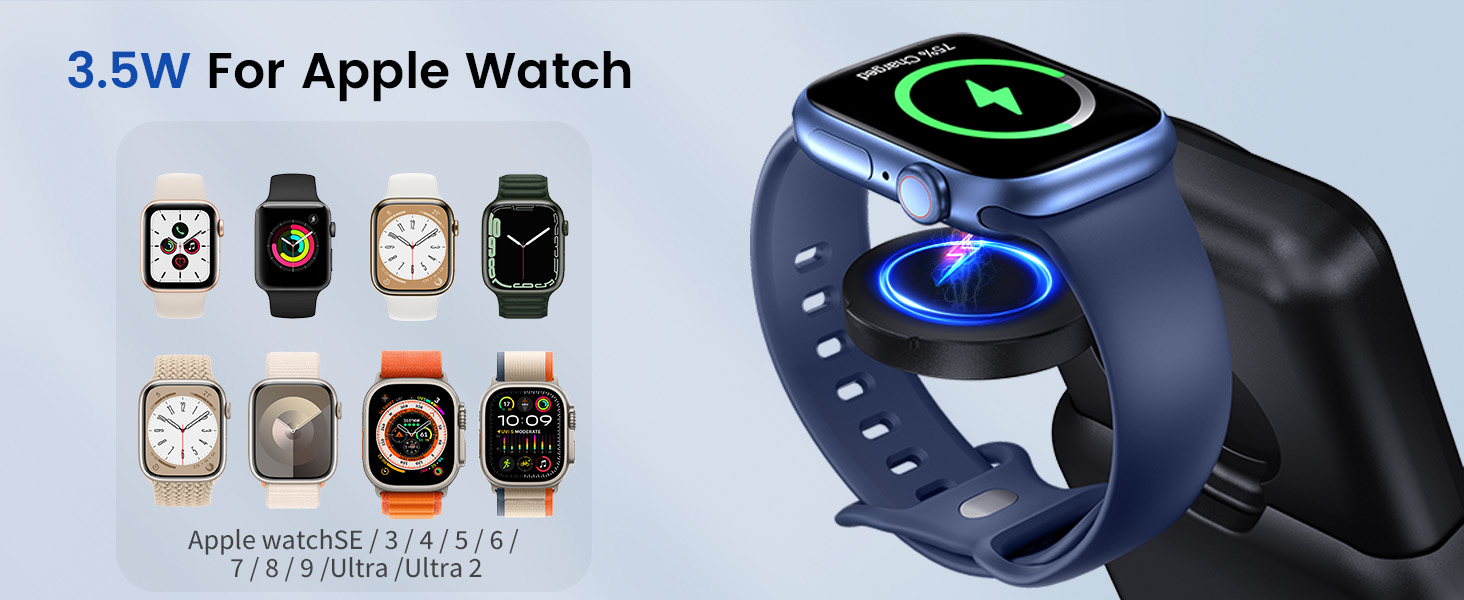
Image: An iPhone charging wirelessly on the station's MagSafe pad, illustrating its 15W charging capability for compatible iPhone models.
5.2 Chaje Apple Watch la
Place your Apple Watch onto the dedicated watch charging module. The watch will magnetically snap into place and begin charging. This module can be folded for compact storage or extended for use.
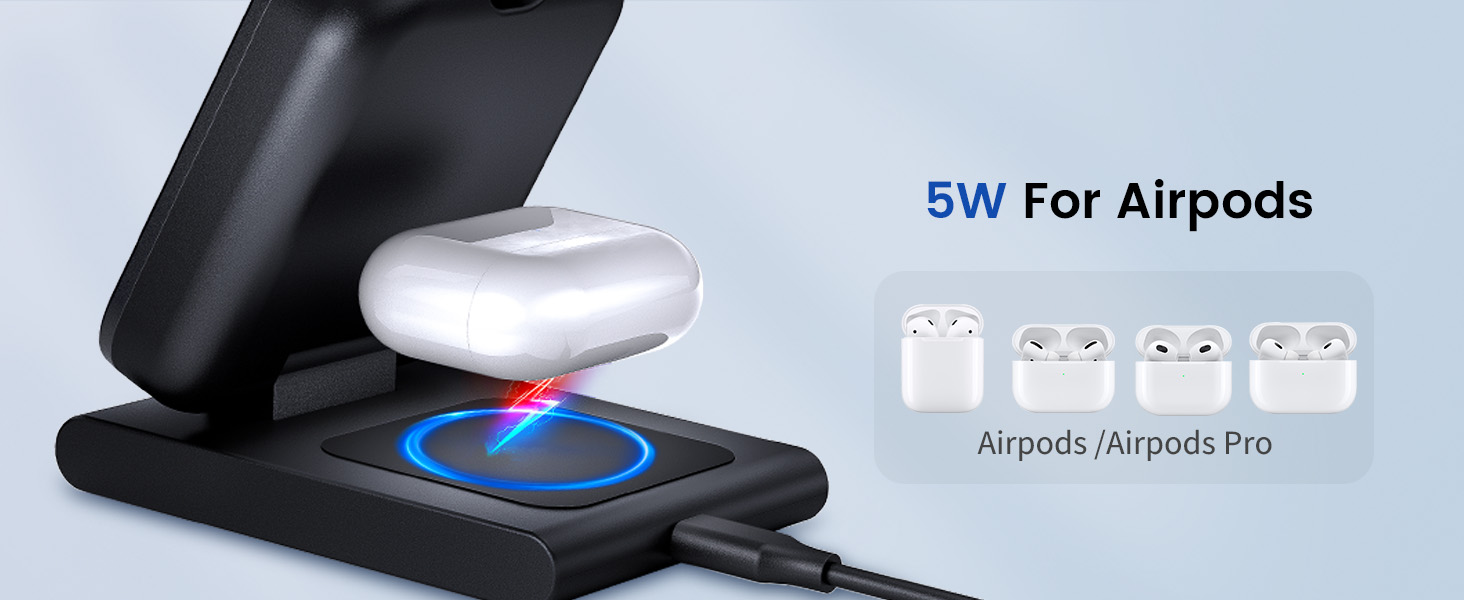
Image: An Apple Watch charging on its integrated module, highlighting its 3.5W charging output for various Apple Watch series.
5.3 Chaje AirPods yo
Place your AirPods charging case onto the wireless charging pad located at the base of the station. Ensure the case is centered on the pad for effective charging.

Image: An AirPods charging case placed on the base wireless charging pad, demonstrating its 5W charging capability for AirPods and AirPods Pro models.
5.4 Using the Detachable Power Bank
To use the power bank independently, detach it from the main station. To activate the power bank, press the power button twice to turn it on. Attach your MagSafe-compatible iPhone to the power bank for portable wireless charging. The integrated watch charger can also be used when detached.
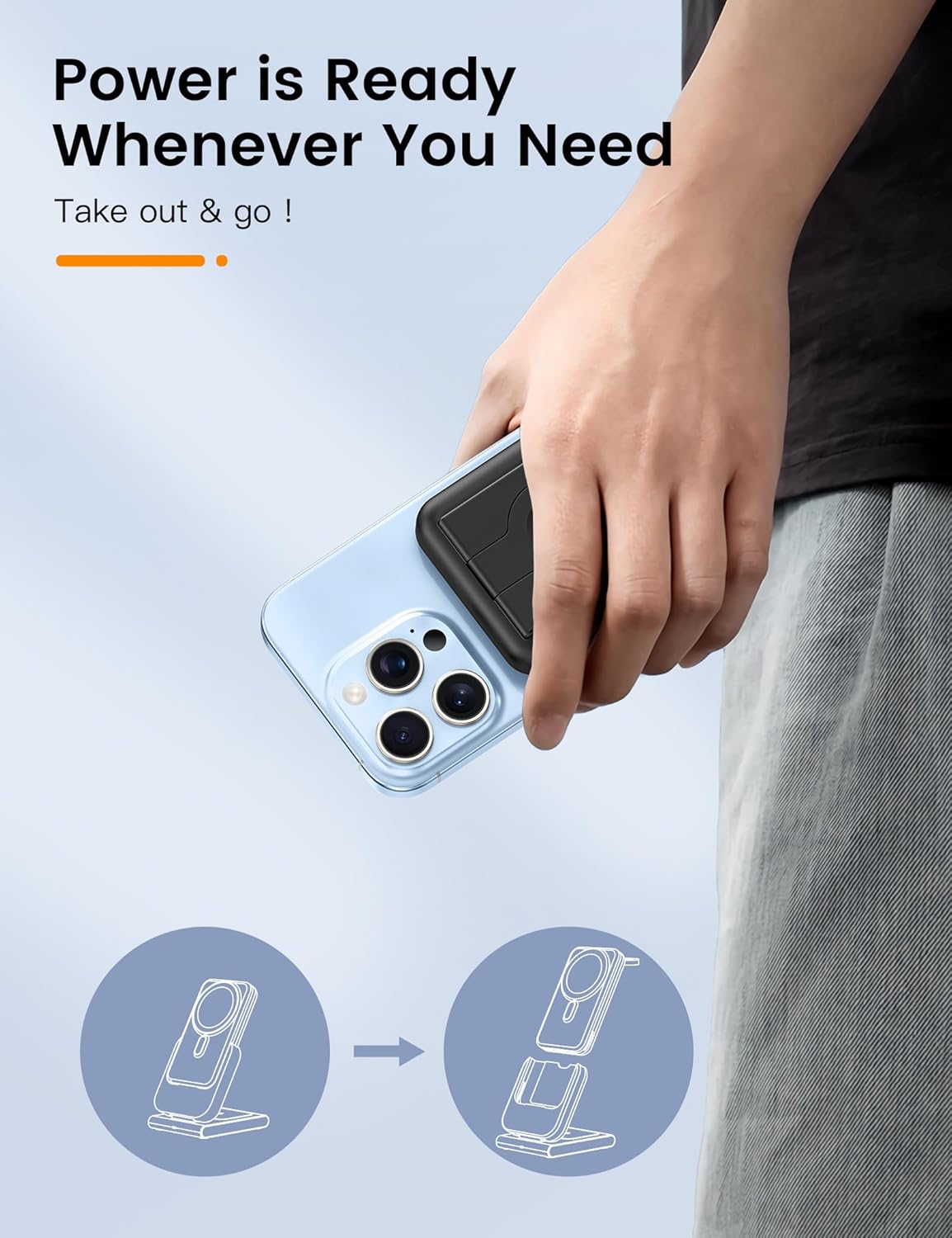
Image: A hand holding an iPhone with the detachable power bank magnetically attached, emphasizing its readiness for on-the-go use.

Image: A visual representation showing how the detachable power bank can be used both as a portable charger and as a stand for your device.
5.5 Foldable Stand Functionality
The charging station features a foldable design, allowing you to adjust the angle of your iPhone for optimal viewing while charging. This also makes it highly portable for travel.

Image: The RORRY charging station demonstrating its foldable and adjustable design, highlighting its suitability for travel and compact storage.
6. Antretyen ak Swen
- Keep the charging station away from water, moisture, and extreme temperatures.
- Netwaye sifas la avèk yon twal mou epi sèk. Pa sèvi ak pwodui netwayaj abrazif oswa solvan.
- Evite jete oswa sibi aparèy la nan gwo enpak.
- Sere nan yon kote ki fre, sèk lè yo pa itilize pou peryòd pwolonje.
NAN. Depanaj
| Pwoblèm | Kòz posib | Solisyon |
|---|---|---|
| Aparèy pa chaje | Incorrect power adapter; loose connection; device misalignment; foreign object on charging pad. | Ensure using the provided PD 20W adapter. Check all cable connections. Realign device on the charging pad. Remove any metal objects or thick cases. |
| Detachable power bank not turning on/charging | Not activated; low battery. | Peze bouton pouvwa a de fwa to activate the power bank. Ensure it is fully charged by docking it on the main station. |
| Charging station or device gets hot | Normal during wireless charging; poor ventilation; foreign object. | Slight warmth is normal. Ensure adequate ventilation around the charger. Remove any foreign objects. If excessively hot, disconnect and allow to cool before resuming use. |
| Chaje dousman | Using non-optimal power adapter; device case interference. | Use the included PD 20W adapter. Remove thick phone cases or cases with metal components. |
8. Spécifications pwodwi
| Karakteristik | Detay |
|---|---|
| Nimewo Modèl | D12 |
| Dimansyon | 6.34 x 3.23 x 2.17 pous |
| Pwa atik | 15.5 ons |
| Kalite batri | 1 batri ityòm Ion (enkli) |
| Koneksyon | San fil |
| Kalite Connector | USB Kalite C |
| Antre Voltage | 5 Volts |
| Koulè | Nwa |
| Aparèy konpatib | iPhone 12/13/14/15/16 series (MagSafe compatible), Apple Watch Series Ultra 2/Ultra/10/9/8/7/6/5/4/3/2/SE, AirPods 2/3/Pro/Pro 2/4 |
| Konpozan ki enkli | Detachable power bank, PD 20W charging adapter, MagSafe charger station |
9. Garanti ak sipò
RORRY is committed to providing high-quality products and excellent customer service. Your RORRY 3-in-1 Wireless Charging Station comes with the following support:
- 7x24H After-sales Service: Sipò dedye disponib 24 sou 24.
- Sèvis Echanj 30 Jou: Hassle-free exchanges within 30 days of purchase.
- 12-Months Care Plan: Comprehensive coverage for 12 months.
For any inquiries, technical assistance, or warranty claims, please contact RORRY customer support through the platform where you purchased the product or visit the official RORRY store page.

Image: RORRY's commitment to customer satisfaction, detailing their 24/7 after-sales service, 30-day exchange policy, and 12-month care plan.
Ask a question about this manual
Ask about setup, troubleshooting, compatibility, parts, safety, or missing instructions. Manuals+ will review the question and use this page’s manual context to help answer it.