
Entwodiksyon
This manual provides detailed instructions for the safe and efficient operation of your Phomemo M08F Portable Thermal Printer. Please read this manual thoroughly before using the device and retain it for future reference. The Phomemo M08F is designed for convenient, inkless printing of documents up to 8.5" x 11" on thermal paper, compatible with various devices via Bluetooth and USB.
Pwodwi souview
Kontni pake
- M08F-Letter Portable Printer
- 10 Sheets Letter Thermal Paper
- USB-A to USB-C Charging Cable (80cm)
- Étui depo mou
- Instructions, Quick Start Guide
Karakteristik kle
- Konsepsyon pòtab: Lightweight (1.58 lbs) and compact (12.2" x 2.6" x 1.6") for easy transport.
- Enpresyon tèmik san lank: Utilizes advanced thermal technology, eliminating the need for ink cartridges, toners, or ribbons.
- Lajè konpatibilite: Connects via Bluetooth to iOS and Android devices, and via USB to Laptops (PC, Mac, ChromeOS, Linux).
- US Letter Size Support: Prints on 8.5" x 11" thermal paper.
- Segondè rezolisyon: 203 DPI for clear black and white printing.
- Multi-bi: Supports various document types including PDF, Word, Excel, TXT, images, and web paj.

Image: The Phomemo M08F printer shown with its accessories: 10 sheets of US Letter thermal paper, a USB-C charging cable, a soft storage pouch, and a quick start guide.
Enstalasyon
1. Chaje aparèy pou enprime a
Before initial use, fully charge the printer. Connect the provided USB-A to USB-C charging cable to the printer's USB-C port and a compatible USB power adapter (not included). The indicator light will show charging status.
2. Chaje Papye Tèmik la
- Gently press the "PUSH" buttons on both sides of the printer to open the paper cover.
- Insert the 8.5" x 11" thermal paper with the printable side facing up. Ensure the paper is aligned straight.
- Close the paper cover until it clicks into place.

Image: The Phomemo M08F printer with US Letter thermal paper being fed into the paper slot, demonstrating the loading process.
3. App Installation (for Mobile Devices)
- Download the "Phomemo" app from the Apple App Store (for iOS) or Google Play Store (for Android).
- Enstale app a sou smartphone ou oswa grenn.

Image: A visual guide showing how to download the Phomemo app from app stores and connect the printer via Bluetooth for mobile printing.
4. Driver Installation (for PC/Laptop)
For printing from a computer, you need to install the appropriate driver.
- Visit the official Phomemo driver download page: m08f.phomemo.com
- Download the driver compatible with your operating system (Windows, macOS, Linux).
- Swiv enstriksyon ki sou ekran an pou konplete enstalasyon chofè a.

Image: A screenshot showing the Phomemo driver download page for the M08F printer, with options for Windows, Mac, and other operating systems.
Enstriksyon Operasyon
1. Power On/Off
- Pou limen, peze epi kenbe bouton pouvwa a jiskaske limyè endikatè a limen.
- Pou etenn li, peze epi kenbe bouton pouvwa a ankò jiskaske limyè endikatè a etenn.
2. Konekte atravè Bluetooth (Aparèy mobil)
- Asire w enprimant lan limen epi li nan zòn Bluetooth aparèy mobil ou a.
- Open the "Phomemo" app on your device.
- Within the app, navigate to the device connection section and select your M08F printer from the list of available devices. The app will guide you through the pairing process.
3. Connecting via USB (PC/Laptop)
- Asire enprimant lan limen.
- Connect the printer to your PC or laptop using the provided USB-A to USB-C cable.
- Your computer should recognize the printer after the drivers are installed.
4. Printing from the Phomemo App
- After connecting the printer via Bluetooth, open the document or image you wish to print within the Phomemo app.
- Adjust print settings such as density, size, and orientation as needed.
- Tap the print button to initiate printing.
5. Printing from PC/Laptop
- Ensure the printer is connected via USB and drivers are installed.
- Open the document you wish to print in your preferred application (e.g., Word, PDF viewer).
- Chwazi "Enprime" nan meni aplikasyon an.
- Choose "Phomemo M08F" as your printer.
- Adjust any necessary print settings and click "Print".
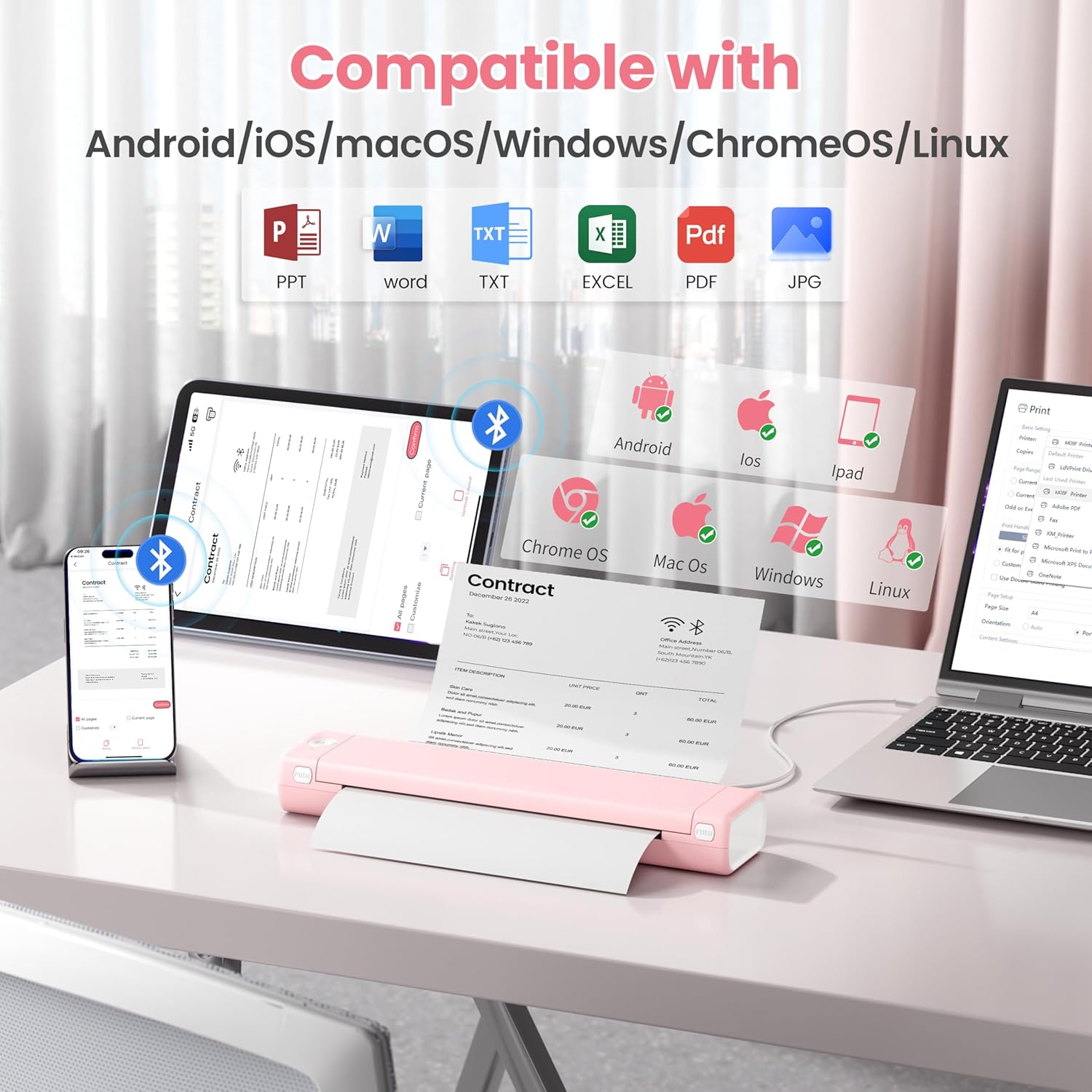
Image: An illustration showing the Phomemo M08F printer connected to various devices like smartphones, tablets, and laptops, highlighting its compatibility with Android, iOS, macOS, Windows, ChromeOS, and Linux.
Antretyen
Netwaye tèt la ekri an lèt detache
Pou asire yon bon jan kalite enprime optimal, netwaye tèt enprime a regilyèman. Sèvi ak yon twal mou ki pa gen pousyè siye l yon ti kras.ampRanpli ak alkòl izopropilik. Siye sifas tèt enprime a dousman. Kite l sèk nèt anvan ou itilize li.
Depo papye
Store thermal paper in a cool, dry place away from direct sunlight and heat to prevent discoloration and maintain print quality.
Depanaj
| Pwoblèm | Kòz posib | Solisyon |
|---|---|---|
| Printer not powering on. | Pil ki fèb oswa pwoblèm kouran. | Charge the printer using the provided USB cable. Ensure the power adapter is working. |
| Pa ka konekte via Bluetooth. | Bluetooth is off, printer is out of range, or not in pairing mode. | Ensure Bluetooth is enabled on your device. Move the printer closer. Restart both the printer and your device. Re-pair through the Phomemo app. |
| Move kalite enprime / Enpresyon ki pa klere. | Print head is dirty, incorrect paper type, or low battery. | Clean the print head. Ensure you are using genuine thermal paper. Charge the printer. |
| Konfiti papye. | Paper loaded incorrectly or foreign object. | Open the paper cover, carefully remove any jammed paper. Ensure paper is loaded straight. |
| Printer not recognized by PC. | Drivers not installed or USB cable issue. | Install drivers from m08f.phomemo.com. Try a different USB port or cable. |
Espesifikasyon
| Karakteristik | Detay |
|---|---|
| Non modèl | M08F-Letter Portable Printer |
| Teknoloji Enpresyon | Tèmik |
| Koneksyon | Bluetooth, USB Kalite C |
| Gwosè Maksimòm Medya | 8.5 x 11 inches (US Letter) |
| Enprime Rezolisyon | 203 dpi (Black & White) |
| Vitès Enpresyon Maksimòm (Monochrome) | 3 ppm |
| Aparèy konpatib | Laptops, PC, Smartphones, Tablets (iOS, Android, macOS, Windows, ChromeOS, Linux) |
| Pwa atik | 1.58 liv |
| Dimansyon pwodwi | 12.2 x 2.6 x 1.6 pous |
| Batri | 1 batri ityòm Ion (enkli) |
| Kapasite Depo memwa | 64 MB |
Garanti ak sipò
For warranty information, technical support, or further assistance, please refer to the official Phomemo website or contact Phomemo customer service. Details can typically be found in the Quick Start Guide included with your product or on the manufacturer's websit.
Official Phomemo Websit: www.phomemo.com