
1. Entwodiksyon
This manual provides detailed instructions for the MEETION MT-M915 USB Gaming Mouse with Backlight. Please read this guide thoroughly before using the product to ensure correct installation, optimal performance, and to understand its features. This mouse is designed for gaming and general computer use, offering reliable performance and a comfortable design.
2. Pake kontni
- MEETION MT-M915 USB Gaming Mouse
- Manyèl Enstriksyon (dokiman sa a)
3. Kondisyon sistèm
- Operating System: Windows XP, Linux
- Compatible Devices: Personal Computer, Laptop
- Disponib USB Port
4. Enstalasyon
4.1 Konekte Sourit la
- Jwenn yon pò USB ki disponib sou òdinatè w lan oswa laptop.
- Plug the USB connector of the MEETION MT-M915 mouse into the USB port.
- The operating system will automatically detect and install the necessary drivers. This is a plug-and-play device, so no additional software installation is typically required.
- The mouse backlight will illuminate upon successful connection.
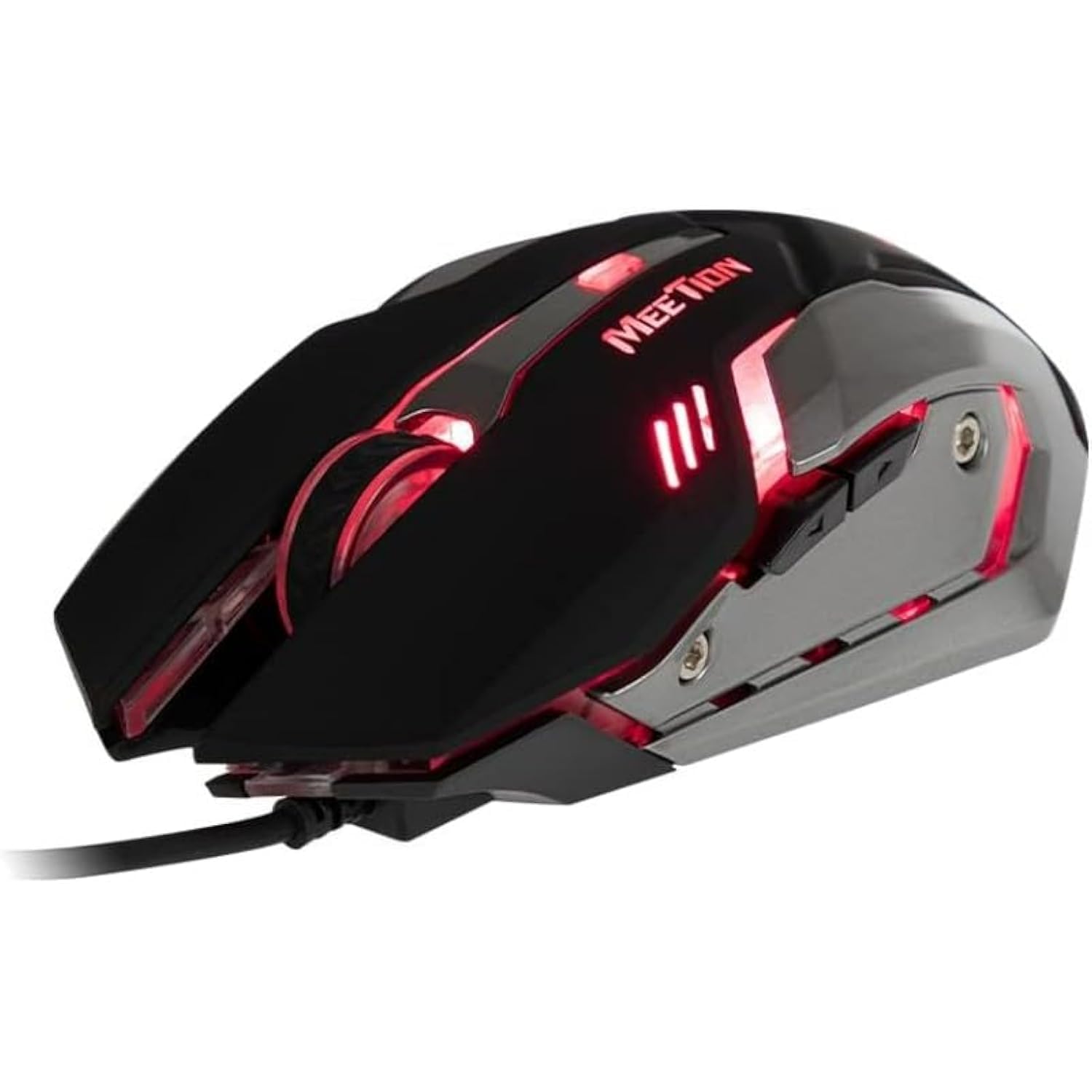
Figi 1: Side view of the MEETION MT-M915 mouse with red backlight.
5. Itilizasyon Sourit la
5.1 Fonksyon debaz
- Klike Goch: Primary action button, typically used for selecting items, opening files, or interacting with software.
- Klike sou dwa: Secondary action button, typically used for opening context menus or accessing additional options.
- wou woulo liv: Itilize pou defile nan dokiman yo ak web paj yo. Li kapab fonksyone tou kòm yon bouton klike nan mitan.
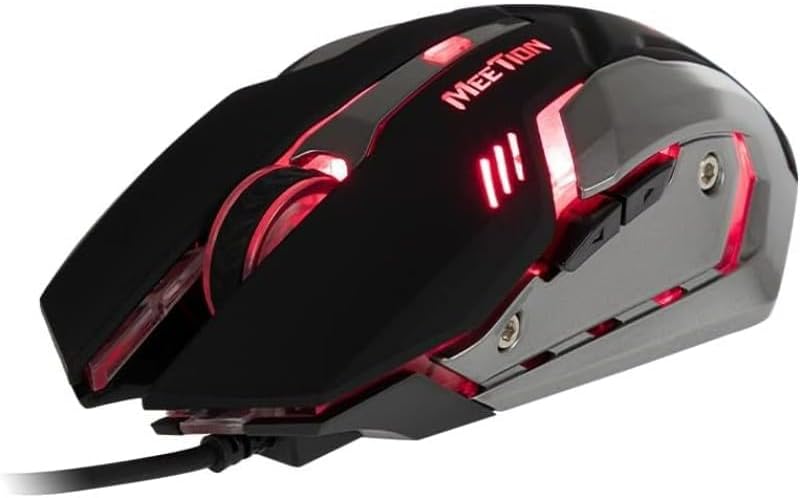
Figi 2: Anwo-anba view of the MEETION MT-M915 mouse, showing button layout.
5.2 Operasyon ekleraj
The MEETION MT-M915 mouse features an integrated backlight. The backlight activates automatically when the mouse is connected to a powered USB port. The color of the backlight may vary or cycle through different colors, as shown in Figure 3.

Figi 3: Side view of the MEETION MT-M915 mouse with purple backlight.
5.3 Konsepsyon Anbidèkst
The mouse is designed for ambidextrous use, meaning it can be comfortably used by both left-handed and right-handed individuals.
6. Antretyen
6.1 Netwayaj
- Dekonekte sourit la nan òdinatè w la anvan ou netwaye li.
- Sèvi ak yon twal mou epi sèk pou siye sifas sourit la.
- Pou pousyè tè ki difisil pou retire, yon ti kras dampRense twal la avèk dlo oswa yon solisyon netwayaj dou. Evite pwodui chimik ki agresif.
- Do not allow liquids to enter the mouse casing.
6.2 Depo
Sere sourit la nan yon kote ki fre epi sèk, lwen limyè solèy dirèk ak tanperati ekstrèm lè w pa itilize li pou yon bon bout tan.
NAN. Depanaj
7.1 Sourit la pa reponn
- Asire w kab USB a byen branche nan yon pò USB ki fonksyone sou òdinatè w la.
- Eseye branche sourit la nan yon lòt pò USB.
- Rekòmanse òdinatè w lan.
- Teste sourit la sou yon lòt òdinatè pou detèmine si pwoblèm nan soti nan sourit la oswa nan pò USB òdinatè w la.
7.2 Limyè dèyè a pa fonksyone
- Verifye ke sourit la byen konekte ak yon pò USB ki gen kouran.
- If the mouse functions but the backlight does not, there might be an internal issue. Contact customer support if the mouse is still under warranty.
7.3 Mouvman Kurseur Iregilye
- Ensure the optical sensor on the bottom of the mouse is clean and free from dust or debris.
- Use the mouse on a clean, uniform surface. Avoid highly reflective or transparent surfaces.
- Eseye rekòmanse òdinatè w lan.
8. Espesifikasyon
| Karakteristik | Detay |
|---|---|
| Mak | RENYON |
| Non modèl | MT-M915 |
| Nimewo Modèl Manifakti | CE ELECTRON-559 |
| Koneksyon Teknoloji | USB |
| Teknoloji deteksyon mouvman | Optik |
| Oryantasyon men | Anbidextr |
| Karakteristik espesyal | Lejè |
| Itilizasyon Rekòmande Pou Pwodwi | Gaming |
| Aparèy konpatib | Odinatè pèsonèl, Laptop |
| Sistèm operasyon | Linux, Windows XP |
| Pwa atik | 50 gram |
| Dimansyon pake | 20.7 x 14.3 x 6.1 cm |
| Batri enkli | Non |
9. Garanti ak sipò
9.1 Enfòmasyon sou Garanti
This product is covered by a standard manufacturer's warranty. Please refer to the warranty card included with your purchase or contact your retailer for specific warranty terms and conditions.
9.2 Sipò pou Kliyan
For technical assistance, troubleshooting, or warranty claims, please contact the retailer where you purchased the product or visit the official MEETION websit pou resous sipò.