
Entwodiksyon
This manual provides comprehensive instructions for the safe and efficient use of your DOOGEE N50PRO smartphone. Please read this manual thoroughly before operating your device and retain it for future reference. The DOOGEE N50PRO is an Android 13 smartphone equipped with an Octa-Core processor, a 6.52-inch HD+ display, a 50MP main camera, a 4200mAh battery, and supports 4G Dual SIM, Face ID, and Fingerprint ID.
Kontni pake
Verifye ke tout atik sa yo enkli nan pake pwodwi ou a:
- Telefòn entelijan DOOGEE N50PRO
- Bwat anbalaj
- Chargeur (9V/2A)
- USB Kalite-C kab
- PIN kat SIM
- Pre-applied TP Protective Film
- Manyèl Itilizatè (dokiman sa a)
Enstalasyon
1. Enstalasyon Kat SIM ak Kat TF
The DOOGEE N50PRO supports dual Nano SIM cards or one Nano SIM card and one TF (MicroSD) card for expandable storage up to 1TB. Ensure the device is powered off before inserting or removing cards.
- Jwenn plato kat SIM lan sou bò telefòn nan.
- Insert the SIM card pin into the small hole next to the tray to eject it.
- Rale plato a avèk prekosyon.
- Mete kat Nano SIM ou yo ak/oswa kat TF ou yo nan fant ki fèt pou sa sou plato a. Asire w ke kontak lò yo fè fas anba.
- Dousman pouse plato a tounen nan telefòn nan jiskaske li fè yon klik.
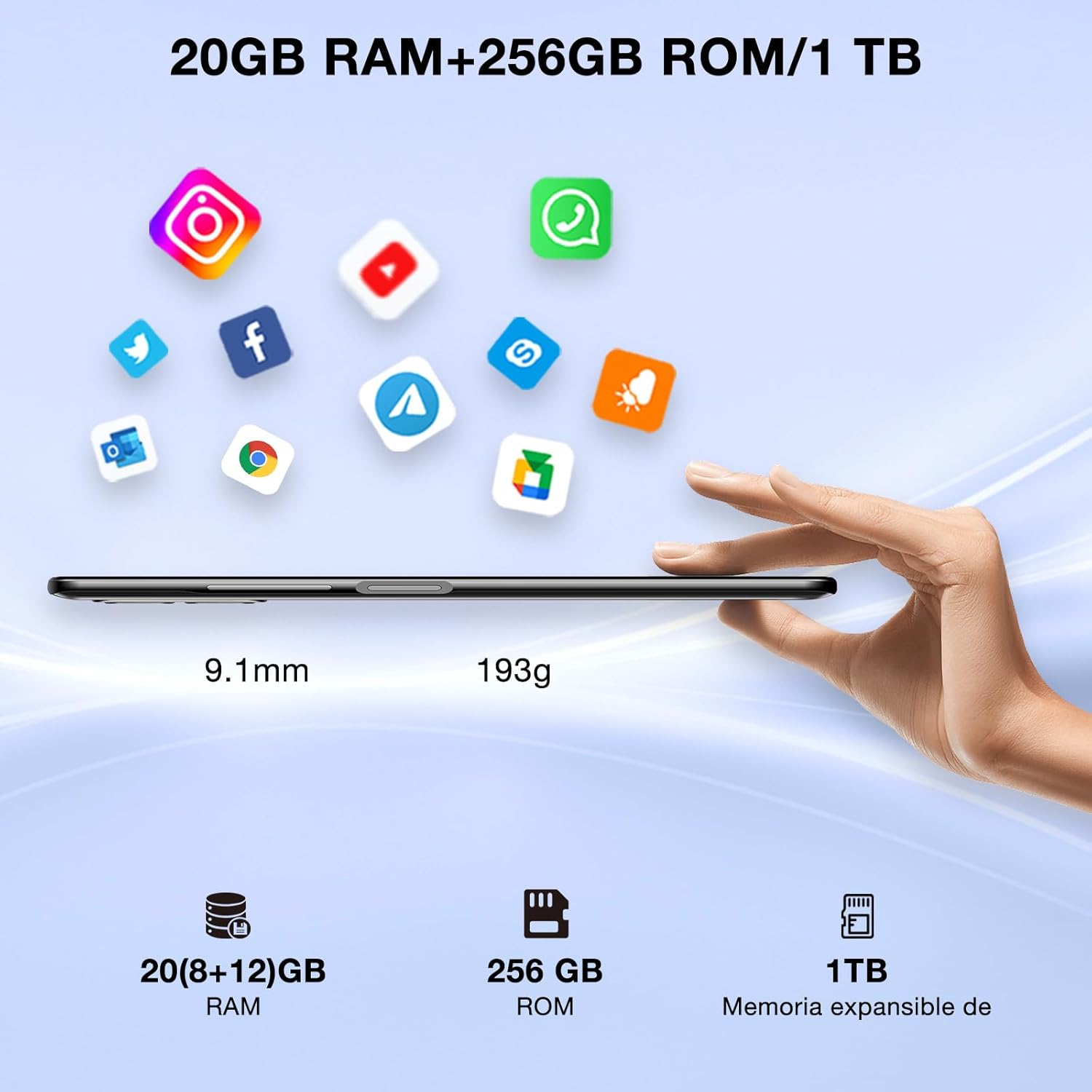
Image: DOOGEE N50PRO smartphone showing its slim profile (9.1mm), weight (193g), and memory configuration (20GB RAM, 256GB ROM, 1TB expandable memory).
2. Premye Limen
Peze epi kenbe bouton Pouvwa a ki sitiye sou kote aparèy la jiskaske logo DOOGEE a parèt. Swiv enstriksyon ki sou ekran an pou konplete konfigirasyon inisyal la, ki gen ladan seleksyon lang lan, koneksyon Wi-Fi a, ak konfigirasyon kont Google la.
3. Chaje batri a
Before first use, it is recommended to fully charge the device. Connect the USB Type-C cable to the phone's charging port and the other end to the provided 9V/2A charger. Plug the charger into a power outlet. The charging indicator will appear on the screen.

Image: DOOGEE N50PRO connected to a charger, illustrating its 4200mAh battery capacity and 18W fast charging capability. The image also highlights OTG reverse charging.
Enstriksyon Operasyon
1. Basic Navigation and Android 13 Features
Your DOOGEE N50PRO runs on Android 13, offering an intuitive user experience. Swipe down from the top of the screen to access the notification panel and quick settings. Customize your control center and direct access operations for efficient use of various functions.

Image: Visual representation of the DOOGEE N50PRO's internal components, highlighting the Spreadtrum T606 Octa-Core processor with 1.6GHz high frequency and 12nm advanced technology, running on Android 13.
2. Security Features: Face ID and Fingerprint ID
Enhance your device's security and convenience with advanced biometric authentication:
- ID figi: Register your face to unlock the phone by simply looking at the front camera.
- ID anprent dijital: Register your fingerprint(s) to unlock the phone or authorize purchases with a touch. The fingerprint sensor is typically located on the side or back of the device.

Image: A user demonstrating Face ID unlock and a close-up of the Fingerprint ID sensor on the DOOGEE N50PRO, showcasing its multi-function security features.
3. Itilizasyon kamera
The DOOGEE N50PRO features a triple camera system:
- Kamera prensipal 50 MP: Pou foto ki gen gwo rezolisyon.
- 8 MP Front Camera: Pou selfie ak apèl videyo.
- 2 MP Macro Camera: Pou pran foto detaye an gwo plan.
Access the Camera app from your home screen or app drawer. Explore various modes such as Panorama, Portrait, and Night mode to capture different scenes effectively.

Image: Diagram illustrating the DOOGEE N50PRO's dual AI camera setup, featuring a 50MP main camera, an 8MP front camera, and a 2MP macro camera. Sample photos taken with the 50MP main and 8MP front cameras are also shown.
4. Koneksyon
- Wi-Fi: Supports 2.4G/5G Wi-Fi for fast and stable internet connection. Go to Settings > Network & internet > Wi-Fi to connect to available networks.
- Bluetooth 5.0: For connecting wireless accessories like headphones or speakers. Go to Settings > Connected devices > Bluetooth.
- OTG (Sou wout la): Allows the phone to act as a host to connect USB devices like flash drives or external keyboards. It also supports reverse charging for other devices.
- Navigasyon: Integrated GPS, GLONASS, BeiDou, and Galileo for accurate location services.
- Radyo FM: Use the built-in FM radio feature (requires headphones to act as an antenna).
- Jack ekoutè 3.5mm: Pou akseswa odyo filaire.
5. Kontwòl Paran
The device includes parental control features, allowing you to monitor and manage screen time and application usage for children. Access these settings through the device's system settings to balance usage effectively.
Antretyen
1. Swen batri
- Evite ekspoze batri a nan tanperati ekstrèm (cho oswa frèt).
- Do not fully discharge the battery frequently. Charge it before it drops below 20%.
- Sèvi sèlman ak plato ak kab ki vini ak yo pou evite domaj.
2. Netwayaj
Sèvi ak yon twal mou ki pa gen pousyè pou netwaye ekran ak kò telefòn nan. Evite itilize pwodui chimik ki agresif oswa materyèl abrazif. Pou tach ki difisil pou retire, siye yon ti kras.ampRense twal la avèk dlo oswa yon pwodui netwayaj ekran ki fèt pou aparèy elektwonik.
3. Mizajou lojisyèl
Tcheke epi enstale mizajou lojisyèl regilyèman pou asire aparèy ou an gen dènye karakteristik yo, patch sekirite yo, ak amelyorasyon pèfòmans yo. Ale nan Anviwònman > Sistèm > Mizajou sistèm.
Depanaj
- Aparèy pa soumen: Asire w batri a chaje. Konekte chajè a epi tann kèk minit anvan ou eseye limen l ankò.
- Ekran an pa reponn: Eseye rekòmanse aparèy la lè w kenbe bouton Power la pandan apeprè 10-15 segonn.
- Pwoblèm rezo: Check if your SIM card is properly inserted. Try toggling Airplane Mode on and off. If issues persist, contact your mobile service provider.
- Aplikasyon k ap kraze: Clear the cache of the problematic app (Settings > Apps > [App Name] > Storage & cache > Clear cache). If the issue continues, consider reinstalling the app.
- Pèfòmans ralanti: Close unused apps, clear cache, or consider a factory reset as a last resort (back up your data first).
Espesifikasyon
| Karakteristik | Spesifikasyon |
|---|---|
| Non modèl | DOOGEE N50PRO |
| Sistèm operasyon | Android 13.0 |
| Processeur | Octa-Core (Spreadtrum T606) |
| RAM | 20 GB (Extended Memory) |
| Depo Entèn (ROM) | 256 GB |
| Depo dilatabl | Jiska 1 TB (Kat TF) |
| Gwosè ekspozisyon | 6.52 pous |
| Rezolisyon ekspozisyon | HD+ (720x1600) |
| Kamera prensipal | 50 MP |
| Kamera devan | 8 MP |
| Kamera Macro | 2 MP |
| Kapasite batri | 4200 mAh |
| Chaje | Chaje rapid 18W Kalite-C |
| Teknoloji selilè | 4G |
| Kalite kat SIM | Nano SIM (Dual SIM support) |
| Koneksyon | Wi-Fi (2.4G/5G), Bluetooth 5.0, OTG, FM Radio |
| Navigasyon | GPS, GLONASS, BeiDou, Galileo |
| Karakteristik sekirite | Face ID, Fingerprint ID |
| Dimansyon | 165.8 x 76.2 x 9.1 mm |
| Pwa | 187 g |
| Jack kas ekoutè | 3.5 mm |
| Tan pale | Jiska 16 èdtan |

Image: The DOOGEE N50PRO's 6.52-inch Waterdrop HD+ display, showing its 720x1600 resolution, 20:9 aspect ratio, and 86% screen-to-body ratio.
Garanti ak sipò
1. Enfòmasyon sou Garanti
Your DOOGEE N50PRO smartphone comes with a garanti ofisyèl dezan from the date of purchase. Please retain your proof of purchase for warranty claims. This warranty covers manufacturing defects and malfunctions under normal use conditions.
2. Sipò pou Kliyan
For technical assistance, warranty claims, or further inquiries, please contact DOOGEE customer support through their official website or the contact information provided with your purchase. Ensure you have your device model number and proof of purchase ready when contacting support.