
EBTOOLS EBTOOLSpxvk7fmb38
EBTOOLS LGA 1155 Motherboard User Manual
Model: EBTOOLSpxvk7fmb38
Pwodwi souview
The EBTOOLS LGA 1155 Motherboard is designed for desktop PC systems, offering robust performance and extensive connectivity. It features a multiphase power chipset for stable CPU performance and supports 2nd/3rd generation LGA1155 Pin Series Processors. This Mini ITX motherboard provides a high-definition visual experience through its VGA and HD Multimedia Interface outputs.
Karakteristik kle yo enkli:
- LGA 1155 CPU Slot: Designed for stable performance with compatible processors.
- Multiphase Power: Ensures stable and accurate power delivery to the CPU.
- HD Interfaces: Equipped with VGA and HD Multimedia Interface for digital HD video output.
- Channel DDR3: Features a DDR3 memory slot to enhance motherboard performance.
- Koneksyon anpil: Includes 6 USB2.0 interfaces and 4 SATA2.0 interfaces for various peripherals and storage devices.
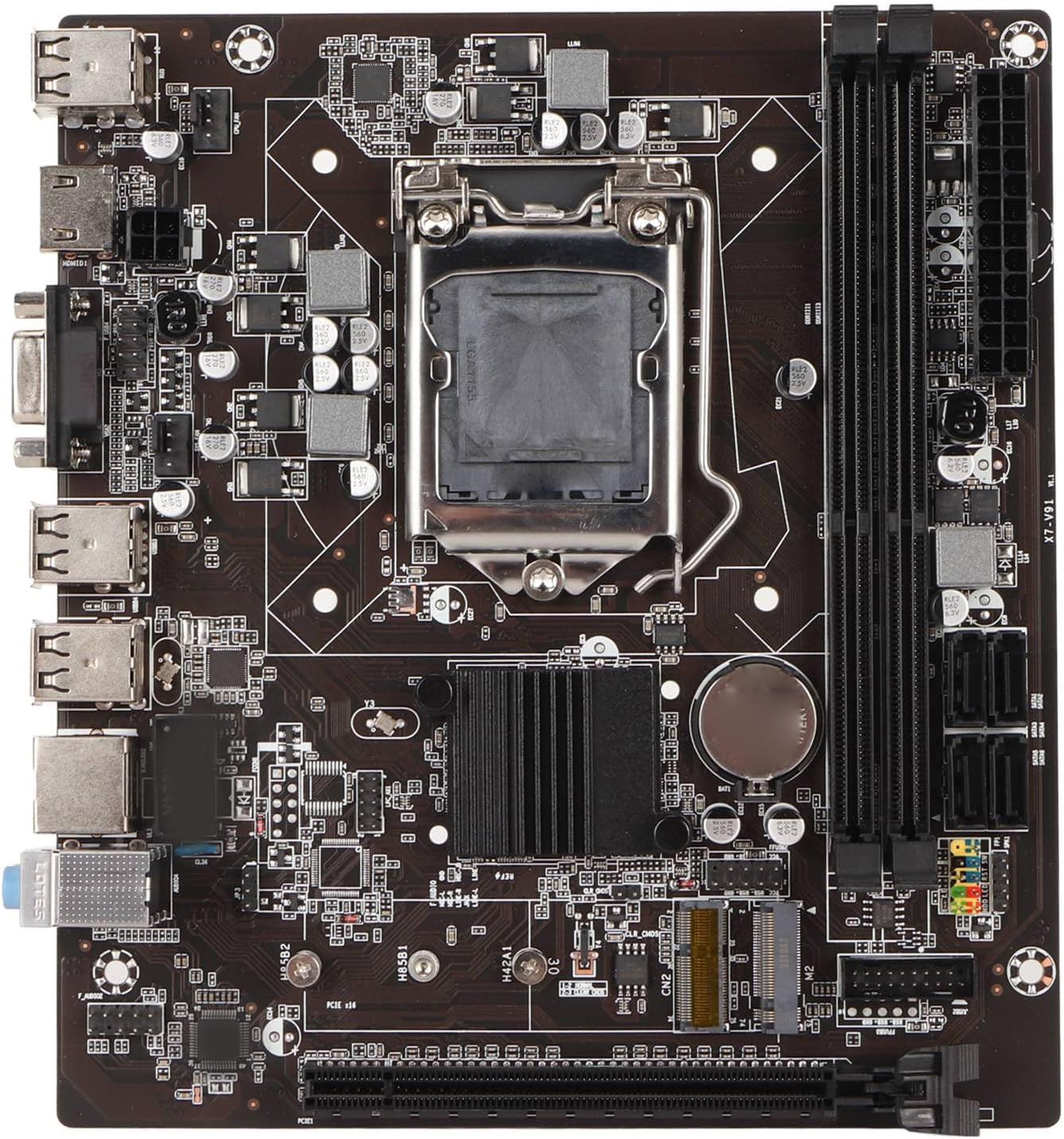
Figi 1: Anwo-anba view of the EBTOOLS LGA 1155 Motherboard, showing the CPU socket, RAM slots, and various ports.
Enstalasyon ak Enstalasyon
This section provides instructions for installing your EBTOOLS LGA 1155 Motherboard into a compatible PC case and connecting essential components.
Kontni pake
Before beginning installation, ensure all components listed below are present in your package:
- 1 x LGA 1155 Motherboard
- 1 x Metal I/O Plate
- 1 x Connecting Wire (likely SATA data cable)

Figure 2: The motherboard alongside its included metal I/O plate and a connecting wire, typically a SATA data cable.
Etap enstalasyon yo
- Prepare Ka a: Ensure your PC case is compatible with Mini ITX motherboards. Install the metal I/O plate into the designated slot at the rear of the case.
- Enstale CPU a: Carefully open the CPU socket retention arm. Align the triangular marker on your LGA 1155 processor with the corresponding marker on the motherboard's socket. Gently place the CPU into the socket, ensuring it sits flush. Close the retention arm to secure the CPU.
- Enstale refwadisè CPU a: Apply thermal paste to the CPU (if not pre-applied on the cooler). Mount your compatible LGA 1155 CPU cooler according to its manufacturer's instructions.
- Enstale RAM: Open the clips on the DDR3 memory slots. Align the notch on your DDR3 RAM module with the key in the slot. Press firmly on both ends of the RAM module until the clips snap into place. This motherboard supports 2 x DDR3 slots.
- Monte kat manman an: Carefully place the motherboard into the PC case, aligning the screw holes on the motherboard with the standoffs in the case. Secure the motherboard with screws.
- Konekte pouvwa: Connect the 24-pin ATX power connector from your power supply to the motherboard. Connect the 4-pin or 8-pin CPU power connector (if applicable) to the motherboard.
- Konekte Aparèy Depo yo: Use the provided connecting wire (SATA cable) to connect your SATA storage devices (HDD/SSD) to the SATA2.0 ports on the motherboard. This motherboard has 4 SATA2.0 interfaces.
- Konekte Kab Panèl Devan an: Connect the power button, reset button, USB ports, and audio jacks from your PC case's front panel to the corresponding headers on the motherboard. Refer to your case manual for specific pin layouts.
- Enstale kat ekspansyon yo: If using a dedicated graphics card or other expansion cards, insert them into the PCIE X16 slot or other extended interfaces (1 x , 1 x M.2) as needed.
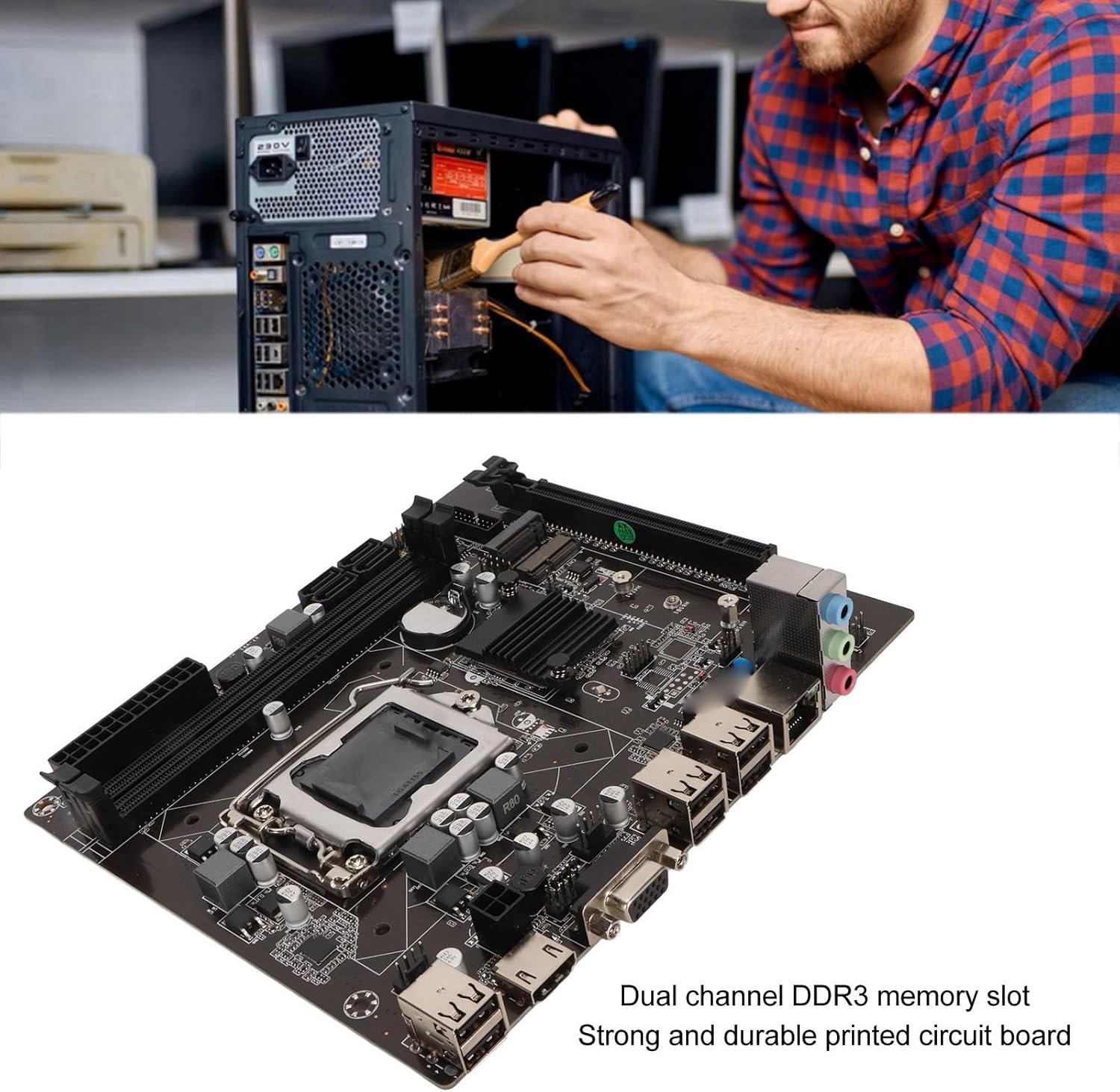
Figure 3: A user performing an installation within a PC case, demonstrating the typical environment for motherboard setup.

Figi 4: Detaye view of the LGA 1155 CPU socket and adjacent DDR3 memory slots, crucial areas for component installation.
Gid pou opere
Once the motherboard and other components are installed, the system is ready for operation. This motherboard supports various operating systems compatible with 2nd/3rd Gen LGA1155 processors.
Konfigirasyon BIOS/UEFI
Upon first boot, you may need to enter the BIOS/UEFI setup to configure boot order, system time, and other settings. Typically, you can access the BIOS by pressing DEL or F2 during the initial boot screen.
Enstalasyon chofè
After installing your operating system, it is essential to install the necessary drivers for the motherboard's components, including chipset, network card, and integrated graphics (if used). These drivers are usually provided on a CD/DVD with the motherboard or can be downloaded from the manufacturer's websit.
Koneksyon
Utilize the available ports for your peripherals:
- Pò USB 2.0: For connecting keyboards, mice, external drives, and other USB devices.
- VGA/HD Multimedia Interface: Pou konekte ekran yo.
- Ethernet Port: For wired network connectivity (100M Netword Card).
- Pak odyo: Pou oratè, kas ekoutè, ak mikwofòn.
Antretyen
Proper maintenance can extend the lifespan of your motherboard and ensure stable system performance.
- Kenbe li pwòp: Regularly clean dust from inside your PC case, especially from the motherboard and CPU cooler fins, using compressed air. Dust accumulation can lead to overheating.
- Asire bon koule lè: Make sure your PC case has adequate ventilation and that fans are functioning correctly to prevent heat buildup.
- Mizajou BIOS: Tcheke manifakti a regilyèman websit pou mizajou BIOS/UEFI. Mizajou yo ka amelyore konpatibilite, estabilite ak pèfòmans. Swiv enstriksyon mizajou yo ak anpil atansyon.
- Mizajou chofè: Kenbe chofè sistèm ou yo ajou pou asire pèfòmans optimal ak konpatibilite ak nouvo lojisyèl ak pyès ki nan konpitè.
- Batri CMOS: The motherboard uses a CR2032 battery for CMOS settings. If your system consistently loses time or BIOS settings, the battery may need replacement.
Depanaj
Seksyon sa a adrese pwoblèm komen ou ka rankontre ak kat manman ou an.
- Pa gen kouran/Pa gen demaraj:
- Check all power connections (24-pin ATX, CPU power).
- Ensure the power supply is functional and switched on.
- Verifye koneksyon bouton pouvwa panèl devan an ak kat manman an.
- Pa gen ekspozisyon:
- Ensure the monitor is connected to the correct video output (VGA or HD Multimedia Interface).
- Reseat RAM modules. Try booting with one RAM stick if you have multiple.
- Reseat the CPU and check for bent pins (handle with extreme care).
- If using a dedicated graphics card, ensure it is properly seated and has power.
- Enstabilite/Pwoblèm Sistèm:
- Tcheke tanperati CPU ak GPU. Asire w ke gen bon refwadisman.
- Kouri zouti dyagnostik memwa pou tcheke si gen pwoblèm RAM.
- Asire w tout chofè yo byen enstale epi yo ajou.
- Check for loose connections or components.
- Aparèy USB yo pa rekonèt:
- Ensure USB drivers are installed.
- Eseye diferan pò USB.
- Check BIOS settings for USB controller enablement.
Espesifikasyon
Detailed technical specifications for the EBTOOLS LGA 1155 Motherboard:
| Karakteristik | Spesifikasyon |
|---|---|
| Kalite atik | Plak mèr LGA 1155 |
| Materyèl | Printed Circuit Board, Metal |
| Batri-an batri | CR2032 x 1 (240mAh) |
| Sipò CPU | 2nd/3rd Gen LGA1155 Pin Series Processors (for Celeron, for , for Core) |
| Chipset | H61 Chipset Series |
| Memwa plas | 2 DDR3 |
| Kapasite maksimòm memwa | 16GB |
| Entèfas USB | 6 x USB2.0, USB Pin x 1 |
| Entèfas SATA | 4 x SATA2.0 |
| Kat rezo | 100M Network Card |
| Plas Kat Grafik | 1 x PCIE X16 |
| Entèfas pwolonje | 1 x , 1 x M.2 |
| Dimansyon pake | 10.2 x 7.83 x 2.05 pous |
| Pwa atik | 1.16 liv |
| Nimewo Modèl | EBTOOLSpxvk7fmb38 |
| ASIN | B0CKVL89BD |

Figure 5: An angled perspective of the motherboard, showcasing its compact Mini ITX form factor and port layout.
Garanti ak sipò
For warranty information and technical support, please refer to the official EBTOOLS websit la oubyen kontakte sèvis kliyan yo. Kenbe resi acha w la kòm prèv acha.
While specific warranty details are not provided in this manual, general product warranties typically cover manufacturing defects for a limited period from the date of purchase.
Pou plis pwoteksyon, konsidere plan pwoteksyon ki disponib yo:
- Plan Pwoteksyon 3 Zan
- Plan Pwoteksyon 4 Zan
- Pwoteksyon Konplè (plan mansyèl)
These plans are offered separately and provide extended coverage beyond the standard manufacturer's warranty.
Manifakti: EBTOOLS
Dat premye disponib: 11 oktòb 2023
Videyo pwodwi ofisyèl yo
Pa gen okenn videyo ofisyèl ki disponib pou pwodui sa a nan men vandè a pou kounye a.
Ask a question about this manual
Ask about setup, troubleshooting, compatibility, parts, safety, or missing instructions. Manuals+ will review the question and use this page’s manual context to help answer it.