
Agunto AGU-OC1IC1
Manyèl Itilizatè Twous Kamera Sekirite Agunto AGU-OC1 ak AGU-IC1
Model: AGU-OC1IC1
Brand: Agunto
1. Entwodiksyon
This manual provides detailed instructions for the installation, operation, and maintenance of your Agunto AGU-OC1 & AGU-IC1 Security Camera Set. Please read this manual thoroughly before using the product to ensure proper functionality and safety.
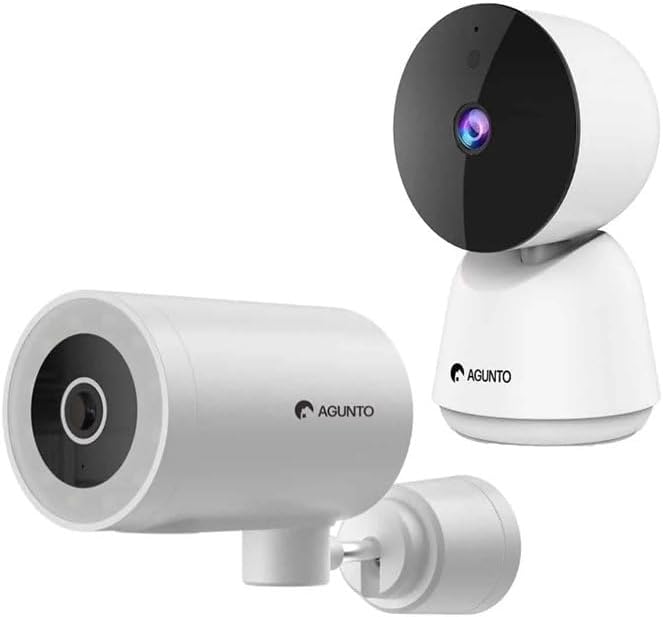
Image: The Agunto AGU-OC1 outdoor camera (left) and AGU-IC1 indoor camera (right), forming the complete security camera set.
2. Pwodwi souview
The Agunto Security Camera Set includes two primary components: the AGU-OC1 outdoor camera and the AGU-IC1 indoor camera. This system is designed to provide comprehensive surveillance for both indoor and outdoor environments.
2.1. AGU-OC1 Outdoor Camera
- Rezolisyon: 1080P
- Lantiy: 180-degree rotatable lens
- Rezistans move tan: IP66 ki enpèmeyab ak pousyè tè
- Vizyon lannwit: Infrared night vision and color night vision (due to built-in lamp)
- Deteksyon: Mouvman ak deteksyon son
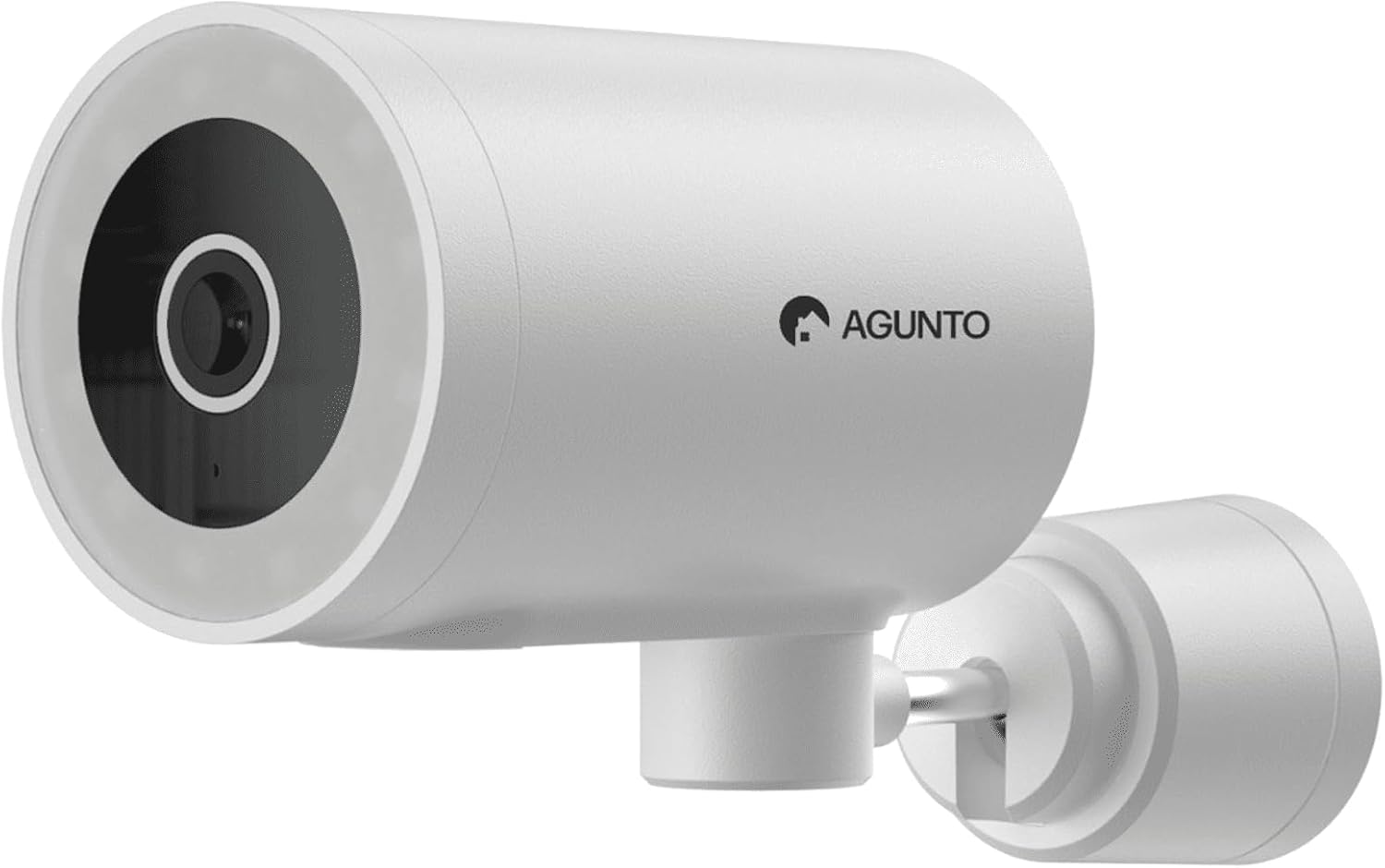
Imaj: Yon imaj detaye view of the Agunto AGU-OC1 outdoor camera, highlighting its robust design and lens.
2.2. AGU-IC1 Indoor Camera
- Rezolisyon: 1080P
- Lantiy: 359-degree rotatable lens
- Vizyon lannwit: Vizyon lannwit enfrawouj
- Deteksyon: Mouvman ak deteksyon son

Image: The Agunto AGU-IC1 indoor camera, shown with its product packaging, indicating Wi-Fi connectivity and Google Assistant compatibility.
3. Enstalasyon ak Enstalasyon
3.1. Anvan w kòmanse
- Ensure you have a stable Wi-Fi connection.
- Download the free Agunto app from the App Store (iOS) or Google Play Store (Android).
- Unpack all components and verify contents against the packing list.

Image: A screenshot of the Agunto mobile application interface, demonstrating remote control capabilities and links to download the app from the App Store and Google Play.
3.2. Enstalasyon Aplikasyon an ak Kreyasyon Kont
- Chèche pou "Agunto" in your device's app store and install the application.
- Open the Agunto app and follow the on-screen prompts to create a new account or log in if you already have one.
3.3. Plasman ak Montaj Kamera
AGU-OC1 Outdoor Camera:
- Chwazi yon kote ki gen yon klè view nan zòn ou vle kontwole.
- Asire w ke kamera a nan ranje rezo Wi-Fi ou a.
- Mount the camera securely to a wall using the provided mounting hardware. The camera supports wall mounting.
AGU-IC1 Indoor Camera:
- Place the camera on a flat surface or mount it to a wall/ceiling in a central location for optimal coverage.
- Ensure it is within Wi-Fi range.
3.4. Connecting Cameras to the App
- Open the Agunto app.
- Tape ikòn "+" la pou ajoute yon nouvo aparèy.
- Select the appropriate camera model (AGU-OC1 or AGU-IC1).
- Follow the in-app instructions to connect each camera to your Wi-Fi network. This typically involves scanning a QR code displayed on your phone with the camera's lens or entering Wi-Fi credentials.
- Once connected, you can name each camera for easy identification.
4. Operasyon Enstriksyon
4.1. Viv View ak kontwòl remote
- Open the Agunto app.
- Select the desired camera from the device list to view emisyon an dirèk li an.
- For AGU-OC1, use the app to rotate the 180-degree lens.
- For AGU-IC1, use the app to control the 359-degree pan/tilt function.
4.2. Anrejistreman ak Depo
The camera set supports two storage options:
- Kat mikwo SD: Insert a Micro SD card (not included) into the designated slot on each camera for local storage of recordings.
- Depo nwaj: Utilize the cloud storage options provided through the Agunto app (subscription may be required).
4.3. Vizyon lannwit
- Both cameras feature infrared night vision for clear images in low-light conditions.
- The AGU-OC1 outdoor camera also has a built-in lamp for color night vision, providing enhanced visibility at night.
4.4. Deteksyon Mouvman ak Son
- Enable motion and sound detection in the Agunto app settings for each camera.
- Receive real-time alerts on your smartphone when motion or sound is detected.
- Adjust sensitivity settings to minimize false alarms.
5. Antretyen
- Netwayaj: Gently wipe the camera lenses and body with a soft, dry cloth. Do not use harsh chemicals or abrasive cleaners.
- Mizajou mikrolojisyèl: Regularly check the Agunto app for available firmware updates to ensure optimal performance and security.
- Estabilite rezo: Ensure your Wi-Fi network remains stable for uninterrupted camera operation.
NAN. Depanaj
6.1. Camera Not Connecting to Wi-Fi
- Ensure your Wi-Fi password is entered correctly.
- Deplase kamera a pi pre routeur Wi-Fi ou a.
- Rekòmanse routeur ou a ak kamera a.
- Verify that your Wi-Fi network is 2.4GHz, as these cameras may not support 5GHz networks.
6.2. No Live View / Offline Camera
- Tcheke koneksyon entènèt ou an.
- Asire w ke kamera a limen.
- Restart the camera from its power source.
- If the issue persists, try re-pairing the camera with the app.
6.3. Deteksyon Mouvman an Pa Ap Fonksyone
- Verifye ke deteksyon mouvman an aktive nan paramèt aplikasyon an.
- Ajiste nivo sansiblite a.
- Asire w pa gen okenn obstak ki bloke kamera a view.
6.4. Imaj ki pa bon
- Netwaye lantiy kamera a.
- Asire w ke gen ase ekleraj nan zòn siveyans lan.
- Check your internet speed, as low bandwidth can affect streaming quality.
7. Espesifikasyon
| Karakteristik | Detay |
|---|---|
| Mak | Agunto |
| Non modèl | AGU-OC1IC1 |
| Pwotokòl Koneksyon | Wi-Fi |
| Aparèy konpatib | Smartphone |
| Kalite aliye | Mi mòn |
| Materyèl | Plastik |
| Product Dimensions (L x B x H) | 10 x 4.4 x 7.3 cm |
| Pwa atik | 78 gram |
| Batri obligatwa | Non |
| Outdoor Camera (AGU-OC1) Features | 1080P, 180-degree rotatable lens, IP66 waterproof/dustproof, Infrared & Color Night Vision |
| Indoor Camera (AGU-IC1) Features | 1080P, 359-degree rotatable lens, Infrared Night Vision |
| Opsyon Depo | Micro SD card (local), Cloud storage |
8. Garanti ak sipò
For warranty information and technical support, please refer to the official Agunto website or contact their customer service. The product is designed for long-term use with proper care and maintenance.
Règleman retounen: Gayan bwat acha a endike yon politik pou retounen pwodwi a nan 30 jou pou ranbousman/ranplasman.
Manifakti: Agunto
Vandè: Homevitaal (via Amazon.nl)
Pou plis asistans, ou ka vizite Agunto Store on Amazon.
Ask a question about this manual
Ask about setup, troubleshooting, compatibility, parts, safety, or missing instructions. Manuals+ will review the question and use this page’s manual context to help answer it.