
1. Entwodiksyon
This manual provides essential information for the proper setup, operation, and maintenance of your Sanpyl 22in HD Digital Photo Frame. Please read this manual thoroughly before using the device to ensure optimal performance and longevity.
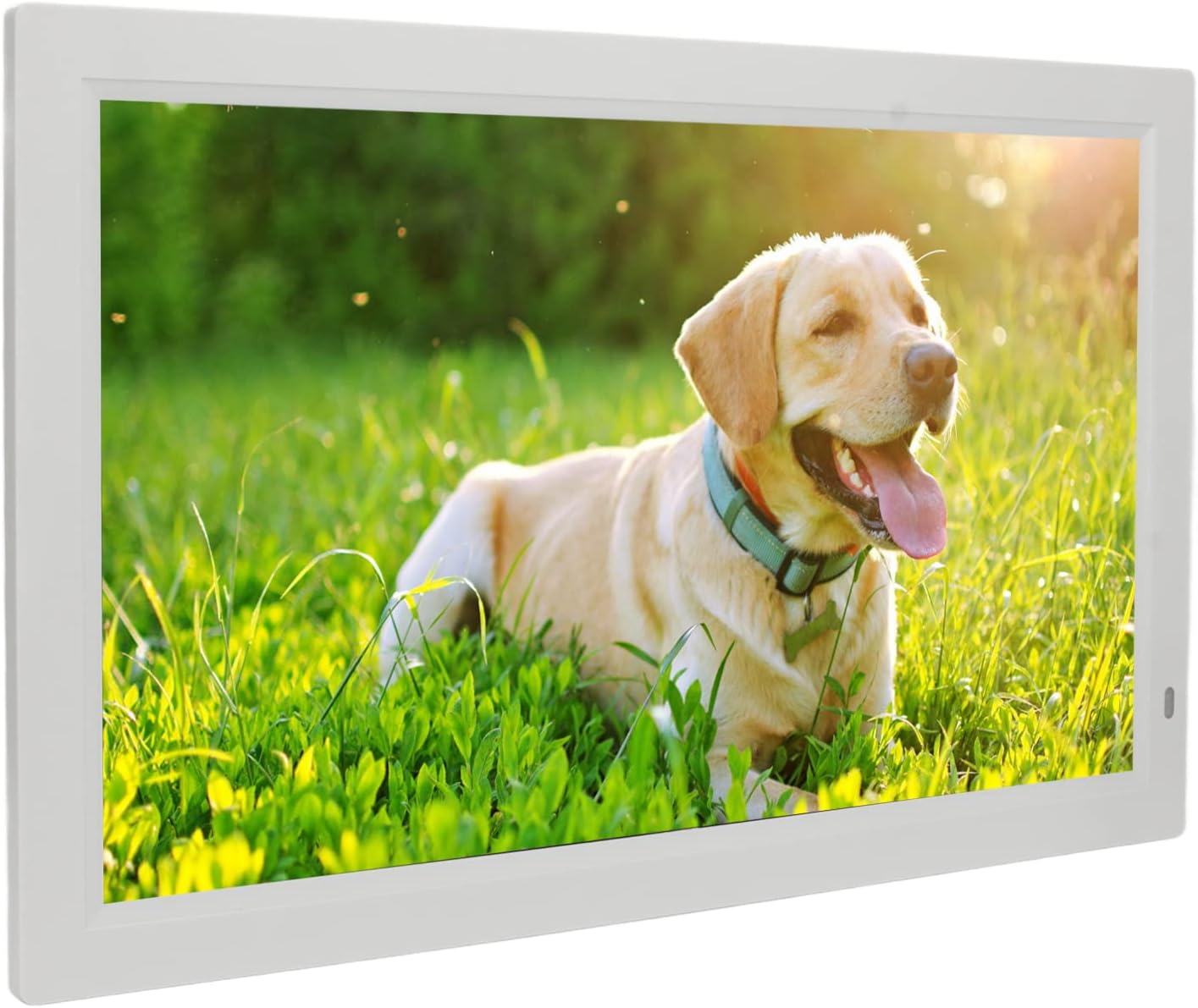
Image 1.1: The Sanpyl 22in HD Digital Photo Frame in use, displaying a vibrant image of a dog in a grassy field, with a remote control in hand.
2. Karakteristik
- Imaj Preview and Slideshow: Easily find specific photos with image preview. Set various slide effects, speeds, repeat modes, and breakpoint playback for videos.
- Kontwòl remote entelijan: Standard infrared remote for one-button control of pictures, videos, and music. Designed for ease of use.
- 22 Inch Large Screen: Adjustable brightness LED digital screen (16:10 aspect ratio) for excellent visuals and fine color reproduction.
- Fonksyon miltip: Includes clock, calendar, alarm clock, timing switch, scrolling subtitles, and automatic copy. Built-in stereo audio output for dynamic auditory experience and background music for photos.
- Powerful Storage Function: Supports external Storage cards (1G-16G), Multi Media Cards (not included), and USB flash disks (not included) for playing photos, music, and movies.
3. Pake kontni
Tanpri tcheke kare a pou atik sa yo:
- 1 x Digital Photo Frame
- 1 x Support
- 1 x Kab kouran (priz ameriken)
- 1 x Remote Control (with built-in CR2025 160mAh button battery)
- 1 x manyèl enstriksyon

Image 3.1: The Sanpyl 22in HD Digital Photo Frame shown with its included accessories: power adapter, remote control, and stand.
4. Enstalasyon
4.1 Tache kanpe la
- Locate the bracket in the package.
- Align the bracket with the designated slots on the back of the digital photo frame.
- Securely attach the bracket to provide stable support for the frame.

Imaj 4.1: Dèyè view of the digital photo frame, illustrating the attached stand for desktop placement.
4.2 Konekte pouvwa
- Connect the power cable to the DC interface on the back of the frame.
- Ploge adaptè pouvwa a nan yon priz elektrik estanda.
- The frame will power on automatically or can be turned on using the power button.

Imaj 4.2: Pwofesyonèl bò kotefile of the digital photo frame, highlighting the power input port.
4.3 Initial Power On and Navigation
Upon connecting power, the frame will display a welcome screen. Use the remote control or the buttons on the back of the frame to navigate the initial setup menus, including language selection and time settings.
Video 4.1: This video demonstrates the initial power-on sequence of the digital photo frame, menu navigation, and basic photo and video playback functionalities.
5. Opere
5.1 Lekti Medya
The Sanpyl Digital Photo Frame supports various media formats:
- Fòma foto: JPEG (pictures can be enlarged and rotated)
- Fòma videyo: MP4, AVI, MPG, FLV, VOB
- Fòm odyo: MP3, WMA
You can play media manually, remotely via the intelligent remote control, or set it to play automatically after starting. The frame supports mixed broadcast of pictures, music, and videos.
5.2 Using Storage Media
Insert your compatible storage media into the respective slots on the frame:
- Storage card (1G-16G)
- Multi Media Card (not included)
- USB flash disk (not included) via the USB interface
Once inserted, navigate to the appropriate media type (Photo, Music, Movie) using the remote or frame buttons to access and play your files.
5.3 Fonksyon adisyonèl
The frame offers several utility functions:
- Revèy ak Kalandriye: Display current time and date.
- Revèy Alam: Mete alam pou rapèl.
- Machin Chanjman Distribisyon: Pwograme lè limen/etenn pouvwa otomatik yo.
- Scrolling Subtitles: Display text overlays.
- Automatic Copy: Functionality for copying files.
6. Antretyen
6.1 Netwaye ekran an
To clean the screen, gently wipe it with a soft, dry, lint-free cloth. For stubborn smudges, slightly dampen the cloth with water or a screen-cleaning solution designed for electronics. Avoid using harsh chemicals or abrasive materials.
6.2 Swen Jeneral
- Keep the frame away from direct sunlight, heat sources, and moisture.
- Asire bon vantilasyon alantou aparèy la.
- Evite lage ankadreman an oswa soumèt li a gwo enpak.
- Lè w pa itilize l pou yon bon bout tan, deploge adaptè kouran an.
NAN. Depanaj
7.1 Pa gen pouvwa/ekspozisyon
- Check if the power adapter is securely connected to both the frame and the electrical outlet.
- Asire w ke priz kouran an fonksyone lè w teste li ak yon lòt aparèy.
- Press the power button on the remote or the frame to ensure it's turned on.
7.2 Media Not Playing
- Verifye ke medya yo files are in a supported format (JPEG, MP4, AVI, MPG, FLV, VOB, MP3, WMA).
- Ensure the storage card or USB flash disk is properly inserted and not corrupted.
- Check if the storage device has sufficient free space.
7.3 Kontwòl remote la pa reponn
- Ensure there are no obstructions between the remote control and the frame's infrared receiver.
- Check the remote control battery (CR2025). Replace if necessary.
8. Espesifikasyon
| Spesifikasyon | Valè |
|---|---|
| Kalite atik | Digital Photo Frame |
| Materyèl | ABS |
| Rezolisyon | 1080P |
| Voltage | 100-240V |
| Gwosè ekran | 22 inch LED digital screen (16:10) |
| Fòma Imaj Sipòte | JPEG |
| Sipòte fòma videyo | MP4, AVI, MPG, FLV, VOB |
| Fòma odyo sipòte | MP3, WMA |
| Sipòte Medya Depo | Storage card (1G-16G), Multi Media Card, USB flash disk |
| Fòma videyo | Support NTSC PAL switching |
| Entèfas Sòti | Headphone output interface, DC interface, USB interface, HD interface, Storage card or Multi Media Card interface |
| Mòd kontwòl | Play pictures manually, remotely or automatically after starting; Picture, music, video advertisement; Support mixed broadcast |
9. Garanti ak sipò
Your Sanpyl 22in HD Digital Photo Frame comes with a standard manufacturer's warranty. Please refer to the warranty card included in your package for specific terms and conditions. For technical support or service inquiries, please contact your retailer or the manufacturer directly.