
1. Entwodiksyon
The BOTSLAB W302 Outdoor Dual-Lens Security Camera is designed to provide comprehensive surveillance for your home or business. Featuring advanced dual-lens technology, it offers a 170° super-wide viewing angle and crystal-clear 4MP resolution. This manual provides detailed instructions for setting up, operating, and maintaining your security camera to ensure optimal performance.
2. Pake kontni
Tanpri verifye ke tout atik ki nan lis anba a yo enkli nan pakè ou a. Si gen nenpòt atik ki manke oswa ki domaje, tanpri kontakte sèvis kliyan.
- Inite kamera x 1
- Sipò x 1
- Pozisyon fichye x 1
- Warning sticker x 1
- Gid demaraj rapid x 1
- Adaptè pouvwa x 1
- Pake vis x 1

Figure 2.1: All components included in the BOTSLAB W302 camera package.
3. Pwodwi Features
- Dual-Lens Vision: Captures a wide 170° super-wide viewing angle with 4MP (2MP+2MP) resolution for seamless panoramic images without blind spots.
- Vizyon lannwit koulè: Provides continuous color views 24/7, even in low light, thanks to automatic light adaptation (ColorGuard) and up to 100ft night vision range.
- Smart Security & Precise Alerts: Detects people and vehicles with motion detection, sending precise alerts. Features a customizable siren and light alarm for enhanced security.
- AI-Powered Tracking: Intelligently focuses on humans, offering close-up views and dual live views (wide panorama and close-up) simultaneously via the Botslab app.
- Koneksyon san pwoblèm: Supports faster and more stable dual-band Wi-Fi (2.4GHz/5GHz).
- De-fason Audio: Stay connected and communicate with visitors or deter intruders.
- Konsepsyon ki enpèmeyab: IP66 rated, ensuring reliable performance in temperatures from -20°C to 60°C.
- Entegrasyon kay entelijan: Entegre san pwoblèm ak Amazon Alexa ak Google Assistant pou kontwòl vwa.

Figure 3.1: Dual-Lens Vision with 170° Super-Wide Angle.

Figure 3.2: Non-Stop Color Night Vision.

Figure 3.3: Smart Security with Person, Vehicle, and Motion Detection.
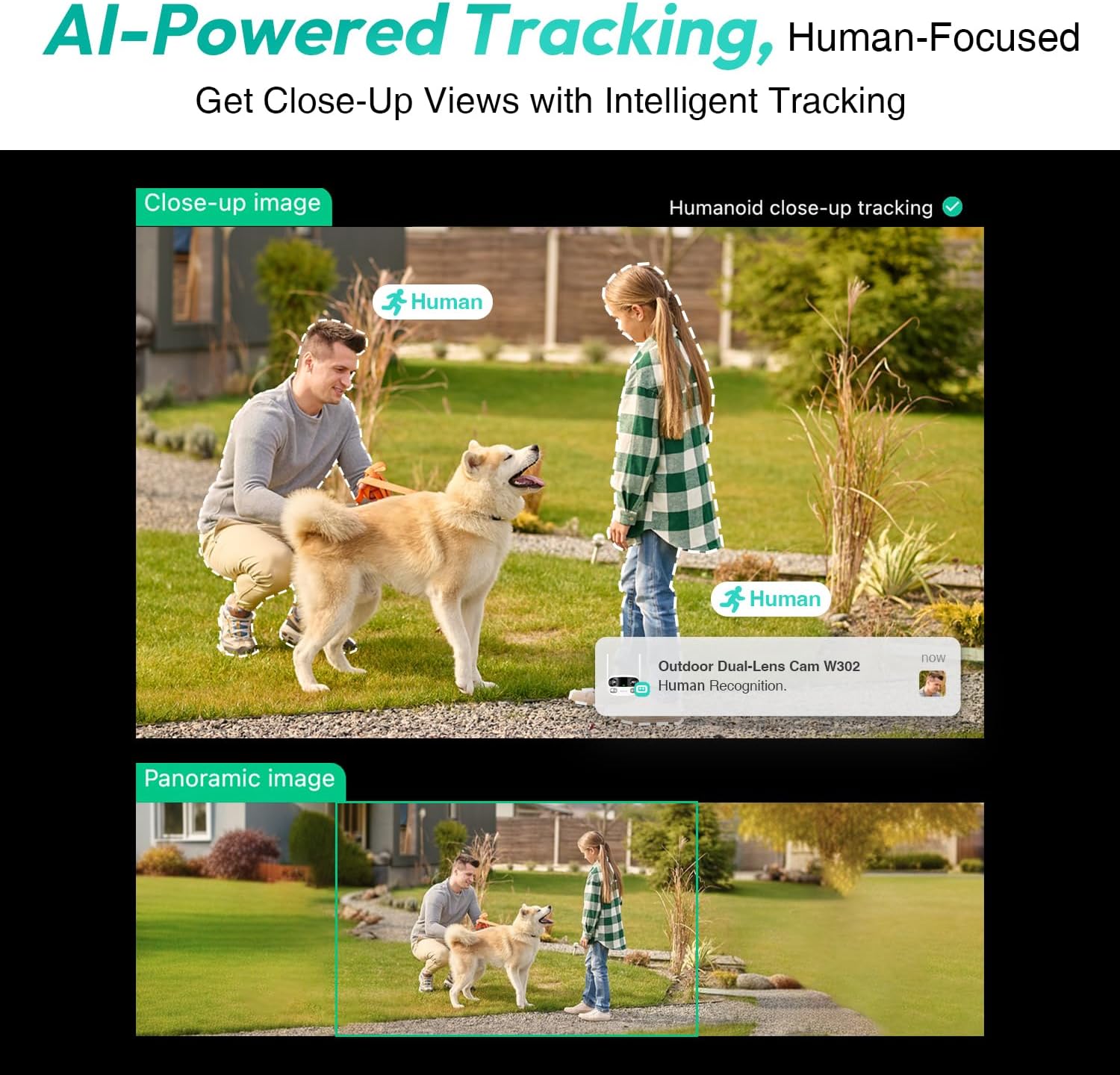
Figure 3.4: AI-Powered Human Tracking with Dual Live Views.
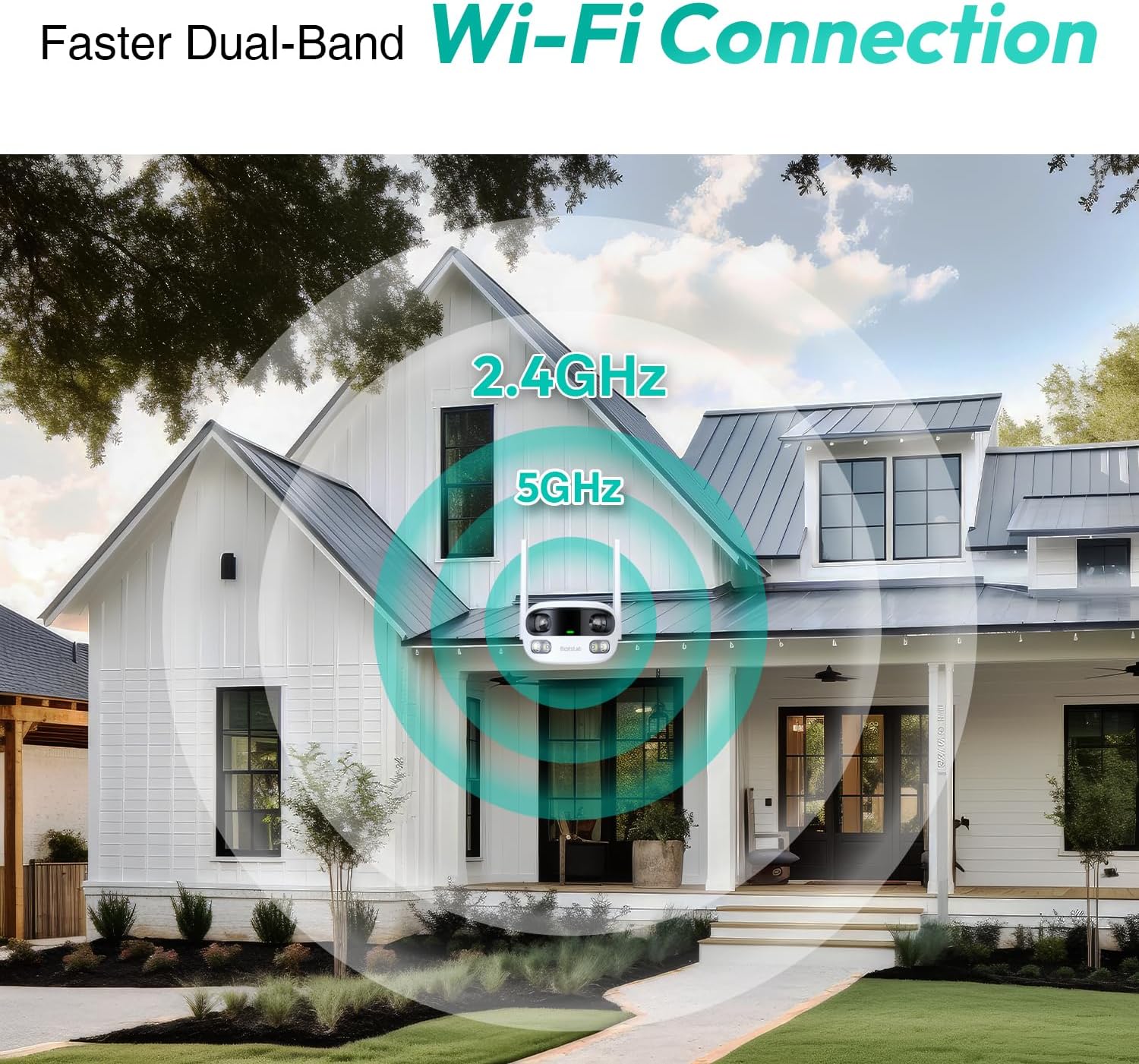
Figure 3.5: Faster Dual-Band Wi-Fi Connection.

Figure 3.6: Two-Way Audio Communication.

Figure 3.7: IP66 Weatherproof Design.

Figure 3.8: Alexa & Google Assistant Integration.
4. Enstalasyon ak Enstalasyon
Follow these steps to properly install your BOTSLAB W302 camera.
- Chwazi yon kote: Chwazi yon kote deyò ki klè view of the area you wish to monitor. Ensure it's within Wi-Fi range and near a power outlet.
- Monte bracket la: Use the provided positioning sticker to mark drill holes on the wall or ceiling. Drill the holes, insert expansion tubes, and securely fasten the bracket with screws.
- Tache kamera a: Rotate the camera body and screw it onto the bracket. Adjust the camera's position and tighten the bracket.
- Konekte pouvwa: Plug the power adapter into the camera and then into a power outlet. The indicator light will turn green and start flashing when ready for pairing.

Figure 4.1: Versatile Installation Options (Wall and Ceiling).
Videyo 4.1: Yon overview of the Botslab Security Camera Outdoor, including its features and installation process. This video is provided by Botslab Security.
5. Konfigirasyon Aplikasyon an
The Botslab app is essential for controlling and monitoring your camera. Download and install the app on your smartphone (available on App Store and Google Play).
- Enskri/Konekte: Open the Botslab app and register a new account or log in with an existing one.
- Ajoute Aparèy: Tap 'Add Device' or the '+' icon in the app.
- Fè eskanè kòd QR: Fè enspeksyon kòd QR ki chita sou anba kamera ou.
- Konekte ak Wi-Fi: Follow the in-app instructions to connect the camera to your 2.4GHz or 5GHz Wi-Fi network. Ensure your phone is near the camera during this process.
- Liaison aparèy: The app will bind the device to your account. Once connected, the indicator light on the camera will turn solid blue.
Videyo 5.1: Yon revizyon detayeview of the Botslab W302 Outdoor Dual Lens Security Camera, including app setup and features. This video is provided by Galaxy Tech Review.
6. Operasyon Enstriksyon
Once configured, you can access and control your camera through the Botslab app.
- Viv View: Access the live feed from both lenses. You can switch between close-up and panoramic views, or use the left/right mode for individual lens feeds.
- Pan / Zoom: In panoramic mode, slide the bottom image to pan left or right. Pinch to zoom on the close-up image.
- De-fason Audio: Tap the phone icon to speak through the camera's speaker. Tap the mute icon to silence audio from the camera's microphone.
- Siren & Light Alarm: Activate the siren and floodlights manually from the app to deter intruders.
- Motion/Vehicle/Person Detection: Enable these features in the app settings to receive precise alerts.
- Zòn konfidansyalite: Set specific areas within the camera's view that will not be monitored for privacy.
- Vizyon lannwit: The camera automatically adapts to low light. You can choose between full-color night vision (using floodlights) or infrared night vision.

Figure 6.1: Dual Live Views on the Botslab App.

Figure 6.2: Siren & Light Alarm for Instant Deterrence.

Figure 6.3: Configuring Privacy Zones.

Figure 6.4: Smart Security with Precise Alerts.
7. Opsyon Depo
The BOTSLAB W302 offers flexible storage solutions for your recorded footage.
- Botslab Cloud Storage: Includes a one-year trial with 7-day storage for motion-detected clips at 5-minute intervals.
- Depo lokal: Supports up to 256GB MicroSD cards (not included). The MicroSD card slot is located under a protective cover at the bottom of the camera.

Figure 7.1: Cloud and Local Storage Options.
8. Espesifikasyon
| Karakteristik | Spesifikasyon |
|---|---|
| Rezolisyon Capture Videyo | 4 MP |
| Viewing Ang | 170 Degre |
| Koneksyon Teknoloji | 2.4GHz/5GHz Wi-Fi |
| Rating Pwoteksyon Entènasyonal | IP66 |
| Tanperati Fonksyònman | -20 ° C a 60 ° C |
| Smart Kay konpatibilite | Amazon Alexa, Google Asistan |
| Depo lokal yo | Up to 256GB MicroSD (Not Included) |
| Sous pouvwa | Wired (AC power cord included) |
| Koulè | White Pro |
| Pwa atik | 1.63 liv |
9. Antretyen
- Netwayaj: Siye lantiy kamera a ak kò a regilyèman avèk yon twal mou, damp twal pou retire pousyè ak salte. Pa sèvi ak pwodui chimik ki agresif.
- Mizajou mikrolojisyèl: Check the Botslab app periodically for firmware updates to ensure optimal performance and security.
- Pwovizyon pou pouvwa: Ensure the camera is connected to a stable power source. Avoid using unofficial power adapters.
- SD Kat Jesyon: If using local storage, regularly back up important footage and format the MicroSD card to maintain performance.
NAN. Depanaj
- Kamera Offline: Check Wi-Fi connection and power supply. Try restarting the camera and your router.
- Kalite videyo pòv: Ensure the lens is clean. Check your Wi-Fi signal strength. Adjust camera placement if necessary.
- Pwoblèm deteksyon mouvman: Verify detection zones are correctly set in the app. Adjust sensitivity settings.
- Pwoblèm Odyo Bidireksyonèl: Tcheke paramèt mikwofòn ak oratè yo nan aplikasyon an. Asire w ke nivo volim yo adekwa.
- Kat SD a pa anrejistre: Ensure the MicroSD card is inserted correctly and is not full. Format the card if issues persist.
11. Garanti ak sipò
BOTSLAB is committed to providing high-quality products and excellent customer service.
- Garanti Kalite: Enjoy a 365-day quality guarantee.
- Èd teknik: Sipò teknik pou tout lavi disponib.
- Retounen: 30-day free returns.
- Fast Support: Expect support within 48 hours.
Pou plis asistans, tanpri vizite global.botslab.com oswa kontakte service@botslab.com.