
1. Pwodwi souview
The ECOPAD 10.1 Inch Android 15 Tablet is designed for versatile use, offering a balance of performance and portability. It features a quad-core processor, the Android 15 operating system, and a 10.1-inch IPS HD touchscreen for clear visuals. With ample storage and expansion options, dual cameras, and robust connectivity, this tablet is suitable for various tasks from entertainment to productivity.
- Sistèm operasyon: Android 15
- Ekspozisyon: 10.1-inch IPS HD (1280x800 pixels)
- Processeur: Quad-core ARM RK3562
- memwa: 12GB RAM (4GB physical + 8GB virtual)
- Depo: 64GB ROM, expandable up to 1TB via SD card (sold separately)
- Kamera: 2.0MP devan, 8.0MP dèyè
- Batri: 6000mAh Lithium Battery (up to 8 hours video playback)
- Koneksyon: Dual Band Wi-Fi (2.4/5GHz), Bluetooth 5.0
- Sètifikasyon: GMS Certified for full Google Play access
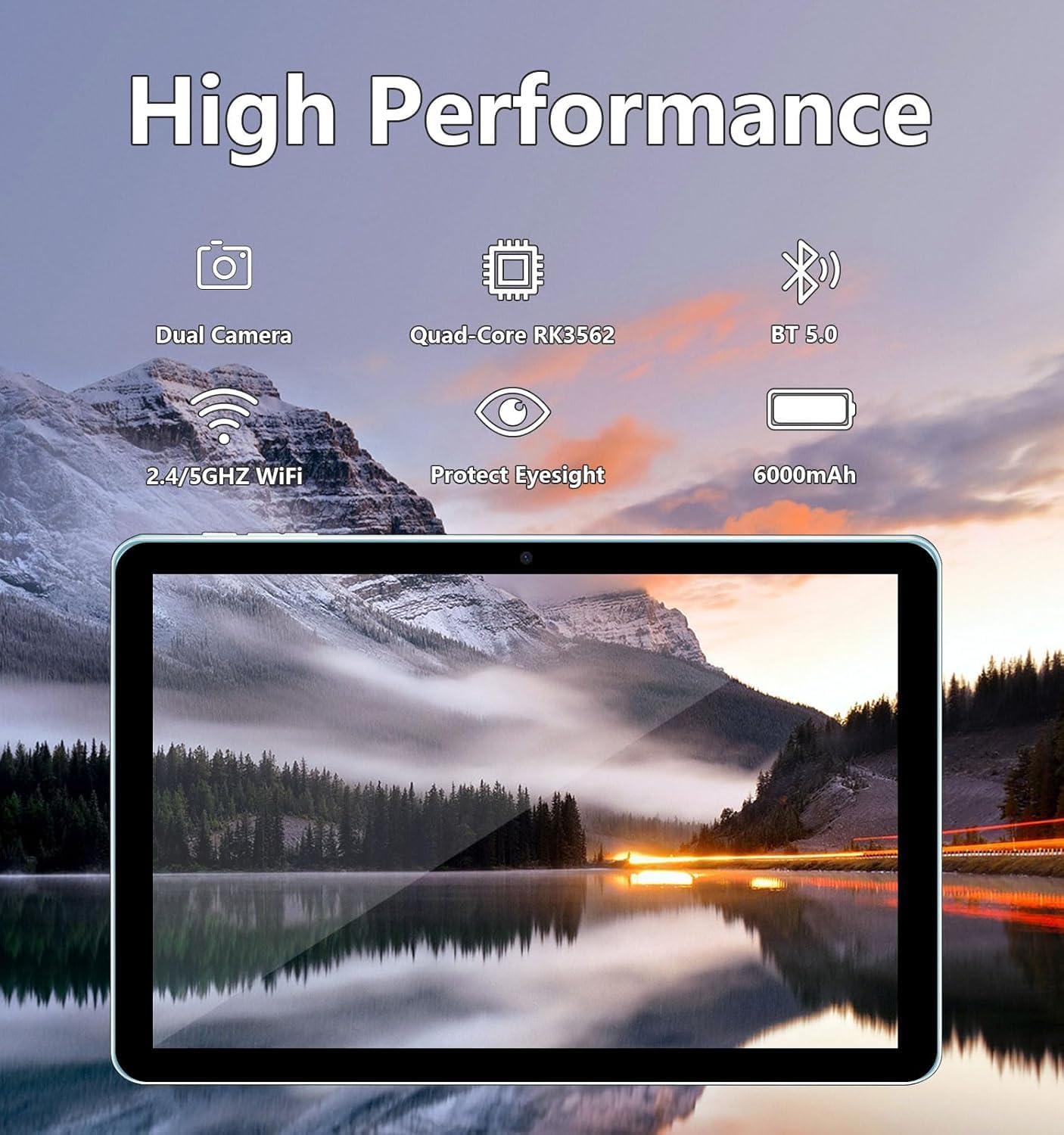
Image: The ECOPAD tablet showcasing its high-performance features including dual cameras, quad-core processor, Bluetooth 5.0, dual-band Wi-Fi, and 6000mAh battery.
2. Kòmanse
2.1 Unboxing Your Tablet
Carefully remove all items from the packaging. The box should contain the ECOPAD 10.1 Inch Tablet, a protective case, a USB-C charging cable, and a screen protector. Please check for any damage during transit.
2.2 Karakteristik Fizik
Familiarize yourself with the tablet's ports and buttons:

Image: A detailed diagram illustrating the location of the USB-C Port, SD Card Slot, Volume buttons, Power On/Off button, Reset button, Microphone, Front Camera, Headphone Jack, Speakers, Rear Camera, and Flash on the ECOPAD tablet.
- USB-C pò: Pou chaje ak transfè done.
- Plas kat SD: Insert a Micro SD card for expanded storage.
- Volim - / Volim +: Ajiste volim odyo a.
- Limen/Etenyen: Press and hold to power on or off. Short press to sleep/wake.
- Reset (Reboot): A small pinhole for force restarting the device if unresponsive.
- Mikwofòn: Pou antre odyo pandan apèl oswa anrejistreman.
- Kamera devan: Pou apèl videyo ak selfie.
- Kas ekoutè Jack: Konekte kas ekoutè 3.5mm.
- Oratè: Pou pwodiksyon odyo.
- Kamera dèyè: Pou pran foto ak videyo.
- Flash: Bay limyè pou kamera dèyè a.
2.3 Chaje tablèt la
Before first use, fully charge your tablet. Connect the provided USB-C cable to the tablet's USB-C port and the other end to a compatible USB power adapter (not always included) or a computer's USB port. The battery indicator on the screen will show charging status.
2.4 Limen/Etenyen
- Pou limen: Press and hold the Power On/Off button until the ECOPAD logo appears on the screen.
- Pou etenn: Press and hold the Power On/Off button until a power menu appears. Select 'Power Off' and confirm.
- Pou dòmi/reveye: Briefly press the Power On/Off button.
2.5 Inisyal Enstalasyon
Lè w limen tablèt la pou premye fwa, li pral gide w nan pwosesis konfigirasyon inisyal la. Sa anjeneral gen ladan l:
- Chwazi lang ou.
- Konekte nan yon rezo Wi-Fi.
- Konekte avèk kont Google ou a oubyen kreye yon nouvo.
- Konfigirasyon blokaj ekran an (Kòd PIN, modèl, modpas).
- Reviewing and accepting Google services terms.
3. Itilizasyon Tablèt ou a
3.1 Navigasyon ekran taktil
The tablet's 10.1-inch IPS HD touchscreen supports multi-touch gestures:
- Tape: Chwazi yon atik oubyen louvri yon aplikasyon.
- Manyen epi kenbe: Aksè nan meni kontèkstal yo oubyen deplase atik yo.
- Glise: Navigate through screens, scroll lists, or dismiss notifications.
- Zoom-pou-Zoom: Agrandi oswa diminye imaj yo epi web paj.
3.2 Konekte ak Wi-Fi
Pou konekte ak entènèt la:
- Ale nan Anviwònman > Rezo ak entènèt > Wi-Fi.
- Aktive Wi-Fi a On.
- Chwazi rezo ou vle a nan lis la.
- Antre modpas la si yo mande w epi tape Konekte.
3.3 Google Play Store
As a GMS Certified device, your tablet has full access to the Google Play Store. You can download a wide variety of applications, games, movies, and books.
- Tape la Jwe magazen ikòn sou ekran lakay ou oswa nan tiwa aplikasyon an.
- Browse or search for apps.
- Tape Enstale to download and install an app.

Image: The tablet display featuring the Google Play Store icon and other Google Mobile Services (GMS) applications, indicating full access to the Android ecosystem.
3.4 Jesyon Depo
The tablet comes with 64GB of internal storage (ROM) and 12GB of RAM (4GB physical + 8GB virtual for enhanced performance). You can expand storage further:
- Kat mikwo SD: Insert a Micro SD card (up to 1TB, sold separately) into the SD card slot to store additional photos, videos, and files.
- Pou jere depo, ale nan Anviwònman > Depo.

Image: The tablet screen displaying its storage capabilities, including 12GB RAM, 64GB ROM, and the option for 1TB SD card expansion, allowing users to store a large volume of data.
3.5 Itilizasyon Kamera
The tablet is equipped with a 2.0MP front camera and an 8.0MP rear camera.
- Louvri a Kamera app.
- Tape ikòn kamera a pou chanje ant kamera devan ak dèyè.
- Tape bouton deklanchè a pou pran yon foto oswa pou kòmanse/sispann anrejistreman videyo.

Image: The tablet screen showing a video conference with four participants, demonstrating the clarity of the 10.1-inch 1280x800 HD display for communication.
3.6 Koneksyon Bluetooth
Connect your tablet to Bluetooth devices like headphones, speakers, or keyboards.
- Ale nan Anviwònman > Aparèy ki konekte > Bluetooth.
- Aktive Bluetooth On.
- Tablèt la pral chèche aparèy ki disponib yo. Chwazi aparèy ou an nan lis la pou konekte li.
4. Antretyen
4.1 Swen Batri
To maximize your tablet's battery life and longevity:
- Evite tanperati ekstrèm.
- Pa kite batri a dechaje nèt souvan.
- Debranche chajè a yon fwa tablèt la fin chaje nèt.
- Reduce screen brightness and disable unnecessary features (e.g., Bluetooth, Wi-Fi) when not in use.
4.2 Netwaye Tablèt ou a
Sèvi ak yon twal mou ki pa gen pousyè pou netwaye ekran an ak kò tablèt la. Pou tach ki difisil pou retire, siye yon ti kras.ampRense twal la avèk dlo oswa yon solisyon pou netwaye ekran. Evite pwodui chimik ki agresif oswa materyèl abrazif.
NAN. Depanaj
If you encounter issues with your ECOPAD tablet, try the following common solutions:
- Tablet is unresponsive: Press and hold the Power On/Off button for about 10-15 seconds to force a restart. If this doesn't work, locate the small 'Reset' pinhole and use a thin object (like a paperclip) to press it gently.
- Apps are crashing or running slowly: Close unused apps, clear app caches (Settings > Apps > [App Name] > Storage & cache > Clear cache), or restart the tablet. Ensure your apps are updated.
- Pwoblèm koneksyon Wi-Fi: Ensure Wi-Fi is enabled. Try restarting your router and the tablet. Forget the network and reconnect.
- Batri a ap dechaje byen vit: Reduce screen brightness, disable background app refresh, turn off GPS, Bluetooth, and Wi-Fi when not needed. Check battery usage in Settings to identify power-hungry apps.
- Screen is not responding to touch: Rekòmanse tablèt la. Si pwoblèm nan pèsiste, asire w ekran an pwòp epi li pa gen okenn debri.
Si etap sa yo pa rezoud pwoblèm ou an, tanpri al gade seksyon Garanti ak Sipò a pou plis asistans.
6. Espesifikasyon
| Karakteristik | Spesifikasyon |
|---|---|
| Kanpe gwosè ekspozisyon ekran | 10.1 pous |
| Rezolisyon ekran | 1280 x 800 piksèl |
| Rezolisyon ekran maksimòm | 1280 * 800 piksèl |
| Kalite san fil | Bluetooth |
| Dire lavi batri mwayèn (an èdtan) | Jiska 8 èdtan (lektur videyo) |
| Mak | ECOPAD |
| Seri | THTH-K12C |
| Nimewo modèl atik | THTH-K12C |
| Sistèm operasyon | Android 15 |
| Pwa atik | 2.02 liv |
| Dimansyon pwodwi | 9.5 x 6.2 x 0.28 pous |
| Dimansyon atik LxWxH | 9.5 x 6.2 x 0.28 pous |
| Koulè | Ble |
| Dèyè WebCam Rezolisyon | 8 MP |
| Mak processeur | ARM |
| Batri | 1 Lityòm Polymère pil obligatwa. (enkli) |
| Kapasite Depo memwa | 64 GB (ou ka ogmante l jiska 1TB) |
7. Garanti ak sipò
ECOPAD offers comprehensive support for your product.
- Garanti: Your ECOPAD tablet comes with a 1-year warranty. This warranty covers product failures due to manufacturing defects.
- Kontakte sipò: If you have any questions, encounter issues, or require technical assistance, please do not hesitate to contact ECOPAD customer service. Most questions are answered within 24 hours.
ECOPAD is committed to providing high-quality products and excellent customer service, continuously improving products and services through sharing and communication.