
Entwodiksyon
Welcome to the user manual for your new Lenovo LOQ 15.6" Gaming Laptop. This guide provides essential information on setting up, operating, maintaining, and troubleshooting your device. Please read this manual thoroughly to ensure optimal performance and longevity of your laptop.
Enstalasyon
1. Unboxing ak Inisyal Enspeksyon
Retire laptop ou a ak tout akseswa yo nan anbalaj la avèk prekosyon. Verifye ke tout konpozan yo prezan:
- Lenovo LOQ 15.6" Gaming Laptop
- Adaptè pouvwa
- Manyèl Pwopriyetè a (dokiman sa a)
Inspect the laptop for any physical damage. If you find any damage or missing items, contact your retailer immediately.
2. Konekte ak pouvwa
Before first use, connect the power adapter to your laptop and a power outlet.
- Plug the power adapter cable into the charging port on your laptop.
- Ploge adaptè pouvwa a nan yon priz miray.
- Allow the laptop to charge for at least 30 minutes before initial power-on.

Imaj: Dèyè view of the Lenovo LOQ laptop showing the power port and other connections.
3. Initial Power-On and Windows Setup
Press the power button to turn on your laptop. Follow the on-screen instructions to complete the Windows 11 Home setup process. This includes selecting your language, connecting to a Wi-Fi network, and creating a user account.
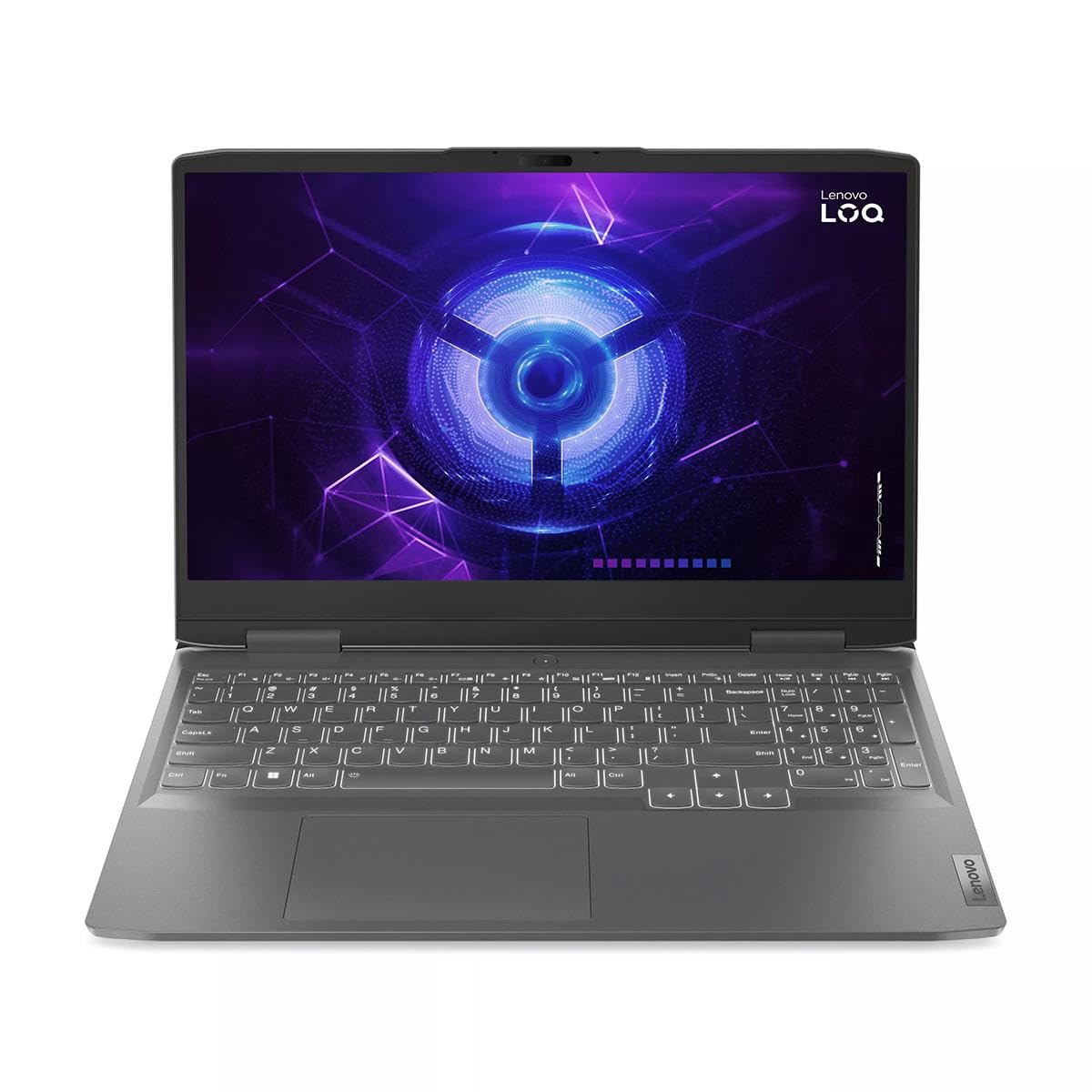
Image: The Lenovo LOQ laptop screen showing the Windows 11 operating system interface.
Itilizasyon Laptop ou a
1. Klavye ak Touchpad
Your Lenovo LOQ laptop features a full-size gaming keyboard with a numeric keypad and a precision touchpad.
- Klavye retroeklere: The keyboard includes backlighting for use in low-light conditions. Use the dedicated function keys (Fn + Spacebar, typically) to adjust brightness levels.
- Jès Touchpad: Touchpad la sipòte jès milti-touch pou navigasyon, defile, ak zoom. Gade paramèt Windows yo pou pèsonalizasyon.

Image: Close-up of the laptop's keyboard and touchpad area.
2. Konekte periferik
The laptop offers various ports for connecting external devices:
- Pò USB: Connect USB devices such as mice, keyboards, and external storage.
- USB-C pò: For data transfer and potentially display output (check specific model capabilities).
- HDMI2.0: Connect to external monitors or TVs for extended display.
- RJ-45 (Etènèt): Pou koneksyon rezo filaire.
- 3.5mm Audio Jack: Pou kas ekoutè oswa oratè ekstèn.

Image: Left side of the laptop displaying various input/output ports.

Image: Right side of the laptop displaying a USB port.
3. Ekspozisyon ak Grafik
Your laptop features a 15.6-inch Full HD (1920x1080) 144Hz IPS display with G-Sync support, powered by an NVIDIA GeForce RTX 3050 6GB graphics card.
- Pousantaj rafrechisman: The 144Hz refresh rate provides smoother visuals, especially in fast-paced games.
- G-Sync: NVIDIA G-Sync technology synchronizes the display's refresh rate with the GPU, eliminating screen tearing and minimizing stutter.
- Panèl kontwòl NVIDIA: Access the NVIDIA Control Panel for advanced graphics settings and optimization for games.
Antretyen
1. Netwaye òdinatè pòtab ou a
Regular cleaning helps maintain your laptop's appearance and performance.
- Ekran: Sèvi ak yon ti moso twal mou, ki san pèl dampLave avèk dlo oswa yon pwodui netwayaj ekran. Pa flite likid dirèkteman sou ekran an.
- Klavye ak chasi: Sèvi ak yon twal mou pou siye sifas yo. Pou pousyè nan fant yo, sèvi ak lè konprese.
- Vantilasyon: Periodically clean the cooling vents to ensure proper airflow and prevent overheating.

Image: Underside of the laptop, highlighting the cooling vents for maintenance.
2. Mizajou lojisyèl
Kenbe sistèm operasyon ou ak chofè ou yo ajou pou sekirite ak pèfòmans.
- Mizajou Windows yo: Ale nan Anviwònman > Mizajou Windows pou tcheke epi enstale dènye mizajou Windows yo.
- Mizajou chofè: Regularly check the Lenovo support website for updated drivers for your specific model, especially for graphics and chipset.
3. Swen batri
Pou maksimize dire lavi batri a:
- Evite tanperati ekstrèm.
- Do not frequently discharge the battery completely.
- Si w ap sere laptop la pou yon bon bout tan, chaje batri a apeprè 50-60%.
Depanaj
Seksyon sa a adrese pwoblèm komen ou ka rankontre.
1. Laptop la pa limen
- Asire w adaptè kouran an byen konekte ak laptop la ak yon priz kouran ki fonksyone.
- Tcheke si priz kouran an ap fonksyone lè w branche yon lòt aparèy ladan l.
- If the battery is completely drained, allow it to charge for a while before attempting to power on.
2. Pwoblèm ekspozisyon
- Pa gen ekspozisyon: Konekte yon monitè ekstèn atravè HDMI pou tcheke si pwoblèm nan soti nan ekran entèn laptop la.
- Dim Display: Ajiste klète ekran an avèk kle fonksyon yo (pa egzanp, Fn + F5/F6).
- Ekran chire/bègman: Ensure NVIDIA G-Sync is enabled and graphics drivers are up to date.
3. Pwoblèm Pèfòmans
- Pèfòmans Ralanti: Fèmen aplikasyon ki pa nesesè yo, tcheke pou pwosesis an background, epi asire w ke gen ase espas depo lib.
- Surchof: Ensure cooling vents are clear and the laptop is on a hard, flat surface. Consider cleaning the vents.
- Pèfòmans jwèt: Update graphics drivers, adjust in-game settings, and ensure the laptop is in a high-performance power mode.
Espesifikasyon
Detailed technical specifications for the Lenovo LOQ 15.6" Gaming Laptop.
| Karakteristik | Detay |
|---|---|
| Mak | Lenovo |
| Non modèl | LOQ |
| Gwosè ekran | 15.6 pous |
| Rezolisyon ekspozisyon | 1920 x 1080 (Full HD) |
| Rafrechisman pousantaj | 144 Hz |
| Modèl CPU | Intel Nwayo i5-13420H |
| Vitès processeur | 4.6 GHz (Max) |
| Nwayo processeur | 8 |
| Koprosesè grafik | NVIDIA GeForce RTX 3050 |
| RAM kat grafik | 6 GB |
| Memwa RAM enstale | 8 GB DDR5 5600 MHz |
| Gwosè Disk Difisil | 512 GB NVMe SSD |
| Sistèm operasyon | Windows 11 Kay |
| Teknoloji san fil | Wi-Fi 6 (802.11ax), Bluetooth 5.1 |
| Pò | USB, USB-C, HDMI 2.0, RJ-45 (Ethernet), 3.5mm Jack |
| Dire Batri (Maksimòm) | 6 èdtan |
| Pwa | 5.28 liv |
| Dimansyon (L x W x P) | 10.42" x 14.16" x 0.99" |
| Karakteristik espesyal | G-Sync Support, Backlit Keyboard, Built-In Webcam, Dual Speakers |
Enfòmasyon sou Garanti
Your Lenovo LOQ laptop comes with a Garanti limite. For detailed terms and conditions, including coverage period and service procedures, please refer to the warranty card included with your product or visit the official Lenovo support websit.
Kenbe prèv ou achte pou reklamasyon garanti.
Sipò ak Kontakte
For further assistance, technical support, or to download the latest drivers and software, please visit the official Lenovo Support websit:
You can also find contact information for customer service in your region on the support websit.