Welcome to the user manual for your new Lenovo ThinkPad P16 Gen 2 mobile workstation. This powerful laptop is designed for demanding professional tasks, featuring an Intel Core i9-13980HX processor, NVIDIA RTX 4000 Ada graphics, and a stunning 16-inch WQUXGA display. This manual provides essential information for setting up, operating, maintaining, and troubleshooting your device to ensure optimal performance and longevity.
Figure 1: Lenovo ThinkPad P16 Gen 2, an open view montreasing ekran li ak klavye li.
2. Enstalasyon
2.1 Debale ak Premye Enspeksyon
Carefully remove your ThinkPad P16 Gen 2 and its accessories from the packaging. The box should contain the following items:
Lenovo ThinkPad P16 Gen 2 Laptop
Batri entegre (pre-enstale)
230W Slim Tip Power Adapter
Inspect the laptop for any visible damage. If you find any, contact your vendor immediately.
2.2 Konekte pouvwa
Before first use, connect the laptop to a power source using the provided 230W Slim Tip Power Adapter.
Plug the power adapter into the power connector on your laptop.
Ploge fil elektrik la nan yon priz elektrik.
Batri a ap kòmanse chaje otomatikman.
2.3 Premye Demaraj ak Enstalasyon Windows
Press the power button to turn on your laptop. Follow the on-screen instructions to complete the Windows 11 Pro setup process. This includes setting up your region, language, network connection, and user account.
2.4 Enstalasyon Lektè Anprent Dwèt
For enhanced security, configure the integrated fingerprint reader during the Windows setup or later via Windows Settings. This allows for quick and secure login.
3. Operating Your ThinkPad P16 Gen 2
3.1 Klavye ak Touchpad
Your ThinkPad P16 Gen 2 features a full-sized, backlit QWERTY keyboard for comfortable typing. The integrated TrackPoint pointing device and large multi-touch touchpad provide precise navigation.
Kontwòl ekleraj: Adjust keyboard backlight brightness using the Fn + Spacebar keys.
Kle Fonksyon: Utilize the Fn keys (F1-F12) for quick access to system functions like volume, brightness, and external display control.
Figi 2: Close-up view of the keyboard, TrackPoint, and touchpad.
3.2 Montre
The 16-inch WQUXGA (3840 x 2400) IPS display offers exceptional clarity and color accuracy, with 800 nits brightness and 100% DCI-P3 color gamut. It is ideal for professional content creation and detailed work.
Ajisteman klète: Use the F5 and F6 keys to adjust screen brightness.
Ekspozisyon ekstèn: Connect external monitors via the HDMI or DisplayPort outputs for extended workspace.
3.3 Pò ak Konektivite
The ThinkPad P16 Gen 2 provides a variety of ports for connecting peripherals and external devices.
Pò USB: Connect USB devices such as external drives, keyboards, and mice.
HDMI/Pò Display: Pou konekte ekran ekstèn yo.
Lektè kat SD: For transferring data from SD cards.
Wi-Fi: Konekte sou rezo san fil pou jwenn aksè a entènèt.
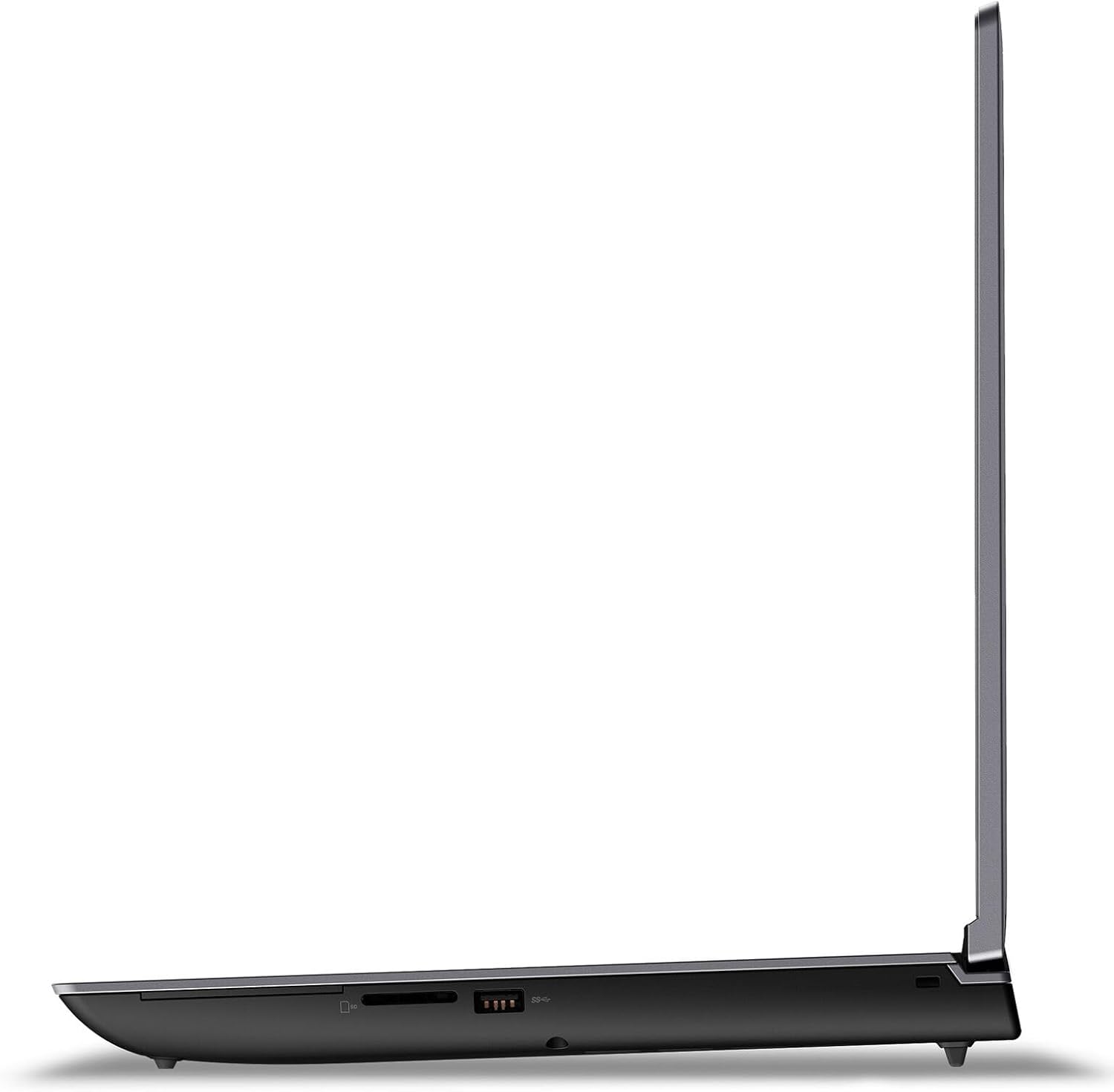
Figure 3: Left side ports of the ThinkPad P16 Gen 2.
Figure 4: Right side ports of the ThinkPad P16 Gen 2.
3.4 Kamera ak Odyo
The laptop features a 1080P FHD IR/RGB Hybrid camera with a privacy shutter, along with dual array microphones for clear communication. Stereo speakers with Dolby Atmos provide immersive audio.
Panno sou enfòmasyon prive: Slide the shutter to cover the camera lens when not in use for privacy.
Kontwòl odyo: Adjust volume using the dedicated function keys (F1-F4).
4. Antretyen
4.1 Netwaye òdinatè pòtab ou a
Regular cleaning helps maintain the appearance and functionality of your ThinkPad P16 Gen 2.
Ekran: Sèvi ak yon moso twal mou, ki san pèl dampLave avèk dlo oswa yon pwodui netwayaj ekran. Pa flite likid dirèkteman sou ekran an.
Klavye ak chasi: Sèvi ak yon twal mou pou siye sifas yo. Pou pousyè tè ki difisil pou retire, siye yon ti kras.amp Ou ka itilize twal. Evite pwodui chimik ki agresif.
4.2 Swen Batri
The integrated 94Wh battery is designed for long-lasting performance. To optimize battery life:
Evite tanperati ekstrèm.
Pa dechaje batri a nèt souvan.
Adjust power settings in Windows to 'Balanced' or 'Power Saver' when not performing intensive tasks.
4.3 Mizajou lojisyèl
Keep your operating system and drivers updated to ensure optimal performance, security, and compatibility.
Mizajou Windows yo: Regularly check for and install updates via Windows Settings > Update & Security.
Mizajou chofè: Vizite sipò ofisyèl Lenovo a website to download the latest drivers for your specific model.
NAN. Depanaj
This section addresses common issues you might encounter with your ThinkPad P16 Gen 2.
Pwoblèm
Solisyon posib
Laptop la pa limen.
Ensure the power adapter is securely connected to both the laptop and a working electrical outlet. Check the power adapter's indicator light. Try a different outlet.
Ekran an vid oswa li ap tranble.
Adjust screen brightness (Fn + F6). Connect an external monitor to check if the issue is with the laptop's display or graphics card. Update graphics drivers.
Pwoblèm koneksyon Wi-Fi.
Ensure Wi-Fi is enabled (check Windows settings). Restart your router and modem. Update wireless network drivers.
Sistèm nan ralanti oswa li pa reponn.
Close unnecessary applications. Check Task Manager for processes consuming high CPU/RAM. Run a virus scan. Ensure sufficient free storage space.
If you are unable to resolve an issue using these steps, please refer to the Warranty and Support section for further assistance.
6. Espesifikasyon
Detailed technical specifications for the Lenovo ThinkPad P16 Gen 2 (Model: 21FA0028US).
Processeur: Intel Core i9-13980HX (24 Cores, 32 Threads, P-core up to 5.6GHz, E-core up to 4.0GHz, 36MB Cache)
Grafik: NVIDIA RTX 4000 Ada Generation Laptop GPU 12GB GDDR6
Chipset: Intel WM790
memwa: 64GB DDR5 SO-DIMM (expandable up to 192GB across four slots)
Depo: 2TB SSD M.2 2280 PCIe 4.0x4 Performance NVMe (supports up to two M.2 SSDs)
Ekspozisyon: 16-inch WQUXGA (3840 x 2400) IPS, Anti-Glare, Non-Touch, HDR 400, 100% DCI-P3, 800 nits, 60Hz, Low Blue Light
Odyo: High Definition (HD) Audio, Realtek ALC3306 codec, Stereo speakers (2W x2) with Dolby Atmos
Kamera: 1080P FHD IR/RGB Hybrid with Privacy Shutter
Mikwofòn: 2x, etalaj
Batri: Entegre 94Wh
Adaptè pouvwa: 230W Slim Tip (3-pin)
Klavye: Backlit, English QWERTY layout
Koulè ka: Storm Grey (Top), Villi Black (Bottom)
Dimansyon (LxPxH): 364 x 266 x 30.23 mm (14.3 x 10.5 x 1.2 pous)
Pwa: Kòmanse nan 2.95 kg (6.5 lbs)
Sistèm operasyon: Windows 11 Pro
Pò: USB, HDMI, DisplayPort, SD 7.0 Card Reader
Koneksyon: Wi-Fi (802.11n)
UPC: 197529886854
Ask a question about this manual
Ask about setup, troubleshooting, compatibility, parts, safety, or missing instructions. Manuals+ will review the question and use this page’s manual context to help answer it.