
Entwodiksyon
This manual provides essential information for the safe and efficient use of your SANSUI JSW50GSUHD 50-inch 4K Ultra HD Smart Google LED TV. Please read these instructions thoroughly before operating the television and retain them for future reference.

Imaj: Devan view of the SANSUI JSW50GSUHD 50-inch 4K Ultra HD Smart Google LED TV.
Enfòmasyon sou Sekirite
Always follow basic safety precautions when using this television to reduce the risk of fire, electric shock, and injury. Keep the TV away from water and moisture. Do not block ventilation openings. Use only attachments/accessories specified by the manufacturer. Refer all servicing to qualified service personnel.
Ki sa ki nan bwat la
Debale bwat la ak anpil atansyon epi asire w tout bagay yo la:
- 1 x SANSUI JSW50GSUHD 50-inch TV
- 1 x kontwòl remote
- 1 pair x AAA Batteries (for remote)
- 1 set x Base Stand
- 2 pairs x Screws (for stand)
- 1 set x Wall Mounting Kit (if included)
- 1 x Manyèl itilizatè & Kat Garanti
- 1 x pouvwa kab
- 1 x Mini AV cable
Enstalasyon
1. Plasman televizyon
Place the TV on a stable, flat surface using the provided base stand, or mount it on a wall using a compatible VESA 100 x 100 mm wall mount (sold separately). Ensure adequate ventilation around the TV.

Image: The SANSUI JSW50GSUHD TV placed on a media console with its stand.
2. Konekte Aparèy Ekstèn
Your SANSUI TV offers various connectivity options:
- Pò HDMI (3): Connect Blu-ray players, gaming consoles, set-top boxes, etc.
- Pò USB (2): Konekte kle USB yo pou li medya yo.
- AV (Mini) Port: Pou aparèy ki pi ansyen k ap itilize videyo konpoze ak odyo stereo.
- Ethernet (LAN) pò: Pou yon koneksyon entènèt filaire.
- Antèn/RF Antre: Pou konekte yon antèn oswa yon kab televizyon.
- Sòti odyo optik: Pou konekte ak sistèm odyo ekstèn.
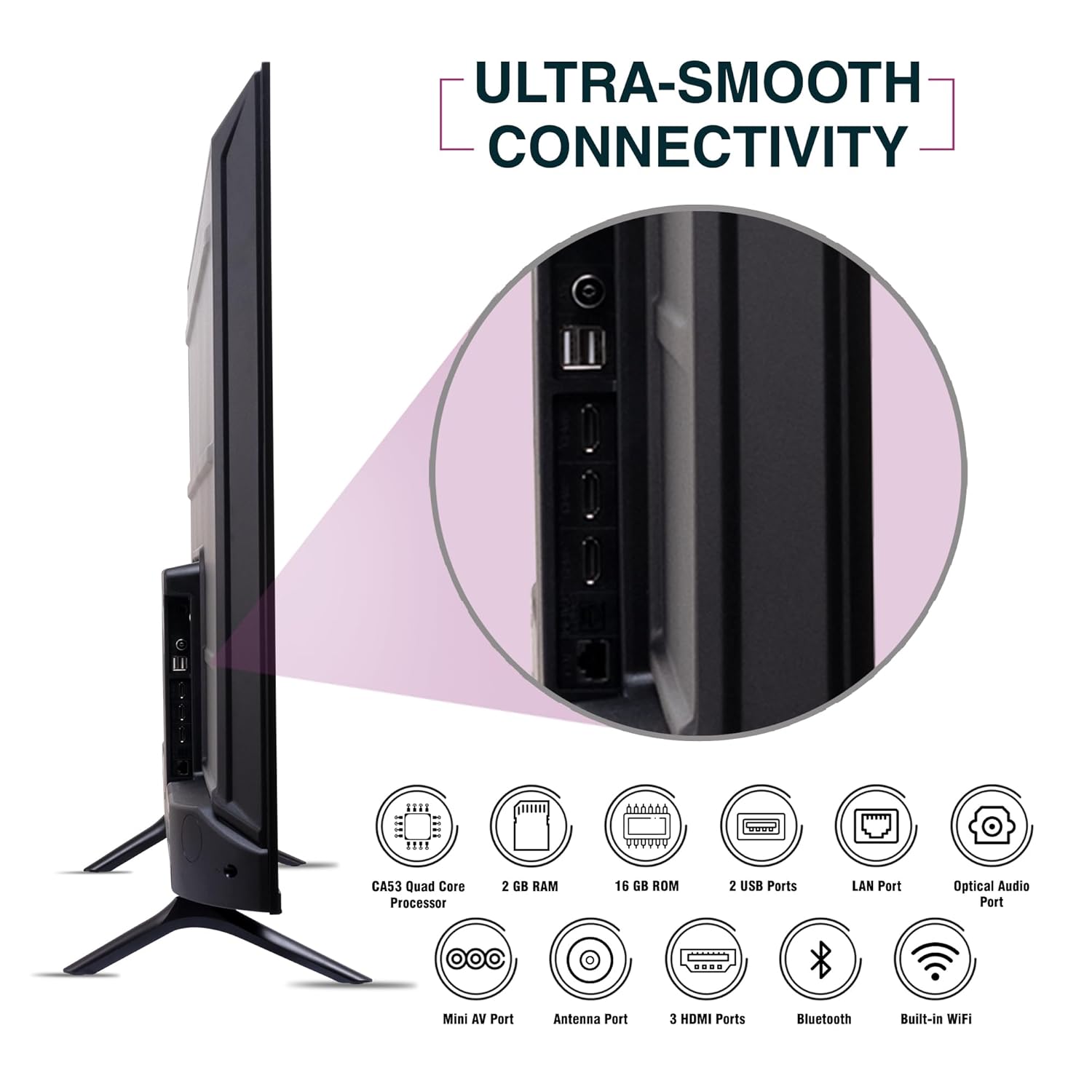
Imaj: Bò kote view of the SANSUI JSW50GSUHD TV highlighting the various input and output ports.
3. Koneksyon pouvwa
Connect the power cable to the TV's power input and then to a wall outlet. The TV supports 100-240 VAC, 50-60 Hz.
4. Enstalasyon kontwòl Remote
Mete de pil AAA yo nan kontwòl remote la, asire w ke polarite a kòrèk.
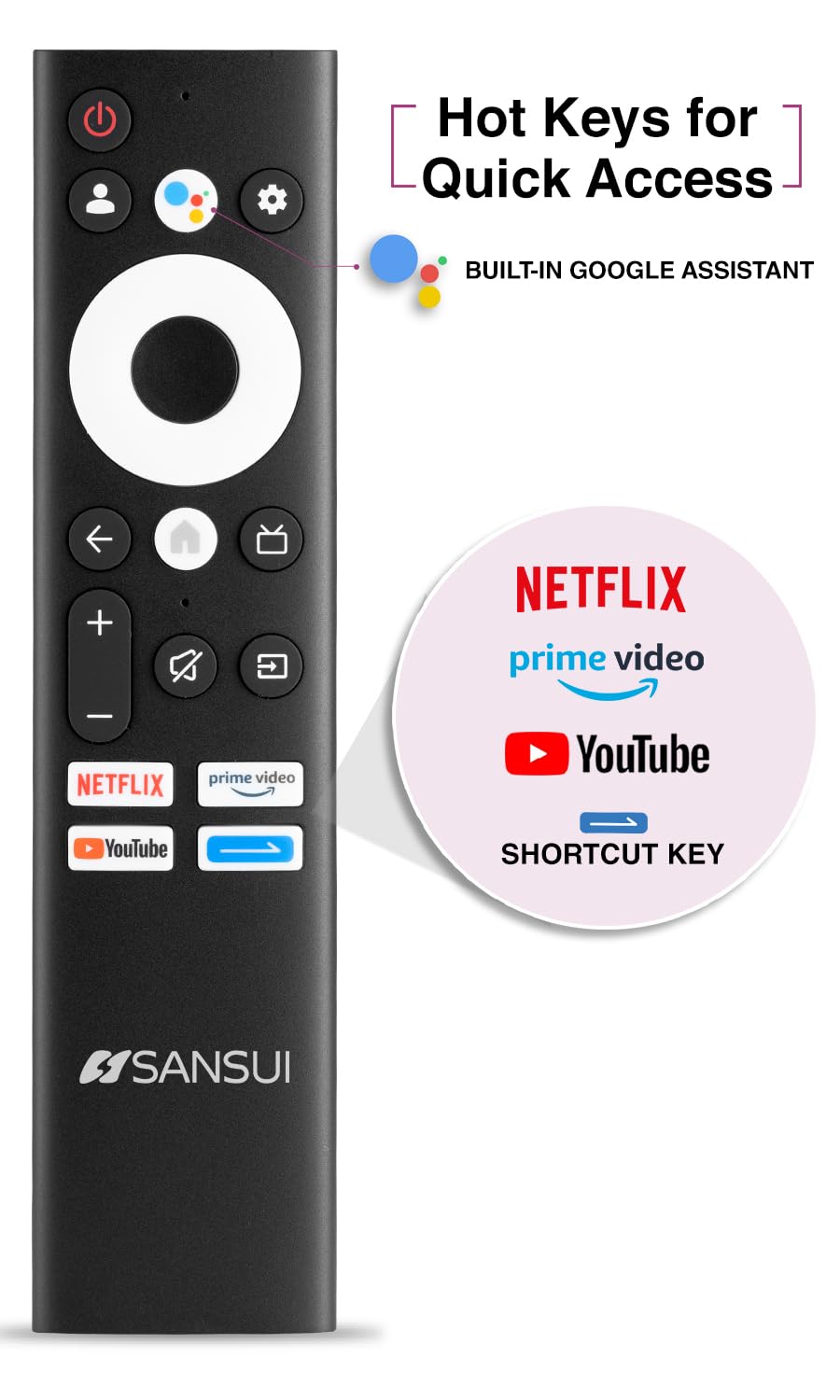
Image: The SANSUI JSW50GSUHD remote control, showing button layout and hot keys.
5. Enstalasyon Inisyal (Google TV)
Upon first power-on, the TV will guide you through the initial setup process. This includes selecting your language, connecting to Wi-Fi, signing in with your Google account, and configuring Google TV settings. Follow the on-screen prompts.
Itilizasyon Televizyon ou an
1. Fonksyon debaz yo
- Pouvwa: Peze bouton pouvwa a sou telekòmand lan pou limen oswa etenn televizyon an.
- Volim: Use the Volume Up/Down buttons to adjust audio levels.
- Sous Antre: Press the Source button to select between HDMI, AV, TV, and other inputs.
- Navigasyon: Sèvi ak pavé direksyon an ak bouton OK a pou navige nan meni yo.
2. Karakteristik Smart TV (Google TV)
Your TV runs on Google TV, providing access to a wide range of streaming services and smart features.
- Google Asistan: Use the dedicated button on your remote for voice commands to search for content, control smart home devices, and get information.
- Chromecast entegre: Voye kontni dirèkteman sou televizyon ou depi smartphone, tablèt, oswa òdinatè konpatib ou.
- Aplikasyon: Access popular streaming apps like Netflix, Prime Video, Disney+ Hotstar, and YouTube directly from the Google TV interface. Download more apps from the Google Play Store.
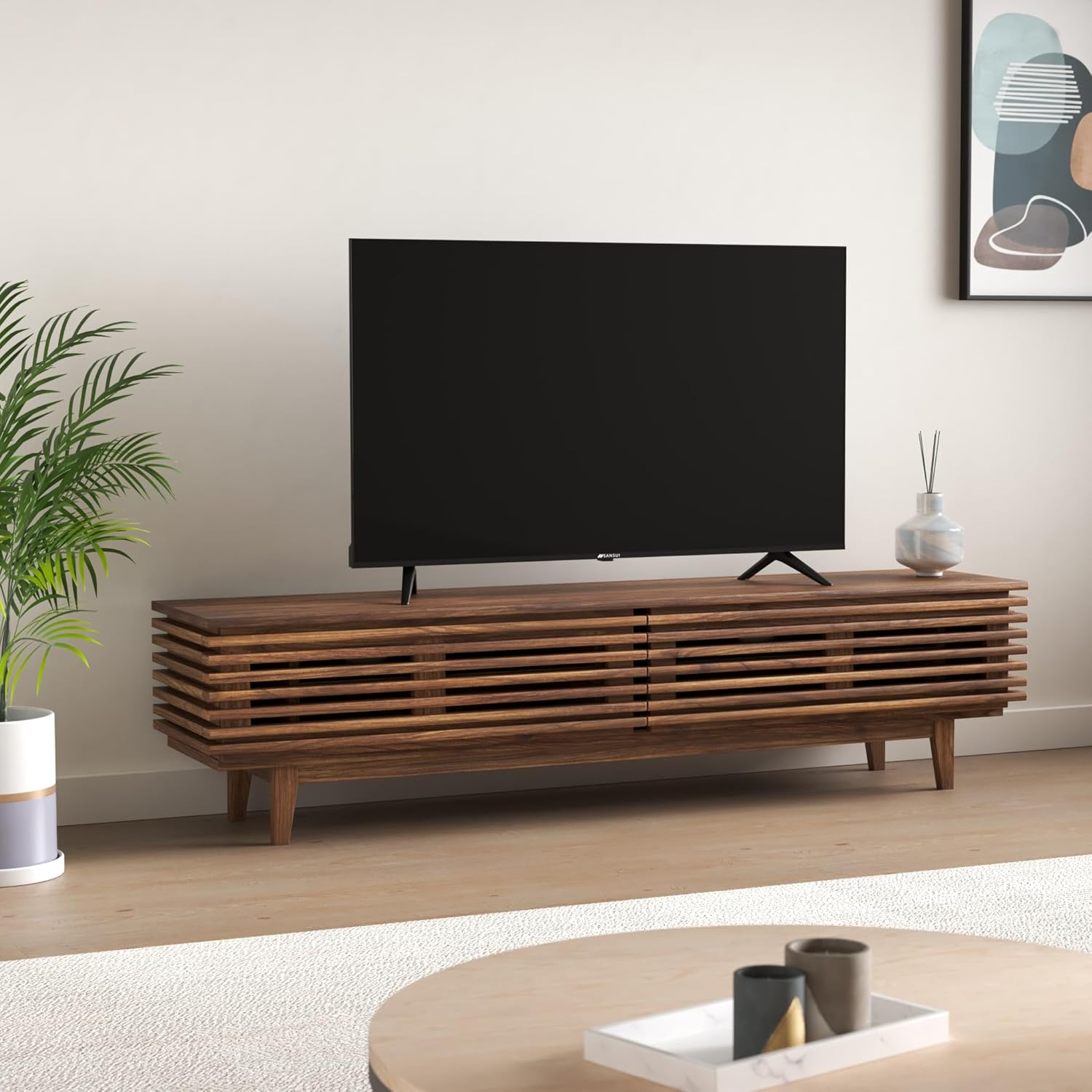
Image: The Google TV home screen displaying various streaming applications and content suggestions.
3. Display and Audio Enhancements
- 4K Ultra HD: Enjoy stunning clarity and detail with 3840x2160 resolution.
- HDR10: Experience enhanced contrast and a wider range of colors with HDR10 content.
- Zen Panel: The A+ Zen panel dynamically enhances visual content with uniform light dispersal for improved picture quality.
- Bezel-less Design: Maksimize espas ekran an pou yon eksperyans imersif vieweksperyans nan.
- Dolby Audio & DTS Studio Sound: Delivers rich, clear, and immersive audio with 20W output.

Imaj: Gwo plan view of the SANSUI JSW50GSUHD TV showcasing its bezel-less design with a vibrant nature scene.

Image: An illustration demonstrating the advanced light dispersal technology of the Zen Panel for enhanced hues.
Antretyen
1. Netwayaj
Pou netwaye ekran an, siye l dousman avèk yon twal mou ki pa gen pousyè. Pou mak ki difisil pou retire, siye l yon ti kras.ampen the cloth with water or a screen cleaner specifically designed for TVs. Do not spray liquid directly onto the screen. Clean the TV body with a soft, dry cloth.
2. Mizajou lojisyèl
Your Google TV may receive automatic software updates. Ensure your TV is connected to the internet to receive these updates, which can improve performance and add new features.
Depanaj
Si w rankontre pwoblèm ak televizyon w lan, gade solisyon komen sa yo:
| Pwoblèm | Solisyon posib |
|---|---|
| Pa gen pouvwa | Tcheke si kab kouran an byen konekte ak televizyon an ak priz miray la. Asire w ke priz la fonksyone byen. |
| Pa gen imaj/son | Verify the correct input source is selected. Check cable connections to external devices. Try a different HDMI port. |
| Remote Control pa travay | Check and replace batteries. Ensure no obstructions between the remote and the TV's IR sensor. |
| Pwoblèm Koneksyon Wi-Fi | Restart your router and modem. Reconnect the TV to the Wi-Fi network in the settings. Ensure the TV is within range of your router. |
| Pwoblèm Kalite Imaj | Ajiste paramèt imaj yo (klète, kontras, koulè) nan meni televizyon an. Asire w ke sous kontni an gen bon kalite. |
If problems persist, perform a factory reset via the TV settings menu (Settings > System > About > Reset). Note that a factory reset will erase all personal data and settings.
Espesifikasyon
Detailed technical specifications for the SANSUI JSW50GSUHD TV:
- Gwosè ekran: 127 Centimetres (50 Inches)
- Teknoloji ekspozisyon: dirije
- Rezolisyon: 4K Ultra HD (3840x2160)
- Pousantaj rafrechisman: 60 Hz
- Karakteristik espesyal: Bezel-Less Design, Browser, Chromecast, Parental Controls, Sleep Timer, Google TV, Google Assistant, Voice Search Smart Remote
- Koneksyon: 3 HDMI ports, 2 USB ports, 1 AV (mini), Bluetooth, Wi-Fi, Ethernet (LAN), Optical Audio
- Sòti odyo: 20W with Dolby Audio and DTS Studio Sound
- Processeur: CA53 Quad core Processor
- memwa: RAM 2GB, ROM 16GB (FLASH)
- Sistèm operasyon: Google TV
- Dimansyon pwodwi (P x W x H): 9P x 111W x 71.7H santimèt
- Pwa atik: 9300 gram
- Konsomasyon pouvwa: 130 Watts
- VESA Mount Standard: 100 x 100 mm
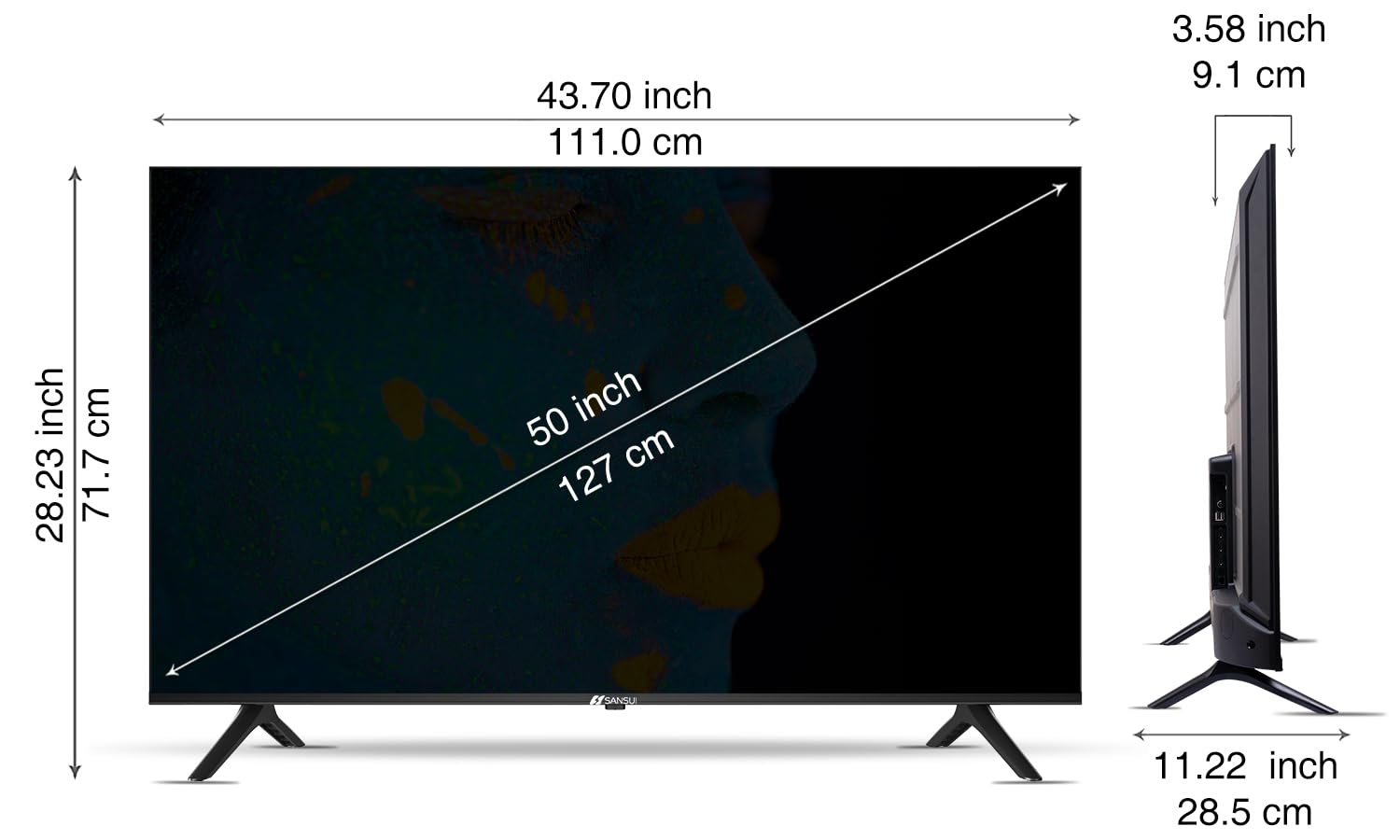
Image: Diagram illustrating the dimensions of the SANSUI JSW50GSUHD 50-inch TV.
Garanti ak sipò
Your SANSUI JSW50GSUHD TV comes with a 1-year comprehensive warranty, plus an additional 1-year warranty on the panel, provided by the brand from the date of purchase.
For warranty support or any technical assistance, please contact SANSUI customer care:
- Nimewo gratis: 1800 419 3777
- Imèl: sansuicare@jainaindia.com
Manufacturer: PG Electroplast Limited
Importer: Jaina India Pvt Ltd.