
Headwolf FPad3 Ulta
Headwolf Fpad3 Mini Tablet
Manyèl Enstriksyon Itilizatè
Entwodiksyon
This manual provides comprehensive instructions for the Headwolf Fpad3 Mini Tablet. It covers essential information regarding product setup, operation, maintenance, and troubleshooting to ensure optimal performance and longevity of your device. Please read this manual thoroughly before using the tablet.

Imaj: Devan view of the Headwolf Fpad3 Mini Tablet, showcasing ekspozisyon li yo.
Enstalasyon
1. Pake kontni
Upon unboxing, verify that the following items are included:
- Headwolf Fpad3 Mini Tablet
- USB Kalite-C Chaje Kab
- PD10W Charger
- Zouti èkstrè SIM
- Manyèl Itilizatè (dokiman sa a)
2. Fizik Plis paseview

Image: Diagram illustrating the location of the headphone jack, rear camera, volume button, reset button, power button, SIM/SD card slot, and Type-C port on the Headwolf Fpad3 Mini Tablet.
Familiarize yourself with the tablet's physical components:
- Bouton pouvwa: Sitiye sou bò a, yo itilize li pou limen/etenn oswa reveye/dòmi aparèy la.
- Bouton Volim: Ajiste volim odyo a.
- USB Kalite-C Port: Pou chaje ak transfè done.
- Jack ekoutè 3.5mm: Pou konekte kas ekoutè ak fil.
- Plas pou kat SIM/MicroSD: For inserting Nano SIM cards and a MicroSD card.
- Kamera devan: Located above the screen.
- Kamera dèyè: Located on the back of the tablet.
3. Chaje Aparèy la
Before first use, fully charge the tablet. Connect the provided USB Type-C cable to the tablet's Type-C port and the other end to the PD10W charger. Plug the charger into a power outlet. The charging indicator will typically appear on the screen.
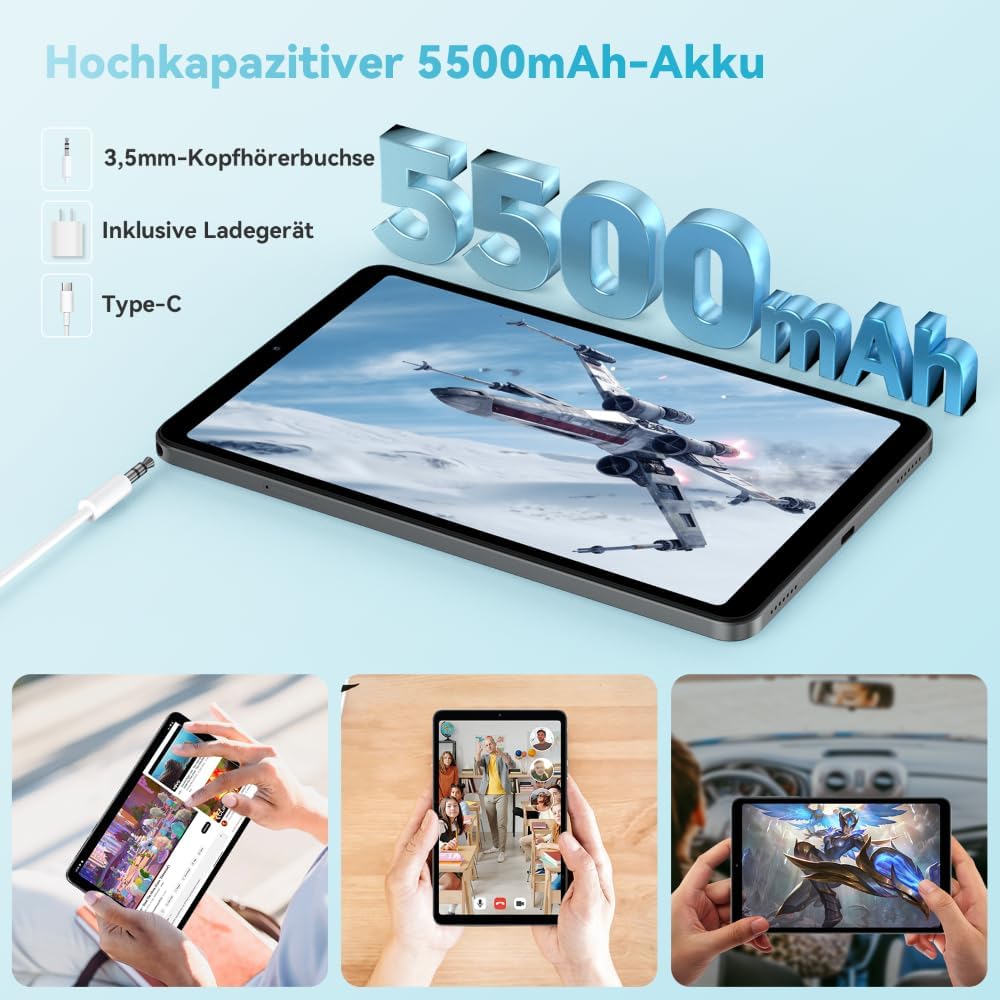
Image: The Headwolf Fpad3 Mini Tablet connected to a charger, highlighting its 5500mAh battery capacity and Type-C charging port.
4. Powering On / Off
- Pou limen: Press and hold the Power button until the Headwolf logo appears.
- Pou etenn: Peze epi kenbe bouton pouvwa a jiskaske meni opsyon pouvwa a parèt, answit chwazi "Etein".
- Pou rekòmanse: Peze epi kenbe bouton pouvwa a jiskaske meni opsyon pouvwa a parèt, answit chwazi "Rekòmanse".
5. Inisyal Enstalasyon
Upon first power-on, the tablet will guide you through the initial setup process. This includes selecting your language, connecting to a Wi-Fi network, setting up your Google account, and configuring security options. The tablet runs on Android 13 and is Google GMS certified, ensuring access to Google Play services.
6. Enstalasyon Kat SIM ak Kat MicroSD
The Headwolf Fpad3 supports dual Nano SIM cards for 4G LTE connectivity and a MicroSD card for expandable storage up to 2TB.
- Locate the SIM/MicroSD card slot on the side of the tablet.
- Mete zouti pou retire kat SIM lan nan ti twou ki akote plato a pou louvri l.
- Rale plato a avèk prekosyon.
- Mete kat Nano SIM ou yo ak/oswa kat MicroSD ou yo nan fant ki fèt pou sa sou plato a, epi asire w oryantasyon an kòrèk.
- Dousman pouse plato a tounen nan tablèt la jiskaske li fè yon klik.
Enstriksyon Operasyon
1. Ekspozisyon ak Eksperyans Vizyèl
The tablet features an 8.4-inch FHD IPS In-Cell display with a resolution of 1920 x 1200 pixels, offering clear and vibrant visuals. It supports Widevine L1 for high-definition streaming from compatible services.

Image: The Headwolf Fpad3 Mini Tablet display showing high-definition content, emphasizing Widevine L1 support for streaming services like YouTube, Prime Video, Disney+, Hulu, and HBO Max.
2. Pèfòmans ak Depo
Powered by an Unisoc T616 Octa-Core processor (2x A75 at 2.0GHz + 6x A55 at 1.8GHz) and 8GB of RAM (4GB + 4GB virtual expansion), the Fpad3 ensures smooth multitasking and efficient operation. It comes with 128GB of UFS 2.2 internal storage, which can be expanded up to 2TB using a MicroSD card.

Image: An illustration detailing the Headwolf Fpad3 Mini Tablet's powerful Octa-Core Unisoc T616 processor, Mali-G57 GPU, and Android 13 operating system, with a benchmark comparison.

Image: A visual representation of the Headwolf Fpad3 Mini Tablet's 8GB RAM (with 4GB virtual expansion) and 128GB ROM, highlighting its expandability up to 2TB via an SD card.
3. Koneksyon
The tablet offers versatile connectivity options:
- Wi-Fi: Supports dual-band 2.4G/5G Wi-Fi for stable and fast internet access.
- 4G LTE: Dual Nano SIM support for cellular data and phone call functionality.
- Bluetooth 5.0: For connecting wireless peripherals like headphones, keyboards, and mice.
- GPS: Integrated GPS, Beidou, and Galileo for accurate navigation.
- OTG (Sou wout la): Allows connecting USB devices such as flash drives or external keyboards.
4. Kamera
Kaptire moman yo ak doub kamera tablèt la:
- Kamera dèyè: 13MP
- Kamera devan: 8MP
The tablet also supports Face Unlock for convenient and secure access.

Imaj: Yon eksplozyon view of the Headwolf Fpad3 Mini Tablet's dual cameras (8MP front, 13MP rear) and the Face Unlock feature, with exampmwens senaryo itilizasyon.
5. Odyo
Experience immersive audio with dual box speakers. A 3.5mm headphone jack is also available for private listening.
6. Espas Google pou Timoun
The tablet includes support for Google Kids Space, providing a safe and engaging environment for children with access to over 10,000 real-time resources.
Antretyen
1. Netwaye Aparèy la
Sèvi ak yon twal mou ki pa gen pousyè pou netwaye ekran an ak kò tablèt la. Evite itilize pwodui chimik ki agresif oswa materyèl abrazif ki ka domaje sifas la.
2. Mizajou lojisyèl
Tcheke epi enstale mizajou sistèm yo regilyèman pou asire tablèt ou a gen dènye karakteristik yo, patch sekirite yo ak amelyorasyon pèfòmans yo. Ale nan Anviwònman > Sistèm > Mizajou sistèm pou tcheke pou mizajou.
3. Swen batri
- Evite ekspoze tablèt la nan tanperati ekstrèm.
- Pa kite batri a dechaje nèt souvan.
- Sèvi ak plato orijinal la ak kab la pou yon chajman optimal.
- Pou depo alontèm, chaje batri a a anviwon 50-60%.
Depanaj
Pwoblèm komen ak solisyon yo
| Pwoblèm | Solisyon posib |
|---|---|
| Aparèy pa limen. | Ensure the battery is charged. Press and hold the Power button for at least 10-15 seconds. If unresponsive, connect to charger and try again. |
| Pa ka konekte ak Wi-Fi. | Check if Wi-Fi is enabled in settings. Restart the tablet and the Wi-Fi router. Ensure you are entering the correct password. |
| Aplikasyon yo ap plante oswa yo bloke. | Clear the app's cache (Settings > Apps > [App Name] > Storage > Clear cache). Restart the tablet. Ensure the app is updated to its latest version. |
| Tablèt la ralanti oswa li pa reponn. | Close unnecessary background apps. Clear cache of frequently used apps. Restart the tablet. Consider performing a factory reset as a last resort (backup data first). |
| Kat SIM pa detekte. | Asire w kat SIM lan byen antre nan plato a. Rekòmanse tablèt la. Tcheke si kat SIM lan aktif ak operatè w la. |
Si pwoblèm yo pèsiste, tanpri kontakte sèvis kliyan.
Espesifikasyon
| Karakteristik | Detay |
|---|---|
| Mak | Headwolf |
| Nimewo Modèl | FPad3 Ulta |
| Sistèm operasyon | Android 13 |
| Mak processeur | Unisoc |
| Modèl processeur | T616 Okta-nwayo |
| RAM | 8 GB (4GB + 4GB vityèl) |
| Depo Entèn | 128 GB UFS 2.2 |
| Depo dilatabl | Up to 2 TB via MicroSD |
| Gwosè ekran | 8.4 pous |
| Rezolisyon ekran | 1920 x 1200 Pixels (FHD IPS In-Cell) |
| Grafik Chipset Mak | Arm Mali G57 |
| Kamera dèyè | 13 MP |
| Kamera devan | 8 MP |
| Kapasite batri | 5500 mAh Lityòm-polymère |
| Port chaje | USB Type-C (PD10W Fast Charging) |
| Koneksyon san fil | 802.11a/b/g/n/ac (2.4G/5G WiFi), Bluetooth 5.0 |
| Koneksyon selilè | Dual 4G LTE (Nano SIM) |
| Navigasyon | GPS, Beidou, Galileo |
| Karakteristik espesyal | Stereo Speakers, Expandable Storage, Phone Call Functionality, Fast Charging, Card Reader, Face ID, Widevine L1 |
| Dimansyon (L x W x H) | 25.4 x 15.24 x 7.62 cm |
| Pwa | 610 gram |
Garanti ak sipò
The Headwolf Fpad3 Mini Tablet comes with a one-year warranty from the date of purchase. For any technical assistance, product inquiries, or warranty claims, please contact Headwolf customer service. We offer 24/7 customer support to assist you.
Please refer to your purchase documentation for specific warranty terms and contact information, or visit the official Headwolf websit.
Ask a question about this manual
Ask about setup, troubleshooting, compatibility, parts, safety, or missing instructions. Manuals+ will review the question and use this page’s manual context to help answer it.