
1. Entwodiksyon
Thank you for choosing the SIMOLIO SM-829D2 Dual Wireless Headphones for TV. This system is designed to provide an enhanced audio experience for television viewing, offering clear dialogue, adjustable volume, and the convenience of wireless listening. The 2-in-1 transmitter and charging stand ensures your headphones are always ready for use. This manual will guide you through the setup, operation, and maintenance of your new headphones.
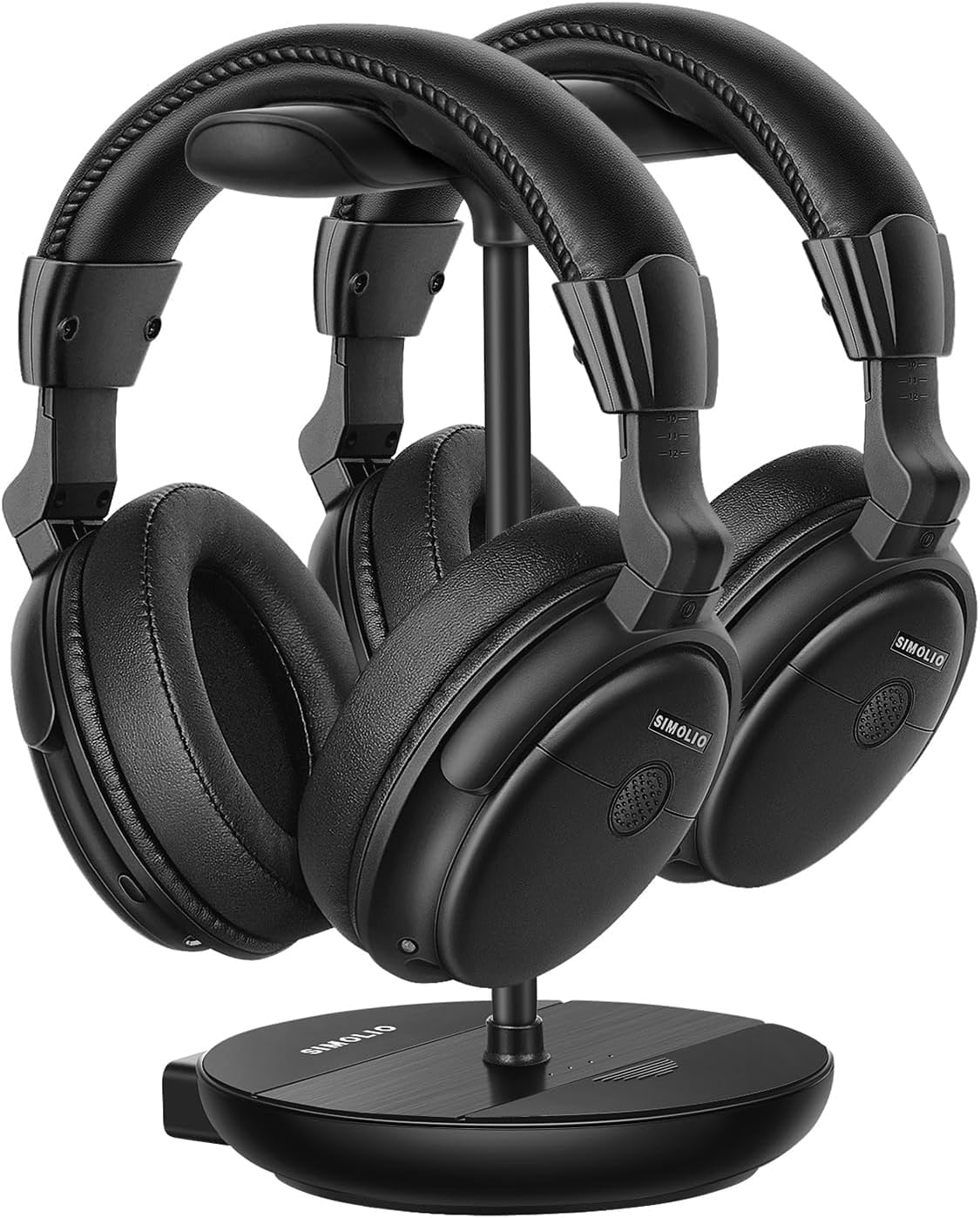
Image 1.1: The SIMOLIO SM-829D2 Dual Wireless Headphones with their charging stand.
2. Pake kontni
Tanpri verifye ke tout atik yo prezan nan pakè ou a:
- 2 x SIMOLIO SM-829D2 Wireless Headphones
- 1 x Transmitter / Charging Stand
- 1 x Optical Audio Cable
- 1 x RCA Audio Kab
- 1 x 3.5mm Audio Kab
- 2 x USB Chaje Câbles
- 1 x pouvwa adaptè
- 1 x Spare Rechargeable Battery
- 1 x Manyèl Itilizatè (dokiman sa a)

Image 2.1: All components included in the SIMOLIO SM-829D2 package.
3. Inisyal Enstalasyon
3.1. Chaje kas ekoutè yo
Before first use, fully charge both headphones and the spare battery. Place the headphones on the charging posts of the transmitter stand. Insert the spare battery into the designated slot on the stand. The charging indicator lights will show charging status.

Image 3.1: Headphones and spare battery charging on the 2-in-1 stand.
3.2. Connecting the Transmitter to Your TV
The SIMOLIO SM-829D2 transmitter supports Optical, RCA, and 3.5mm AUX audio inputs. Choose the connection method compatible with your TV.
- Optical Connection (Recommended for Digital Audio):
- Connect one end of the Optical cable to the OPTIK SOTI pò sou televizyon ou.
- Konekte lòt bout la ak OPTIK NAN port on the SIMOLIO transmitter.
- Nan paramèt odyo televizyon ou an, mete fòma Sòti Odyo Dijital la sou PCM. (Refer to your TV manual for specific instructions).
- RCA Connection (Analog Audio):
- Connect the red and white plugs of the RCA cable to the corresponding SOTI ODYO (L/R) ports on your TV.
- Konekte lòt bout la ak RCA IN ports on the SIMOLIO transmitter.
- 3.5mm AUX Connection (Analog Audio):
- Konekte yon bout nan kab odyo 3.5mm nan TÈT SOTI or ODYO SOTI pò sou televizyon ou.
- Konekte lòt bout la ak AUX IN port on the SIMOLIO transmitter.

Image 3.2: Connection options for the SIMOLIO transmitter.
3.3. By-Pass Feature (Simultaneous Audio Output)
The transmitter includes a by-pass feature, allowing audio to be sent to both the headphones and an external sound system (soundbar or AV receiver) simultaneously. Connect your soundbar or AV receiver to the SOTI NAN ORATÈ A ports on the transmitter using the appropriate cable (Optical, RCA, or AUX).

Image 3.3: Using the by-pass feature to output audio to both headphones and a soundbar.
3.4. Powering On and Automatic Connection
Once the transmitter is connected to your TV and powered on, turn on the headphones. The headphones and transmitter will automatically connect. No complex pairing process is required. The system operates on a 2.4GHz radio frequency, providing a working range of up to 30 meters (100 feet).

Image 3.4: Plug & Play functionality with a 30-meter working range.
4. Operasyon Enstriksyon
4.1. Ajiste Volim ak Ton
Each headphone features independent volume controls. Use the volume buttons on the headphones to adjust the listening level to your preference. The transmitter also has a TONE adjustment switch with three presets (D+, D, S) to enhance dialogue clarity or provide a balanced sound experience.
- D+ (Dialogue+): Maximizes dialogue clarity, ideal for speech-heavy content.
- D (Dialogue): Enhances dialogue while maintaining a balanced sound.
- S (Standard): Bay yon pwofesyonèl odyo balansefile for general listening.

Image 4.1: Personalize your TV sound with tone presets and individual volume control.
4.2. Kontwòl Balans
For users with different hearing levels in their left and right ears, the headphones offer a balance control feature. This allows you to adjust the audio output balance between the left and right earcups for a more comfortable and clear listening experience.
4.3. Ambient Sound Amplifier (MIC Button)
The MIC button on the headphones allows you to temporarily amplify ambient sounds, enabling you to hear your surroundings without removing the headphones. Press the MIC button to activate this feature and press it again to return to TV audio.
4.4. Dual Headset Usage
The SIMOLIO SM-829D2 system includes two headphones that can be used simultaneously with a single transmitter. This allows two individuals to enjoy TV audio at their preferred volume levels without disturbing others. The system ensures no lip-sync delay, providing synchronized audio with on-screen video.

Image 4.2: Enjoying TV with dual headphones and no lip-sync delay.
5. Swen ak Antretyen
- Netwayaj: Siye kas ekoutè a ak transmetè a ak yon twal mou epi sèk. Pa sèvi ak pwodui netwayaj abrazif oswa solvang.
- Depo: When not in use, store the headphones on the charging stand to keep them charged and organized. Store in a cool, dry place away from direct sunlight.
- Swen batri: The built-in rechargeable batteries provide up to 12 hours of use. For optimal battery life, avoid fully discharging the batteries frequently. Always keep the spare battery charged in the stand.
- Rezistans dlo: The headphones are not water-resistant. Avoid exposure to liquids.
NAN. Depanaj
If you encounter issues with your SIMOLIO SM-829D2 headphones, please refer to the following table for common problems and solutions:
| Pwoblèm | Kòz posib | Solisyon |
|---|---|---|
| Pa gen son soti nan kas ekoutè |
|
|
| Son an defòme oswa li pa ale souvan |
|
|
| Ekoutè pa chaje |
|
|
| Lip-sync delay |
|
|
7. Spécifications pwodwi
| Karakteristik | Spesifikasyon |
|---|---|
| Non modèl | SM-829D2 Wireless Headphones for TV |
| Koneksyon Teknoloji | San fil (RF 2.4 GHz) |
| Ekoutè Jack | 3.5 mm Jack (for wired option, if applicable) |
| Aparèy konpatib | TVs, Soundbars |
| Kalite kontwòl | Volume Control, Tone Control, Balance Control, Ambient Sound Amplifier |
| Tan pou chaje | Approximately 12 Hours (for full charge) |
| Lavi Mwayèn Batri | Jiska 12 èdtan |
| Kalite batri | Lityòm Polymère (rechargeable) |
| Materyèl | Plastik |
| Plasman Zòrèy | Sou Zòrèy |
| Kontwòl bri | Izolasyon Son Pasif |
| Karakteristik espesyal | Adjustable Headband, Multipoint Pairing (multiple headphones to one transmitter) |
| Fòma mikwofòn | Built-In (for ambient sound amplifikasyon) |
| Range travay | Jiska 30 mèt (100 pye) |
8. Garanti ak Sipò Kliyan
8.1. Enfòmasyon sou Garanti
SIMOLIO products are manufactured with high-quality materials and undergo rigorous quality control. This product is covered by a manufacturer's warranty against defects in materials and workmanship. Please refer to the warranty card included in your package or visit the official SIMOLIO websit la pou wè tèm ak kondisyon garanti detaye yo.
8.2. Sipò pou Kliyan
If you have any questions, require technical assistance, or experience issues not covered in this manual, please contact SIMOLIO customer support. Contact information can typically be found on the SIMOLIO website or on the product packaging. Please have your model number (SM-829D2) and purchase details ready when contacting support.