
1. Entwodiksyon
This manual provides comprehensive instructions for the safe and effective operation, maintenance, and troubleshooting of your Sofirn HS41 4000 Lumen Rechargeable LED Headlamp. Please read this manual thoroughly before using the product to ensure optimal performance and longevity.
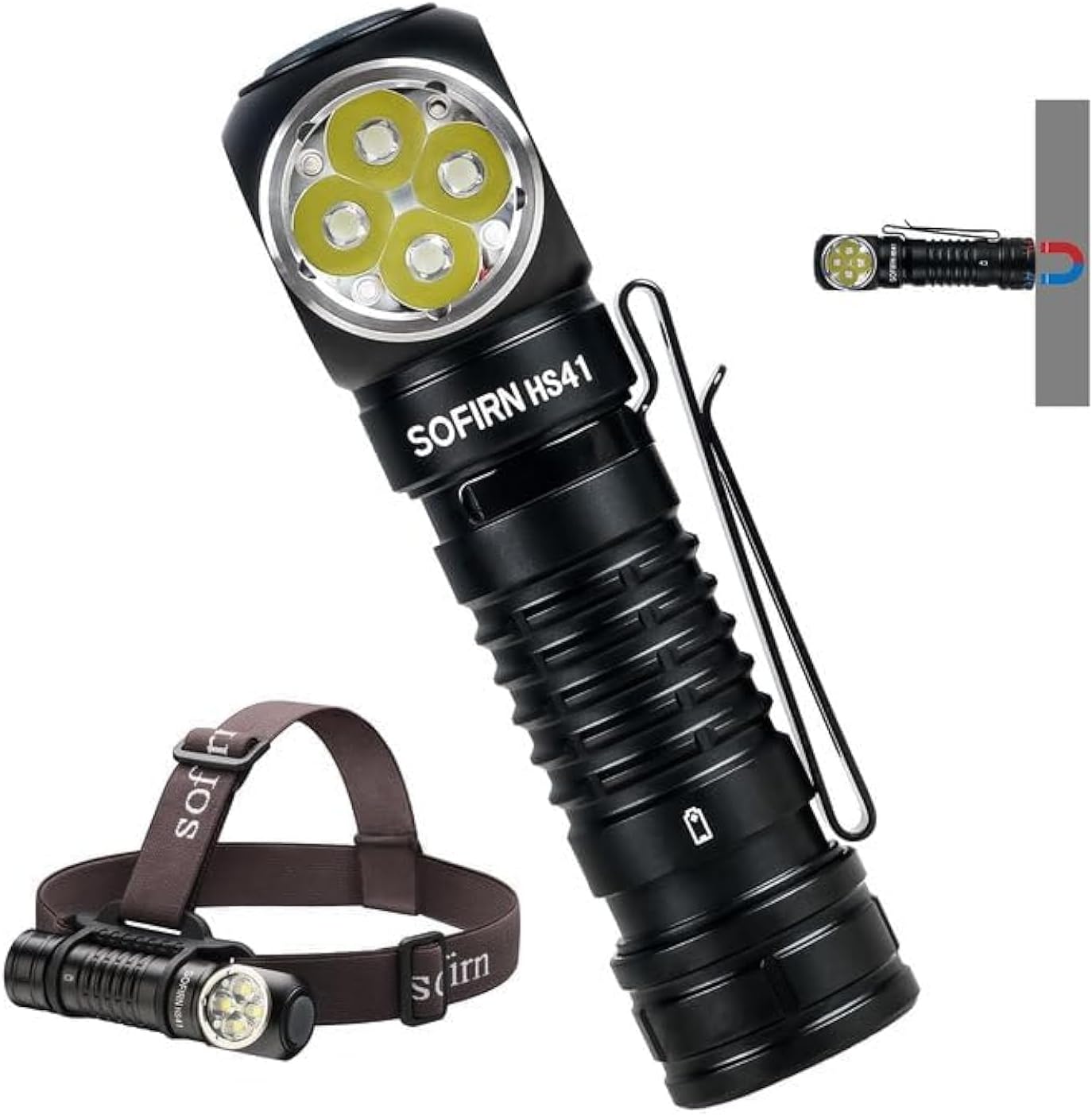
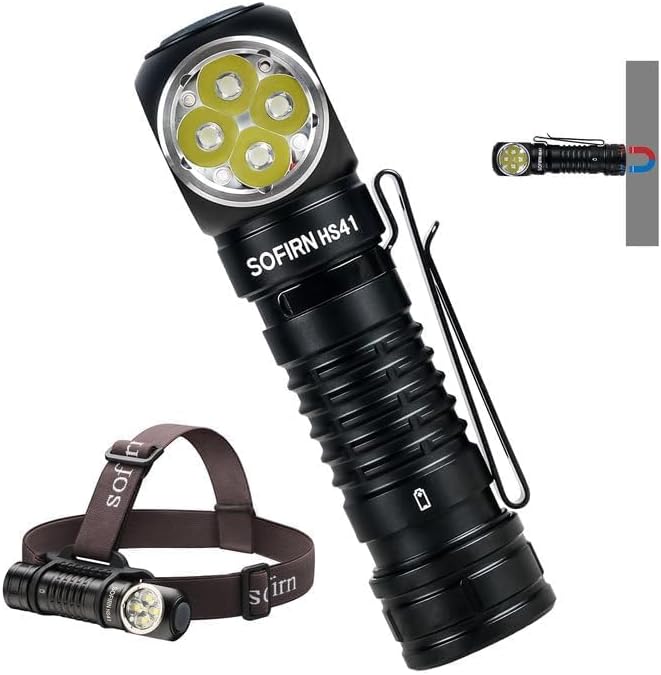
The Sofirn HS41 can be used as a headlamp with the included headband or as a versatile right-angle flashlight, featuring a magnetic base for hands-free operation.
2. Pwodwi souview
Karakteristik kle
- Segondè pwodiksyon: Equipped with 4*SST20 LEDs, delivering up to 4000 lumens with a beam distance of 325 meters.
- USB-C chaje: Built-in Type-C port for convenient and fast charging.
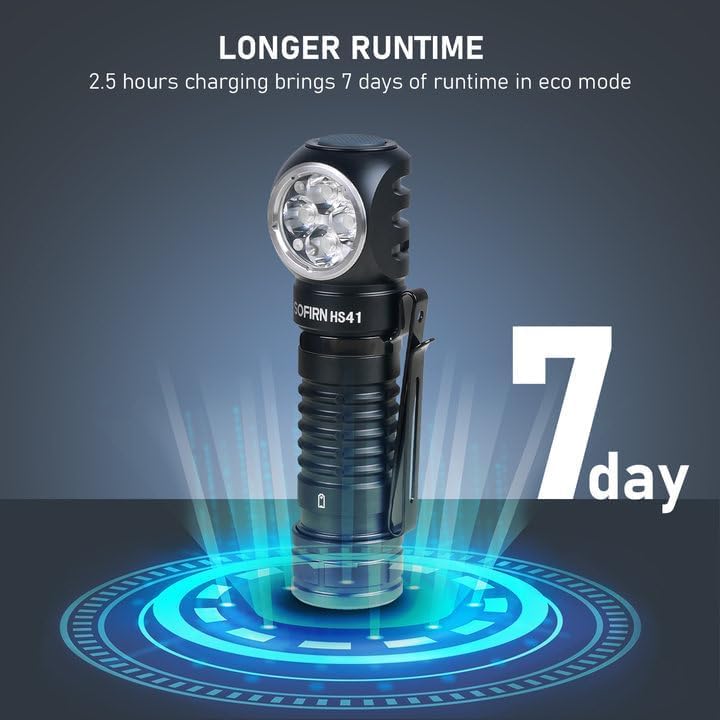
- Pwolonje ègzekutabl: Up to 29.5 days of usage in Moonlight mode on a single charge.
- Mòd ekleraj miltip: 9 modes including Moonlight, Eco, Low, Medium, High, Turbo, Strobe, SOS, and Beacon.
- Konsepsyon dirab: IPX8 waterproof rating and impact resistance up to 1 meter.
- Itilizasyon versatile: 90-degree L-shape design allows use as a headlamp or right-angle flashlight with a powerful magnetic tailcap.
- Karakteristik sekirite: Advanced Temperature Regulation (ATR) and Low Voltage Pwoteksyon.

This image highlights the main features of the HS41, such as its multiple lighting modes, extended battery life, convenient USB-C charging, and robust IP68 waterproof design.
Ki sa ki nan bwat la
- Sofirn HS41 Headlamp
- 1x Rechargeable Lithium Polymer Battery
- 1x Sturdy Head Band
- 1x Kalite-C Chaje Kab
- 1x manyèl itilizatè
3. Enstriksyon Sekirite
- Do not shine the light directly into eyes. The high lumen output can cause temporary vision impairment.
- Kenbe soti nan atenn timoun yo.
- Use only the specified battery type. Incorrect battery usage can lead to damage or safety hazards.
- Pa demonte headl laamp, as this may void the warranty and cause damage.
- Evite ekspoze headl laamp nan tanperati ekstrèm oswa limyè solèy la dirèk pou peryòd pwolonje.
- Ensure the USB-C port cover is securely closed when not charging to maintain water resistance.
4. Enstalasyon
Enstalasyon batri
- Devise bouchon dèyè tèt laamp.
- Insert the included 18650 Lithium Polymer battery with the positive (+) end facing towards the head of the light.
- Vise bouchon dèyè a byen sere pou asire bon kontak ak rezistans dlo.
Chaje
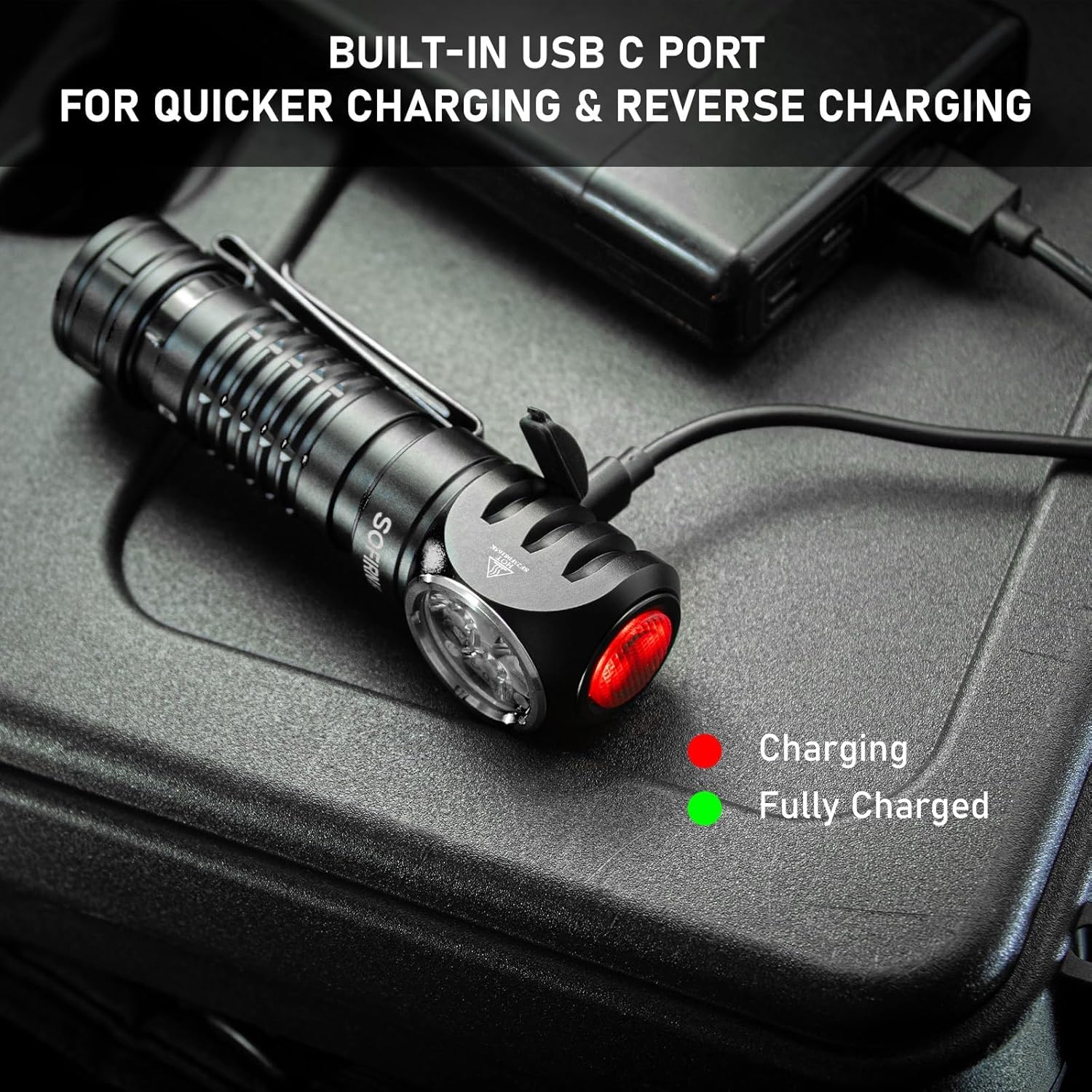
The HS41 features a built-in USB-C charging port.
- Jwenn pò chaje USB-C a sou bò tèt la.amp and open its protective cover.
- Connect the provided Type-C charging cable to the headlamp and to a USB power source (e.g., wall adapter, power bank, computer).
- Limyè endikatè a sou tèt laamp will show the charging status:
- Wouj: Chaje an pwogrè.
- Vèt: Konplètman chaje.
- Charging typically takes approximately 2.5 hours for a full charge.
- Once charging is complete, disconnect the cable and securely close the USB-C port cover to maintain water resistance.
Headl laamp features a built-in USB-C port for convenient and fast charging. The indicator light changes color to show charging status.
5. Operasyon Enstriksyon
The HS41 is operated via a single side switch.
Operasyon debaz
- Limen/Etenyen: Single click the switch to turn the light on or off.
- Change Brightness (Ramping): When the light is on, press and hold the switch to cycle through brightness levels (Moonlight, Eco, Low, Medium, High, Turbo). Release the switch at your desired brightness.
- Mòd memwa: Headl laamp will remember the last used brightness level (except for special modes like Strobe, SOS, Beacon).
Mòd Aksè rapid
- Limyè lalin: From OFF, press and hold the switch for 1 second to activate Moonlight mode.
- Mòd segondè: From OFF, double-click the switch to directly activate High mode.
- Strobe mòd: From OFF, triple-click the switch to activate Strobe mode.
Headl laamp's single button allows for quick access to frequently used modes: press and hold for Moonlight, double-click for High, and triple-click for Strobe.
Special Modes (Strobe, SOS, Beacon)
- From ON, triple-click the switch to enter Strobe mode.
- While in Strobe mode, double-click to cycle through SOS and Beacon modes.
- Single click to turn off or return to the previous brightness level.

The HS41 delivers a powerful 4000 lumens, providing extensive illumination for outdoor activities. The image shows the light beam and icons representing modes like Moonlight, Eco, Low, Medium, High, Turbo, Strobe, Beacon, and SOS.
Fonksyon Lockout
To prevent accidental activation, the HS41 features a lockout mode.
- Aktive Blokaj la: From OFF, perform four quick clicks of the switch. The LED will blink twice to confirm lockout mode is active.
- Dezaktive Blokaj la: Perform four quick clicks of the switch. The light will turn on to the last used mode.

Headl laamp features a lockout mode to prevent accidental activation. It is engaged by four quick clicks when the light is off, indicated by two blinks.
Endikatè pouvwa
The power indicator displays the battery level for 5 seconds every time the light is turned on.
- Vèt: Remaining battery power is good (70% - 100%).
- Wouj: Remaining battery power is poor (30% - 69%).
- Flache wouj: Critical power (less than 30%). Recharge the battery as soon as possible.
The integrated power indicator provides real-time battery status: green (70-100%), red (30-69%), and flashing red (below 30%), prompting timely recharging.
Low Voltage Avètisman
Lè batri a voltage drops below 3V, the indicator will flash red, and the headlamp will vibrate twice with a 1-minute interval between each vibration. This signals that the battery needs to be recharged immediately.

Lè batri a voltage gout anba a 3V, headl laamp's indicator will flash red, and the device will vibrate twice with a one-minute interval, signaling a low voltage kondisyon.
6. Antretyen
Netwayaj
- Siye tèt laamp ak yon mou, damp twal pou retire pousyè tè ak debri.
- Pa sèvi ak pwodui netwayaj abrazif oswa solvan, paske yo ka domaje fini an oswa konpozan entèn yo.
- Clean the threads of the tail cap and O-rings periodically. Apply a thin layer of silicone grease to the O-rings to maintain water resistance.
Swen batri
- Recharge the battery regularly, especially if the headlamp p ap itilize pou yon peryòd pwolonje.
- Sere batri a nan yon kote ki fre, sèk.
- If storing for a long time, remove the battery from the headlamp to prevent parasitic drain.
Depo
- Sere tèt laamp in a dry environment, away from direct sunlight and extreme temperatures.
- Asire headl laamp is in lockout mode or the battery is removed during storage to prevent accidental activation.
NAN. Depanaj
| Pwoblèm | Kòz posib | Solisyon |
|---|---|---|
| Limyè pa limen | Batri apovri Battery incorrectly inserted Tail cap loose Headlamp in lockout mode | Rechaje batri Tcheke polarite batri a Sere bouchon ke Deactivate lockout mode (4 clicks) |
| Limyè tranbleman oswa li fèb | Batri ki ba Poor contact between battery and terminals Dirty threads/contacts | Rechaje batri Ensure battery is fully inserted Clean threads and contacts with a cotton swab |
| Chaje a pa fonksyone | Charging cable faulty USB power source insufficient Pò chaje a sal | Eseye yon lòt kab USB-C Use a reliable USB power adapter Clean the USB-C port gently |
| Headlamp gets hot quickly | Operating in Turbo/High mode for extended periods ATR (Advanced Temperature Regulation) is active | This is normal. The ATR system will automatically reduce brightness to prevent overheating. Reduce brightness manually if desired. |
8. Espesifikasyon
| Karakteristik | Spesifikasyon |
|---|---|
| Modèl | HS41 |
| Sous limyè | 4*SST20 LEDs |
| Maksimòm Klate | 4000 Lumen |
| Distans gwo bout bwa | 325 mèt |
| Sous pouvwa | 1x Rechargeable Lithium Polymer Battery (included) |
| Port chaje | USB Kalite-C |
| Materyèl | Aliminyòm alyaj |
| Rezistans dlo | IPX8 (submersible up to 2 meters for 30 minutes) |
| Rezistans enpak | 1 mèt |
| Dimansyon | 1"P x 1"L x 1"H (apeprè 30.1mm x 29mm x 115mm) |
| Pwa | 0.71 Pounds (approx. 11.4 ounces / 79g without battery) |
| Karakteristik espesyal | Adjustable Light Modes, Adjustable Strap, Magnetic Base, Low Voltage Warning, Advanced Temperature Regulation |
9. Garanti ak sipò
For warranty information or technical support, please contact the seller, 77 Outdoor Shop, or the manufacturer, Sofirn, directly through their official channels. Please retain your proof of purchase for any warranty claims.