
DOVIICO HK87
DOVIICO Military Smart Watch HK87 User Manual
Modèl: HK87
1. Entwodiksyon
Welcome to the user manual for your new DOVIICO Military Smart Watch HK87. This manual provides essential information for setting up, operating, and maintaining your device. Please read it thoroughly to ensure optimal performance and longevity of your smartwatch.
The DOVIICO HK87 is designed for durability and functionality, featuring IP68 waterproofing, shock resistance, and dust protection, making it suitable for various outdoor activities. It offers comprehensive health monitoring, multiple sports modes, and convenient communication features.
2. Ki sa ki nan bwat la
Lè w ap debale l, tanpri verifye si tout atik ki nan lis anba a yo la:
- 1 x DOVIICO Smart Watch HK87
- 1 x mayetik chaje kab
- 1 x Manyèl Itilizatè (dokiman sa a)
3. Pwodwi souview
Familiarize yourself with the components of your DOVIICO Smart Watch HK87.
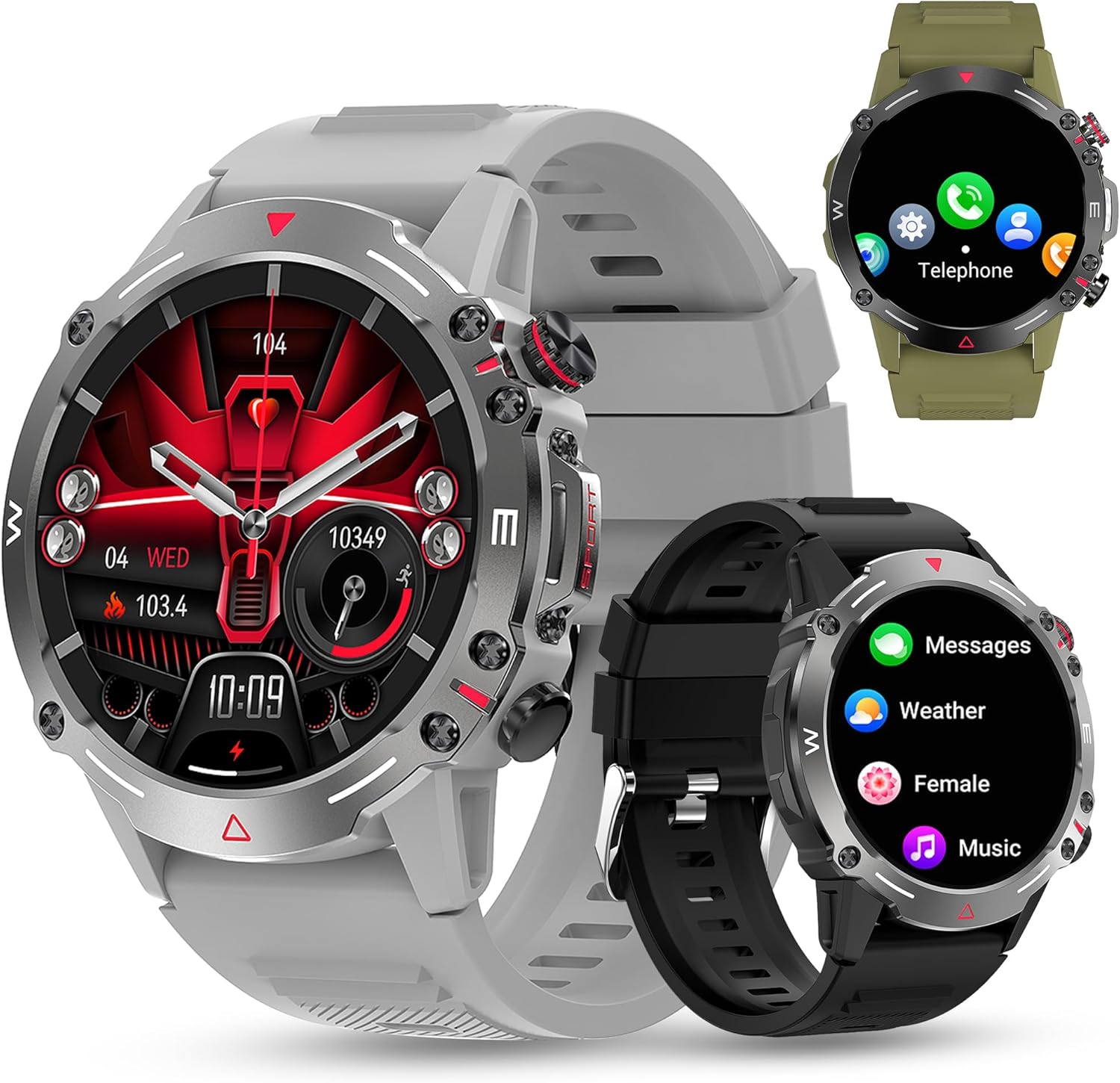
Figi 3.1: Devan view of the DOVIICO Smart Watch HK87, illustrating its robust design and various display options.

Figi 3.2: Detaye view of the 1.43-inch AMOLED HD screen and the integrated heart rate sensor located on the watch's underside.
Konpozan kle:
- 1.43" AMOLED HD Display: High-resolution touch screen for clear visuals and easy navigation.
- Bouton bò: For power, menu access, and quick functions.
- Capteur batman kè: Sitiye sou do a pou siveyans kontinyèl batman kè.
- Kontak chaje: Magnetic points on the back for connecting the charging cable.
- Oratè ak Mikwofòn: For Bluetooth calls and AI voice assistant.
4. Enstalasyon
4.1 Chaje mont entelijan an
Before initial use, fully charge your smartwatch.
- Connect the USB end of the magnetic charging cable to a power adapter (not included) or a computer's USB port.
- Align the magnetic end of the charging cable with the charging contacts on the back of the watch. The magnets will snap it into place.
- Ekran mont lan ap endike eta chaj la. Yon chaj konplè anjeneral pran apeprè 2 èdtan.

Figi 4.1: The watch display showing the charging indicator and battery life expectations.
4.2 Enstalasyon ak koneksyon aplikasyon an
To unlock the full functionality of your smartwatch, you need to install the companion app on your smartphone and pair the devices. The watch is compatible with Android 4.4 and above, and iOS 8.4 and above.
- Telechaje App a: Scan the QR code provided in the watch's quick start guide or search for the designated app (e.g., "FitCloudPro" or similar, check packaging for exact name) in your phone's app store (Google Play Store for Android, Apple App Store for iOS).
- Pèmèt Bluetooth: Asire w ke Bluetooth aktive sou smartphone ou.
- Louvri aplikasyon an: Lanse aplikasyon ki enstale a epi swiv enstriksyon ki parèt sou ekran an pou kreye yon kont oubyen konekte.
- Ajoute Aparèy: Within the app, navigate to the "Device" or "Add Device" section. The app will search for available smartwatches.
- Chwazi mont ou a: Select "HK87" or the corresponding device name from the list. Confirm the pairing request on both your phone and the watch if prompted.
- Bay otorizasyon: Grant all necessary permissions requested by the app (e.g., location, notifications, contacts) to ensure full functionality.
Enpòtan: If you experience pairing issues, ensure the watch is sufficiently charged and not paired with another device. Restarting both the watch and your phone can often resolve connectivity problems.
5. Operasyon Enstriksyon
5.1 Navigasyon debaz
- Limen/Etenyen: Peze epi kenbe bouton bò a pou limen oswa etenn li.
- Reveye ekran: Raise your wrist or press the side button to wake the screen.
- Glise monte/anba/agoch/adwat: Navigate through menus, notifications, and quick settings.
- Tape: Chwazi yon atik oubyen konfime yon aksyon.
5.2 Apèl ak Notifikasyon Bluetooth
Once paired, your smartwatch can handle calls and display notifications.
- Answering/Dialing Calls: Use the watch's dial pad or contact list to make calls. When a call comes in, you can answer or reject it directly from the watch.
- Notifikasyon mesaj: Receive alerts for SMS, WhatsApp, Instagram, Facebook, and other app messages. Swipe down from the main screen to view dènye notifikasyon yo.
5.3 Espò mòd
The watch offers over 100 sports modes to track your physical activity.

Figi 5.1: A visual representation of the diverse sports modes available on the smartwatch.
- Navigate to the "Sports" menu on your watch.
- Select your desired activity (e.g., Running, Cycling, Hiking).
- Tap to start tracking. The watch will record data such as steps, distance, calories burned, and heart rate.
- Tap again to pause or hold to end the activity.
5.4 Siveyans Sante
The DOVIICO HK87 provides continuous monitoring of key health metrics.
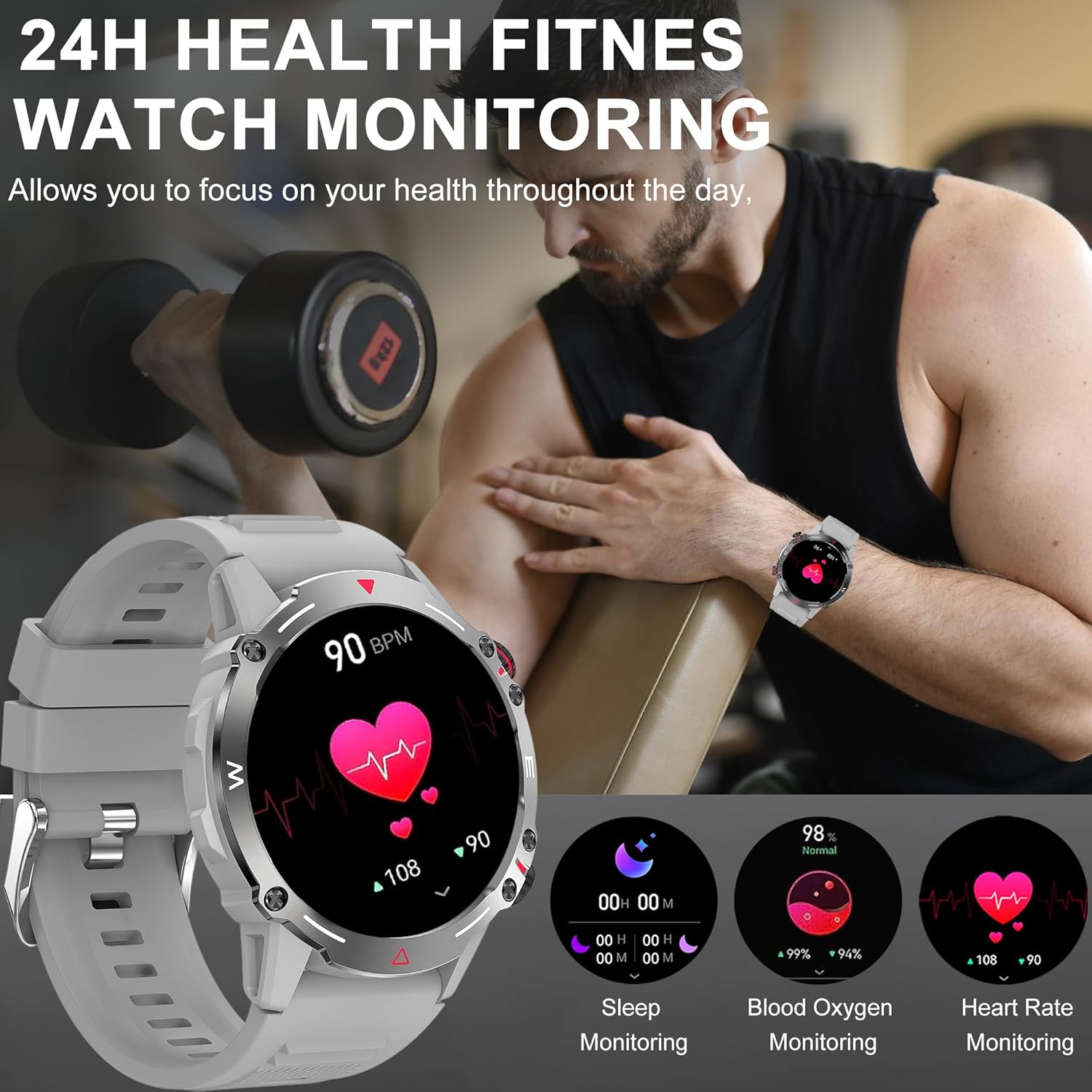
Figi 5.2: The watch interface showing real-time health data, including heart rate, blood oxygen, and sleep.
- Siveyans batman kè: Mont lan ap swiv batman kè w kontinyèlman. View current and historical data in the app.
- Siveyans oksijèn nan san: Mezire nivo saturation oksijèn nan san ou.
- Siveyans dòmi: Automatically tracks your sleep patterns (deep sleep, light sleep, wake time). Review detailed sleep analysis in the app.
- Siveyans tansyon: Provides an estimate of blood pressure. Nòt: This is not a medical device. Measurement data is for reference only and should not be used for medical diagnosis or treatment.

Figi 5.3: The sleep monitoring screen on the smartwatch, providing insights into sleep duration and quality.
5.5 Lòt Karakteristik
- Asistan vwa AI: Aktive asistan vwa a pou kontwòl san men.
- NFC: For compatible NFC functions (e.g., access control, check local availability and setup).
- Kontwòl Mizik: Kontwole lèktur mizik sou smartphone ou a (jwe, pran poz, sote mizik).
- Kamera Remote: Sèvi ak mont ou kòm yon deklanchè a distans pou kamera telefòn ou an.
- Pwedi metewolojik: Get real-time weather updates (requires app synchronization).
- Alam ak rapèl: Set alarms, sedentary reminders, and drink water reminders through the app.
- Sik fizyolojik fi: Track and monitor physiological cycles (requires setup in the app).
6. Personnalisation
6.1 Chanje Kadran Mont yo
Pèsonalize mont ou a avèk yon varyete kadran mont.
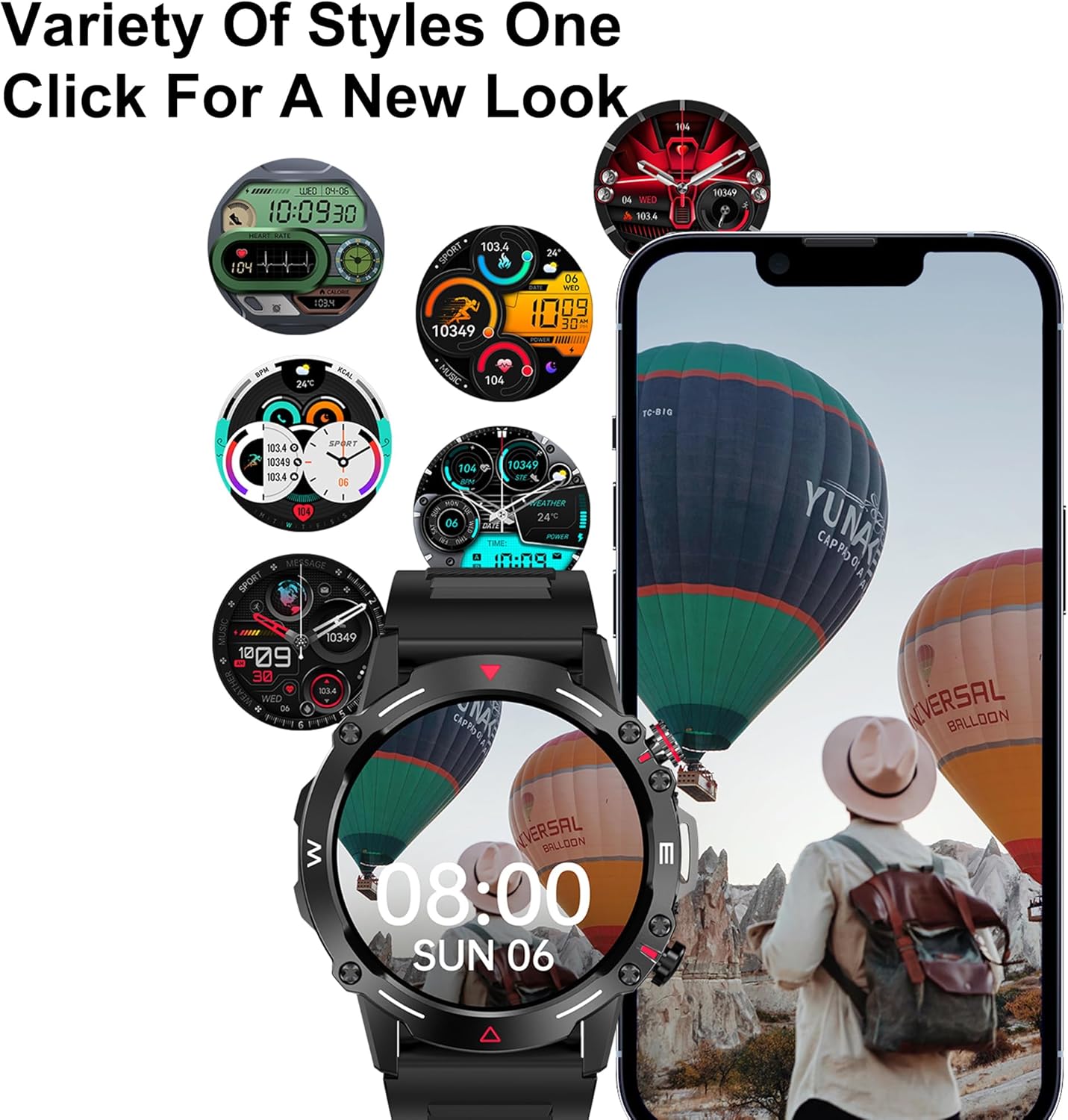
Figi 6.1: A selection of customizable watch faces available for the smartwatch.
- Sou gad la: Press and hold the main screen, then swipe left or right to browse pre-installed watch faces. Tap to select.
- Atravè aplikasyon an: Open the companion app, navigate to the "Dial Market" or "Watch Faces" section. You can download and apply additional watch faces, and even customize some with your own photos.
7. Batri ak Chaje
The DOVIICO HK87 is equipped with a 410mAh battery, offering extended usage.
- Lavi batri: Expect 7-10 days of typical daily use and up to 45 days of standby time.
- Tan pou chaje: Apeprè 2 èdtan pou yon chaj konplè.
- Metòd chaje: Use the provided magnetic charging cable. Ensure proper alignment of the charging contacts.
To maximize battery life, consider adjusting screen brightness, reducing notification frequency, and disabling features not actively in use.
8. Antretyen
8.1 Etancheite (IP68)
The DOVIICO HK87 has an IP68 waterproof rating, meaning it is resistant to dust and can withstand immersion in water up to 1.5 meters for up to 30 minutes.
- Li apwopriye pou itilizasyon chak jou, tankou lave men, lapli, ak naje fon.
- Avoid hot water, saunas, or diving, as steam and high pressure can compromise the seal.
- Pa opere bouton anba dlo.
- After exposure to water, wipe the watch dry with a soft cloth.
8.2 Netwayaj
- Regularly clean your watch and strap to prevent skin irritation and maintain appearance.
- Siye ekran an ak kò a ak yon twal mou,amp, twal ki pa gen pèl.
- For the strap, use mild soap and water if necessary, then rinse thoroughly and dry completely before wearing.
- Evite itilize pwodwi chimik piman bouk oswa materyèl abrazif.
NAN. Depanaj
| Pwoblèm | Solisyon posib |
|---|---|
| Mont lan pa limen. | Asire w ke mont lan chaje nèt. Konekte l nan plato a pou omwen 10 minit. |
| Pa ka konekte ak telefòn entelijan an. |
|
| Yo pa resevwa notifikasyon. |
|
| Done sou sante ki pa egzak. |
|
| Kout lavi batri. |
|
10. Espesifikasyon
Detailed technical specifications for the DOVIICO Military Smart Watch HK87.

Figi 10.1: Physical dimensions of the DOVIICO Smart Watch HK87.
| Karakteristik | Detay |
|---|---|
| Nimewo Modèl | HK87 |
| Ekspozisyon | 1.43-inch AMOLED HD Touch Screen, 466*466 Resolution |
| Dimansyon | 1.93 x 1.93 x 0.47 inches (49mm diameter, 11.5mm thickness) |
| Pwa atik | 5 ons |
| Kapasite batri | 410mAh Lityòm Ion |
| Lavi batri | 7-10 jou (itilizasyon tipik), 45 jou (sibstiti) |
| Tan pou chaje | Apeprè. 2 èdtan |
| Koneksyon | Bluetooth 5.0 |
| Evalyasyon ki enpèmeyab | IP68 |
| Konpatibilite | Android 4.4 ak pi wo a, iOS 8.4 ak pi wo a |
| Detèktè | Rit kè, Oksijèn nan san, Monitè dòmi |
| Karakteristik espesyal | Bluetooth Call, AI Voice Control, NFC, Alipay offline payment, Custom Dials, 100+ Sports Modes, Weather Forecast, Music Control, Remote Camera, Female Physiological Cycle Tracking |
11. Enfòmasyon sou Sekirite
- Pa eseye demont oswa modifye mont lan.
- Kenbe mont lan lwen tanperati ekstrèm ak limyè solèy la dirèk.
- Evite ekspoze mont lan anba gwo chan mayetik.
- This device is not a medical instrument. Health data is for reference only and should not be used for medical diagnosis or treatment. Consult a medical professional for health concerns.
- Kenbe soti nan atenn timoun yo.
12. Garanti ak sipò
DOVIICO products are designed for quality and reliability. For warranty information, please refer to the warranty card included with your purchase or contact DOVIICO customer support.
If you encounter any issues or have questions regarding your DOVIICO Smart Watch HK87, please contact our customer support team.
- Sipò Kliyan: Refer to your product packaging or the DOVIICO official websit pou detay kontak.
- Resous sou entènèt: Visit the DOVIICO websit pou kesyon yo poze souvan, manyèl ki ajou, ak telechajman lojisyèl.
Ask a question about this manual
Ask about setup, troubleshooting, compatibility, parts, safety, or missing instructions. Manuals+ will review the question and use this page’s manual context to help answer it.