
1. Entwodiksyon
The xTool F1 is a portable dual laser engraver designed for high-speed and high-precision engraving and cutting. It integrates both a 2W 1064nm infrared laser and a 10W 455nm diode laser, offering versatility across a wide range of materials. Its compact design and user-friendly features make it suitable for various applications, from personal DIY projects to professional customization services.
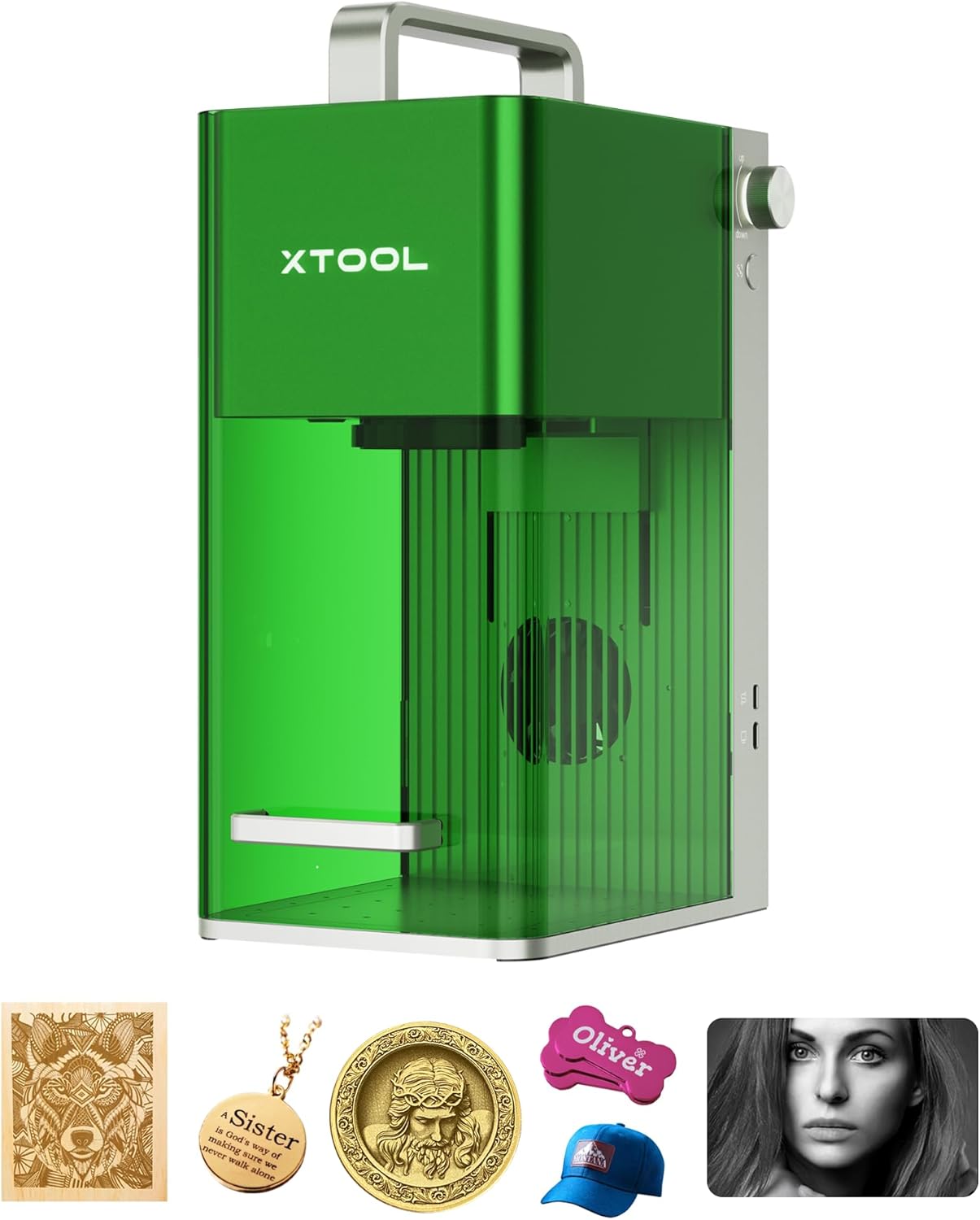
Figure 1: The xTool F1 Portable Dual Laser Engraver, a compact and versatile machine.
2. Enstriksyon Sekirite
Operating any laser device requires strict adherence to safety guidelines to prevent injury and damage. Please read and understand all safety information before using the xTool F1.
- Pwoteksyon je: Always wear appropriate laser safety goggles when the laser is active and the protective cover is open. The xTool F1 features an integrated closed cover designed to seal fumes and protect eyes from direct laser exposure during operation.
- Vantilasyon: Ensure adequate ventilation in the work area. The device has a built-in fume extractor, but additional room ventilation is recommended, especially when engraving materials that produce strong odors or smoke.
- Sekirite materyèl: Only engrave or cut materials approved for laser processing. Avoid highly flammable, explosive, or toxic materials. Refer to the material compatibility guide for details.
- Sipèvizyon: Pa janm kite machin nan poukont li pandan operasyon an.
- Ijans Stop: Familyarize w ak kote ak fonksyon bouton arè ijans lan.
- Pwovizyon pou pouvwa: Sèvi sèlman ak adaptè kouran ki vini ak li a epi asire w ke li konekte ak yon priz ki gen tè.

Figure 2: The xTool F1's integrated safety features, including fume extraction and a laser-protective cover.
3. Pwodwi souview
The xTool F1 is distinguished by its innovative dual-laser system and portability, offering a powerful tool for creative and professional applications.
Karakteristik kle:
- Sistèm Lazè Doub: Integrates a 10W 455nm Diode Laser for materials like wood, acrylic, leather, and glass, and a 2W 1064nm Infrared Laser for metals and plastics.
- High-Speed Engraving: Achieves speeds up to 4000 mm/s, significantly reducing processing time for batch projects.
- Segondè Precision: Offers a movement precision of 0.00199 mm for detailed and intricate designs.
- Pòtabilite: Compact and lightweight (4.6 kg), making it easy to transport and set up in various locations.
- Lojisyèl itilizatè-zanmitay: Compatible with xTool Creative Space (XCS) and Lightburn, supporting various file formats (SVG, DXF, PNG, JPG, BMP).
- Auto-Focus & Live Preview: Simplifies setup and ensures accurate positioning before engraving.
- Sekirite Entegre: Enclosed design with fume extraction and laser light protection.

Figure 3: The xTool F1 features two powerful lasers for versatile material processing.

Figure 4: High-speed engraving capabilities of the xTool F1 at 4000 mm/s.
4. Enstalasyon
The xTool F1 comes pre-assembled for quick setup. Follow these steps to get started:
- Unboxing: Carefully remove the xTool F1 and all accessories from its packaging. Inspect for any damage.
- Plasman: Place the machine on a stable, level surface in a well-ventilated area. Ensure there is enough space around the machine for safe operation and heat dissipation.
- Koneksyon pouvwa: Connect the power adapter to the machine and then to a suitable power outlet.
- Enstalasyon lojisyèl: Telechaje epi enstale lojisyèl xTool Creative Space (XCS) la nan paj ofisyèl xTool la. website. Alternatively, Lightburn software can also be used.
- Konekte aparèy: Connect the xTool F1 to your computer via USB or Wi-Fi as prompted by the software.
- Tès Inisyal: Perform a small test engraving on a scrap piece of material to verify functionality and laser alignment.

Figure 5: The xTool F1 is portable and comes pre-assembled for ease of setup.
5. Operasyon Enstriksyon
This section outlines the general workflow for using your xTool F1 for engraving and cutting tasks.
5.1 Software Workflow
- Kreye oswa Enpòte yon Desen: Use xTool Creative Space (XCS) or Lightburn to create your design or import existing files (SVG, DXF, PNG, JPG, BMP).
- Seleksyon materyèl: Place your material on the work platform. In the software, select the material type and thickness. The software will suggest optimal laser parameters.
- Konsantre:
- Oto-Konsantre: Enter the material thickness in the software, and the laser head will automatically adjust to the correct focal length.
- Konsantre manyèl: Rotate the knob on the side of the machine to adjust the laser head height until the two red laser dots converge into a single point on the material surface.
- Viv Preview: Utilize the live preview function in the software to visualize the engraving area on your material, ensuring correct placement and alignment.
- Kòmanse operasyon: Yon fwa satisfè ak pre aview, initiate the engraving or cutting process from the software. The machine will begin operation.

Figure 6: Step 1 - Creating designs using xTool Creative Space software.

Figure 7: Step 2 - Auto-focus and manual focus methods for the xTool F1.

Figure 8: Step 3 - Using the live preview to confirm design placement.
5.2 Material Compatibility and Laser Selection
The xTool F1's dual laser system allows for processing a wide array of materials:
- 10W 455nm Diode Laser: Ideal for engraving and cutting materials such as wood, acrylic, leather, glass, paper, cork, rubber, and ceramics.
- Lazè enfrawouj 2W 1064nm: Best suited for engraving metals (including silver, gold, stainless steel, aluminum, copper) and various plastics.

Figure 9: The xTool F1 supports over 300 materials with its dual laser system.

Figi 10: Egzamples of laser cutting capabilities on wood (up to 8mm) and acrylic (up to 5mm).
5.3 Advanced Applications
- Batch Processing: The high speed of the xTool F1 is ideal for personalizing multiple items efficiently.
- Gravure Rotary: With optional accessories like the RA2 Pro, you can engrave cylindrical objects such as tumblers, rings, and spheres.
- Multi-layer Engraving: Create intricate designs with varying depths and textures on a single material or across different materials.

Figure 11: Optional accessories like the RA2 Pro and smoke purifier enhance the xTool F1's capabilities.
6. Antretyen
Regular maintenance ensures optimal performance and extends the lifespan of your xTool F1.
- Netwaye lantiy la: Periodically clean the laser lens with a specialized lens cleaning solution and cloth to maintain engraving quality.
- Cleaning the Work Area: Remove debris and dust from the work platform and inside the machine after each use to prevent buildup and ensure proper ventilation.
- Mizajou mikrolojisyèl: Check for and install the latest firmware updates for the xTool F1 and software to benefit from new features and performance improvements.
- Depo: When not in use, store the machine in a clean, dry environment away from direct sunlight and extreme temperatures.
NAN. Depanaj
Seksyon sa a adrese pwoblèm komen ou ka rankontre epi li bay solisyon potansyèl.
- Lazè a pa tire:
- Ensure the machine is powered on and connected to the software.
- Check if the protective cover is properly closed.
- Verify that the material is correctly placed and focused.
- Confirm that the laser parameters in the software are set appropriately for the material.
- Move kalite gravur/koupe:
- Check the focus of the laser. Re-adjust using auto or manual focus.
- Netwaye lantiy lazè a si li sanble sal.
- Ajiste paramèt puisans ak vitès lazè a nan lojisyèl la. Materyèl diferan bezwen diferan paramèt.
- Ensure the material is flat and securely placed on the work platform.
- Pwoblèm Koneksyon:
- Restart both the xTool F1 and your computer/device.
- Check USB cable connections or Wi-Fi signal strength.
- Asire w ke lojisyèl ou a ajou.
- Machine Response Indicators: Refer to the machine's status lights for diagnostic information. For example, a blinking red light might indicate an error or safety interlock issue.
8. Espesifikasyon
| Karakteristik | Detay |
|---|---|
| Mak | Zouti x |
| Nimewo Modèl | F1 |
| Dimansyon pwodwi | 42.5 x 33 x 44 cm |
| Pwa atik | 6.36 Kilogram |
| Kalite pouvwa | Elektrik (kòd) |
| Batri enkli | Non |
| Batri obligatwa | Non |
| Premye Dat ki disponib | 4 jiyè 2023 |
9. Garanti ak sipò
xTool is committed to providing excellent customer service and support for your F1 laser engraver.
- Garanti: The xTool F1 typically comes with a 2-year warranty. Please refer to your purchase documentation for specific terms and conditions.
- Sipò teknik: For any technical assistance, questions, or issues, xTool offers multichannel support including:
- Imèl sipò
- Live chat
- Sipò telefòn
- Dedicated Facebook group for community and technical assistance
- Resous sou entènèt: Visit the official xTool website for FAQs, tutorials, software updates, and a comprehensive knowledge base.

Figure 12: xTool provides comprehensive multichannel support for its products.