
Entwodiksyon
Thank you for choosing the ZEBRONICS Zeb-Rainbow 400 Multimedia Speaker. This manual provides essential information for the proper setup, operation, and maintenance of your speaker system. Please read it carefully before use and retain it for future reference.
Enstriksyon Sekirite
- Pa ekspoze aparèy la anba lapli oswa imidite pou evite dife oswa chòk elektrik.
- Do not open the speaker cabinet. Refer all servicing to qualified personnel.
- Asire w ke gen bon vantilasyon toutotou aparèy la. Pa bloke okenn ouvèti vantilasyon.
- Pwoteje kòd kouran an pou yo pa mache sou oswa kwense.
- Deploge inite a pandan tanpèt zèklè oswa lè li pa itilize pou yon tan long.
- Keep the product away from direct sunlight, heat sources, and strong magnetic fields.
Kontni pake
Tanpri tcheke kare a pou atik sa yo:
- Subwoofer Unit
- Oratè satelit (4 inite)
- Kontwòl Remote
- Audio Input Cable (3.5mm to RCA)
- Manyèl itilizatè
Pwodwi souview
The ZEBRONICS Zeb-Rainbow 400 is a 4.1 channel multimedia speaker system designed for versatile audio playback. It features multiple connectivity options including Bluetooth, AUX, USB, and FM radio. The system includes a powerful subwoofer and four satellite speakers for an immersive audio experience, complemented by integrated RGB lighting.
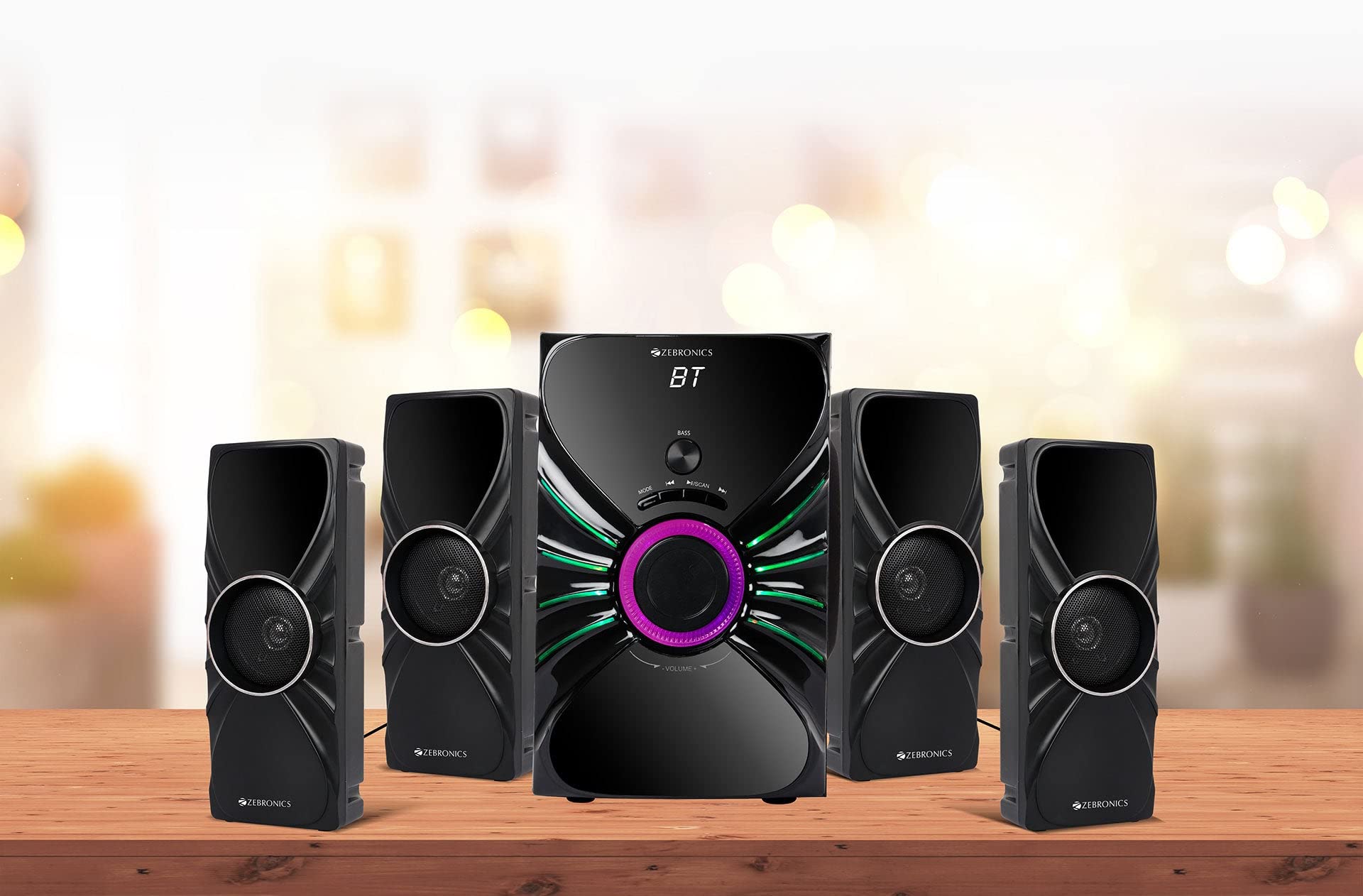
Image: The complete ZEBRONICS Zeb-Rainbow 400 multimedia speaker system, showing the subwoofer, four satellite speakers, and remote control.
Enstalasyon
1. Debake
Retire tout konpozan yo nan anbalaj la avèk prekosyon. Kenbe materyèl anbalaj yo pou transpò oswa depo nan lavni.
2. Plasman Oratè
Place the subwoofer on a stable, flat surface, preferably on the floor for optimal bass response. Position the four satellite speakers around your listening area for a balanced sound field. Ensure adequate space for ventilation.

Image: A visual representation of the 4.1 speaker setup, illustrating the subwoofer and four satellite speakers.
3. Connecting Satellite Speakers
Connect each of the four satellite speakers to the corresponding output ports on the rear panel of the subwoofer unit. Ensure the connections are secure.
4. Konekte Sous Odyo yo
- Antre AUX: Use the provided 3.5mm to RCA cable to connect your audio device (e.g., smartphone, tablet, PC) to the AUX input ports on the subwoofer.
- USB Antre: Mete yon kle USB ki gen odyo MP3 ladan l files into the USB port on the subwoofer.
5. Koneksyon pouvwa
Connect the power cable to the subwoofer unit and then plug it into a standard AC power outlet.
Enstriksyon Operasyon
1. Power On/Off
Press the Power button on the front panel of the subwoofer or on the remote control to turn the speaker system on or off.
2. Seleksyon mòd
Press the 'MODE' button on the front panel or remote control to cycle through the available input modes: Bluetooth (BT), AUX, USB, and FM Radio.

Image: Close-up of the subwoofer's front panel, showing the control buttons (Mode, Play/Pause, Next/Previous, Bass, Volume) and the integrated RGB lighting.
3. Kontwòl Volim
Rotate the 'VOLUME' knob on the front panel of the subwoofer or use the Volume Up/Down buttons on the remote control to adjust the overall sound level. The 'BASS' knob can be used to adjust the bass intensity.
4. Bluetooth mòd
- Switch the speaker to Bluetooth mode using the 'MODE' button. The display will show 'BT'.
- Aktive Bluetooth sou aparèy mobil ou oswa òdinatè w la.
- Chèche pou available devices and select "Zeb-Rainbow 400" to pair.
- Once paired, you can play audio from your device through the speakers.
5. AUX Mode
Connect your audio source using the 3.5mm to RCA cable. Switch the speaker to AUX mode. Audio from your connected device will play automatically.
6. USB mòd
Insert a USB flash drive into the USB port. The speaker will automatically switch to USB mode and begin playing MP3 files from the drive. Use the Play/Pause, Next, and Previous buttons to control playback.
7. FM Radio Mode
- Chanje oratè a nan mòd FM.
- Press and hold the 'SCAN' button (often combined with Play/Pause) to automatically scan and save available FM stations.
- Use the Next/Previous buttons to navigate through the saved stations.
8. Kontwòl Remote
The included remote control provides full functionality for power, mode selection, volume, track control, and FM station tuning. Ensure the remote has working batteries and is pointed towards the subwoofer's sensor.

Image: The ZEBRONICS Zeb-Rainbow 400 subwoofer unit shown with its remote control, highlighting the main controls.
9. RGB Limyè
The subwoofer features integrated RGB lights. These lights typically cycle through various colors and patterns automatically. Refer to the remote control for any specific buttons to change light modes, if available.
Antretyen
1. Netwayaj
Wipe the speaker surfaces with a soft, dry cloth. Do not use abrasive cleaners, waxes, or solvents as they may damage the finish. Avoid spraying liquids directly onto the speakers.
2. Depo
Si w ap sere oratè yo pou yon peryòd tan pwolonje, debranche yo nan priz kouran an epi sere yo nan yon kote ki fre epi sèk, lwen limyè solèy dirèk ak tanperati ekstrèm.
Depanaj
| Pwoblèm | Kòz posib | Solisyon |
|---|---|---|
| Pa gen pouvwa | Power cable not connected; Power outlet faulty; Unit switched off | Ensure power cable is securely connected. Check power outlet with another device. Press the Power button. |
| Pa gen son | Volume too low; Incorrect input mode; Audio cable loose/faulty; Device volume low | Increase volume. Select correct input mode. Check audio cable connections. Increase volume on connected device. |
| Bluetooth pa konekte | Speaker not in BT mode; Device not in pairing mode; Interference | Switch speaker to BT mode. Ensure device Bluetooth is on and searching. Move devices closer. Restart both devices. |
| Remote kontwòl pa travay | Batteries depleted; Obstruction; Remote not pointed at sensor | Replace batteries. Remove any obstructions. Point remote directly at the subwoofer's IR sensor. |
| Pòv resepsyon FM | Weak signal; Antenna position | Adjust the position of the FM antenna. Rescan for stations. |
Espesifikasyon
| Karakteristik | Spesifikasyon |
|---|---|
| Mak | ZEBRONIK |
| Nimewo Modèl | Zeb Rainbow 400 |
| Dimansyon pwodwi (LxWxH) | 21 x 39 x 32 santimèt |
| Pwa atik | 9 kg 350 g |
| Koneksyon Teknoloji | Auxiliary, Bluetooth, USB, Wireless |
| Sous pouvwa | AC |
| Aparèy konpatib | Smartphone, tablèt |
| Gwosè Kondwi Subwoofer la | 16.51 cm |

Image: A visual highlighting the 16.51 cm subwoofer drive of the ZEBRONICS Zeb-Rainbow 400.
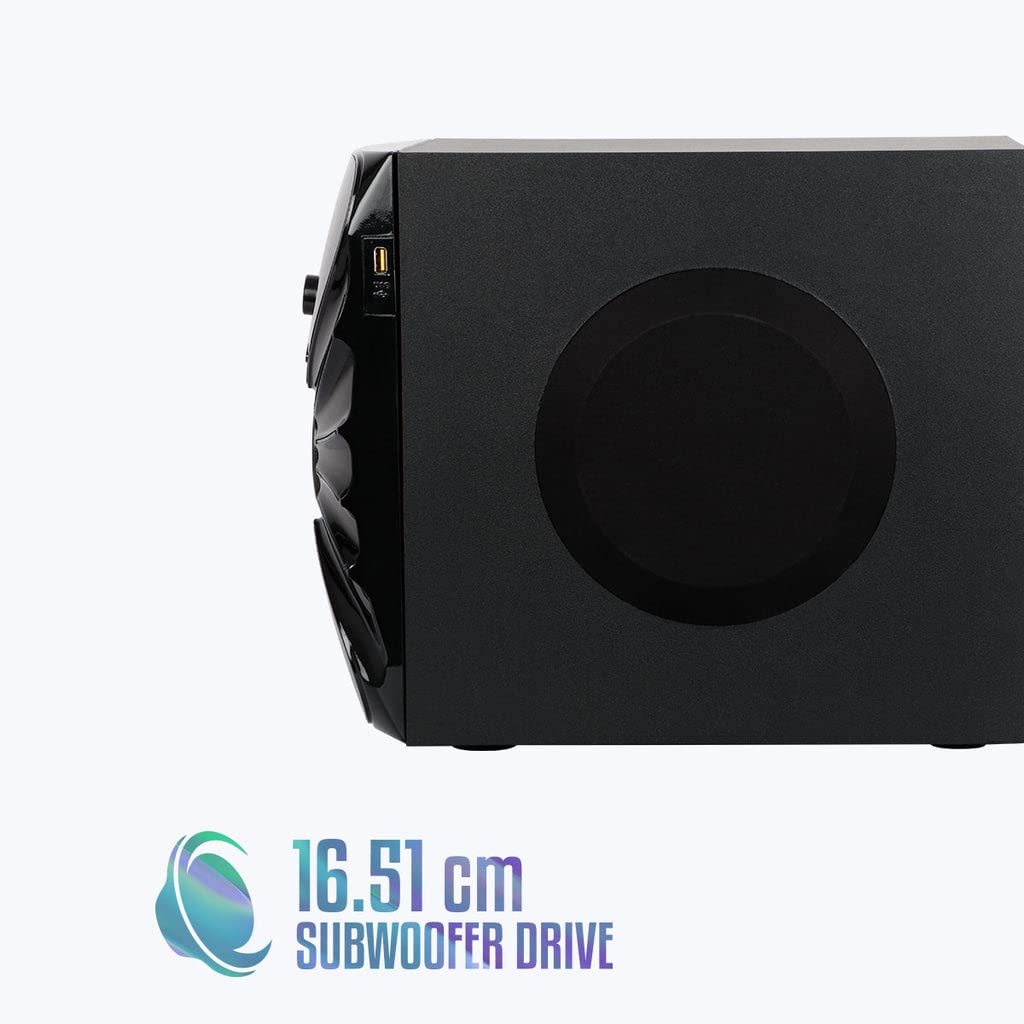
Imaj: Bò kote view of the ZEBRONICS Zeb-Rainbow 400 subwoofer, showing the USB port and overall dimensions.
Garanti ak sipò
This product comes with a minimum six-month seller warranty. For any issues or support, please contact your seller or refer to the official ZEBRONICS support channels. Keep your purchase receipt for warranty claims.