
Roberts PLAY11BK
Roberts Radio Digital Play11 DAB/DAB+/FM Portable Radio User Manual
Model: PLAY11BK
Entwodiksyon
Thank you for choosing the Roberts Radio Digital Play11. This portable radio offers high-quality audio with DAB, DAB+, and FM reception. Designed for ease of use, it features a headphone jack for personal listening and flexible power options. This manual provides essential information for setting up, operating, and maintaining your device.
Enfòmasyon sou Sekirite
Tanpri li epi konprann tout enstriksyon sekirite yo anvan ou itilize pwodui sa a. Kenbe enstriksyon sa yo pou referans pita.
- Pa ekspoze radyo a anba lapli, imidite, oswa tanperati ekstrèm.
- Evite mete aparèy la toupre sous chalè oswa anba limyè solèy dirèk.
- Use only the specified power supply (USB-C cable) or 4 x AA batteries.
- Pa eseye demonte oswa modifye aparèy la. Konfye tout antretyen bay pèsonèl kalifye.
- Ensure proper ventilation; do not cover ventilation openings.
- Jete pil yo yon fason responsab dapre règleman lokal yo.
Ki sa ki nan bwat la
Lè w ap debale, tanpri asire w ke tout bagay sa yo la:
- Roberts Radio Digital Play11
- Gid Quick Start
- USB-C pouvwa kab
- Sekirite ak feyè garanti
Pwodwi souview
Familiarize yourself with the main components and controls of your Play11 radio.

Imaj: Devan view of the Roberts Play11 radio with labels indicating the On/Off button, Volume knob, Antenna, LCD Display, Select knob, Favourites button, Info/Menu button, Mode button, and Next/Previous buttons.
- Bouton On/Off: Limen oswa etenn inite a.
- Volim bouton: Ajiste nivo pwodiksyon odyo a.
- Antèn: Ralonje l pou yon resepsyon radyo optimal.
- Ekspozisyon LCD: Montre enfòmasyon sou estasyon an, lè a, ak opsyon meni yo.
- Chwazi bouton: Navige nan meni yo epi konfime seleksyon yo.
- Favourites (2 sec) Button: Press and hold to save a favourite station; short press to recall.
- Info | Menu Button: Displays station information; press and hold to access the main menu.
- bouton mòd: Switches between DAB, DAB+, and FM modes.
- Next | Previous Buttons: Navige nan estasyon yo oswa opsyon meni yo.
- Kas ekoutè Jack: For private listening (3.5mm AUX Out Port).
- USB-C pò: Pou ekipman pou pouvwa.

Imaj: Gwo plan view of the Roberts Play11 radio, highlighting the 3.5mm headphone jack on the side for personal listening.
Enstalasyon
1. Pwovizyon pou pouvwa
The Play11 can be powered by either batteries or the included USB-C power cable.

Imaj: Dèyè view of the Roberts Play11 radio, illustrating the battery compartment for 4x AA batteries (not included) and the USB-C power input port.
- Operasyon batri: Open the battery compartment on the rear of the radio. Insert 4 x AA (LR6) batteries, ensuring correct polarity. Close the compartment securely. Batteries are not included.
- Operasyon prensipal: Connect the supplied USB-C power cable to the USB-C port on the radio and plug the other end into a suitable USB power adapter (not supplied).
2. Antèn
Extend the telescopic antenna fully for optimal reception in both DAB/DAB+ and FM modes.
3. Premye Limen
Peze a Sou / Off button to power on the radio. If this is the first time using the radio, it will automatically perform a full scan for DAB/DAB+ stations.
Enstriksyon Operasyon
Switching Modes (DAB/DAB+/FM)
Peze a Mode button repeatedly to cycle between DAB, DAB+, and FM radio modes.
DAB / DAB + Radyo
- Ap chèche estasyon: After initial power-on, the radio will automatically scan. To perform a manual scan, press and hold the Info | Meni button, navigate to "Full Scan" using the Chwazi knob, and press Chwazi pou konfime.
- Chwazi Estasyon yo: Vire a Chwazi knob to browse available stations. Press the Chwazi knob to tune into the desired station.
- Saving Presets (Favourites): Konekte sou estasyon ou vle a. Peze epi kenbe bouton an Favourites (2 sec) button until "Preset Store" appears. Rotate the Chwazi knob to choose a preset number (1-10) and press Chwazi pou sove.
- Rapèl Prereglaj: Kout peze la Favourites (2 sec) bouton. Vire a Chwazi knob to choose the desired preset and press Chwazi pou konekte.
Radyo FM
- Ap chèche estasyon: Nan mòd FM, peze epi kenbe la Next | Previous bouton yo pou chèche otomatikman pwochen estasyon ki disponib la.
- Manyèl akor: Vire a Chwazi bouton an pou ajiste manyèlman sou yon frekans espesifik.
- Saving Presets (Favourites): Konekte sou estasyon ou vle a. Peze epi kenbe bouton an Favourites (2 sec) button until "Preset Store" appears. Rotate the Chwazi knob to choose a preset number (1-10) and press Chwazi pou sove.
- Rapèl Prereglaj: Kout peze la Favourites (2 sec) bouton. Vire a Chwazi knob to choose the desired preset and press Chwazi pou konekte.
Sèvi ak kas ekoutè
Konekte kas ekoutè estanda 3.5mm nan priz kas ekoutè ki sou kote radyo a pou koute an prive. Oratè entèn lan ap fèmen otomatikman lè kas ekoutè yo konekte.
Antretyen
- Netwayaj: Siye radyo a avèk yon twal mou epi sèk. Pa sèvi ak pwodui netwayaj abrazif oswa solvan.
- Ranplasman batri: When using batteries, replace all four AA batteries simultaneously when the low battery indicator appears on the display. Ensure correct polarity.
- Depo: Si w ap sere radyo a pou yon bon bout tan, retire pil yo pou anpeche likid koule.
Depanaj
| Pwoblèm | Kòz posib | Solisyon |
|---|---|---|
| Pa gen pouvwa | Batteries are flat or incorrectly inserted; USB-C cable not connected properly. | Replace batteries, ensuring correct polarity. Check USB-C cable connection and power adapter. |
| Resepsyon DAB/FM ki pòv | Antenna not fully extended; weak signal area; interference. | Fully extend the telescopic antenna. Try repositioning the radio. Perform a full scan for DAB stations. |
| Pa gen son | Volume too low; headphones connected; unit muted. | Increase volume. Disconnect headphones. Check if the unit is muted (though this model doesn't have a dedicated mute button, ensure volume is not at zero). |
| Bouton pa reponn | Pwoblèm lojisyèl tanporè. | Turn the radio off and on again. If problem persists, remove power source (batteries/USB-C) for a few minutes, then reconnect. |
Espesifikasyon
| Modèl | PLAY11BK |
| Kalite sentonizè | DAB, DAB+, FM |
| Prereglaj | 10 DAB, 10 FM |
| Sous pouvwa | 4 x AA batteries (not included) or USB-C (4.5 Volts) |
| Entèfas Materyèl | USB Kalite C |
| Jack kas ekoutè | 3.5mm |
| Kalite ekspozisyon | LCD |
| Dimansyon (LxWxH) | 17.4 x 6 x 11 cm |
| Pwa | 357 g |
| Materyèl | Plastik, Polikarbonat (PC) |
Garanti ak sipò
Your Roberts Radio Digital Play11 comes with a 2-year warranty. Please refer to the included Safety and Warranty leaflet for detailed terms and conditions. For technical support or service inquiries, please visit the official Roberts Radio websit oswa kontakte depatman sèvis kliyan yo.
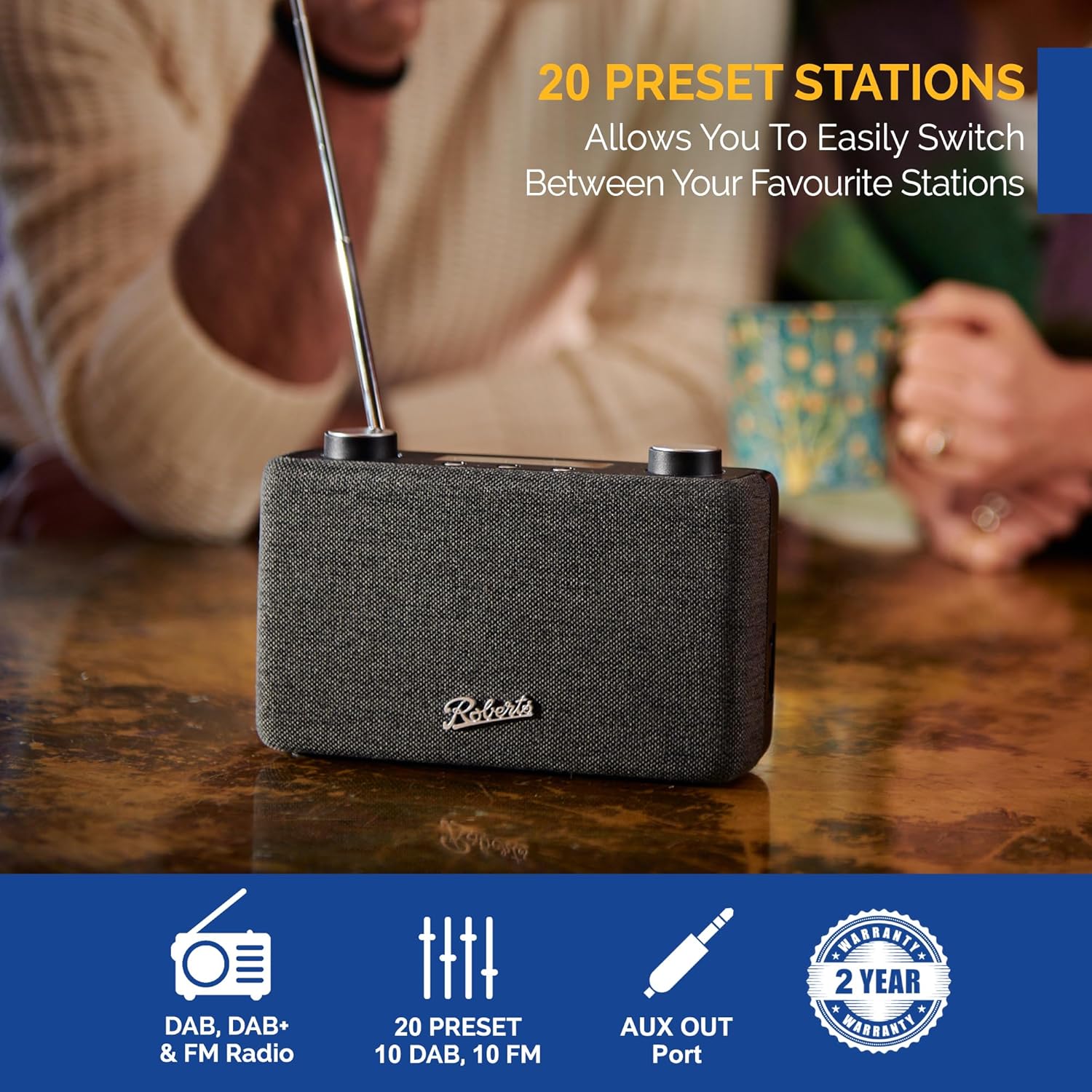
Image: The Roberts Play11 radio displayed alongside icons indicating DAB/DAB+ & FM Radio, 20 Presets, AUX Out Port, and a 2-Year Warranty badge.
Ask a question about this manual
Ask about setup, troubleshooting, compatibility, parts, safety, or missing instructions. Manuals+ will review the question and use this page’s manual context to help answer it.