
DOQAUS LIFE 4
Manyèl Itilizatè Kas Ekoutè Bluetooth DOQAUS LIFE 4 Over-Ear
Brand: DOQAUS | Model: LIFE 4
Entwodiksyon
This manual provides comprehensive instructions for the DOQAUS LIFE 4 Over-Ear Bluetooth Headphones. It covers essential information regarding setup, operation, maintenance, and specifications to ensure optimal use of your device. The LIFE 4 headphones are designed for extended listening with a focus on comfort, sound quality, and versatile connectivity.
Karakteristik kle
- Tan pou jwe pwolonje: Jiska 90 èdtan lavi batri sou yon sèl chaj.
- Son personnalisable: Three professional EQ modes (Normal, Bass Boost, Vocal/Treble Boost) for tailored audio experiences.
- Kominikasyon klè: Built-in HD microphone for crystal-clear calls.
- Comfort-Focused Design: Plush memory foam ear cups and an adjustable, lightweight headband for prolonged wear.
- Doub Koneksyon: Seamless connection to two devices simultaneously via Bluetooth 5.3.
- Itilizasyon fleksib: Supports both wireless Bluetooth and wired 3.5mm audio connections.
- Konsepsyon pòtab: Foldable earcups for easy storage and transport.
Ki sa ki nan bwat la
Upon opening your DOQAUS LIFE 4 headphones package, you will find the following items:
- 1 x DOQAUS LIFE 4 Over-Ear Headphone
- 1 x USB Chaje Kab
- 1 x Aux Audio Cable (3.5mm)
- 1 x manyèl itilizatè
- 1 x Exquisite Package (packaging material)

Image: Contents of the DOQAUS LIFE 4 headphone package, including the headphones, charging cable, AUX cable, and user manual.
Gid Enstalasyon
Videyo: Yon finiview of unboxing, setting up, and key features of the DOQAUS LIFE 4 headphones.
1. Chaje kas ekoutè yo
Before initial use, fully charge your DOQAUS LIFE 4 headphones. A full charge takes approximately 2.5 hours and provides up to 90 hours of playtime. A quick 10-minute charge can provide 5 hours of music playback.
- Connect the provided USB charging cable to the USB-C port on the headphone.
- Connect the other end of the USB cable to a compatible USB power source (e.g., computer USB port, wall adapter).
- The LED indicator on the headphone will show charging status (refer to the LED indicator section in the physical manual for specific light patterns).
- Yon fwa konplètman chaje, dekonekte kab la chaje.

Image: DOQAUS LIFE 4 headphones in use, highlighting the extended 90-hour playtime.
Video: Demonstration of the DOQAUS LIFE 4 headphones' 90-hour battery life and charging process.
2. Pè Bluetooth
The LIFE 4 headphones utilize Bluetooth 5.3 for stable and fast wireless connections.
- Asire w ke kas ekoutè yo chaje epi etenn.
- Peze epi kenbe bouton Power (Power) sou kas ekoutè a jiskaske endikatè LED la flache ble ak wouj, sa ki endike mòd koneksyon.
- Sou aparèy ou an (telefòn entelijan, tablèt, òdinatè), aktive Bluetooth epi chèche aparèy ki disponib yo.
- Select "DOQAUS LIFE 4" from the list of devices.
- Yon fwa konekte, endikatè LED la ap vin ble fiks oswa ap flache ble dousman.

Imaj: Gwo plan view of the DOQAUS LIFE 4 headphones, highlighting the Advanced Bluetooth 5.3 wireless technology.
Videyo: Finiview of Bluetooth 5.3 connectivity and stable connection features of the DOQAUS LIFE 4 headphones.
3. Koneksyon Doub Aparèy
The headphones can connect to two Bluetooth devices simultaneously.
- Konekte kas ekoutè yo ak premye aparèy la jan sa dekri pi wo a.
- Dezaktive Bluetooth sou premye aparèy la. Kas ekoutè a ap antre nan mòd koneksyon ankò.
- Koup kas ekoutè yo ak dezyèm aparèy la.
- Reaktive Bluetooth la sou premye aparèy la. Kas ekoutè yo ap konekte otomatikman ak tou de aparèy yo.
- Odyo a ap jwe nan aparèy k ap jwe medya a oswa k ap resevwa yon apèl aktivman an.

Image: A man enjoying music with DOQAUS LIFE 4 headphones connected wirelessly to his smartphone, illustrating stable Bluetooth connectivity.
Enstriksyon Operasyon
1. Kontwòl bouton
The DOQAUS LIFE 4 headphones feature intuitive button controls located on the earcups for easy management of audio and calls.
- Bouton pouvwa: Peze epi kenbe pou limen/etenn li. Peze yon ti kras pou jwe/pran yon poz mizik oubyen reponn/fini apèl.
- Volim Up / Next Track: Peze yon ti kras pou ogmante volim. Peze lontan pou pwochen mizik la.
- Volim Dawonn / Previous Track: Peze yon ti kras pou bese volim nan. Peze lontan pou ale nan mizik anvan an.
- EQ bouton: Short press to cycle through the 3 EQ modes (Normal, Bass Boost, Vocal/Treble Boost).
2. Mòd EQ yo
Enhance your listening experience with three distinct equalizer modes:
- Mòd nòmal: Bay yon pwofesyonèl odyo balansefile suitable for most genres.
- Mòd Ranfòsman Bas: Amplifies low frequencies for a deeper, more impactful bass, ideal for workouts or bass-heavy music.
- Vocal/Treble Boost Mode: Enhances vocal clarity and high frequencies, perfect for podcasts, audiobooks, or acoustic music.

Image: Visual representation of the three EQ music modes available on the headphones.
Video: Demonstration of the 3 EQ modes for sound customization on the DOQAUS LIFE 4 headphones.
3. Filè Koneksyon
For situations where Bluetooth is not available or preferred, use the included 3.5mm audio cable.
- Plug one end of the 3.5mm audio cable into the AUX port on the headphone.
- Branche lòt bout la nan sòti odyo 3.5mm aparèy ou an.
- The headphones will automatically switch to wired mode. Note that some controls may be limited in wired mode.

Image: DOQAUS LIFE 4 headphones demonstrating wireless and wired connection options.
4. Fè ak resevwa apèl
The built-in HD microphone ensures clear voice transmission during calls.
- Reponn/Fen Apèl: Kout peze bouton pouvwa a.
- Rejte apèl: Peze bouton Pouvwa a pandan lontan.
- Aktive Asistan Vwa: Double-press the Power button (if supported by your connected device).
Konfò ak konsepsyon
The DOQAUS LIFE 4 headphones are engineered for comfort and portability, featuring:
- Bando reglabl: Easily customize the fit for various head sizes.
- Plush Memory Foam Earcups: Soft, breathable earcups provide comfort during extended listening sessions.
- Foldable and Swivel Design: Earcups can swivel 90 degrees and the headphones fold compactly for convenient storage and travel.
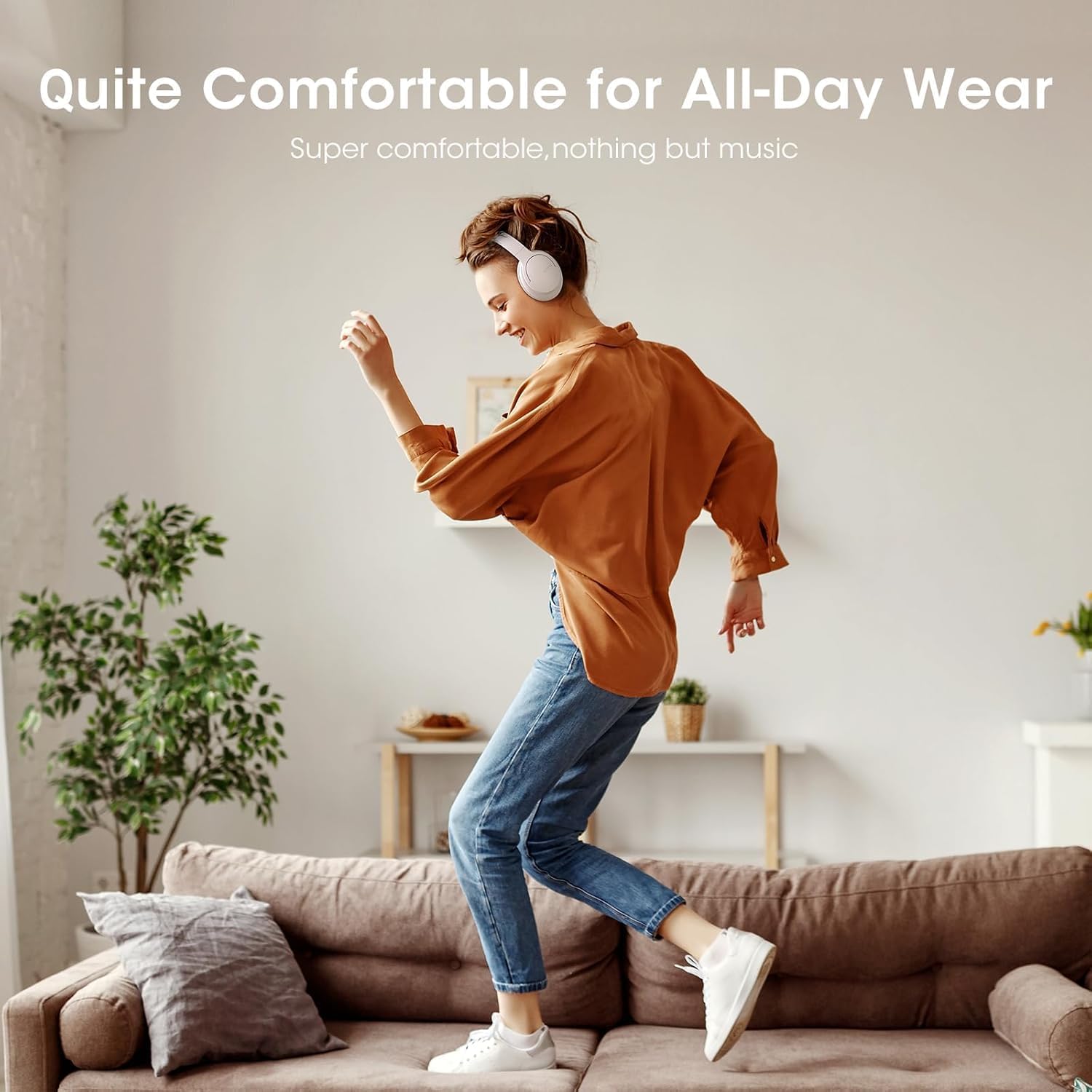
Image: Close-up of the plush memory foam earcups, highlighting the comfort-focused design.


Images: Details on adjustable headband, memory foam earcups, 90-degree swivel, and foldable design for enhanced comfort and portability.
Videyo: Yon review focusing on the passive noise isolation and comfortable fit of the DOQAUS LIFE 4 headphones.
Videyo: Yon review highlighting the all-day comfort and ergonomic design of the DOQAUS LIFE 4 headphones.
Antretyen ak Swen
To ensure the longevity and optimal performance of your DOQAUS LIFE 4 headphones, follow these care guidelines:
- Netwaye ekoutè yo ak bann tèt la regilyèman avèk yon twal mou epi sèk.
- Evite ekspoze kas ekoutè yo nan tanperati ekstrèm, imidite, oswa limyè solèy dirèk.
- Do not immerse the headphones in water. While water-resistant, they are not waterproof.
- Store the headphones in a cool, dry place when not in use, preferably folded to protect the earcups.
- Avoid using abrasive cleaners or solvents on the headphones.
Depanaj
If you encounter any issues with your DOQAUS LIFE 4 headphones, try the following steps:
- Pa gen pouvwa: Asire w ke kas ekoutè yo byen chaje.
- Pa ka konekte: Make sure the headphones are in pairing mode (flashing blue/red LED) and within range of your device. Try restarting both the headphones and your device.
- Pa gen son: Check the volume levels on both the headphones and your connected device. Ensure the correct audio output is selected on your device.
- Kalite son pòv: Move closer to your connected device to improve Bluetooth signal. Try switching EQ modes.
- Koneksyon tanzantan: Ensure no obstacles are between the headphones and your device. Avoid environments with high Wi-Fi or other wireless interference.
Espesifikasyon
| Karakteristik | Detay |
|---|---|
| Non modèl | LAVI 4 |
| Mak | DOQAUS |
| Koneksyon Teknoloji | Filaire, San fil (Bluetooth 5.3) |
| Bluetooth vèsyon | 5.3 |
| Gamme Bluetooth | 32.8 pye (apeprè 10 mèt) |
| Lavi batri | 90 èdtan |
| Tan pou chaje | 2.5 èdtan |
| Gwosè Chofè Audio | 40 Milimèt |
| Mod EQ | 3 (Normal, Bass Boost, Vocal/Treble Boost) |
| Mikwofòn | Built-in HD Microphone |
| Kontwòl bri | Izolasyon Son (Pasif) |
| Ekoutè Jack | 3.5mm Jack |
| Materyèl | Plastic, Premium Memory Foam |
| Pwa atik | 0.32 kilogram (11.3 ons) |
| Nivo rezistans dlo | Dlo rezistan |
| Karakteristik espesyal | Adjustable Headband, Lightweight, Foldable |
Garanti ak sipò
For warranty information, technical support, or customer service inquiries, please refer to the contact details provided in the original product packaging or visit the official DOQAUS websit.
Ask a question about this manual
Ask about setup, troubleshooting, compatibility, parts, safety, or missing instructions. Manuals+ will review the question and use this page’s manual context to help answer it.