
1. Pwodwi souview
The Xiaomi Redmi Buds 4 Lite are True Wireless Stereo (TWS) earbuds designed for a comfortable audio experience. They feature Bluetooth 5.3 connectivity, AI Call Noise Cancelling, and an IP54 water resistance rating, making them suitable for various activities including gaming, calls, music, and exercise.

Image: Xiaomi Redmi Buds 4 Lite TWS Wireless Earbuds in their charging case.
2. Pake kontni
Asire w tout atik yo prezan nan pakè a:
- Ekoutè Xiaomi Redmi Buds 4 Lite (Agòch ak Dwat)
- Ka chaje
- Manyèl Itilizatè (dokiman sa a)
3. Enstalasyon
3.1. Premye Chajman
Before first use, fully charge the earbuds and the charging case. Connect the charging case to a power source using a compatible USB cable. The indicator light on the case will show charging status.

Image: The charging case connected to a power source for charging.
3.2. Pairing ak yon Aparèy
- Asire w ekoutè yo nan bwat chaje a epi kouvèti bwat la louvri.
- Sou aparèy ou an (telefòn entelijan, tablèt, elatriye), aktive Bluetooth.
- Chèche pou available Bluetooth devices and select "Redmi Buds 4 Lite" from the list.
- The earbuds will automatically connect. A voice prompt or indicator light will confirm successful pairing.
The Redmi Buds 4 Lite support Google Fast Pè for quick and seamless connection with compatible Android devices.

Image: Earbuds and case illustrating Google Fast Pair feature.
3.3. Mete ekoutè yo
Gently insert the earbuds into your ears. Adjust them for a snug and comfortable fit. The lightweight design and rounded tips ensure they stay securely in place during various activities.
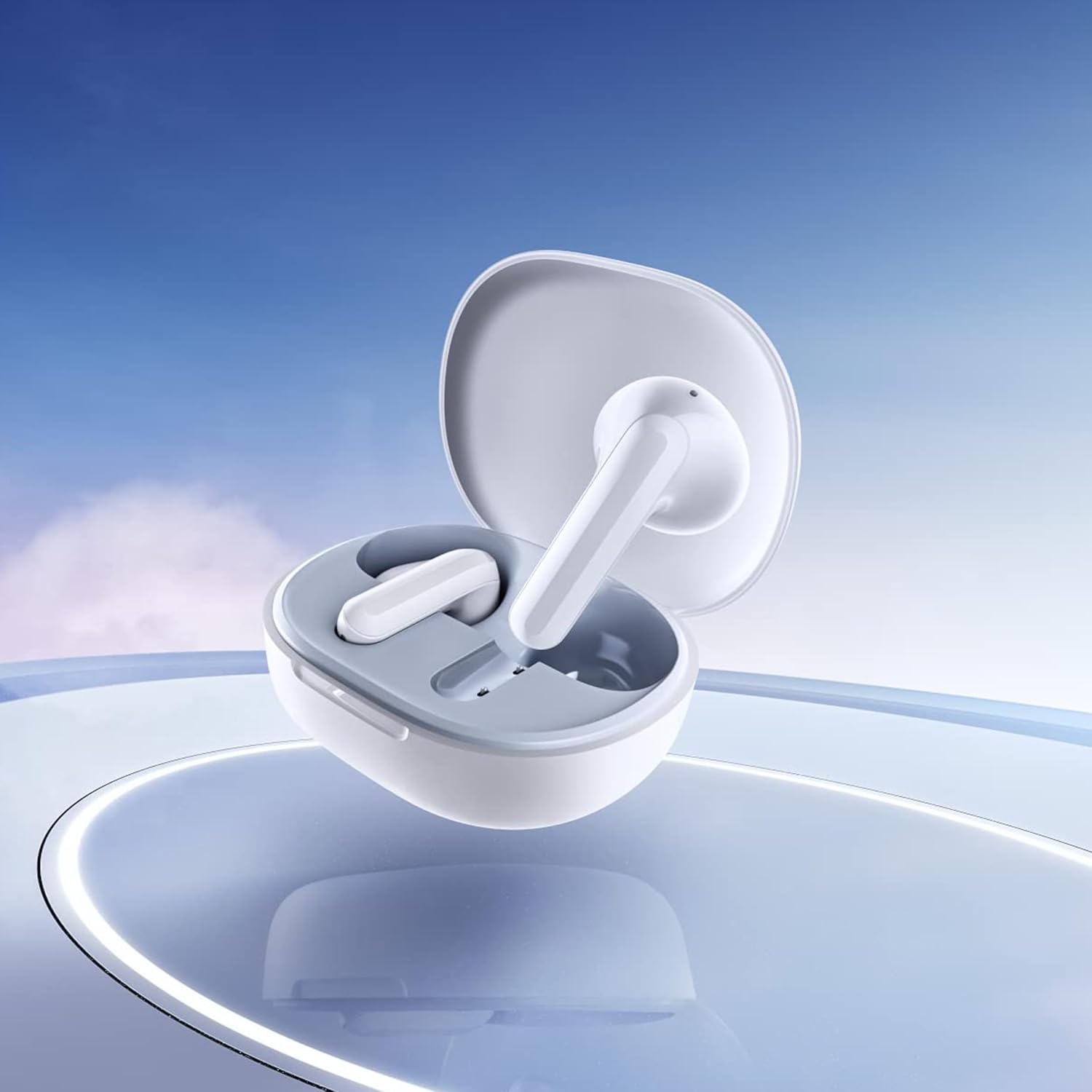
Image: Close-up of the individual earbuds, highlighting their design.
4. Operasyon Enstriksyon
4.1. Touche Kontwòl
The Redmi Buds 4 Lite feature intuitive touch controls for media playback and call management. Specific touch gestures may vary slightly, but common functions include:
- Jwe/Poz: Tape yon sèl sou chak ekoutè.
- Pwochen Track: Tape de fwa sou ekoutè dwat la.
- Track Previous: Tape de fwa sou ekoutè gòch la.
- Reponn/Fen Apèl: Tape yon sèl sou chak ekoutè.
- Rejte apèl: Peze epi kenbe sou nenpòt ekoutè.
- Aktive Asistan Vwa: Tape twa fwa sou nenpòt ekoutè.
4.2. Anilasyon Bri Apèl pa IA
The earbuds are equipped with AI Call Noise Cancelling technology to enhance call clarity by reducing background noise during phone conversations.
4.3. Mòd Jwèt ki gen Latans ki ba
For an optimized gaming experience, the earbuds offer a low-latency mode. Refer to your device's Bluetooth settings or the official Xiaomi app (if available) for activation instructions.
5. Antretyen
5.1. Netwayaj
Regularly clean your earbuds and charging case to maintain optimal performance and hygiene. Use a soft, dry, lint-free cloth. Do not use abrasive cleaners or immerse the earbuds or case in water.
5.2. Rezistans dlo (IP54)
The Redmi Buds 4 Lite have an IP54 rating, meaning they are protected against dust ingress and splashing water from any direction. This makes them suitable for workouts and light rain. However, they are not designed for swimming or showering. Avoid exposing them to high-pressure water or submerging them.

Image: Earbuds shown with an IP54 water resistance indicator.
5.3. Depo
Lè w pa ap itilize yo, sere ekoutè yo nan bwat chaj yo pou pwoteje yo epi asire yo rete chaje. Sere yo nan yon kote ki fre epi sèk, lwen limyè solèy dirèk ak tanperati ekstrèm.
NAN. Depanaj
6.1. Ekoutè yo pa konekte
- Asire ke tou de ekoutè yo chaje.
- Place earbuds back in the case, close the lid, then open it again to reset.
- Etenn epi aktive Bluetooth aparèy ou an.
- Forget "Redmi Buds 4 Lite" from your device's Bluetooth list and try pairing again.
6.2. Pa gen son oswa volim ki ba
- Tcheke nivo volim nan tou de aparèy ou an ak ekoutè yo.
- Asire w ke ekoutè yo byen chita nan zòrèy ou yo.
- Netwaye tout debri ki sou oratè ekoutè yo.
- Rekonekte ekoutè yo ak aparèy ou an.
6.3. Pwoblèm Kalite Apèl
- Asire ekoutè yo konplètman chaje.
- Pwoche pi pre aparèy ki konekte a pou evite entèferans siyal.
- The AI Call Noise Cancelling feature helps, but extreme noisy environments may still affect clarity.
6.4. Ekoutè yo pa chaje
- Verifye ke kab chaje a byen konekte ak tou de bwat la ak sous kouran an.
- Asire w ke kontak chaje yo sou ekoutè yo ak anndan bwat la pwòp epi san debri.
- Eseye yon lòt kab chaje oswa adaptè kouran.
7. Espesifikasyon
| Karakteristik | Detay |
|---|---|
| Non modèl | Redmi Buds 4 Lite |
| Koneksyon Teknoloji | San fil (Bluetooth 5.3) |
| Bluetooth vèsyon | 5.3 |
| Gamme Bluetooth | 10 mèt |
| Kalite chofè odyo | Chofè dinamik (12mm) |
| Lavi batri | Jiska 20 èdtan (ak bwat chaje) |
| Metòd kontwòl | Manyen, Kontwòl Medya |
| Karakteristik Kontwòl Bri | Anilasyon Bri Apèl pa IA |
| Nivo rezistans dlo | IP54 (Rezistan a dlo) |
| Pwa atik | 39 Grams (total), 1.38 ounces (product) |
| Dimansyon pwodwi | 2.56 x 1.89 x 1.02 pous |
| Materyèl | Plastic (earbuds and case) |
| Koulè | Blan |
| Plasman Zòrèy | Nan Zòrèy |
| Aparèy konpatib | Devices with Bluetooth 5.3 and supporting A2DP, AVRCP, HFP profiles |

Imaj: Devan view of the Redmi Buds 4 Lite in their charging case.

Imaj: Bò kote view of the Redmi Buds 4 Lite in their charging case.
8. Garanti ak sipò
8.1. Enfòmasyon sou Garanti
Warranty details for the Xiaomi Redmi Buds 4 Lite are typically provided with your purchase documentation. Please refer to the warranty card or contact your retailer for specific terms and conditions regarding your product's warranty coverage.
8.2. Sipò pou Kliyan
For further assistance, technical support, or inquiries, please visit the official XIAOMI website or contact their customer service department. You can often find support contact information on the product packaging or the brand's official online channels.
Magazen ofisyèl XIAOMI: Magazen XIAOMI sou Amazon