
1. Entwodiksyon
This manual provides essential information for the safe and effective use of your TOPUTURE TP-TM01W Walking Pad Treadmill. Please read this manual thoroughly before operating the device and retain it for future reference.
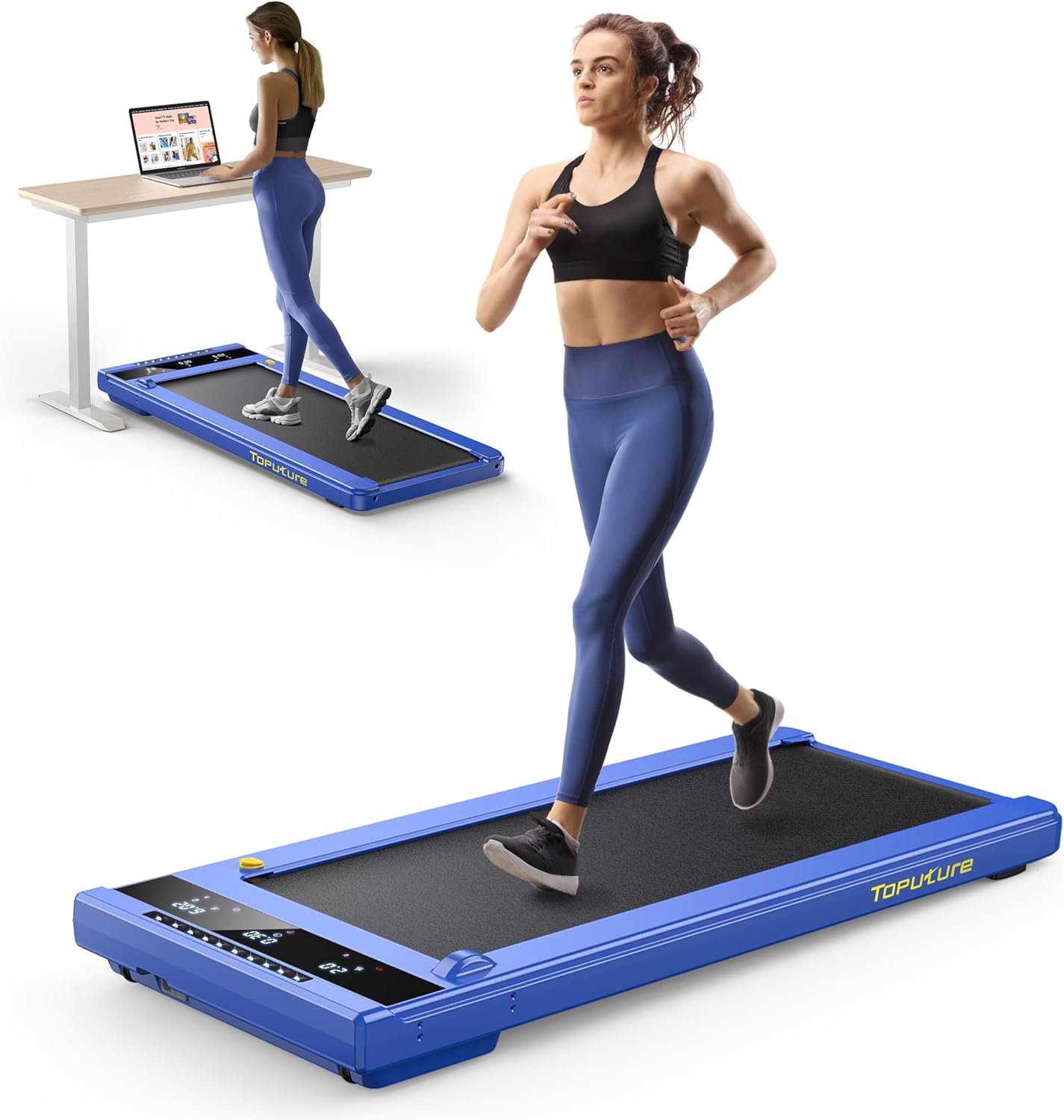
The TOPUTURE TP-TM01W is a compact, 2-in-1 walking pad treadmill designed for home and office use. It supports both walking and jogging modes, offering a versatile exercise solution. Key features include an LED touch screen, remote control, app connectivity, and a robust design for user comfort and safety.
2. Enfòmasyon sou Sekirite
- Toujou konsilte avèk yon pwofesyonèl swen sante anvan ou kòmanse nenpòt nouvo pwogram egzèsis.
- Mete tapi kous la sou yon sifas plat, ki estab, avèk ase espas toutotou li.
- Ensure the safety key is properly attached before starting the treadmill. In case of emergency, the safety key will immediately stop the machine.
- Pa kite timoun oswa bèt kay toupre tapi kous la pandan l ap fonksyone.
- Mete soulye espòtif ki apwopriye pandan w ap itilize li.
- Pa depase kapasite pwa maksimòm lan ki se 300 liv (136 kg).
- Kenbe men ak pye lwen pati k ap deplase yo.
- Debranche tapi kous la nan priz kouran an lè w pa ap itilize l oswa anvan w netwaye l oswa fè antretyen.
- If you experience dizziness, chest pain, or other abnormal symptoms, stop exercising immediately and consult a physician.
3. Pake kontni
Verifye ke tout konpozan yo prezan nan pake a:
- TOPUTURE TP-TM01W Walking Pad Treadmill
- Manyèl Itilizatè (dokiman sa a)
- Kle sekirite
- Kòd pouvwa
- Tool Kit (for maintenance)
4. Pwodwi souview
4.1. Karakteristik kle
- Konsepsyon 2-an-1: Functions as both a walking pad (0.6-2 MPH) and a jogging treadmill (3-6.2 MPH).
- Motè pwisan ak trankil: Equipped with a 2.25 HP motor, operating at less than 45dB.
- Ekran taktil ki ap dirije: Displays time, speed, calories burned, and distance.
- Opsyon kontwòl: Includes a remote control and supports the FITSHOW App for data tracking and program selection.
- Absòbsyon chòk: Features a 5-layer non-slip, shock-absorbing running belt (40"x16").
- Kontra enfòmèl ant ak pòtab: Assembly-free design with built-in wheels for easy storage and movement.
4.2. Eleman yo


5. Enstalasyon
The TOPUTURE TP-TM01W Walking Pad Treadmill arrives fully assembled and ready for use. No complex assembly is required.
- Dekonpoze: Retire tapi kous la nan anbalaj li avèk prekosyon.
- Plasman: Place the treadmill on a firm, level surface. Ensure there is at least 2 feet (0.6 meters) of clear space behind the treadmill and 1 foot (0.3 meters) on each side.
- Koneksyon pouvwa: Ploge kòd elektrik la nan yon priz elektrik ki gen tè.
- Kle sekirite: Attach the safety key to the designated slot on the treadmill. The treadmill will not operate without the safety key in place.
6. Operasyon Enstriksyon
6.1. Power On/Off
- To power on, ensure the safety key is in place and press the power button on the LED display or remote control.
- To power off, press and hold the power button, or remove the safety key.
6.2. Sèvi ak kontwòl remote la
The remote control allows you to start/stop the treadmill and adjust the speed.
- Kòmanse/Stop: Press the play/pause button to start or stop the running belt.
- Ajisteman vitès: Use the 'Speed+' and 'Speed-' buttons to increase or decrease the speed.
- Mode/Program: The 'M' button cycles through different modes, and the 'P' button selects pre-set programs.
6.3. Using the FITSHOW App
Download the "FITSHOW" app from the App Store or Google Play to connect your treadmill via Bluetooth. The app provides additional features:
- Track fitness data (time, speed, distance, calories).
- Access various workout plans and scenic videos.
- Control treadmill functions directly from your smartphone.
6.4. Mòd Vitès
- Mòd mache: Speed range of 0.6 - 2 MPH. Ideal for use under a desk or for light exercise.
- Jogging Mode: Speed range of 3 - 6.2 MPH. Suitable for more intense cardio workouts.
7. Antretyen
Antretyen regilye asire lonjevite ak pèfòmans optimal tapi kous ou a.
- Netwayaj: Siye tapi roulan an ak piblisiteamp cloth after each use. Do not use abrasive cleaners.
- Lubrifikasyon: The running belt requires periodic lubrication. Use the provided lubricating oil and apply it to the lubricating hole as indicated in the product overview image. The manufacturer recommends lubricating once a month, or as needed based on usage.
- Ajisteman senti: The running belt may occasionally require adjustment to remain centered. Use the hex wrench from the tool kit to adjust the screws at the rear of the treadmill to center the belt. Refer to the detailed instructions in the full user manual for precise adjustment procedures.
- Depo: When not in use, the treadmill can be easily moved and stored under a bed, sofa, or desk using its built-in wheels.
NAN. Depanaj
Si ou rankontre pwoblèm ak tapi kous ou a, gade pwoblèm ak solisyon komen sa yo:
| Pwoblèm | Kòz posib | Solisyon |
|---|---|---|
| Treadmill pa kòmanse | Safety key not in place; Power cord not connected; Power switch off. | Ensure safety key is attached; Check power cord connection; Turn on power switch. |
| Senti kous la glise oswa li rete | Senti a twò lach; Pa gen ase lubrifikasyon. | Adjust belt tension; Apply lubricating oil. |
| Bri dwòl pandan operasyon an | Loose parts; Lack of lubrication; Belt misalignment. | Check for loose screws and tighten; Lubricate belt; Adjust belt alignment. |
| Remote kontwòl pa reponn | Pil mouri; Telekòmand lan pa konekte. | Replace batteries; Refer to pairing instructions in the full manual. |
For issues not listed here or if problems persist, please contact TOPUTURE customer support.
9. Espesifikasyon
- Non modèl: TP-TM01W
- Mak: TOPITURE
- Dimansyon pwodwi: 50"P x 22.4"L x 5"H (127 cm P x 56.9 cm L x 12.7 cm H)
- Gwosè ki plwaye: 50"P x 22.4"L x 5"H (127 cm P x 56.9 cm L x 12.7 cm H)
- Pwa atik: 50 liv (22.7 kg)
- Materyèl: Alloy Steel
- Maksimòm Puissance: 2.25 HP
- Vitès minimòm: 0.6 Mil pa Èdtan (0.97 km/h)
- Vitès maksimòm: 6.2 Mil pa Èdtan (9.98 km/h)
- Rekòmandasyon pou pwa maksimòm: 300 liv (136 kg)
- Longè pil: 40 pous (101.6 cm)
- Lajè pil: 16 pous (40.6 cm)
- Kalite ekspozisyon: LCD (18 Inches screen size)
- Metrik yo mezire: Vitès, Kalori boule, Tan, Distans
- Karakteristik espesyal: Touch Screen, No Assembly, Compact Design, Shock Absorbent, Wheeled
- Sous pouvwa: Fil elektrik
10. Garanti ak sipò
Your TOPUTURE TP-TM01W Walking Pad Treadmill comes with a 24-mwa garanti. This warranty covers manufacturing defects and ensures the product meets quality standards.
For warranty claims, technical assistance, or any questions regarding your product, please contact TOPUTURE customer support. Details for contacting support can typically be found on the product packaging or the official TOPUTURE websit.