
Entwodiksyon
The SENCKIT S1 Bluetooth Tracker is designed to help you locate your valuable items quickly and efficiently. Utilizing Apple's Find My network, this smart tracker allows you to pinpoint the location of your keys, bags, wallets, pets, and other belongings directly from your iOS device. This manual provides detailed instructions for setting up, operating, and maintaining your SENCKIT S1 tracker.

Image: SENCKIT S1 Bluetooth Tracker, a white square device with a keychain, next to an iPhone displaying its location on a map.
Enfòmasyon sou Sekirite
Avètisman: Pa apwopriye pou timoun ki poko gen 36 mwa.
Please keep the device and its small parts, especially the battery, out of reach of young children to prevent choking hazards.
Kontni pake
Verifye ke tout atik yo prezan nan pakè ou a:
- 1 x SENCKIT S1 Bluetooth Tracker
- 1 x Manyèl Enstriksyon (dokiman sa a)
Enstalasyon
1. Enstalasyon batri
The SENCKIT S1 tracker uses a replaceable CR2032 button cell battery. The battery is pre-installed, but you may need to remove a protective strip before first use.
- Locate the small groove on the side of the tracker.
- Carefully pry open the tracker casing using a thin, non-metallic tool or your fingernail.
- If present, remove the plastic protective strip from the battery compartment.
- Ensure the CR2032 battery is correctly seated with the positive (+) side facing up.
- Close the tracker casing firmly until it clicks into place.

Image: The SENCKIT S1 tracker with its back cover removed, revealing the internal circuit board and a CR2032 battery. This illustrates the battery installation process.
2. Pairing with Apple Find My App
The SENCKIT S1 tracker is designed to work exclusively with Apple's Find My network. Ensure your iOS device is running the latest version of iOS.
- Louvri pre-enstale la Jwenn mwen app on your iPhone or iPad.
- Tape la Atik tab at the bottom of the screen.
- Tape + Add Item, Lè sa a, chwazi Lòt Atik Sipòte.
- Place your SENCKIT S1 tracker near your iOS device. The app will detect the tracker.
- Tape Konekte lè pouse.
- Follow the on-screen instructions to name your item and link it to your Apple ID.
- Tape Dakò to the privacy statement and then Fini. Your tracker is now paired.

Image: A sequence of three iPhone screens demonstrating the initial steps to pair the SENCKIT S1 tracker with the Apple Find My app, from opening the app to selecting "Other Supported Item."

Image: A sequence of three iPhone screens illustrating the completion of the pairing process, including tapping "Connect," linking to an Apple ID, and finalizing the setup.
Enstriksyon Operasyon
1. Locating Nearby Items
When your SENCKIT S1 tracker is within Bluetooth range of your iOS device, you can make it play a sound to help you find it.
- Louvri a Jwenn mwen app.
- Ale nan Atik tab and select your SENCKIT S1 tracker.
- Tape Jwe son. The tracker will emit a loud ring (up to 90dB) to guide you to its location.
- Tape Stop Sound once you have found your item.

Image: An iPhone screen displaying the "Play Sound" function within the Find My app, indicating the tracker's proximity and the ability to trigger an audible alert. A SENCKIT tracker with keys is shown next to the phone.
2. Locating Far Away Items
If your item is out of Bluetooth range, the Apple Find My network can help you locate it. Hundreds of millions of Apple devices anonymously and securely relay the location of your tracker to you.
- Louvri a Jwenn mwen app.
- Ale nan Atik tab and select your SENCKIT S1 tracker.
- Aplikasyon an ap montre dènye kote li te ye pou aparèy tracker a sou yon kat jeyografik.
- Tape Direksyon to get navigation to the tracker's location.

Image: An iPhone screen displaying the Find My app with a map showing the current location of the SENCKIT S1 tracker, indicating its use for remote tracking.
3. Left-Behind Alerts
Receive notifications if you leave your item behind and it goes out of range of your iOS device.
- Nan la Jwenn mwen app, select your SENCKIT S1 tracker.
- Scroll desann epi pèmèt la Notifye Lè Kite Dèyè baskile.
- You can also set specific locations where you do not want to be notified (e.g., your home).
4. Mòd Pèdi
If your SENCKIT S1 tracker is truly lost, you can enable Lost Mode to help others return it to you.
- Nan la Jwenn mwen app, select your SENCKIT S1 tracker.
- Scroll desann epi tape Pèmèt anba Pèdi mòd.
- Follow the prompts to enter a contact phone number or email address.
- If someone finds your tracker and scans it with an NFC-enabled smartphone, they will see your contact information.

Image: An iPhone screen displaying the "Lost Mode" feature within the Find My app, showing how a contact number can be displayed to someone who finds the tracker.
Antretyen
1. Ranplasman batri
The SENCKIT S1 tracker has a battery life of up to 1 year. The Find My app will notify you when the battery is low. Replace the CR2032 battery following these steps:
- Locate the small groove on the side of the tracker.
- Carefully pry open the tracker casing.
- Retire ansyen batri CR2032 la.
- Mete yon nouvo batri CR2032 ak bò pozitif (+) anlè.
- Close the tracker casing firmly until it clicks into place.

Image: A graphic illustrating the SENCKIT S1 tracker's replaceable battery feature, highlighting its long-term use with a 365-day battery life.
2. Netwayaj
To clean your SENCKIT S1 tracker, wipe it with a soft, dry, or slightly damp cloth. Avoid using harsh chemicals or abrasive materials, as these can damage the device.
Depanaj
- Tracker a pa konekte:
- Asire w ke batri a enstale kòrèkteman epi li gen ase chaj.
- Make sure your iOS device's Bluetooth is enabled.
- Bring the tracker very close to your iOS device during pairing.
- Restart your iOS device and try pairing again.
- Tracker not playing sound:
- Check the battery level in the Find My app. Replace the battery if low.
- Asire w ke tracker a nan zòn Bluetooth aparèy iOS ou a.
- Kote ki pa egzak:
- Location accuracy depends on the density of Apple devices in the Find My network. In remote areas, updates may be less frequent.
- Ensure your iOS device has a stable internet connection for map updates.
Espesifikasyon
| Modèl | S1 |
| Dimansyon | 1.5"L x 1.5"W x 0.28"P (38mm x 38mm x 7mm) |
| Pwa | 0.88 ons (8.7g) |
| Kalite batri | CR2032 (ranplasabl) |
| Lavi batri | Jiska 1 ane |
| Koneksyon | Bluetooth |
| Wireless Range | 10-20M (Indoor), 20-30M (Outdoor) |
| Volim Buzzer | Jiska 90dB |
| Rezistans dlo | IP65 |
| Konpatibilite | Apple Find My (iOS Compatible) |
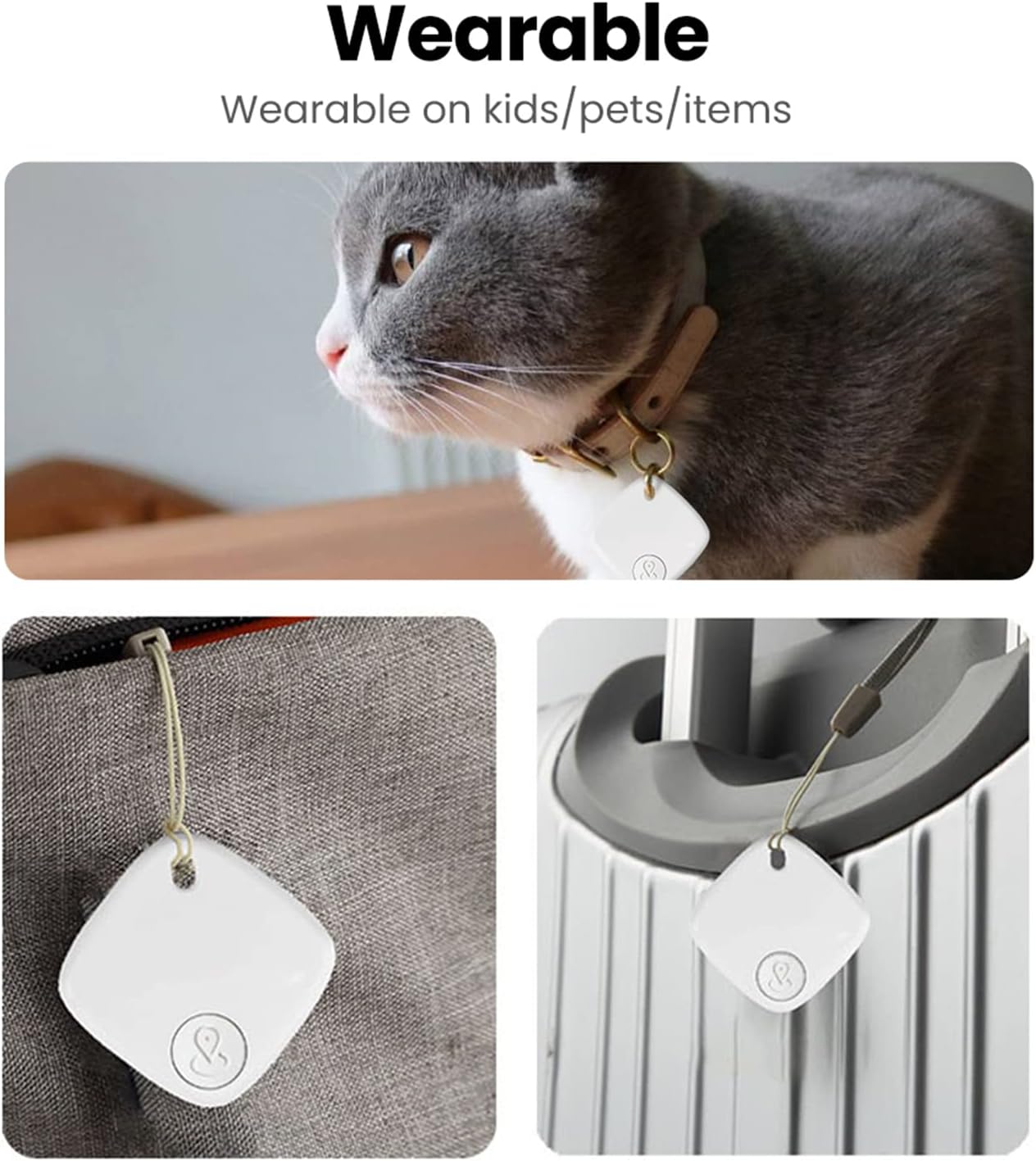
Image: A detailed diagram illustrating the physical dimensions and key specifications of the SENCKIT S1 Bluetooth Tracker.
Senaryo Itilizasyon
The SENCKIT S1 Bluetooth Tracker is versatile and can be attached to various items:
- Kle: Attach to your keyring to easily find misplaced keys.
- Bags & Backpacks: Secure to your luggage, handbag, or backpack for travel or daily use.
- Wallets: Slip into your wallet to prevent loss.
- Bèt kay: Attach to your pet's collar to help locate them if they wander off.

Image: A collage demonstrating various applications of the SENCKIT S1 tracker, including attachment to a pet's collar, a bag, and luggage.