
ADEQWAT 8007777
ADEQWAT USB-C Car Charger and Magnetic Mount User Manual
1. Pwodwi souview
The ADEQWAT USB-C Car Charger with Magnetic Mount is designed to provide convenient power and secure phone placement in your vehicle. It features an integrated USB-C cable for fast charging and a magnetic mount for easy attachment and detachment of your smartphone. This device ensures your mobile devices remain charged and accessible during your travels.

Figi 1: The ADEQWAT USB-C Car Charger and Magnetic Mount, showing the charger unit, integrated USB-C cable, and the magnetic air vent mount.
2. Pake kontni
Tanpri tcheke pake a pou atik sa yo:
- 1 x ADEQWAT USB-C Car Charger
- 1 x Integrated USB-C Cable with Magnetic Connector
- 1 x Magnetic Air Vent Mount
- 1 x Metal plate for phone (if applicable)
3. Enstalasyon ak Enstalasyon
3.1 Installing the Magnetic Air Vent Mount
- Locate a suitable air vent in your vehicle that does not obstruct your view oubyen entèfere ak kontwòl kondwi yo.
- Gently push the clip of the magnetic mount onto one of the air vent blades until it is securely attached. Ensure the mount is stable and does not wobble.
- Adjust the angle of the mount for optimal viewing.
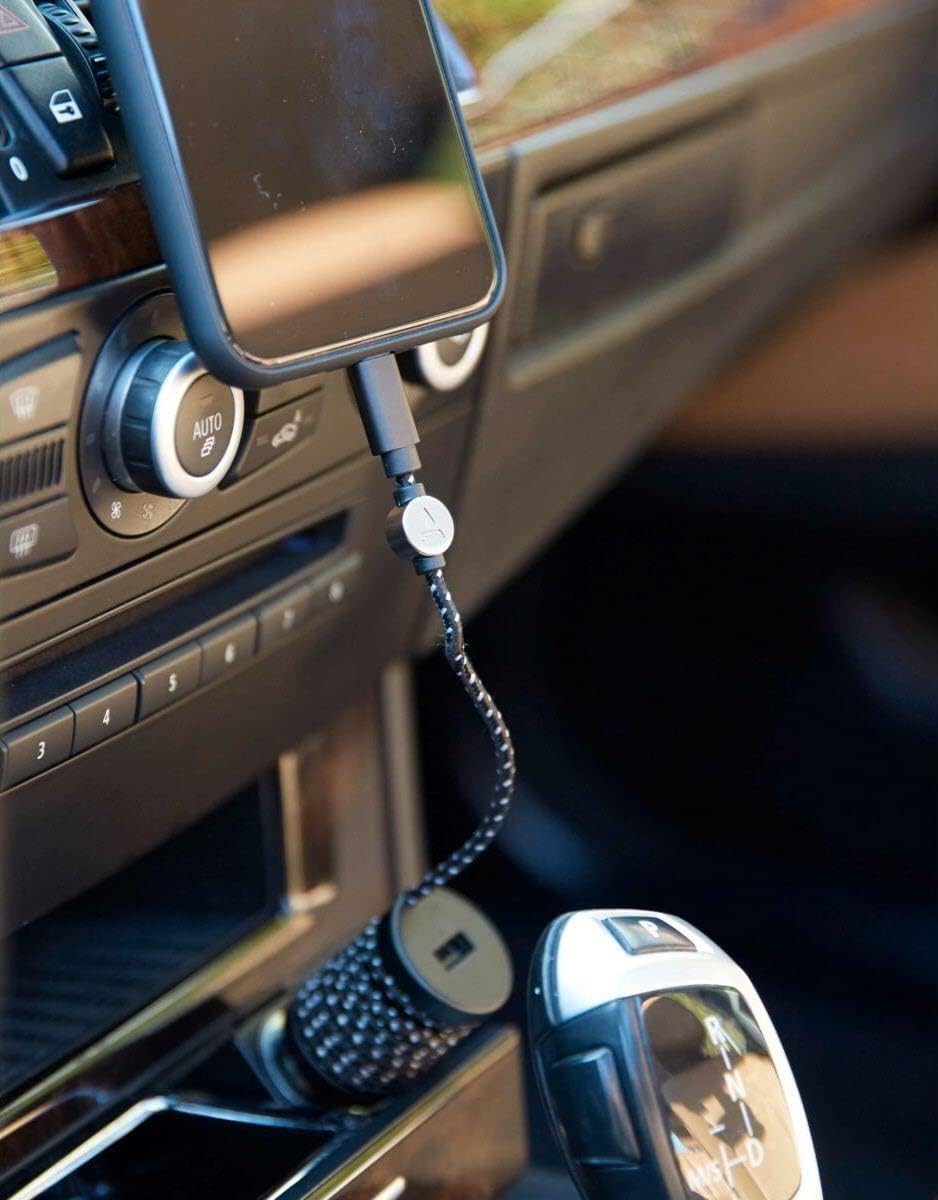
Figi 2: The ADEQWAT car charger and magnetic mount installed in a vehicle's cigarette lighter socket and air vent, with a phone connected for charging.
3.2 Connecting the Car Charger
- Insert the car charger unit firmly into your vehicle's 12V cigarette lighter socket.
- Ensure the charger is fully seated and stable.
3.3 Preparing Your Phone for Magnetic Mounting
If your phone does not have built-in magnetic capabilities, you will need to attach a metal plate to the back of your phone or inside its case. Refer to the instructions provided with your metal plate for proper attachment.

Figi 3: A user holding the ADEQWAT car charger and its integrated USB-C cable, demonstrating its compact design.
4. Operasyon Enstriksyon
4.1 Chaje aparèy ou an
- Connect the integrated USB-C cable from the car charger to your compatible device (e.g., iPhone/iPad/iPod with a USB-C to Lightning cable, or Android device with USB-C).
- The device will begin charging automatically.
- The charger also features an additional USB port for charging a second device simultaneously using your own USB cable.
4.2 Enstalasyon Aparèy Ou a
- Once the metal plate is attached to your phone, simply bring the back of your phone close to the magnetic surface of the air vent mount.
- The magnets will securely hold your phone in place.
- To remove your phone, gently pull it away from the magnetic mount.
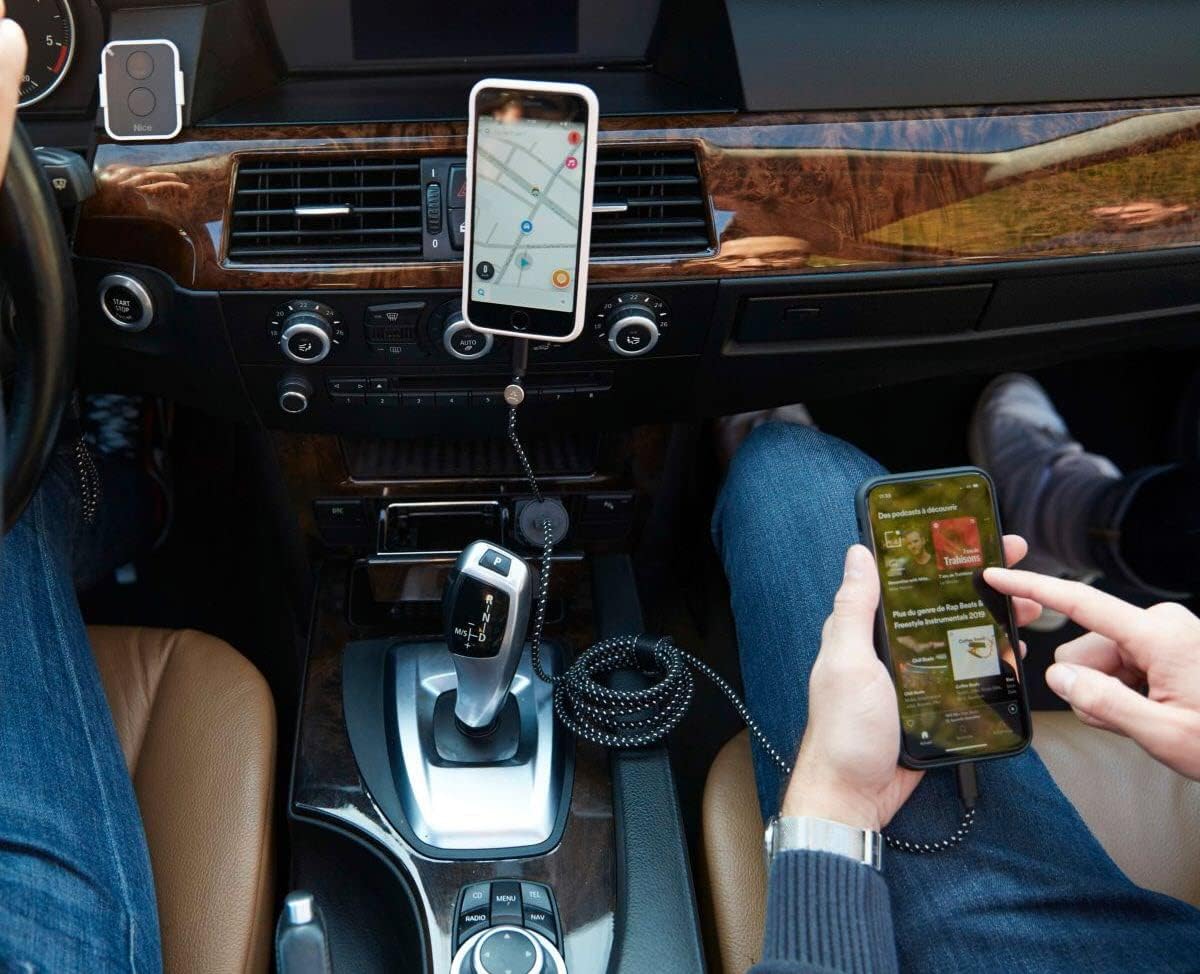
Figi 4: A phone securely mounted on the ADEQWAT magnetic mount and charging, while another phone is being used, demonstrating multi-device capability.
5. Antretyen ak Swen
- Keep the charger and mount clean by wiping them with a soft, dry cloth.
- Evite itilize pwodui chimik piman bouk oswa pwodui netwayaj abrazif.
- Ensure the cigarette lighter socket and USB ports are free of dust and debris for optimal connection.
- Pa ekspoze pwodwi a nan tanperati ekstrèm oswa limyè solèy la dirèk pou peryòd pwolonje.
NAN. Depanaj
| Pwoblèm | Kòz posib | Solisyon |
|---|---|---|
| Aparèy pa chaje. | Charger not fully inserted into socket. Vehicle's 12V socket is not active. Kab oswa aparèy ki defektye. | Ensure charger is firmly seated. Check vehicle's ignition or fuse. Eseye yon lòt kab oswa aparèy pou izole pwoblèm nan. |
| Phone not holding securely on mount. | Metal plate not properly attached or too thick case. Mount not securely attached to vent. | Ensure metal plate is correctly positioned and adhered. Consider a thinner phone case. Re-attach mount firmly to air vent. |
| Chaje dousman. | Using a non-compatible cable. Device drawing too much power (e.g., running GPS, streaming). | Use the integrated USB-C cable or a high-quality, compatible charging cable. Close unnecessary background apps on your device. |
7. Espesifikasyon
- Mak: ADEQWAT
- Modèl: 8007777
- Koulè: Nwa
- Antre Voltage: 12 Volts
- Koneksyon Teknoloji: USB
- Kalite konektè: USB (USB-C integrated, additional USB-A port)
- Total pò USB: 2
- Aparèy konpatib: iPhone/iPad/iPod, USB-C compatible devices
- Karakteristik espesyal: Pwoteksyon kout sikwi
- Kalite montaj: Air Vent Mount (Magnetic)
8. Enfòmasyon sou Sekirite
- Pa demonte oswa modifye pwodwi a.
- Kenbe soti nan atenn timoun yo.
- Evite jete oswa soumèt pwodwi a nan gwo enpak.
- Asire ke yo itilize pwodwi a nan volim espesifye atagranje e (12 vòlt).
- Si pwodwi a montre siy domaj oswa fonksyònman ki pa kòrèk, sispann itilize li imedyatman.
- Do not block the vehicle's airbags or driver's view with the mounted device.
9. Garanti ak sipò
For warranty information and customer support, please refer to the documentation provided with your purchase or contact ADEQWAT customer service directly. Information regarding spare parts availability and software updates is currently unavailable.
Manifakti: ADEQWAT
Ask a question about this manual
Ask about setup, troubleshooting, compatibility, parts, safety, or missing instructions. Manuals+ will review the question and use this page’s manual context to help answer it.