
1. Entwodiksyon
This manual provides instructions for the ALLIMITY remote control, designed for seamless operation with Xbox One, Xbox One S, and Xbox One X series consoles. This remote requires no complex setup or programming; simply install the batteries, and it is ready for use.
2. Pake kontni
- 1 x ALLIMITY Remote Control
Note: 2 x AAA Alkaline Batteries are not included and must be purchased separately.
3. Enstalasyon
3.1 Enstalasyon batri
The remote control operates on two (2) AAA alkaline batteries. Follow these steps to install them:
- Jwenn kouvèti lòj batri a sou do kontwòl remote la.
- Glise kouvèti a anba oubyen peze lokèt la (si genyen) pou ouvri konpatiman an.
- Mete de pil AAA ladan l, asire w ke tèminal pozitif (+) ak negatif (-) yo byen aliyen ak mak ki anndan konpatiman an.
- Remèt kouvèti konpatiman batri a, glise l tounen nan plas li jiskaske li fè yon klik byen fèm.

Image: Back of the remote control with the battery compartment open for AAA battery insertion.
4. Operasyon Enstriksyon
4.1 Operasyon debaz
Once the batteries are correctly installed, the remote control is ready for immediate use. No additional pairing or programming is required.
- Point the remote control directly towards your Xbox console or the device's infrared receiver.
- Press the desired buttons for navigation, media playback, or system control functions.
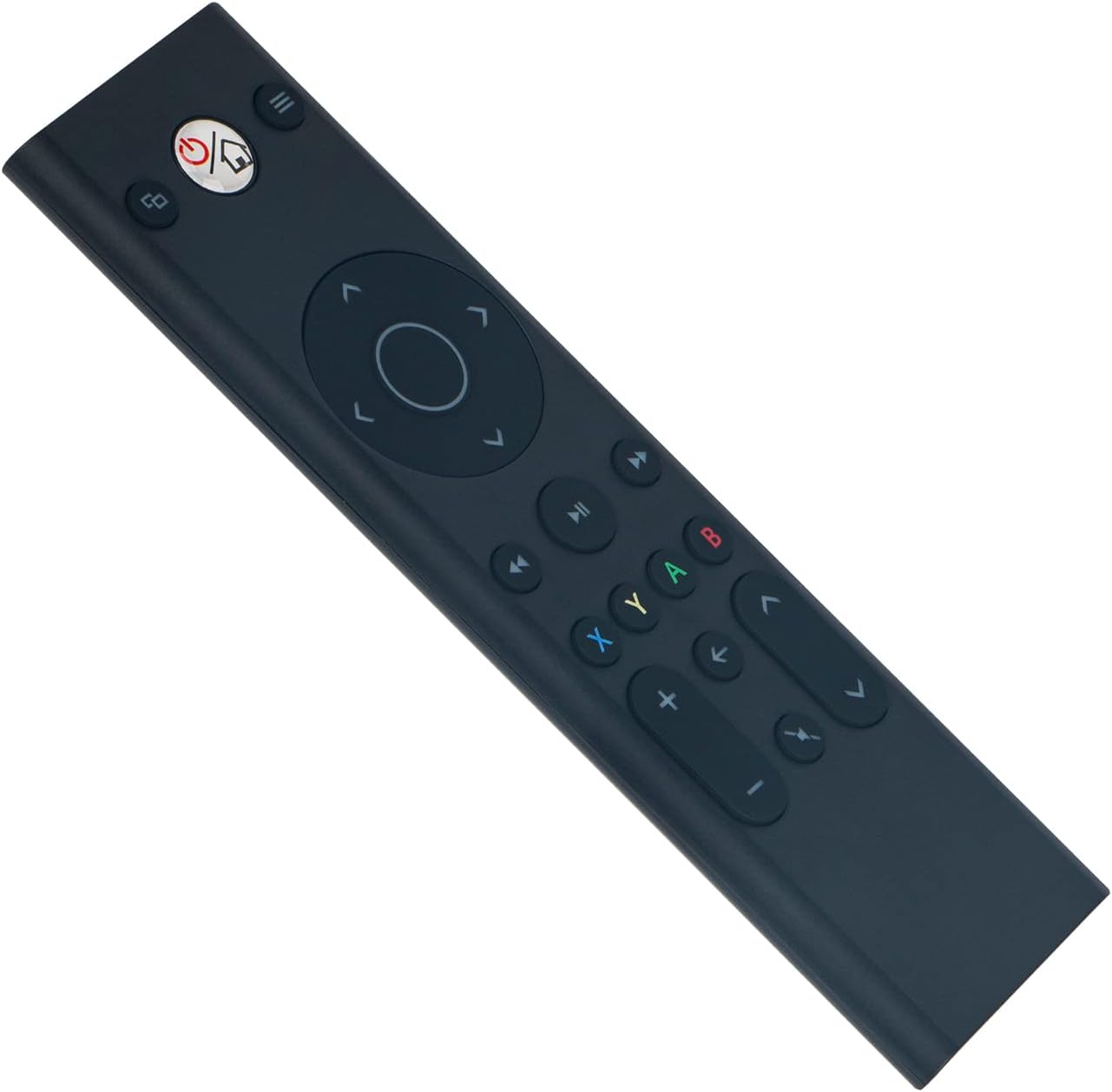
Imaj: Devan view of the ALLIMITY remote control, illustrating button layout.
4.2 Konpatibilite
This remote control is fully compatible with the following Microsoft Xbox console models:
- Xbox Yon
- Xbox One S
- Xbox One X
5. Antretyen
- Netwayaj: Use a soft, dry cloth to clean the remote control. Do not use liquid cleaners, abrasive materials, or solvents, as these may damage the surface or internal components.
- Depo: Store the remote in a cool, dry place, away from direct sunlight, extreme temperatures, and high humidity.
- Swen batri: If the remote will not be used for an extended period (e.g., one month or more), remove the batteries to prevent potential leakage and damage to the device.
NAN. Depanaj
6.1 Telekòmand lan pa reponn
- Tcheke batri yo: Ensure the batteries are inserted with the correct polarity (+/-). Replace old batteries with fresh AAA alkaline batteries.
- Obstruction: Verify there are no objects blocking the line of sight between the remote control and the Xbox console's infrared (IR) receiver.
- Ranje: Ensure you are within the maximum operating range of 33 feet (10 meters) from the console.
6.2 Intermittent Operation
- Nivo batri: Low battery power can cause inconsistent performance. Replace batteries if necessary.
- Entèferans: Strong light sources, such as direct sunlight or certain types of fluorescent lighting, can interfere with the remote's infrared signal. Try operating the remote in a different lighting environment.
7. Espesifikasyon
| Mak | ALIMITE |
| Nimewo Modèl | YK33-MB1356-BK3-RC |
| Koneksyon Teknoloji | Enfrawouj |
| Pwovizyon pou pouvwa | 2 pil alkalin AAA (pa enkli) |
| Maximum Number of Supported Devices | 1 |
| Kalite kontwolè | Kontwòl bouton |
| Kantite bouton | 21 |
| Maksimòm Range | 33 pye (10 mèt) |
| Pwa atik | 55 gram |
| Karakteristik espesyal | Pa gen pwogramasyon obligatwa |
| Aparèy konpatib | Xbox One, Xbox One S, Xbox One X series |
8. Garanti ak sipò
For product support, warranty information, or any inquiries regarding your ALLIMITY remote control, please contact the retailer from whom you purchased the product or refer to the manufacturer's official support channels. Please retain your proof of purchase for warranty claims.