
Entwodiksyon
Thank you for choosing JVC Marshmallow True Wireless Bluetooth 5.3 Earbuds. These earbuds are designed for comfort and convenience, featuring soft memory foam earpieces, Bluetooth 5.3 connectivity, and IPX4 water resistance. This manual provides essential information for setting up, operating, and maintaining your earbuds.
Ki sa ki nan bwat la
- JVC Marshmallow True Wireless Earbuds
- Ka chaje san fil
- USB Chaje Kab
- Memory Foam Earpieces (multiple sizes)
- Silicone Earpieces (multiple sizes)
Enstalasyon
1. Chaje ekoutè yo ak bwat la
Before first use, fully charge the earbuds and charging case. Connect the provided USB charging cable to the charging port on the back of the case and to a power source. The indicator lights on the case will show the charging status. Once fully charged, the lights will remain solid or turn off.

Image: JVC Marshmallow Earbuds in their charging case, illustrating the charging process.
2. Earpiece Selection and Fit
The earbuds come with both memory foam and silicone earpieces in various sizes. Choose the size that provides a snug, comfortable fit and optimal sound isolation. Gently insert the earbud into your ear canal and twist slightly to secure it.

Imaj: Gwo plan view of JVC Marshmallow earbuds highlighting the soft and elastic ear tips for a comfortable fit.

Image: A selection of memory foam and silicone earpieces in different sizes, included with the earbuds for personalized comfort.
3. Pè Bluetooth
- Louvri bwat chaje a. Ekoutè yo ap antre otomatikman nan mòd koneksyon.
- Sou aparèy ou an (telefòn entelijan, tablèt, elatriye), aktive Bluetooth epi chèche aparèy ki disponib yo.
- Select "JVC HAA18TB" from the list to connect.
- Yon fwa yo konekte, ekoutè yo ap konekte otomatikman ak aparèy ou an lè ou retire yo nan bwat la.
Enstriksyon Operasyon
1. Touch Sensor Controls
The earbuds feature intuitive touch sensor controls for various functions:
- Jwe/Poz: Tape yon sèl sou chak ekoutè.
- Pwochen Track: Tape de fwa sou ekoutè dwat la.
- Track Previous: Tape de fwa sou ekoutè gòch la.
- Volim moute: Tape twa fwa sou ekoutè dwat la.
- Volim desann: Tape twa fwa sou ekoutè gòch la.
- Reponn/Fen Apèl: Tape yon sèl sou chak ekoutè.
- Rejte apèl: Peze epi kenbe sou nenpòt ekoutè.
- Aktive Asistan Vwa: Peze epi kenbe sou nenpòt ekoutè (lè ou pa nan yon apèl).

Image: An earbud with a glowing circle on its surface, demonstrating the convenient touch sensor controls.
2. Mòd son
The earbuds offer three distinct sound modes to customize your listening experience:
- Nòmal: Odyo balanse pou koute mizik chak jou.
- Klè: Enhanced vocals and treble for podcasts and spoken content.
- Bass: Amplified low frequencies for a richer, deeper sound.
To switch between sound modes, press and hold the touch sensor on the left earbud for approximately 1 second.

Image: Visual representation of the three sound modes (Normal, Clear, Bass) available on the JVC Marshmallow earbuds.
3. Mòd Latans ki ba
Activate Low Latency Mode for a delay-free audio experience, ideal for gaming and video playback. This mode minimizes audio lag, ensuring synchronization between visuals and sound.

Image: JVC Marshmallow earbuds demonstrating Low Latency Mode, suitable for gaming and video content.
Antretyen
1. Netwayaj
Regularly clean your earbuds and charging case to ensure optimal performance and hygiene. Use a soft, dry cloth to wipe the surfaces. For earpieces, remove them and gently clean with a damp twal la, asire w ke yo byen sèk anvan ou tache yo ankò.
2. Rezistans dlo (IPX4)
The earbuds are IPX4 water-resistant, meaning they are protected against splashing water from any direction. This makes them suitable for workouts and light rain. However, they are not designed for submersion in water. Ensure the earbuds are dry before placing them back in the charging case.
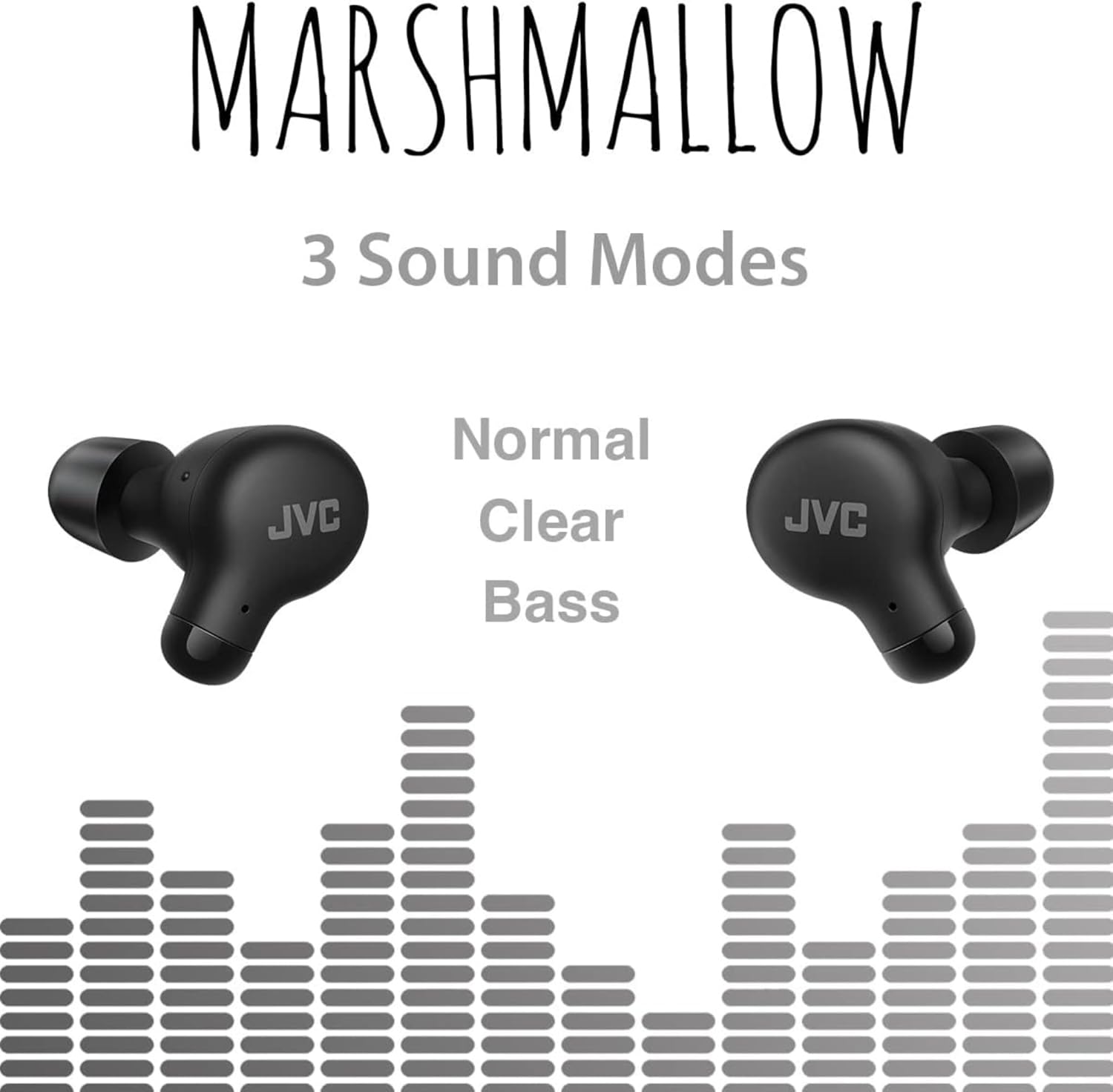
Image: A person wearing JVC Marshmallow earbuds during a workout, highlighting their IPX4 water-resistant design.
Depanaj
- Ekoutè yo pa konekte: Asire w ke tou de ekoutè yo nan bwat chaje a, apresa ouvri kouvèti a pou kòmanse mòd koneksyon an. Tcheke paramèt Bluetooth aparèy ou an epi eseye rekonekte li.
- Pa gen son ki soti nan youn nan ekoutè yo: Place both earbuds back in the case, close the lid, and then reopen. This often resets the connection.
- Volim ki ba oswa kalite son ki pa bon: Ensure earpieces are clean and properly fitted. Adjust sound modes (Normal, Clear, Bass) to your preference.
- Pwoblèm chaj: Verify the charging cable is securely connected to both the case and power source. Clean the charging contacts on the earbuds and inside the case.
Espesifikasyon
| Mak | JVC |
| Nimewo Modèl | HAA18TB |
| Koneksyon Teknoloji | Bluetooth 5.3 |
| Plasman Zòrèy | Nan Zòrèy |
| Nivo rezistans dlo | IPX4 (rezistan dlo) |
| Lavi Mwayèn Batri | 28 èdtan (ak bwat chaje) |
| Tan chaj batri | 2 èdtan |
| Metòd kontwòl | Manyen, Vwa |
| Pwa atik | 1.44 ons |
| UPC | 046838501890 |
Garanti ak sipò
Your JVC Marshmallow True Wireless Earbuds come with a 1-year warranty covering parts and labor. For technical support, warranty claims, or further assistance, please visit the official JVC websit la oubyen kontakte sèvis kliyan JVC a.
Video: Official JVC Marshmallow True Wireless Earbuds (HAA18T) product overview, ki demontre karakteristik prensipal yo ak itilizasyon yo.