
Entwodiksyon
Mèsi pou acha aasing the Walfront Wooden LED Digital Alarm Clock. This manual provides comprehensive instructions to help you set up, operate, and maintain your new alarm clock. Please read this guide thoroughly before use to ensure proper functionality and longevity of the product.
Pwodwi souview ak Karakteristik kle yo
The Walfront Wooden LED Digital Alarm Clock combines functionality with a sleek, natural design. Its wooden and ABS material construction ensures durability and a pleasant aesthetic. The clock features a clear LED display and several convenient functions.

Image: The Walfront Wooden LED Digital Alarm Clock, showcasing its digital display for time, date, and day of the week.
Karakteristik:
- Materyèl dirab: Constructed from wood and ABS material, providing a textured, durable, and long-lasting design.
- Dirije ekspozisyon dijital: Features a clear LED light digital display that illuminates through the smoothed wooden surface, visible even in low light.
- Fonksyon kontwòl vwa: Activates the display to show time, date, and day of the week simultaneously upon detecting sound.
- Opsyon Fòma Tan: Supports both 12-hour and 24-hour time systems.
- Klate reglabl: Offers three levels of brightness adjustment for comfortable viewing nan divès kondisyon ekleraj.
- Alam miltip: Includes three independent alarm functions.
- Weekday Alarm Setting: Option to set alarms to activate only on weekdays.
Gid Enstalasyon
Alimente aparèy la:
The Walfront Digital Alarm Clock can be powered in two ways:
- USB done kab: Connect the provided USB data cable to the DC 5V port on the back of the clock and plug the other end into a compatible USB power adapter (not included) or a USB port.
- Batri AAA: For portable use or as a backup, insert four (4) AAA batteries (not included) into the battery compartment located on the back of the clock. Ensure correct polarity.
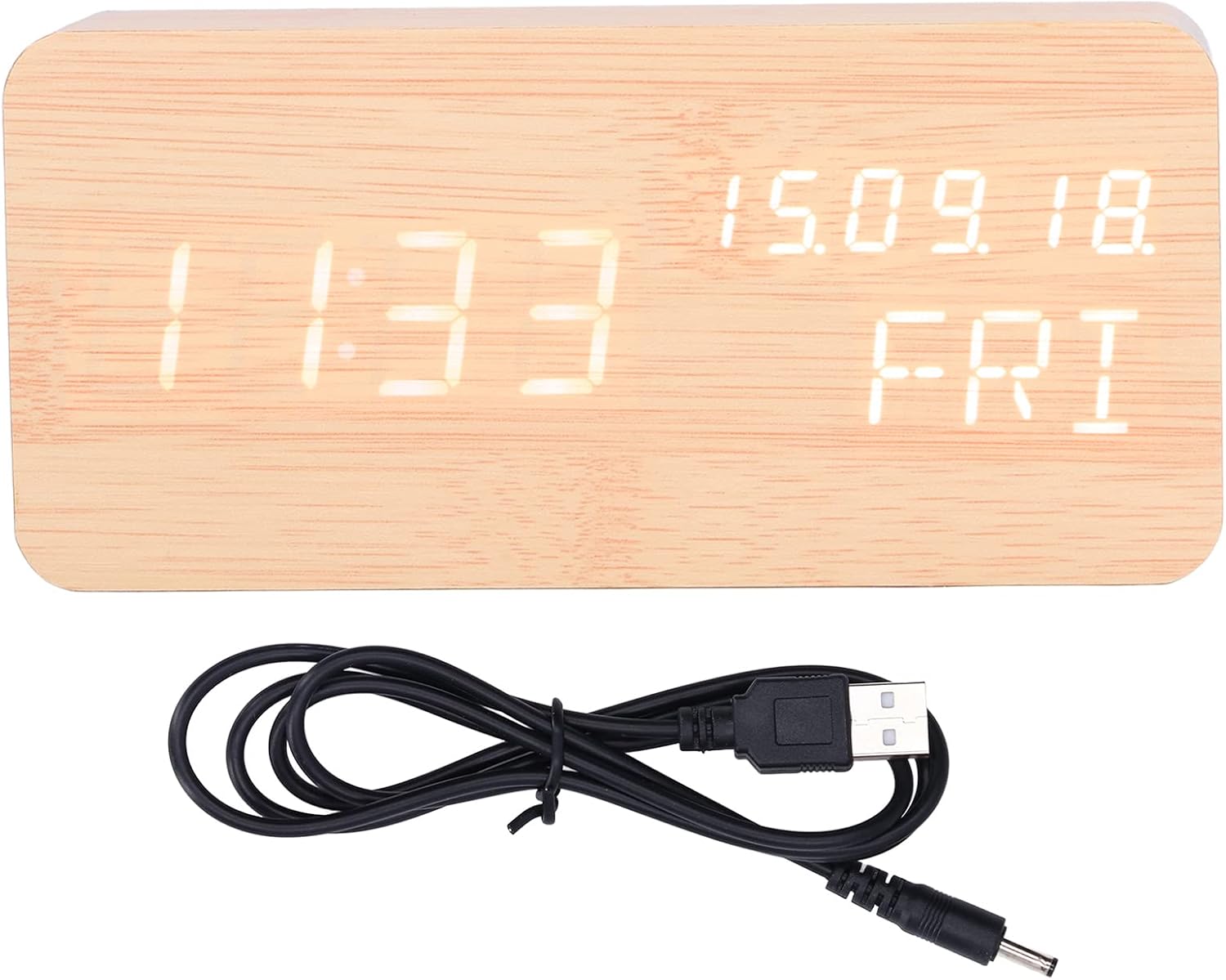
Image: The USB power cable used to power the alarm clock.

Imaj: Dèyè view of the alarm clock, highlighting the battery compartment and control buttons (SET, UP, DOWN).
Enstriksyon Operasyon
The clock features three control buttons on the back: SET, UP, ak DESANN.
Tan Anviwònman ak Dat:
- Peze epi kenbe la SET button to enter time setting mode. The display will flash.
- Sèvi ak la UP epi DESANN bouton yo pou ajiste lè a. Peze SET pou konfime epi ale nan minit yo.
- Ajiste minit ak UP/DESANN, Lè sa a, peze SET pou konfime.
- Continue this process to set the year, month, and day.
- After setting the date, you can select 12-hour or 24-hour format using UP/DESANN, Lè sa a, peze SET.

Image: Two Walfront alarm clocks, demonstrating the display of time, date, and day of the week.
Mete Alam:
The clock supports three independent alarms (AL1, AL2, AL3).
- Nan mòd ekspozisyon tan nòmal, peze la SET button repeatedly to cycle through AL1, AL2, AL3 settings.
- When an alarm (e.g., AL1) is displayed, press and hold SET to enter its setting mode.
- Sèvi ak UP/DESANN to adjust the alarm hour, then press SET.
- Adjust alarm minutes with UP/DESANN, Lè sa a, peze SET.
- You can then choose to enable/disable the alarm or set it for weekdays only (indicated by 'ON E' for weekday alarm). Use UP/DESANN pou chwazi, epi peze SET pou konfime.
- Repeat for AL2 and AL3 as needed.
Ajisteman klète:
The clock offers three levels of brightness. In normal time display mode, press the UP button to cycle through the brightness levels (L1, L2, L3, where L3 is brightest).
Fonksyon kontwòl vwa:
To activate the voice control function, ensure the clock is in power-saving mode (display off). A sound (e.g., clap, tap) will temporarily illuminate the display to show the time, date, and day of the week.

Image: The alarm clock displaying the current temperature in Celsius, alongside the date and day.
Antretyen
- Netwayaj: Use a soft, dry cloth to wipe the surface of the clock. Avoid using abrasive cleaners or solvents, which may damage the wooden finish or display.
- Plasman: Place the clock on a stable, flat surface. Avoid direct sunlight, high temperatures, or high humidity, which can affect the wood and electronic components.
- Ranplasman batri: If using batteries, replace all four AAA batteries simultaneously when the display dims or functions become erratic. Do not mix old and new batteries.
- Sous pouvwa: When not in use for extended periods, disconnect the USB power cable and remove batteries to prevent leakage.
Depanaj
| Pwoblèm | Kòz posib | Solisyon |
|---|---|---|
| Ekran an fèb oswa li pa vizib. | Batri a fèb oswa klète a twò ba. | Replace batteries or connect via USB. Press UP to adjust brightness level. |
| Clock not responding to voice control. | Voice control feature might be off or ambient noise is too low. | Ensure the clock is in power-saving mode (display off). Make a louder sound to activate. |
| Alam lan pa sonnen. | Alarm is not set or is set for weekdays only and it's a weekend. | Check alarm settings (AL1, AL2, AL3) and ensure they are enabled for the desired days. |
| Lè oswa dat ki pa kòrèk ki parèt. | Time/date was not set correctly or power interruption. | Re-enter time and date settings as per "Setting Time and Date" instructions. |
Espesifikasyon pwodwi
| Karakteristik | Detay |
|---|---|
| Kalite atik | Revèy |
| Materyèl | Wood, ABS |
| Gwosè pwodwi | Approx. 150 x 40 x 70 mm / 5.9 x 1.6 x 2.8 inches |
| Pwa atik | 9.2 ons |
| Pwovizyon pou pouvwa | USB data cable (DC 5V), 4 x AAA batteries (not included) |
| Fonksyon ekspozisyon | Time, Date, Week, Temperature (Celsius/Fahrenheit) |
| Sistèm tan | 12/24 hour system |
| Nivo klète | 3 nivo reglabl |
| Fonksyon alam | 3 sets of alarms, Weekday alarm option |
| Karakteristik espesyal | Fonksyon kontwòl vwa |
| Nimewo Modèl | WALFRONT73dgi05csv |
Garanti ak sipò
For warranty information or technical support, please refer to the retailer's return policy or contact Walfront customer service directly. Keep your purchase receipt as proof of purchase.