
Entwodiksyon
Thank you for choosing the Jectse Mini HD 1080P WiFi Camera. This compact and versatile camera is designed for indoor security and surveillance, offering features such as 1080P video recording, night vision, motion detection, and real-time monitoring via a mobile application. Please read this manual carefully to ensure proper setup and operation of your device.

Image: The Jectse Mini HD 1080P WiFi Camera, showcasing its compact design and connectivity ports.
Karakteristik pwodwi
- HD 1080P Video: Records high-definition video at 1080 pixels.
- Vizyon lannwit: Equipped with 6 photosensitive lenses for clear night vision.
- Deteksyon Mouvman: Automatically detects movement and sends alerts.
- Koneksyon WiFi: Supports WiFi network connection for remote viewing via mobile app.
- Anrejistreman bouk: Overwrites older footage lè kat memwa a plen.
- Mayetik Design: Strong magnetic force for easy attachment to metallic surfaces. Includes a magnetic bracket for adjustable angles.
- Batri entegre: Provides up to 60 minutes of operation on a full charge.
- Gwosè kontra enfòmèl ant: Ultra-small body for easy portability and discreet placement.
- Depo dilatabl: Supports Micro SD cards up to 128GB (card not included).

Image: Visual representation of the camera's key features, including night vision, HD quality, remote access, hotspot, video/audio recording, and storage capabilities.
Kontni pake
Tanpri tcheke pake a pou atik sa yo:
- 1 x Jectse Mini HD 1080P WiFi Camera
- 1 x manyèl enstriksyon
- 1 x Support mayetik
- 1 x mikwo USB chaje kab
Enstalasyon
1. Chaje Kamera a
Before first use, fully charge the camera. Connect the Micro USB charging cable to the camera's charging port and the other end to a 5V/1A USB power adapter (not included). A full charge takes approximately 30 minutes (from 0% to 100%).
2. Mete yon Kat Mikwo SD (Si ou vle)
To enable video recording and storage, insert a Micro SD card (up to 128GB, not included) into the designated slot on the camera. Ensure the card is inserted correctly. The camera supports continuous recording for up to 21 hours with a 128GB card.

Image: The camera's Micro SD card slot, illustrating its storage capability for continuous recording.
3. Koneksyon Aplikasyon Mobil
Download the dedicated mobile application from your smartphone's app store. Follow the in-app instructions to connect the camera to your home or office WiFi network. This allows for real-time viewing ak kontwòl.
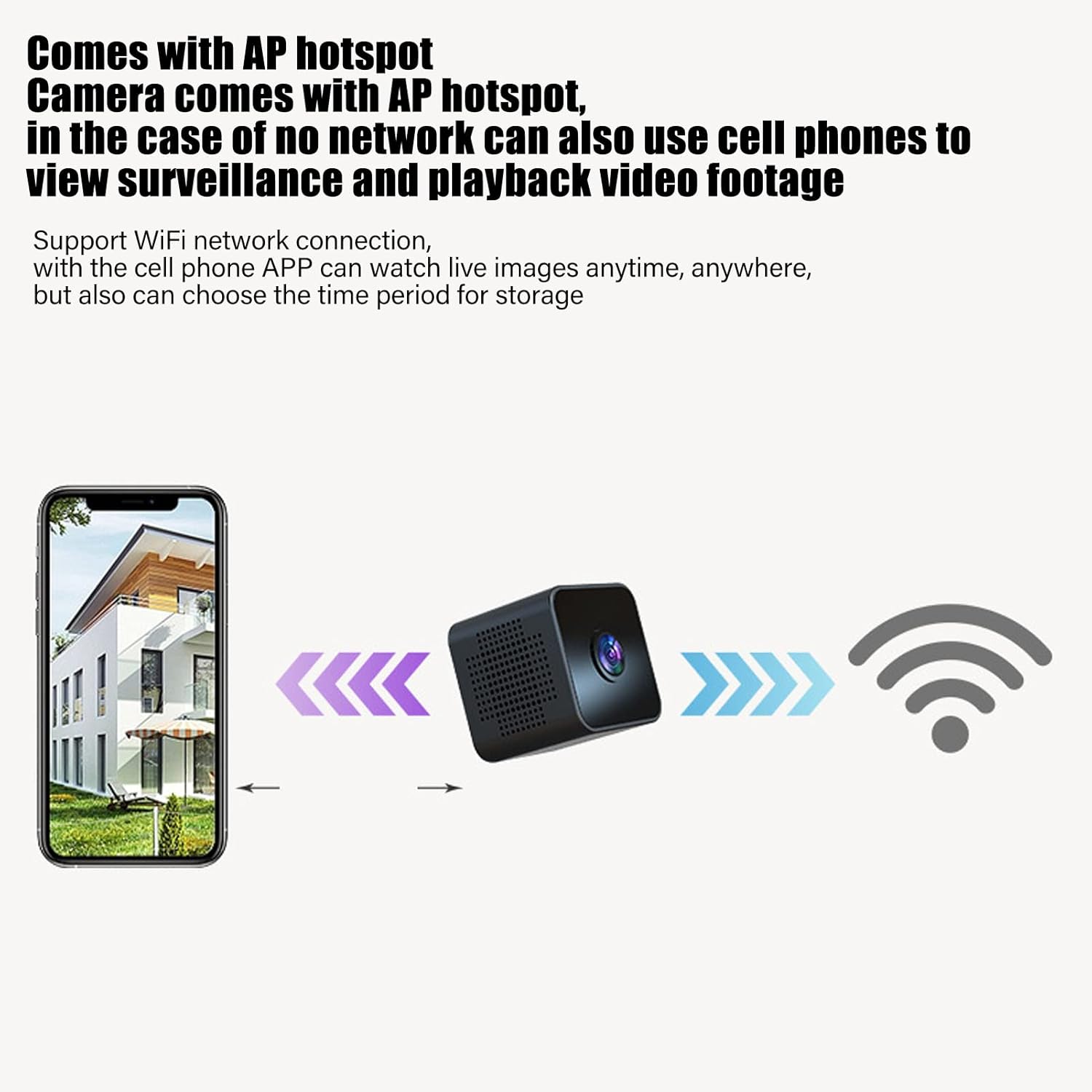
Image: Diagram showing a smartphone connecting to the camera, indicating remote viewing and control via the mobile app.
Enstriksyon Operasyon
Power On/Off
Refer to the instruction manual included in the package for specific power on/off procedures. Typically, a long press of the power button will turn the device on or off.
Siveyans an tan reyèl
Once connected to the mobile app, you can view videyo live footage from the camera anytime, anywhere. The app also allows you to set specific time periods for video storage.
Deteksyon Mouvman
The camera features intelligent motion detection. When movement is detected in the camera's field of view, an alarm notification will be sent to your mobile app. This feature helps monitor your premises effectively.

Image: Illustration of the motion detection function, where the camera identifies movement and triggers an alert on a connected smartphone.
Vizyon lannwit
The camera is equipped with high-definition night vision capabilities, ensuring clear video even in low-light conditions. The night vision mode can be manually activated or set to open at specific times via the app.

Image: A visual comparison demonstrating the clear picture quality of the camera, highlighting its HD capabilities.
Anrejistreman bouk
When a Micro SD card is inserted, the camera will continuously record. If the memory card becomes full, the camera will automatically overwrite the oldest video files to make space for new recordings, ensuring continuous surveillance without manual intervention.
Mounting mayetik
The camera features a strong magnetic back, allowing it to be easily attached to any metallic surface. Use the included magnetic bracket to adjust the camera's angle for optimal viewing.

Image: Two perspectives of the mini camera, emphasizing its small size and magnetic design for flexible placement.
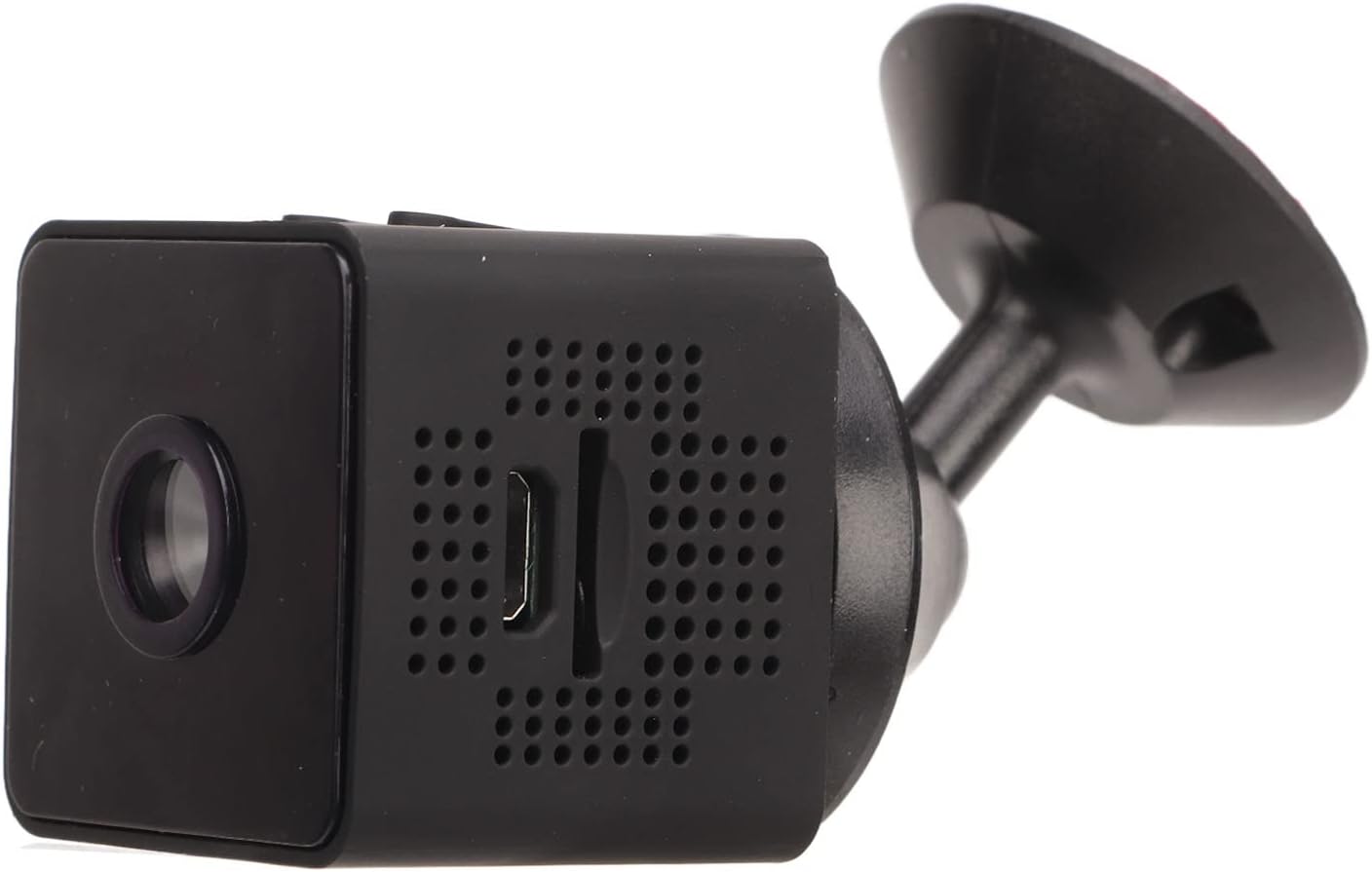
Imaj: Bò kote view of the camera, showing how it connects to the magnetic bracket for adjustable positioning.
Antretyen
- Netwayaj: Sèvi ak yon twal mou epi sèk pou netwaye lantiy kamera a ak kò a. Evite itilize pwodui netwayaj likid oswa materyèl abrazif.
- Depo: Sere kamera a nan yon kote ki fre epi sèk, lwen limyè solèy dirèk ak tanperati ekstrèm.
- Swen batri: Pou pwolonje lavi batri a, evite dechaje batri a nèt souvan. Chaje kamera a regilyèman, menm si w pa ap itilize l byen.
- Mizajou mikrolojisyèl: Check the mobile application periodically for any available firmware updates to ensure optimal performance and security.
- Kondisyon anviwònman: This camera is designed for indoor use. It is not waterproof and should not be exposed to rain, moisture, or submerged in water.
Depanaj
| Pwoblèm | Solisyon posib |
|---|---|
| Kamera pa limen. | Ensure the camera is fully charged. Connect it to a power source and wait for the charging indicator. |
| Pa ka konekte ak WiFi. | Check your WiFi network credentials. Ensure the camera is within range of your router. Restart the camera and your router. Follow the app's connection guide carefully. |
| Pa gen anrejistreman videyo. | Verify that a Micro SD card is properly inserted and formatted. Check if the card has sufficient free space. |
| Move kalite videyo. | Ensure the camera lens is clean. Check your network connection speed if streaming remotely. |
| Deteksyon mouvman pa travay. | Check the motion detection settings in the mobile app. Ensure the camera's view is clear and unobstructed. |
Espesifikasyon
| Kalite pwodwi | Mini WiFi Kamera |
| Nimewo Modèl | Jectseot42hdk8wq |
| Rezolisyon videyo | 1080P HD |
| Teknoloji Capteur Imaj | CMOS |
| Koneksyon Teknoloji | San fil (WiFi) |
| Sous pouvwa | Built-in Rechargeable Battery (350 mAh) / Corded Electric (via Micro USB) |
| Lavi batri | Approx. 60 minutes (continuous recording) |
| Entèfas chaje | Mikwo USB (5V/1A) |
| Chaje dire | Approx. 30 minutes (0%-100%) |
| Depo | Kat Micro SD (jiska 128GB, pa enkli) |
| Videyo Konpresyon Creole | H.264 Main, H.264 Baseline, MJPEG, JPEG Baseline |
| Fòma Capture Videyo | MP4 |
| Vizyon lannwit | Infrared (IR) with 6 photosensitive lenses, Color Night Vision |
| Deteksyon Mouvman | Yes (App-controlled alerts) |
| Metòd kontwòl | Aplikasyon mobil |
| Materyèl | ABS plastik |
| Dimansyon pwodwi apeprè | 3 x 3 x 3 cm |
| Itilizasyon Rekòmande | Andedan kay la Sekirite Sosyal |
| Nivo rezistans dlo | Not waterproof; designed for indoor use. |
Note: All data is measured manually and may contain minor discrepancies.
Garanti ak sipò
Pou enfòmasyon sou garanti a ak sipò teknik, tanpri al gade enfòmasyon kontak ki sou anbalaj pwodwi a oswa sou sit ofisyèl Jectse la. websit la. Kenbe resi acha ou kòm prèv acha pou nenpòt reklamasyon garanti.
Si ou rankontre nenpòt pwoblèm ki pa kouvri nan manyèl sa a, tanpri kontakte sèvis kliyan pou jwenn asistans.