
1. Pwodwi souview
The TP-Link ER707-M2 is an Omada Multi-Gigabit VPN Router designed for high-performance networking environments. It features dual 2.5 Gigabit WAN ports, a Gigabit SFP WAN/LAN port, and multiple Gigabit RJ45 WAN/LAN ports, providing flexible connectivity and high-bandwidth aggregation. This router integrates seamlessly with the Omada SDN Controller for centralized management and offers robust security features including an SPI Firewall and various VPN protocols.
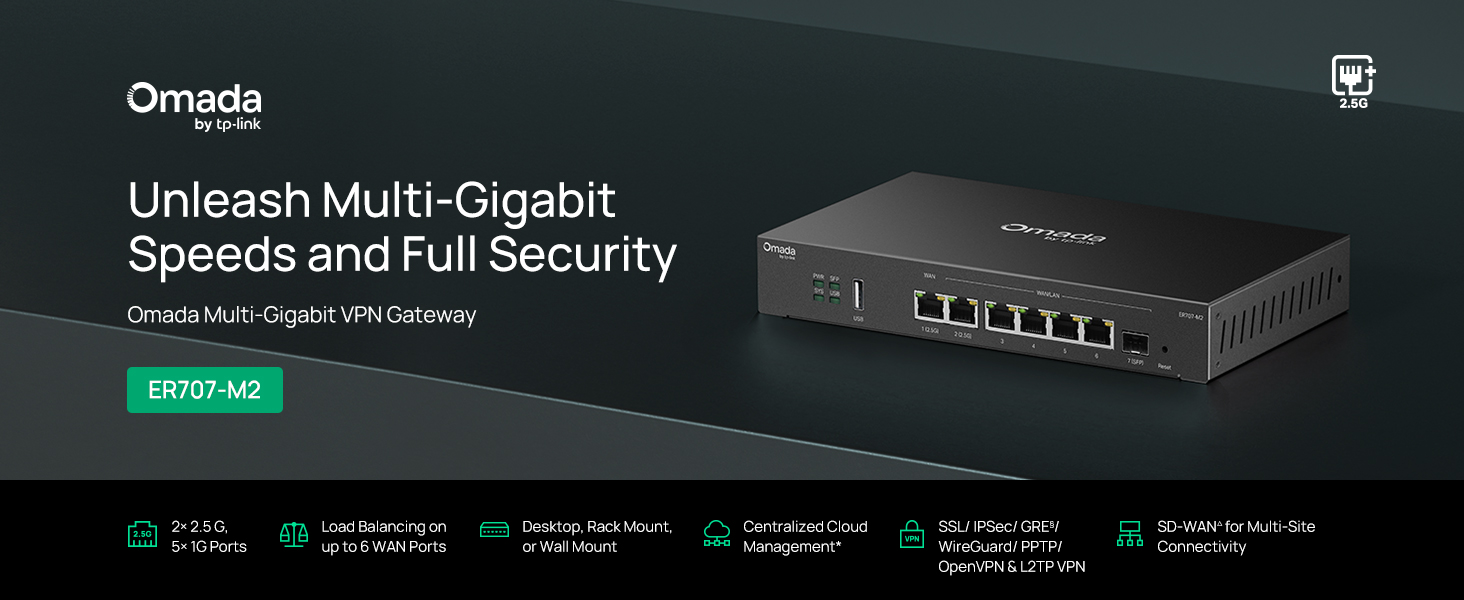
Figi 1: Devan view of the ER707-M2 router, highlighting its ports and indicators.
Karakteristik kle:
- Konfigirasyon pò fleksib: Includes 1x 2.5Gigabit WAN Port, 1x 2.5Gigabit WAN/LAN Port, 4x Gigabit WAN/LAN Ports, 1x Gigabit SFP WAN/LAN Port, and 1x USB 2.0 Port.
- High-Performance Network Capacity: Supports up to 500,000 concurrent sessions and over 1000 clients.
- Aksè nan Cloud: Centralized cloud management via Omada app and web koòdone.
- VPN ki trè an sekirite: Sipòte jiska 100 koneksyon IPsec LAN-a-LAN, 66 koneksyon OpenVPN, 60 koneksyon L2TP, ak 60 koneksyon PPTP VPN.
- Sekirite avanse: Features SPI Firewall, Policy-based Firewall, Static Routing, Policy Routing, Multi-net DHCP, Guest Portal, and VLAN support.
- Load Balance & Link Backup: Optimizes multi-line broadband efficiency and reliability.
- USB 2.0 pò: Supports USB storage and LTE backup with a compatible LTE dongle.
2. Pake kontni
Verifye ke pake ou a gen atik sa yo:
- TP-Link ER707-M2 Omada Multi-Gigabit VPN Router
- Adaptè pouvwa
- Gid Enstalasyon Rapid
If any item is missing or damaged, please contact your reseller or TP-Link support.
3. Enstalasyon
3.1 Enstalasyon Materyèl
- Koneksyon pouvwa: Connect the provided power adapter to the router's power input and then to a power outlet.
- Koneksyon WAN: Connect your modem or internet service provider's device to one of the WAN ports (e.g., WAN1 2.5G or WAN/LAN2 2.5G) using an Ethernet cable. For fiber connections, use the SFP port with a compatible SFP module.
- Koneksyon LAN: Connect your local network devices (e.g., computers, switches, Omada Access Points) to the LAN ports (WAN/LAN2-6) using Ethernet cables.
- USB Device (Optional): If using a USB storage device or an LTE dongle for backup, insert it into the USB 2.0 port.
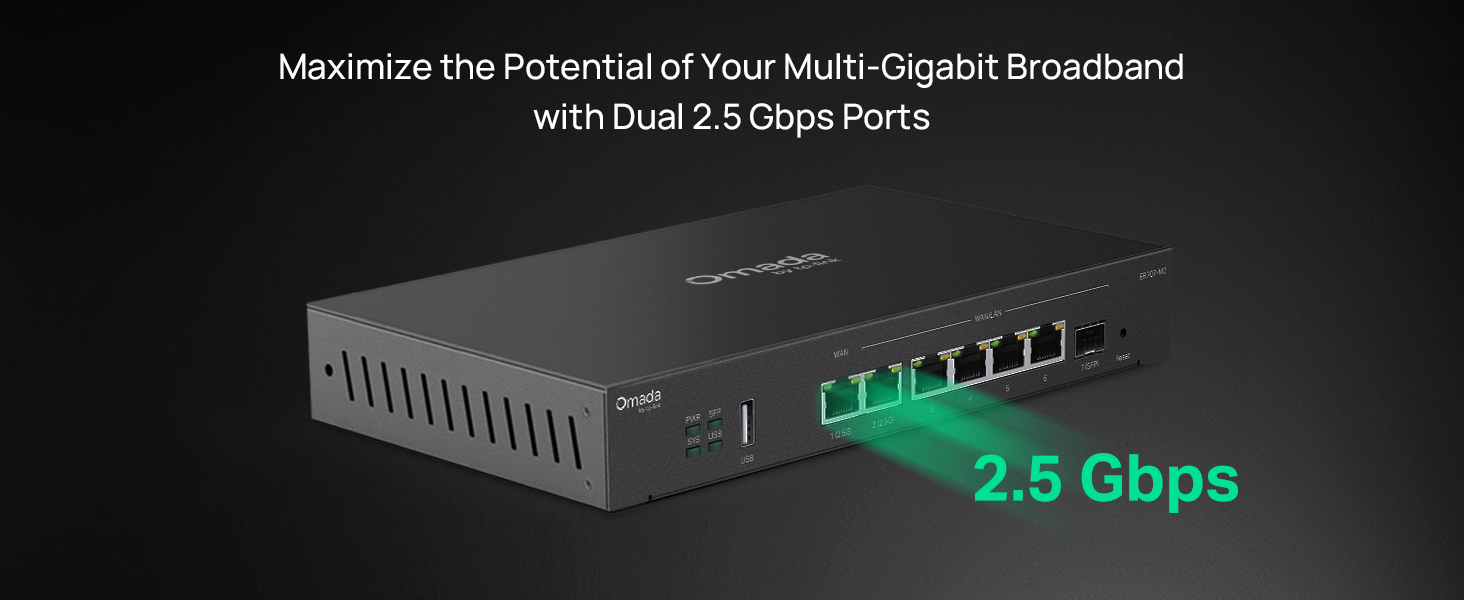
Figure 2: Illustration of the router's 2.5 Gbps ports for high-speed connectivity.
3.2 Inisyal Konfigirasyon
The ER707-M2 can be managed via the Omada SDN Controller or through its local web koòdone.
- Konekte ak routeur la: Asire w ke òdinatè w lan konekte ak youn nan pò LAN routeur la.
- Aksè Web Entèfas: Louvri a web navigatè a epi antre adrès IP pa defo a (anjeneral
192.168.0.1or192.168.1.1) nan ba adrès la. Gade Gid Enstalasyon Rapid la pou jwenn adrès IP ak kalifikasyon koneksyon egzak yo. - Swiv Sòsye Enstalasyon an: The first time you log in, a setup wizard will guide you through basic internet connection settings, changing the default password, and configuring Wi-Fi (if applicable).
- Entegrasyon Omada SDN (Si ou vle): For centralized management, adopt the router into your Omada SDN Controller. This allows for remote management and unified control of your network devices.
4. Operasyon Enstriksyon
4.1 Konfigirasyon Rezo
The router offers extensive configuration options for your network:
- Anviwònman WAN: Configure WAN ports for different connection types (Dynamic IP, Static IP, PPPoE).
- Anviwònman LAN: Manage IP addresses, DHCP server, and VLANs for your local network segments.
- Multi-WAN Load Balancing: Distribute internet traffic across multiple WAN connections to optimize bandwidth and provide redundancy.
- Link Backup: Configure a secondary WAN connection (e.g., via LTE dongle) to automatically take over if the primary connection fails.
4.2 Fonksyonalite VPN
The ER707-M2 supports various VPN protocols for secure remote access and site-to-site connectivity.
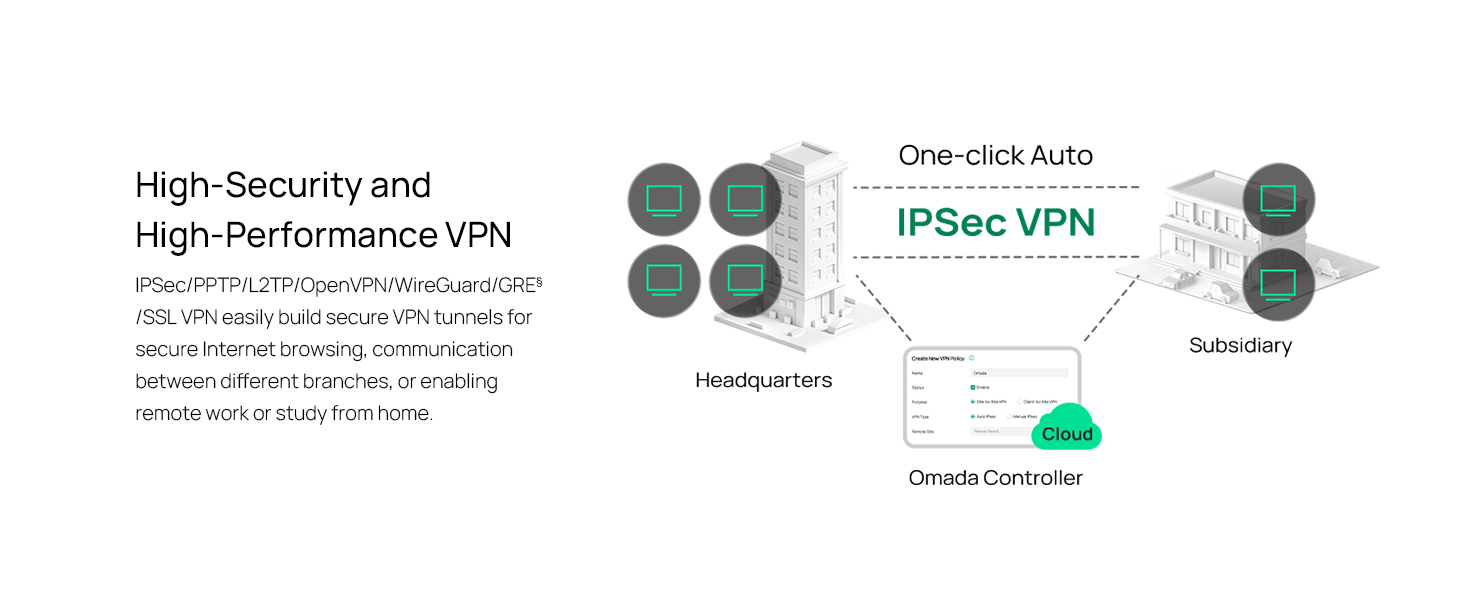
Figure 3: Visual representation of a secure VPN tunnel setup.
- VPN IPsec: Establish secure tunnels between networks (e.g., office to branch office).
- OpenVPN/SSL VPN: Provide secure remote access for individual users.
- PPTP/L2TP VPN: Legacy VPN protocols for various client connections.
4.3 Karakteristik Sekirite Sosyal
The router includes advanced security measures to protect your network:
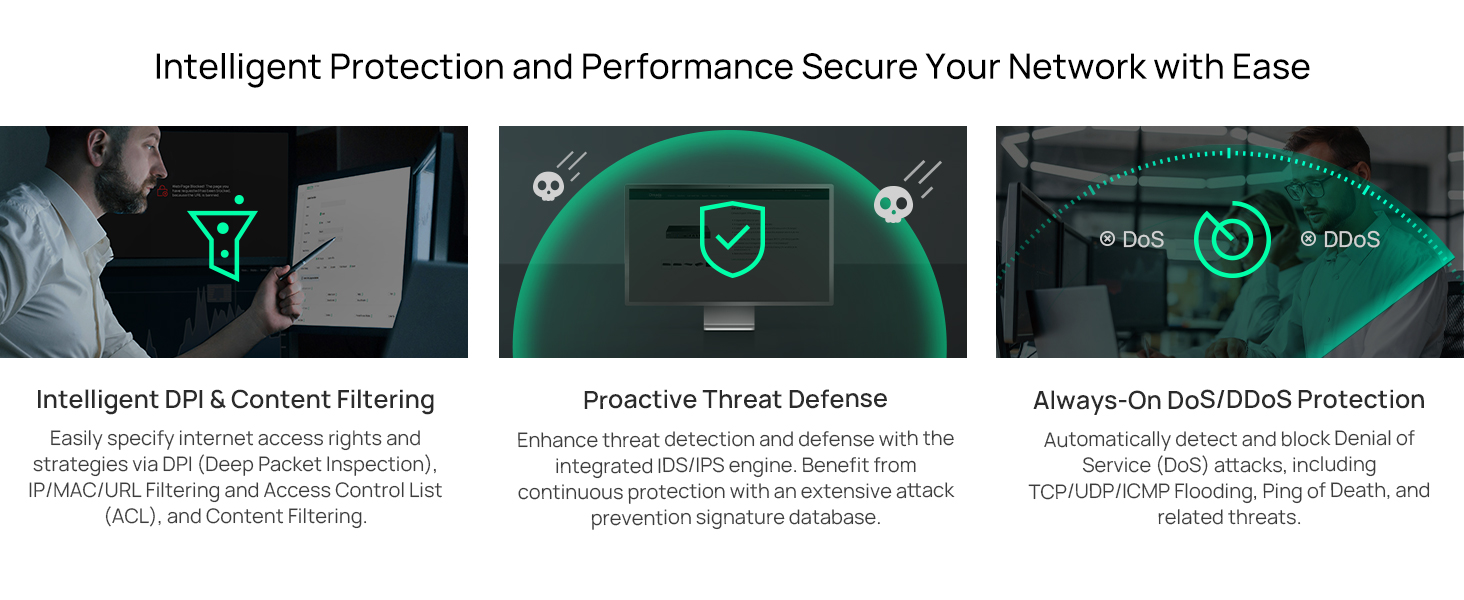
Figi 4: Plis paseview of intelligent protection and performance features.
- SPI Firewall: Stateful Packet Inspection firewall for network protection.
- Policy-based Firewall: Define rules to control network traffic based on specific criteria.
- DoS/DDoS Protection: Defend against Denial of Service and Distributed Denial of Service attacks.
- Lis kontwòl aksè (ACL): Manage network access for specific devices or users.
4.4 Entegrasyon Omada SDN
The ER707-M2 is part of the Omada Software-Defined Networking (SDN) solution, allowing for centralized management of your entire network.

Figure 5: How the ER707-M2 integrates into an Omada SDN network.
- Jesyon santralize: Manage the router, access points, and switches from a single interface via the Omada Controller (hardware or software).
- Aksè Remote: Access and manage your network from anywhere using the Omada app or cloud portal.
- Seamless Scalability: Easily expand your network by adding more Omada devices.
5. Antretyen
To ensure optimal performance and security of your ER707-M2 router, regular maintenance is recommended:
- Mizajou mikrolojisyèl: Tcheke enfòmasyon ofisyèl TP-Link yo detanzantan. websit la pou dènye vèsyon firmwèr yo. Mizajou firmwèr la ka amelyore pèfòmans, ajoute nouvo fonksyonalite, epi ranje vilnerabilite sekirite yo.
- Sovgad Konfigirasyon: Regularly back up your router's configuration settings. This allows for quick restoration in case of accidental changes or system issues.
- Enspeksyon fizik: Ensure the router is placed in a well-ventilated area, free from dust and obstructions. Check cable connections for secure fit.
- Sekirite Review: Tanzantan review your firewall rules, VPN settings, and access control lists to ensure they meet your current security requirements.
NAN. Depanaj
If you encounter issues with your ER707-M2 router, consider the following troubleshooting steps:
- Pa gen aksè entènèt:
- Check all cable connections (WAN, LAN, Power).
- Verify your modem or ISP device is working correctly.
- Confirm WAN settings in the router's web koòdone yo kòrèk.
- Restart the modem, then the router, and then your connected devices.
- Pa Ka Aksè Web Paj Jesyon:
- Asire w ke òdinatè w lan konekte ak yon pò LAN nan routeur la.
- Verify your computer's IP address is in the same subnet as the router (e.g., if router is 192.168.0.1, computer should be 192.168.0.x).
- Eseye efase kach navigatè w la oubyen itilize yon lòt navigatè.
- If the issue persists, perform a factory reset (see below).
- Vitès rezo a ba:
- Tcheke vitès founisè sèvis entènèt ou an.
- Ensure all cables are Cat5e or higher for Gigabit/2.5Gig connections.
- Monitor network usage to identify bandwidth-intensive applications or devices.
- Verify duplex settings on connected devices and router ports.
- Reset faktori: If all else fails, you can restore the router to its factory default settings. Locate the Reset button on the router (often a small pinhole button), press and hold it for about 5-10 seconds until the system LED blinks, then release. This will erase all custom configurations.
7. Espesifikasyon
| Karakteristik | Detay |
|---|---|
| Mak | TP-Link |
| Non modèl | ER707-M2 |
| Koneksyon Teknoloji | Ethernet |
| Kantite pò | 6 (1x 2.5G WAN, 1x 2.5G WAN/LAN, 4x Gigabit WAN/LAN, 1x Gigabit SFP WAN/LAN, 1x USB 2.0) |
| Lajè Bande Pò LAN | 10/100/1000/2500Mbps |
| Pousantaj Transfè Done | 2500 Megabit pou chak segonn |
| Maksimòm To Transfè Done an Amont | 5000 Megabit pou chak segonn |
| Pwotokòl Sekirite Sosyal | SSL, IPSec, GRE, SSH, IKEv1/v2, PPTP, L2TP, OpenVPN |
| Metòd kontwòl | Aplikasyon, Web Entèfas |
| Sistèm operasyon | ZyNOS (TP-Link Omada) |
| Pwa atik | 1.1 Kilogram |
| Dimansyon atik (L x W x H) | 12.9"L x 9.5"L x 3.1"H |
8. Enfòmasyon sou Garanti
The TP-Link ER707-M2 Omada Multi-Gigabit VPN Router is backed by an industry-leading Garanti manifakti 5 zanGaranti sa a kouvri domaj nan materyèl ak nan fabrikasyon anba itilizasyon nòmal. Tanpri konsève prèv acha ou pou reklamasyon garanti.
9. Sipò
For technical assistance, product information, or warranty inquiries, please contact TP-Link support:
- Sipò telefòn: (866) 225-8139 (Disponib Lendi pou Vandredi, 6è dimaten pou rive 6è diswa PST)
- Pwodwi Websit: pwodwimyo.tp-link.com/us
- Sipò Imèl: sipò.USA@tp-link.com