
1. Entwodiksyon
Welcome to the Oclean Endurance Sonic Electric Toothbrush user manual. This guide provides essential information for the proper setup, operation, and maintenance of your new Oclean Endurance toothbrush. Please read these instructions carefully before first use to ensure optimal performance and longevity of your device.
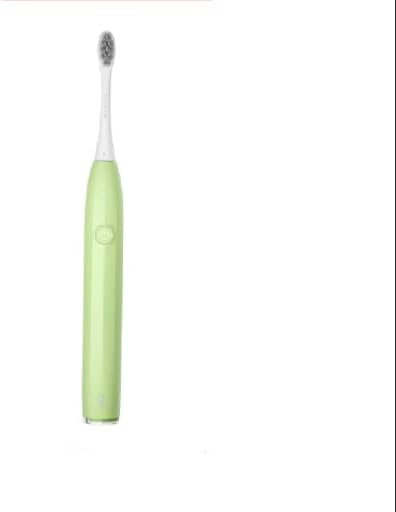
Image 1: Oclean Endurance Sonic Electric Toothbrush (Green)
2. Pwodwi souview
The Oclean Endurance Sonic Electric Toothbrush is designed for effective and comfortable oral hygiene. Key features include:
- Maglev magnetic motor, brushless, providing up to 72,000 movements per minute.
- Quality DuPont classic brush head fibers for effective cleaning.
- IPX7 waterproof rating and a non-slip grip handle.
- Two distinct cleaning modes and a built-in timer for 2 or 3 minutes.
- Simple one-button control for ease of use.
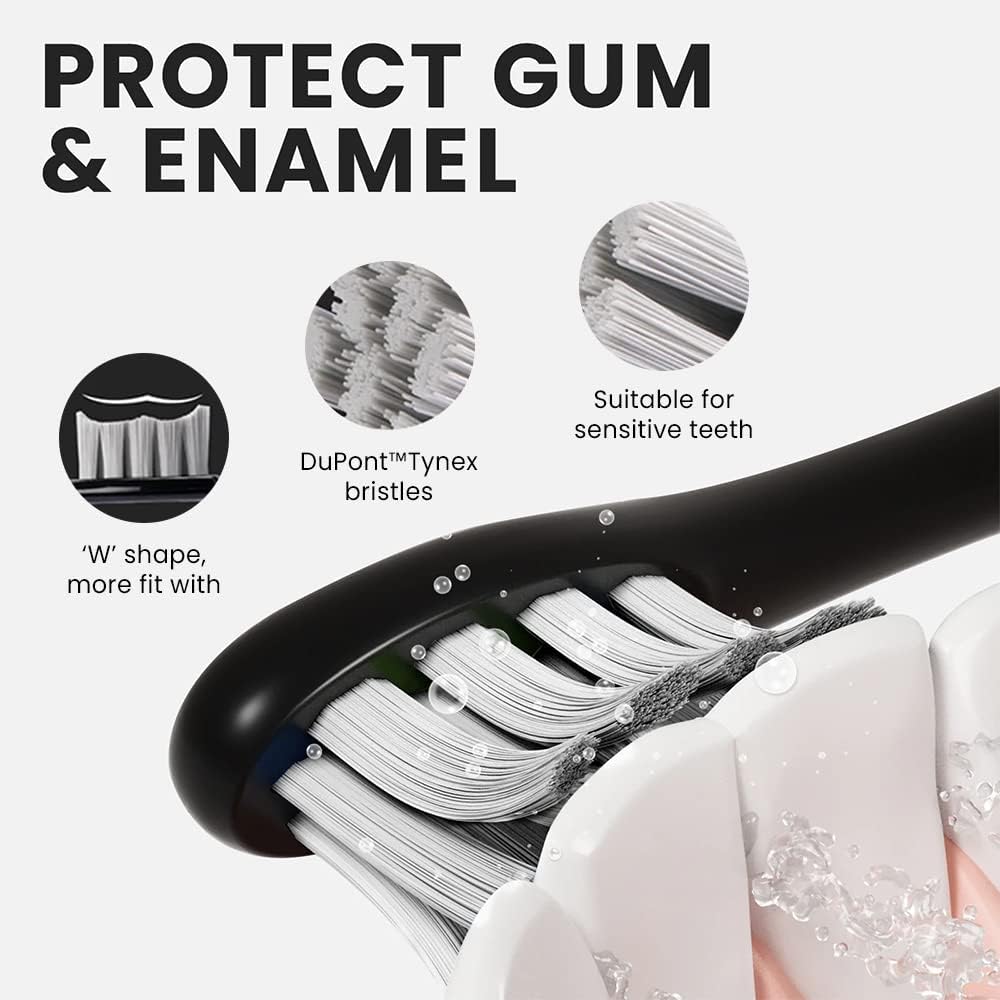
Image 2: Brush head design featuring W-shape DuPont Tynex bristles for gum and enamel protection.

Image 3: Patented Maglev Motor technology, delivering up to 72,000 movements per minute for efficient plaque removal.
3. Enstalasyon
- Dekonpoze: Ak anpil atansyon retire tout eleman nan anbalaj la.
- Tache tèt bwòs: Aliyen tèt bwòs la ak tij metal ki sou manch bwòs dan an epi pouse l byen fèm jiskaske li fè yon klik an plas.
- Inisyal chaj: Before first use, fully charge the toothbrush. Refer to the 'Charging' section for detailed instructions.
4. Chaje
The Oclean Endurance toothbrush features a USB Type-C charging port for convenient power replenishment.
- Locate the USB Type-C port at the bottom of the toothbrush handle.
- Connect the provided USB-C cable to the toothbrush and plug the other end into a compatible USB power adapter (not included) or a USB port.
- The indicator light will show charging status. A full charge typically takes approximately 5 hours and provides up to 30 days of use based on standard brushing habits.
- A sound indicator will activate when the battery is low.

Image 4: USB Type-C charging input for long battery life.
5. Operasyon
The toothbrush is controlled by a single button for straightforward operation.
- Limen/Etenyen: Press the button once to turn the toothbrush on. Press it again to turn it off.
- Chanje mòd: While the toothbrush is on, press and hold the button for 2 seconds to switch between the available cleaning modes. A sound indicator will confirm the mode change.
- Revèy bwose: The toothbrush includes a built-in timer for 2 or 3 minutes, ensuring recommended brushing duration.

Image 5: Ease of Use features, including one-button design and mode switching.
6. Netwayaj mòd
The Oclean Endurance offers two distinct cleaning modes to suit your needs:
- Mòd dou: Ideal for beginners or individuals with sensitive teeth and gums. This mode provides a softer vibration for a comfortable cleaning experience.
- Mòd netwayaj: Offers a stronger vibration for a thorough and effective daily clean, removing plaque and maintaining oral hygiene.
You can switch between these modes by pressing and holding the power button for 2 seconds while the toothbrush is operating. The gentle mode is tailored for beginners and can be skipped by long-pressing the button if you prefer to start with the cleaning mode.

Image 6: Beginner-friendly mode transition, starting with gentle vibrations and progressing to cleaning mode.
7. Antretyen
Proper maintenance ensures the longevity and hygiene of your Oclean Endurance toothbrush.
- Apre chak itilizasyon: Rinse the brush head thoroughly under running water to remove toothpaste residue and debris.
- Netwaye manch lan: Siye manch bwòs dan ak yon damp cloth. Do not immerse the handle in water for extended periods, despite its IPX7 waterproof rating, to protect internal components.
- Ranplasman tèt bwòs: It is recommended to replace the brush head every three months, or sooner if the bristles become frayed or worn.
- Depo: Store the toothbrush in a dry, well-ventilated area. The anti-mold design and optional wall mount help maintain hygiene.

Image 7: Anti-mold design with optional wall mount for hygienic storage.
NAN. Depanaj
If you encounter any issues with your Oclean Endurance toothbrush, please refer to the following common solutions:
- Bwòs dan pa limen: Ensure the battery is charged. Connect the toothbrush to a charger and check if the indicator light illuminates.
- Vibrasyon fèb: The battery might be low. Charge the toothbrush fully. If the issue persists, ensure the brush head is securely attached.
- Pwoblèm chaj: Verify that the USB-C cable is properly connected to both the toothbrush and the power source. Try a different USB power adapter or port.
- Bri etranj: Ensure the brush head is correctly installed. If the noise persists, contact customer support.
9. Espesifikasyon
| Karakteristik | Spesifikasyon |
|---|---|
| Mak | Oclean |
| Modèl | Endurance (OC-TBEND-GN) |
| Kalite motè | Maglev Magnetic Motor, Brushless |
| Mouvman pa minit | Jiska 72,000 |
| Evalyasyon ki enpèmeyab | IPX7 |
| Mòd netwayaj | 2 (Gentle, Cleaning) |
| Revèy | 2 oswa 3 minit |
| Lavi batri | Up to 30 days (single charge) |
| Chaje Kalite | USB Kalite-C |
| Tan pou chaje | Apeprè. 5 èdtan |
| Dimansyon pwodwi | 16.51 x 16.4 x 4.59 cm |
| Pwa atik | 129 g |
| Ranje laj | Granmoun |
10. Garanti ak sipò
For warranty information, product support, or any inquiries not covered in this manual, please refer to the official Oclean website or contact your retailer. You can also visit the Magazen Oclean sou Amazon pou resous adisyonèl.