
1. Entwodiksyon
This manual provides detailed instructions for the safe and efficient operation of your Zebronics Zeb-Buddy 100 Portable Bluetooth Speaker. Please read this manual thoroughly before using the device and retain it for future reference.
2. Pwodwi souview ak Karakteristik
The Zebronics Zeb-Buddy 100 is a portable Bluetooth v5.0 speaker designed for versatile audio playback. It features a compact design with an integrated handle for easy transport and a mobile holder for hands-free use. Key features include:
- Koneksyon Bluetooth v5.0: Pou difizyon odyo san fil.
- Fonksyon TWS: Allows pairing of two Zeb-Buddy 100 speakers for stereo audio.
- Mikwofòn filaire: Includes a 6.3mm wired microphone for karaoke.
- Plizyè Opsyon Lekti: Supports AUX, micro SD card, and USB input.
- Built-in FM Radio: For listening to radio stations.
- Kontwòl medya yo: Integrated buttons for easy control of playback.
- Batri rechargeable: Provides up to 5 hours of playback time.
- Mòd limyè RGB: Plizyè mòd limyè pou yon anbyans amelyore.
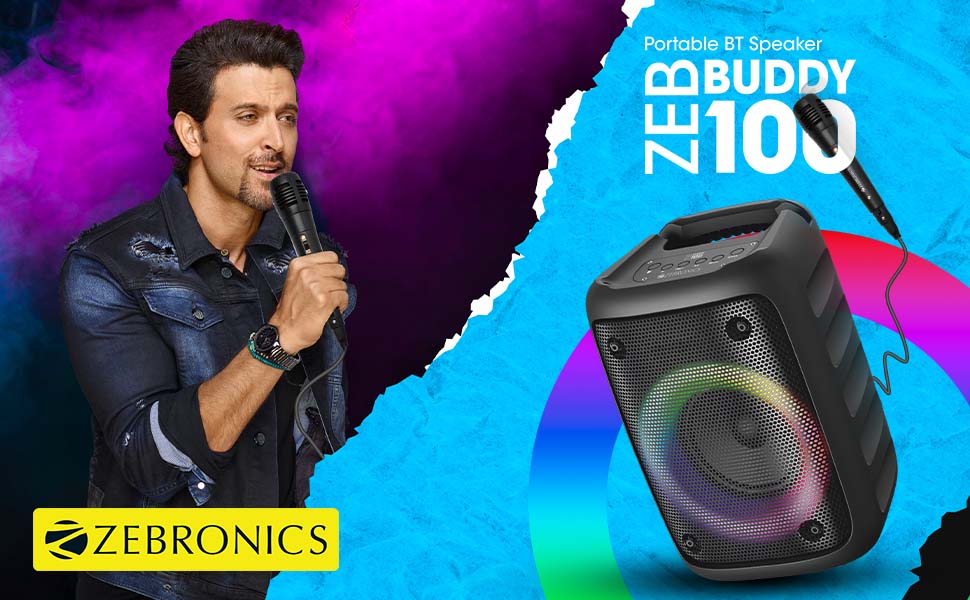
Image: The Zeb-Buddy 100 speaker shown with its included wired microphone, highlighting its portable design and control panel.
Imaj: Yon angilè view of the Zeb-Buddy 100 speaker, showcasing its compact form factor and side details.
3. Enstalasyon
3.1 Chaje Oratè a
- Konekte kab chaje a nan pò chaje oratè a.
- Connect the other end of the cable to a suitable USB power adapter (not included).
- The charging indicator will illuminate. A full charge takes approximately 4 hours.
3.2 Bluetooth Pairing
- Pouvwa sou oratè a pa peze epi kenbe bouton pouvwa a.
- The speaker will enter Bluetooth pairing mode, indicated by a flashing LED.
- Sou aparèy mobil ou, aktive Bluetooth epi chèche aparèy ki disponib.
- Select "Zeb-Buddy 100" from the list to pair.
- Once paired, the speaker will confirm the connection, and the LED will stop flashing.
3.3 TWS (Vrè Stereo san fil) Koneksyon
To experience stereo audio, you can pair two Zeb-Buddy 100 speakers together:
- Ensure both Zeb-Buddy 100 speakers are powered on and not connected to any Bluetooth device.
- On one speaker (this will be the primary speaker), press and hold the TWS button.
- Oratè prensipal la ap chèche oratè segondè a.
- Once connected, both speakers will indicate a successful TWS pairing.
- Now, connect your mobile device to the primary speaker via Bluetooth as described in section 3.2. Audio will play in stereo through both speakers.

Image: Three Zeb-Buddy 100 speakers demonstrating their multiple RGB light modes, illustrating the TWS capability.
4. Operasyon Enstriksyon
4.1 Seleksyon mòd
Press the 'M' (Mode) button on the speaker to switch between Bluetooth, AUX, Micro SD, USB, and FM Radio modes.
4.2 Lekti Odyo
- Jwe/Poz: Peze bouton jwe/poz la.
- Pwochen Track: Press the 'Next' button.
- Track Previous: Press the 'Previous' button.
- Volim moute: Press and hold the 'Next' button.
- Volim desann: Press and hold the 'Previous' button.
4.3 Fonksyon Karaoke
- Connect the wired microphone to the 6.3mm microphone input port on the speaker.
- Adjust the microphone volume using the dedicated knob on the speaker (if available) or through the main volume controls.
- Ensure music is playing from your chosen source (Bluetooth, AUX, etc.) for background audio.
4.4 Operasyon Radyo FM
- Chanje nan mòd Radyo FM avèk bouton 'M' lan.
- Press the Play/Pause button once to auto-scan and save available FM channels.
- Use the 'Next' and 'Previous' buttons to navigate between saved channels.
5. Antretyen
To ensure the longevity and optimal performance of your Zeb-Buddy 100 speaker:
- Keep the speaker away from water, moisture, and direct sunlight.
- Netwaye oratè a avèk yon twal mou epi sèk. Pa sèvi ak pwodui chimik ki agresif oswa pwodui netwayaj abrazif.
- Evite jete oswa soumèt oratè a nan gwo enpak.
- Sere nan yon kote ki fre, sèk lè yo pa itilize pou peryòd pwolonje.
NAN. Depanaj
| Pwoblèm | Kòz posib | Solisyon |
|---|---|---|
| Oratè a pa limen. | Batri a fèb oswa pa gen chaj. | Chaje oratè a nèt. |
| Pa ka konekte atravè Bluetooth. | Oratè a pa nan mòd koneksyon; Bluetooth aparèy la etenn; li twò lwen oratè a. | Asire w ke oratè a an mòd koneksyon. Aktive/dezaktive Bluetooth sou aparèy ou an. Pi pre oratè a. |
| Pa gen son. | Volume too low; incorrect mode selected; faulty cable (AUX/USB). | Increase volume. Select correct input mode. Check/replace cables. |
| Koneksyon TWS la echwe. | Speakers already connected to another device; too far apart. | Dekonekte oratè yo ak lòt aparèy yo. Asire w ke oratè yo pre youn ak lòt. |
| Mikwofòn pa mache. | Microphone not fully plugged in; volume too low. | Ensure microphone is securely connected. Adjust microphone volume. |
7. Espesifikasyon
- Mak: ZEBRONIK
- Non modèl: Zeb-Buddy 100
- Koneksyon Teknoloji: Auxiliary, Bluetooth, USB, Wireless
- Bluetooth vèsyon: v5.0
- Oratè maksimòm pwodiksyon pouvwa: 15 Watts
- Repons frekans: 100Hz - 20kHz
- Audio Sòti Mode: Stereo (ak TWS)
- Gwosè Oratè: 52 Millimetres (Driver)
- Sous pouvwa: Batri Powered
- Tan chaj batri: 4 èdtan
- Tan Lektur: 5 èdtan
- Metòd kontwòl: Kontwòl manyen
- Aparèy konpatib: Smartphone, tablèt
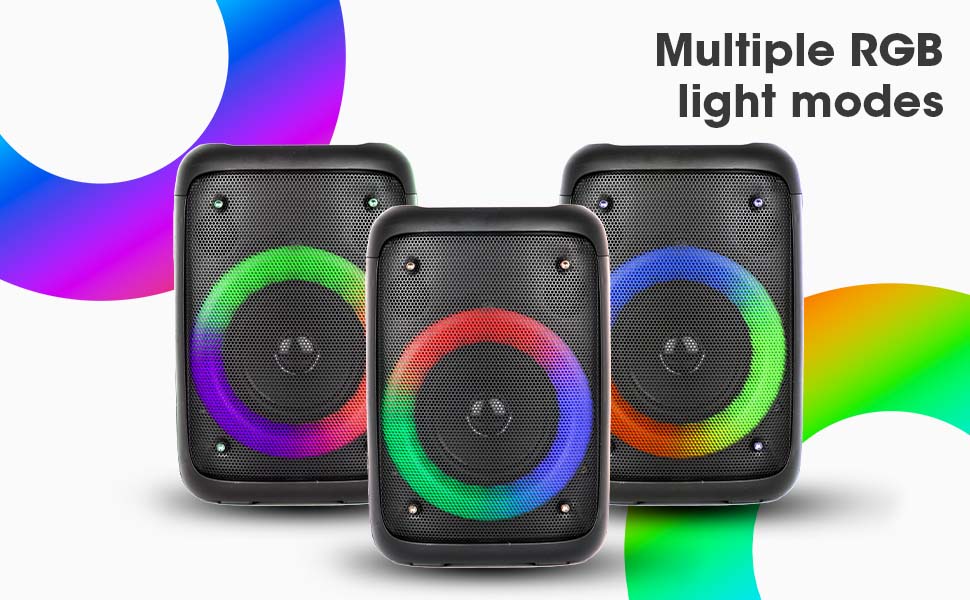
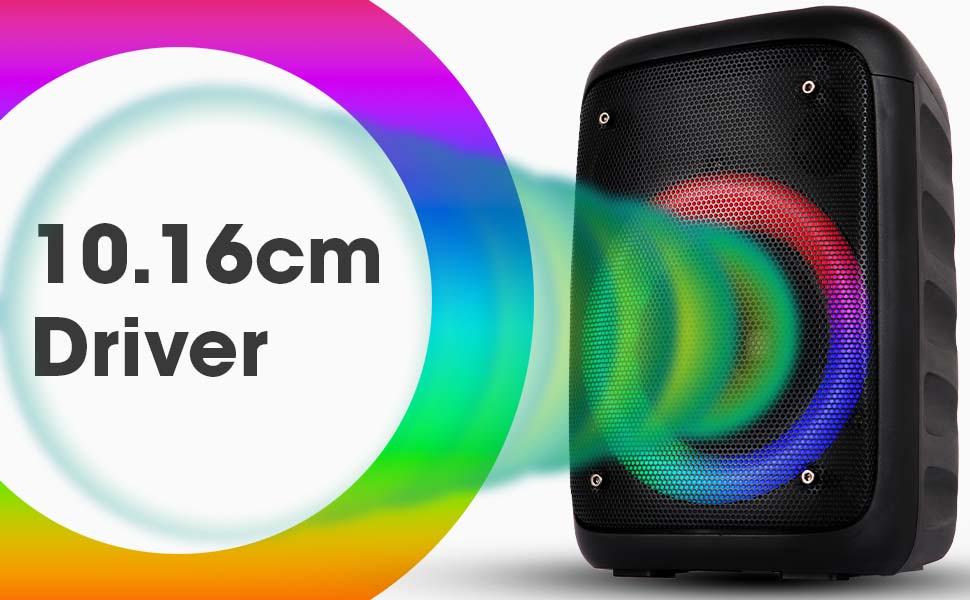
Image: The Zeb-Buddy 100 speaker with an overlay indicating its 10.16cm (4-inch) driver size.
8. Garanti ak sipò
The Zebronics Zeb-Buddy 100 comes with a 1-year carry-in warranty to the service center. For any support, service, or warranty claims, please contact Zebronics customer support or visit their official website for service center locations and contact information.
Tanpri konsève resi acha ou a pou validasyon garanti a.